

Product comparison
Subscription includes
Support
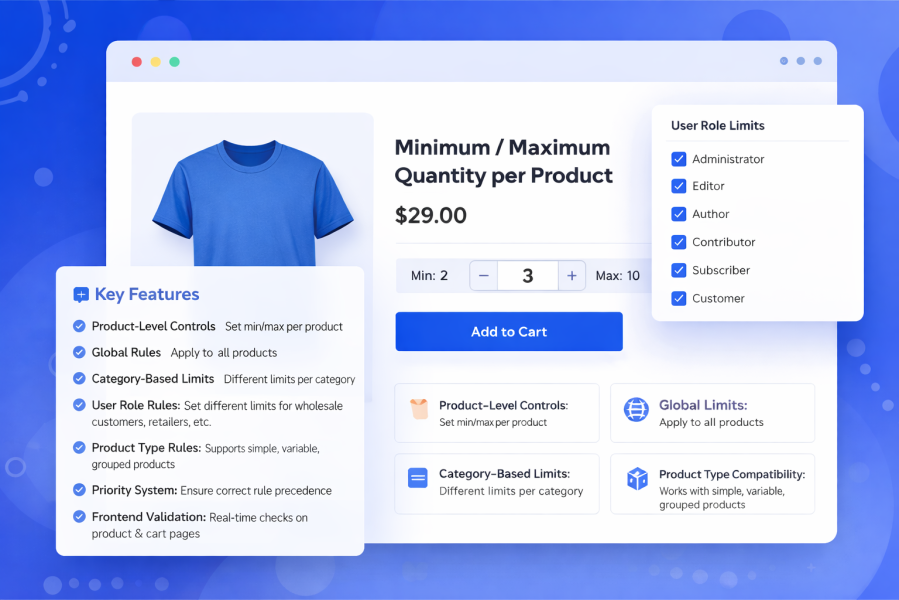
The Minimum / Maximum Quantity per Product plugin gives you full control over WooCommerce product quantities. Set minimum quantity, maximum quantity, and buy-in-multiples rules by product, category, user role, product type — or combine a product with a role. Perfect for wholesale stores, B2B catalogs, bulk sellers, and limited-stock shops.
Product-Level Quantity Controls
Set minimum quantity, maximum quantity, and quantity step on any product from the Inventory tab. Product-level settings always override global rules.
Role-Specific Product Limits
On the same product, add role-based min/max/step. Example: Product X max 2 for Wholesale only, while retail customers can still buy more.
Global Quantity Rules
Apply default min/max limits to every product at once. Ideal for store-wide wholesale or retail policies.
Category-Based Rules
Assign different quantity limits to different categories. Example: Electronics max 2, Accessories max 10 per customer.
User Role Rules
Set quantity limits for retail, wholesale, subscribers, shop managers, or any custom WordPress role. Built for B2B WooCommerce stores.
Product + User Role Rules
Combine a product and a role in one rule. Example: Limit Product X to a maximum of 2 for Role Y only. Other roles are not affected.
Product Type Rules
Apply quantity limits by product type — simple, variable, grouped, or external — without editing each product.
Exclude Products & Categories
Skip rule-based limits for samples, free gifts, or special items while keeping global quantity rules active for everything else.
Priority-Based Rules
Control which rule wins with priority numbers. First match wins. Product + Role rules beat Product-only or Role-only rules when priority is the same. Product-level settings always take the highest priority.
Quantity Step / Buy in Multiples
Require customers to buy in packs (for example 3, 6, or 9) on individual products or through rules.
Whole Cart Limits
Set a minimum or maximum total number of items allowed in the cart across all products.
Custom Messages
Edit shopper-facing notices from Quantity Settings using tokens like %product%, %min%, %max%, and %step%.
Cart Auto-Correct
Automatically adjust quantities that break your rules and notify the customer — so the cart never stays broken.
Sold Individually Conflict Warning
Get an admin alert when WooCommerce “Sold individually” conflicts with Min/Max settings greater than 1.
Frontend Validation & Error Messages
Customers see quantity limits instantly on product pages, in the cart, and at checkout. Clear messages help reduce cart abandonment.
Remaining Quantity Hint
Show how many more of a product the customer can still add (e.g., “You can add 2 more”).
Product Page Notices
Display Min · Max · Step under the add to cart button so shoppers understand limits before buying.
WooCommerce Blocks Support
Quantity limits are enforced in classic templates and in the block-based cart/checkout via the Store API.
Yes. You can set a minimum quantity, a maximum quantity, or both. Either value can be left empty or set to 0 if you don’t want to enforce that limit.
Absolutely. You can create global rules that apply to all products in your store, then override them using category, role, or product-specific rules.
Rules use a priority-based system:
Product-level settings always have the highest priority
Rule-based limits are applied by priority (lower number = higher priority)
The first matching rule is applied
Yes. You can create rules based on user roles such as wholesale customers, subscribers, retailers, or any custom role.
Yes. This plugin is ideal for wholesale and B2B setups where minimum order quantities or bulk limits are required.
Yes. You can set product-level minimum and maximum quantities in the Inventory tab. These settings always override any rules.
Yes. Category-based rules allow you to apply different quantity limits for different categories.
Yes. The quantity input field automatically reflects the minimum and maximum limits, and customers will see clear validation messages if limits are exceeded.
Categories
Extension information
Quality Checks
Countries







