

Product comparison
Subscription includes
Support
Low Operation Cost
In a Multi Vendor environment, the cost of operation would be less compared to a regular Online Shop because, the site Admin doesn’t have to maintain inventory since the product inventory will be handled by the Vendors.
Product Variety
When Multiple Vendors register themselves and add their products to the marketplace, the product list on the site will increase and hence the users will have a lot of products to choose from.
Offer Competitive Pricing to your Customers
When multiple Vendors sell the same product(s), the Vendors will start to price their products competitively and customers will purchase from the Vendor who is offering them the best price.
Higher Order Value
Customers can buy from multiple vendors in a single order, which increases the average order value.
Recurring Revenue
Earn subscription fees from vendors in addition to the commission on every sale.
Sell Your Own Products
Run your own store alongside the vendors and earn from both your products and vendor commissions.
1. Single Product Multiple Vendors

You can allow multiple vendors to sell a same product on your Multi Vendor Marketplace.
2. Frontend Vendor Dashboard

A dedicated frontend dashboard for your Vendors using which they can perform the following actions,
3. Vendor Profile management

Option for the Vendor to display the following information on their Dashboard,
4. Staff Management for Vendors


Option for the Vendors to create Manage their Vendor Account by creating Staff Members.
5. Subscription Fee for Vendor
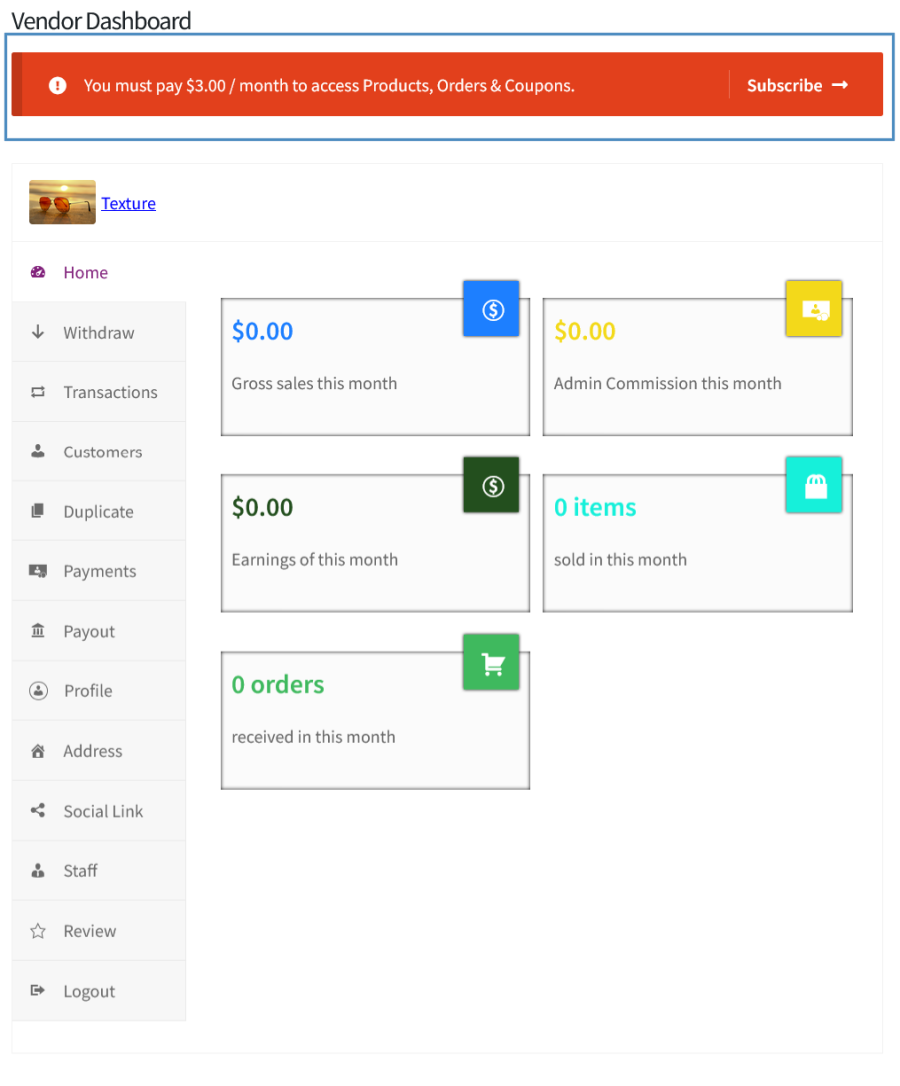
You can charge a recurring subscription fee from your Vendors for allowing them to sell products on your Marketplace. This feature requires WooCommerce Subscriptions Extension.
6. Additional Product Controls

You can offer/restrict the following product related capabilities to your vendors,
7. Order Capabilities for Vendor
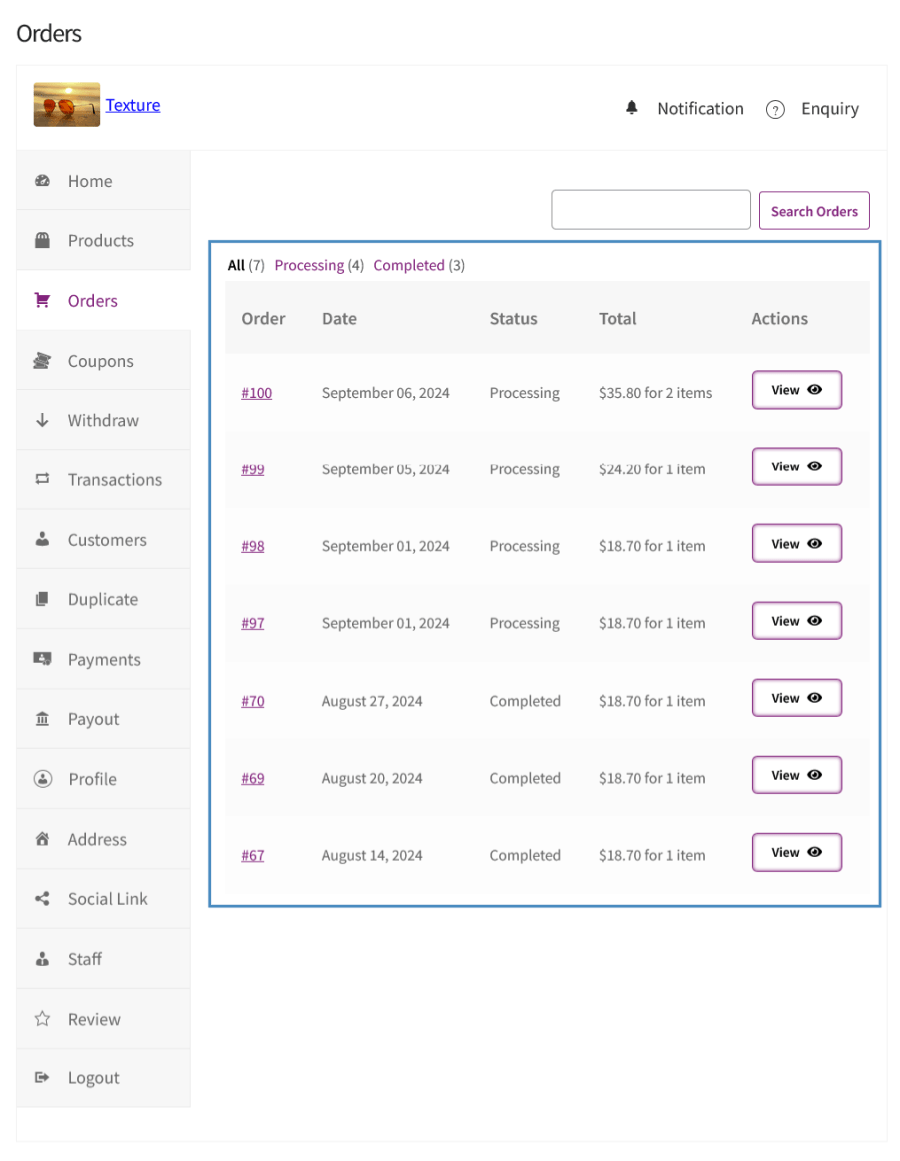
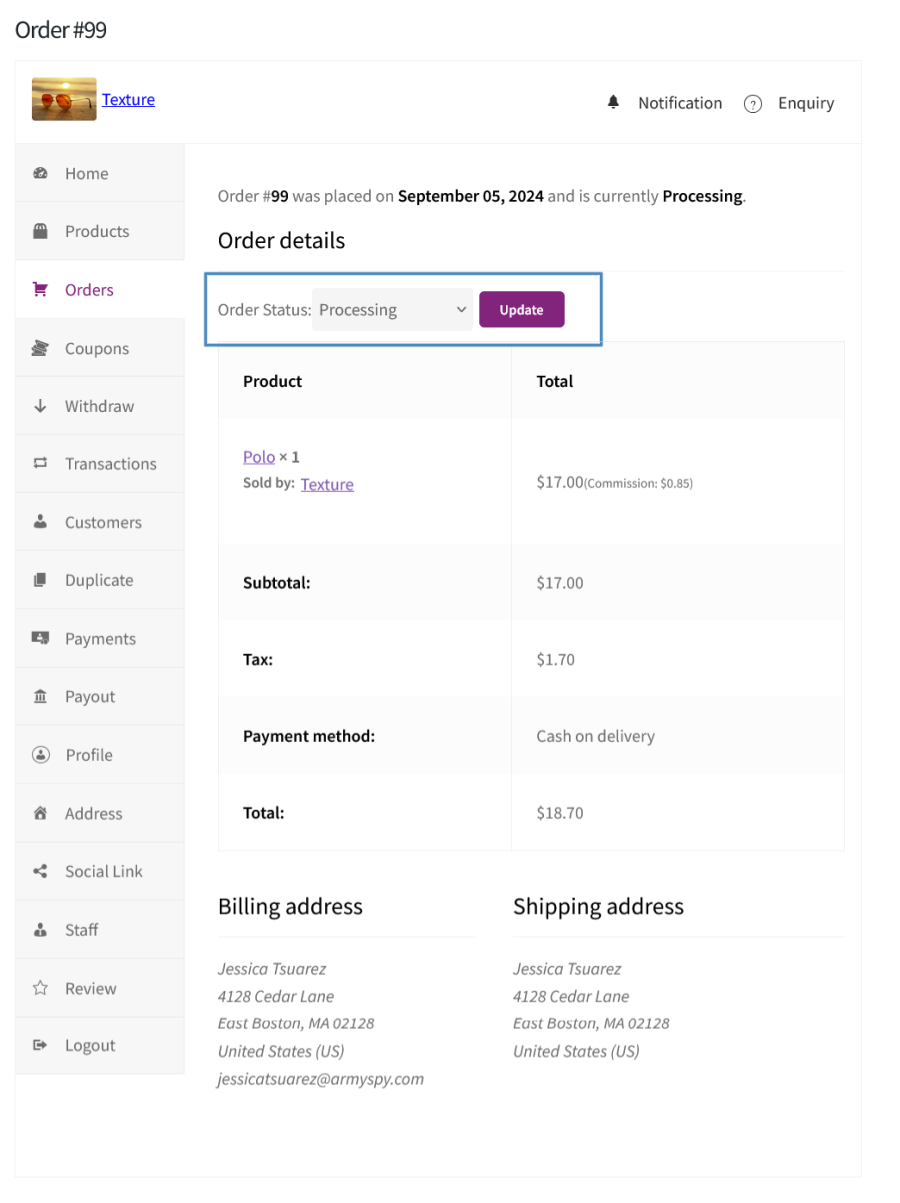
You can allow your Vendors to Modify the Order status of the Orders.
8. Coupon Creation Capabilities for Vendor

Option for the Vendors to Create/Manage WooCommerce Coupons which can be used by the users.
9. Product Enquiry
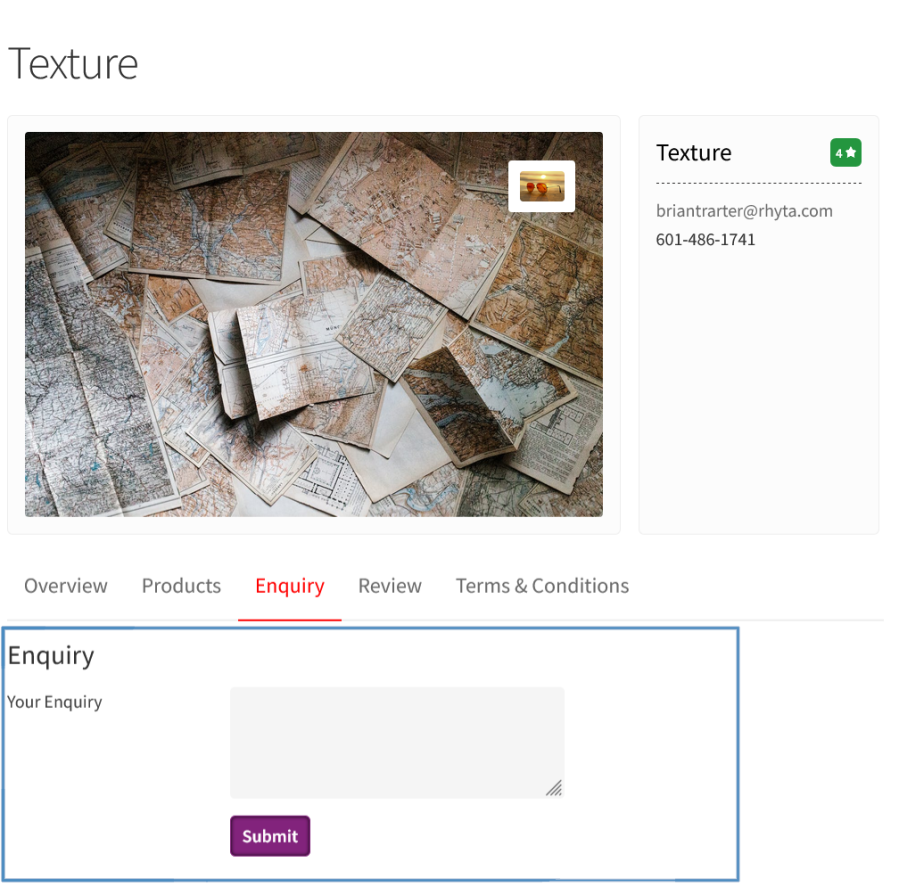
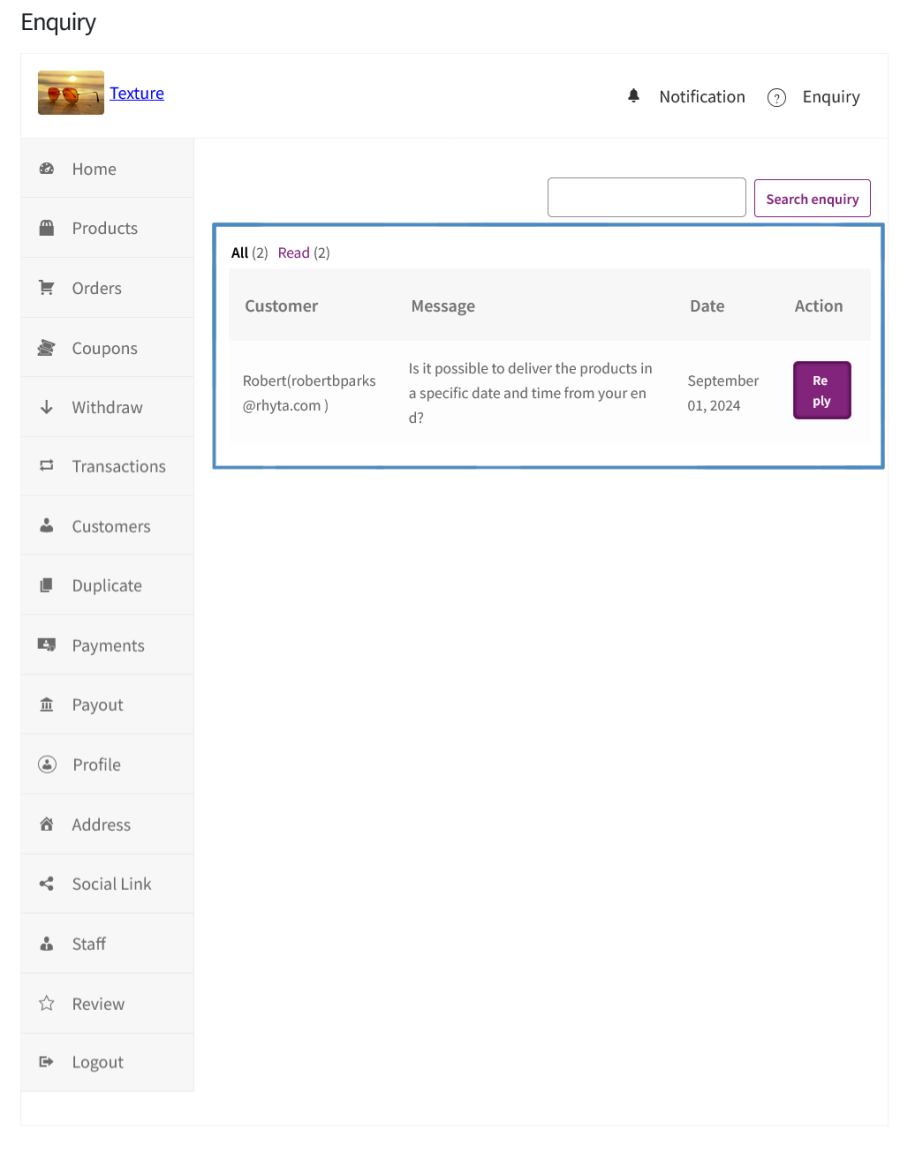
Customers can directly post their questions to the Vendors and can receive a reply.
10. Store Reviews


Customers can post their reviews about the stores from which they purchase the products.
11. Commission Withdrawal Charges

You can charge a fee from the Vendors for withdrawing their money to their account.
12. Generate Payout and Payout Log

Option for the Site Admin to Pay Multiple Vendors at once using the Generate Payout option and a Payout Log to keep track of the payments made to the vendors.
13. Option to Calculate Admin Commission on the Price after applying the Vendor and Site Admin coupon Discount.
14. Stripe Vendor Payouts
Pay vendors directly to their connected Stripe accounts.
15. Multiple Vendors’ Products in a Single Order
Customers can buy from multiple vendors in one order, and each vendor manages their own part of it.
16. Vendor Shipping
Vendors can set their own shipping rates, free shipping limits, and shipping countries.
17. Flexible Admin Commission
Set the admin commission at different levels. When more than one level is configured, the most specific setting is applied (Product > Category > Vendor > Global).
18. Admin Store
Sell your own products alongside the vendors and manage them from the Vendor Dashboard.
19. Vendor Stores Directory
A stores page where customers can search, filter, and sort vendor stores.
20. Marketplace Analytics
Track marketplace sales, commissions, and vendor performance from the admin dashboard.
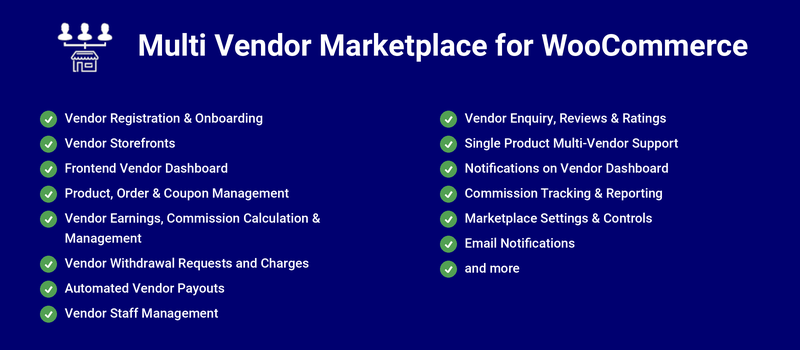
Allow new users to self-register from the frontend via a dedicated Vendor Registration page.
Key Capabilities:
Every vendor gets a dedicated public-facing storefront page showcasing their store banner, logo, and products. Customers can browse vendor products, view store policies, access social links, read vendor reviews, and submit store enquiries all from one page.
Key Capabilities:
Vendors manage their entire store from a fully-featured frontend dashboard no WordPress admin access needed. Navigation covers all key sections: products, orders, coupons, withdrawals, payouts, staff, transactions, payments, profile, reviews, notifications, and more.
Key Capabilities:
Vendors create, edit, and manage products from the frontend dashboard.
Key Capabilities:
Vendors view and manage their own orders from the dashboard.
Key Capabilities:
Vendors create and manage coupons from the frontend dashboard, subject to admin-controlled capabilities. Admins can require coupon approval and configure whether commission is calculated before or after vendor coupon discounts are applied.
Key Capabilities:
A flexible commission engine calculates earnings automatically.
Key Capabilities:
Vendors submit withdrawal requests for their earnings.
Key Capabilities:
Automate earnings distribution with scheduled payouts (daily, weekly, or monthly) no manual intervention needed. PayPal Payouts integration enables direct automated transfers to vendor accounts.
Key Capabilities:
Vendors add and manage staff members from the frontend dashboard, assigning granular capability permissions across products, orders, coupons, and more. Email notifications are sent automatically on staff assignment and removal.
Key Capabilities:
Customers submit store enquiries via a form on the vendor storefront.
Key Capabilities:
Customers leave reviews and ratings on vendor storefronts.
Key Capabilities:
Enable Single Product Multiple Vendors (SPMV) to let multiple vendors sell the same product. Customers choose from available vendor offers on the product page, controlled globally via the SPMV settings panel.
Key Capabilities:
Vendors receive real-time dashboard notifications for key store events new orders, product approvals, withdrawal updates, and more via a dedicated notification inbox in the frontend dashboard.
Key Capabilities:
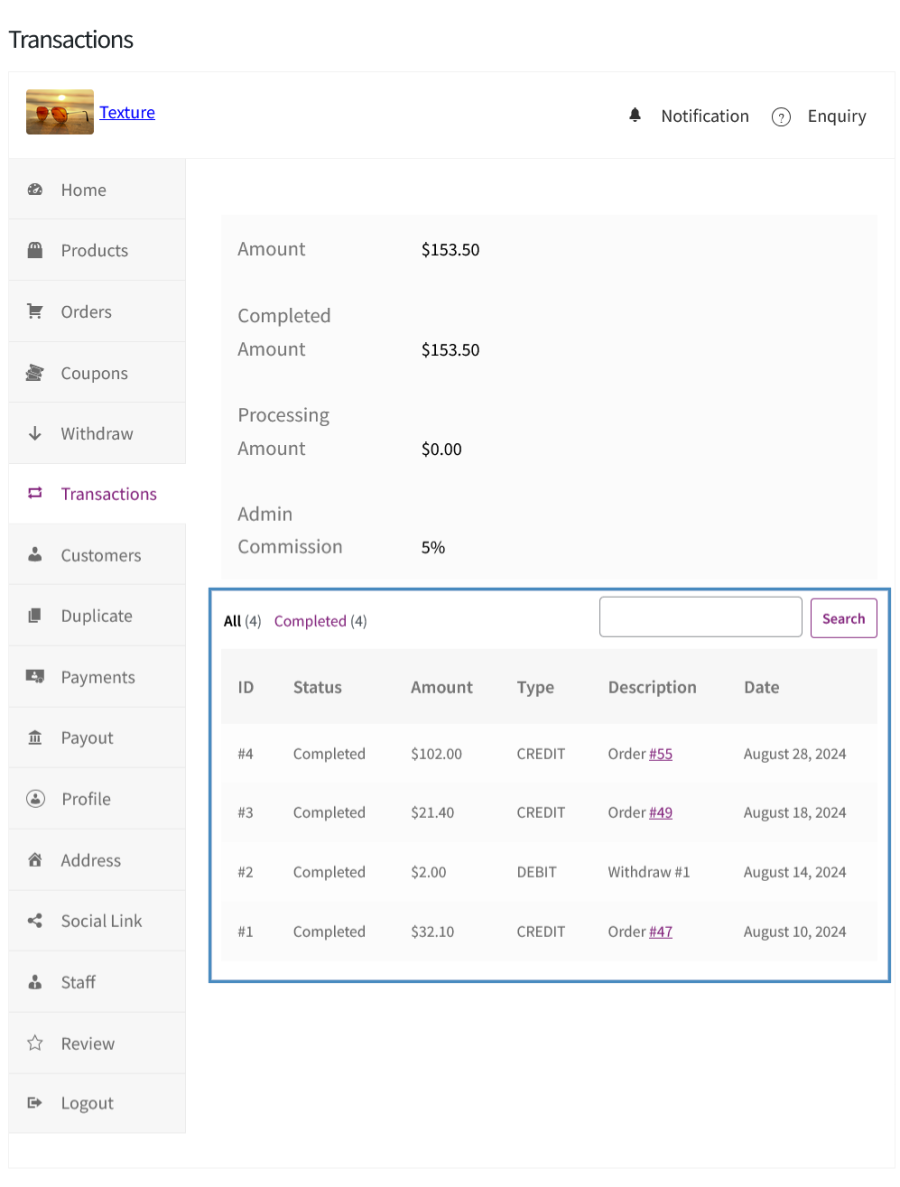
Track commission and earnings data via dedicated admin and vendor interfaces. The vendor earnings list gives admins per-vendor visibility, while vendors access their transaction history directly from the frontend dashboard.
Key Capabilities:
Admins control the entire marketplace through a comprehensive settings panel covering vendor registration, capabilities, commission, withdrawal, payment, profile management, SPMV, and advanced settings such as default pages, dashboard endpoints, and custom CSS.
Key Capabilities:
A comprehensive set of automated email notifications keeps admins, vendors, and staff informed on key marketplace events. All emails are customizable and built on WooCommerce’s email framework.
Key Capabilities:
18. Multi-Vendor Orders
Customers can buy from multiple vendors in a single order, and each vendor manages their own part.
Key Capabilities:
19. Vendor Shipping
Each vendor can set their own shipping rates from the dashboard.
Key Capabilities:
20. Admin Store
Let the marketplace owner sell alongside vendors using a dedicated Admin Store.
Key Capabilities:
21. Vendor Stores Directory
A stores page that helps customers find vendors.
Key Capabilities:
22. Vendor Subscription
Charge vendors a recurring subscription fee (requires WooCommerce Subscriptions).
Key Capabilities:
Categories
Extension information
Quality Checks
Countries







