

Active installs
300+
Subscription includes
Support
Shipping can quickly become complicated when every order has a different destination, weight, size, and delivery requirement.
New Zealand Post for WooCommerce connects your store with NZ Post so you can offer eligible shipping options based on the order your customer is actually placing.
Spend less time maintaining shipping tables, checking delivery costs, and moving shipment information between systems. Keep more of your shipping workflow in WooCommerce while giving customers useful delivery choices at checkout.
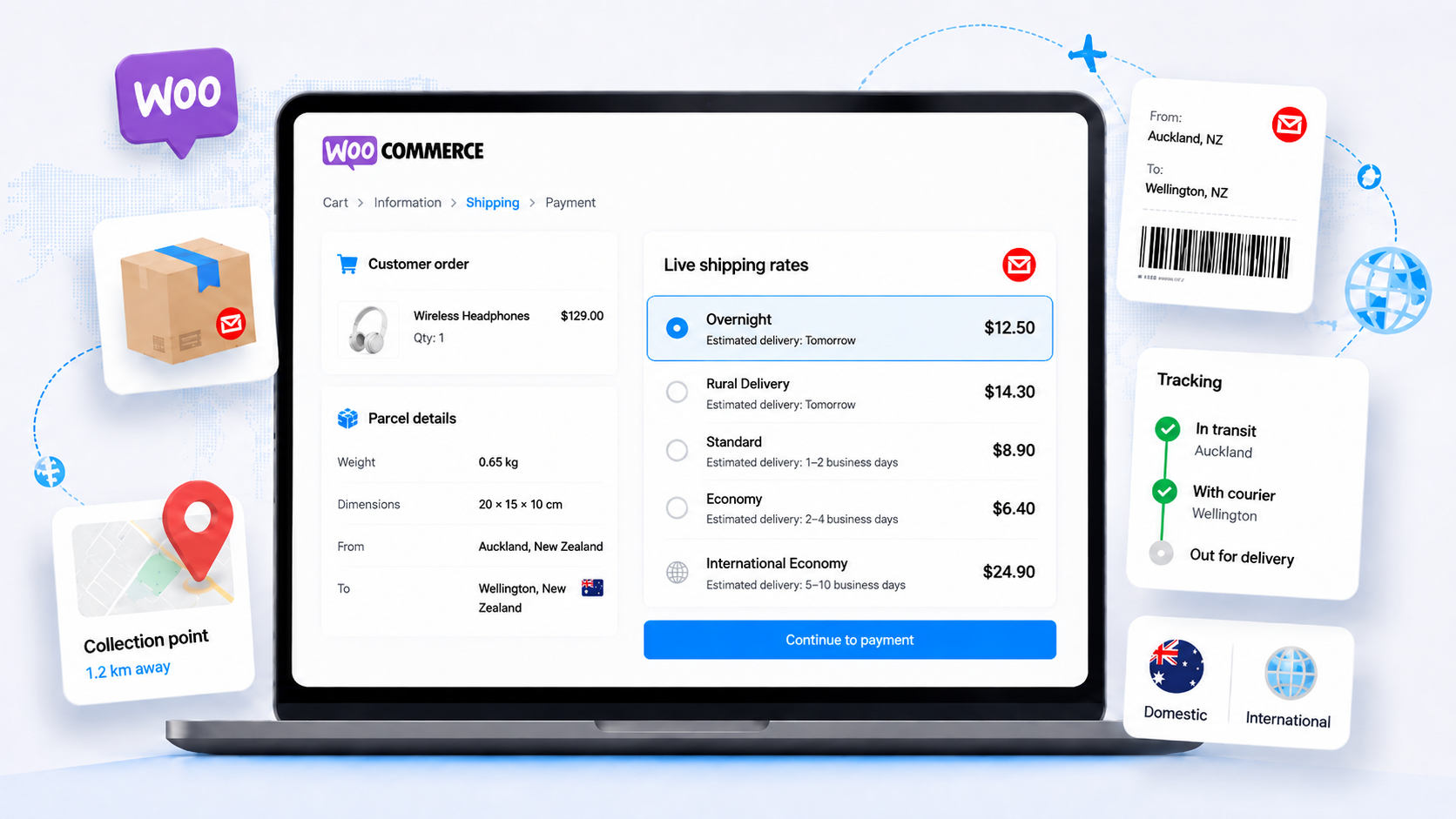
A single flat shipping rate rarely works for every order.
A small parcel going across town may cost very differently from a larger order going to a rural address. When your shipping rate is too high, customers may hesitate at checkout. When it is too low, your business absorbs the difference.
New Zealand Post for WooCommerce uses shipment information from the customer’s cart to request eligible NZ Post shipping options.
Depending on your configuration, the calculation can take into account:
This gives you a more flexible alternative to manually maintaining shipping tables as your products, customers, and fulfillment requirements change.
Some customers want the lowest-cost shipping option. Others care more about the available service or delivery requirements.
Choose whether to show all eligible enabled NZ Post services returned for an order or only the cheapest available rate.
You can also control how shipping services appear in your store:
You stay in control of the checkout experience while NZ Post provides the eligible services and rates for the shipment.
Connect New Zealand Post for WooCommerce using the NZ Post account and application associated with your business.
ShippingOptions v2 supports merchant-specific authentication using your NZ Post:
The extension handles OAuth authentication automatically, including obtaining and managing the access required to communicate with NZ Post.
You do not need to manually generate or repeatedly replace temporary access tokens in WooCommerce.
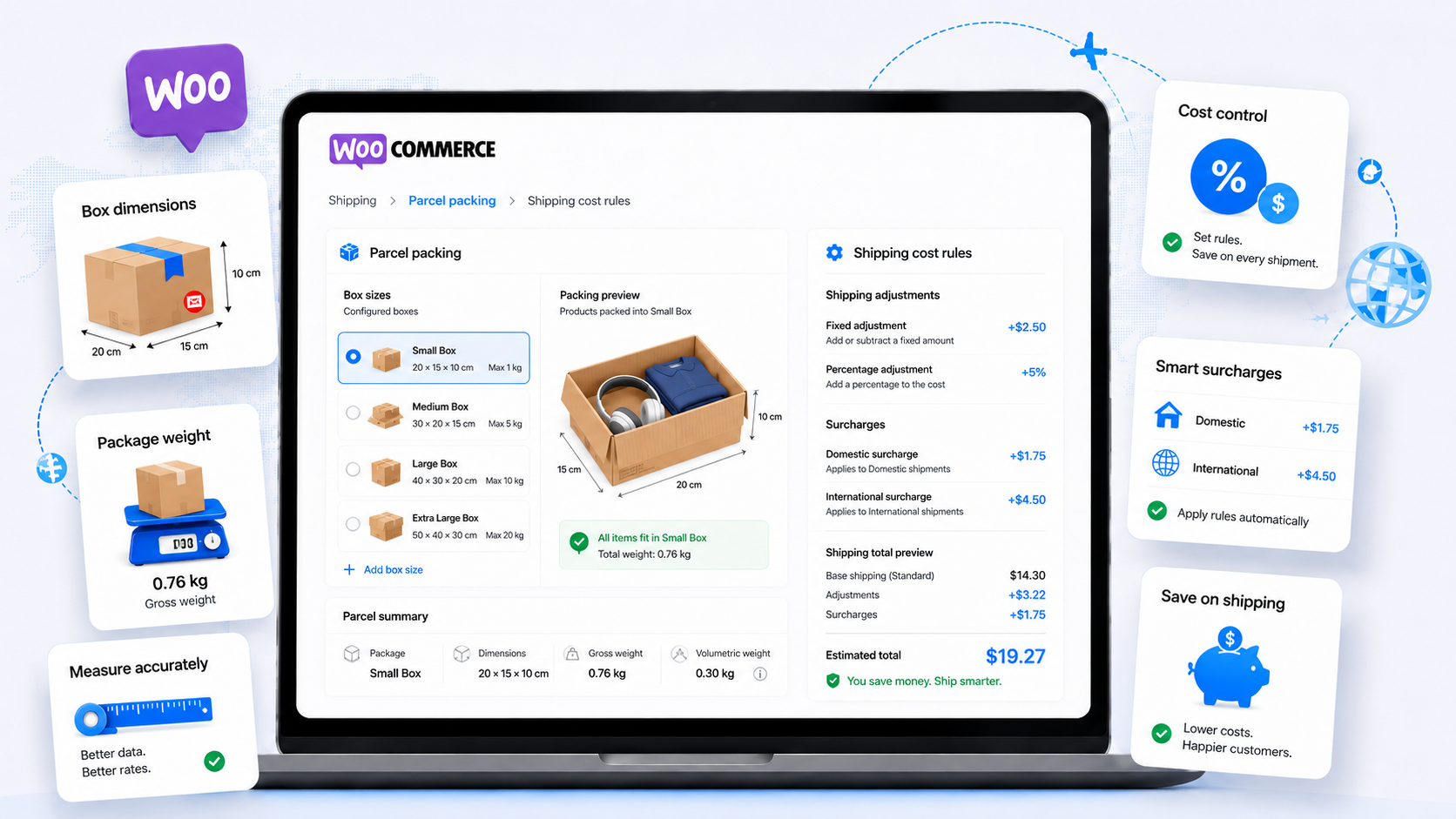
Accurate shipping depends on more than a postcode. The size and weight of the parcels leaving your business also affect the available shipping options.
Choose how New Zealand Post for WooCommerce prepares products for rate calculations.
Treat shippable products as individual parcels when that reflects the way you send your orders.
Configure the packaging your business normally uses and let the extension determine how products can fit into those boxes.
For each box, you can define information such as:
The resulting parcel information can then be used when requesting shipping options from NZ Post.
For stores selling products with different sizes and weights, this can provide a more realistic shipping calculation than applying the same rule to every cart.
The carrier rate is not always the full cost of sending an order.
Packaging, handling, fulfillment, and other operational costs can all affect what shipping costs your business.
New Zealand Post for WooCommerce gives you additional control over the shipping price shown to customers.
You can:
Start with the eligible NZ Post rate, then adapt the final charge to better suit your shipping workflow.
Rural shipping can make otherwise simple delivery rules more complicated.
New Zealand Post for WooCommerce supports rural-delivery handling so eligible rural charges can form part of your shipping workflow instead of becoming an unexpected cost after the customer has paid.
You can also enable supported delivery requirements, such as signature or photo delivery, when available for the selected NZ Post service.
Incorrect or incomplete addresses can create problems long after checkout.
They can affect shipping calculations, rural-delivery handling, labels, collection-point searches, and the time your team spends correcting orders.
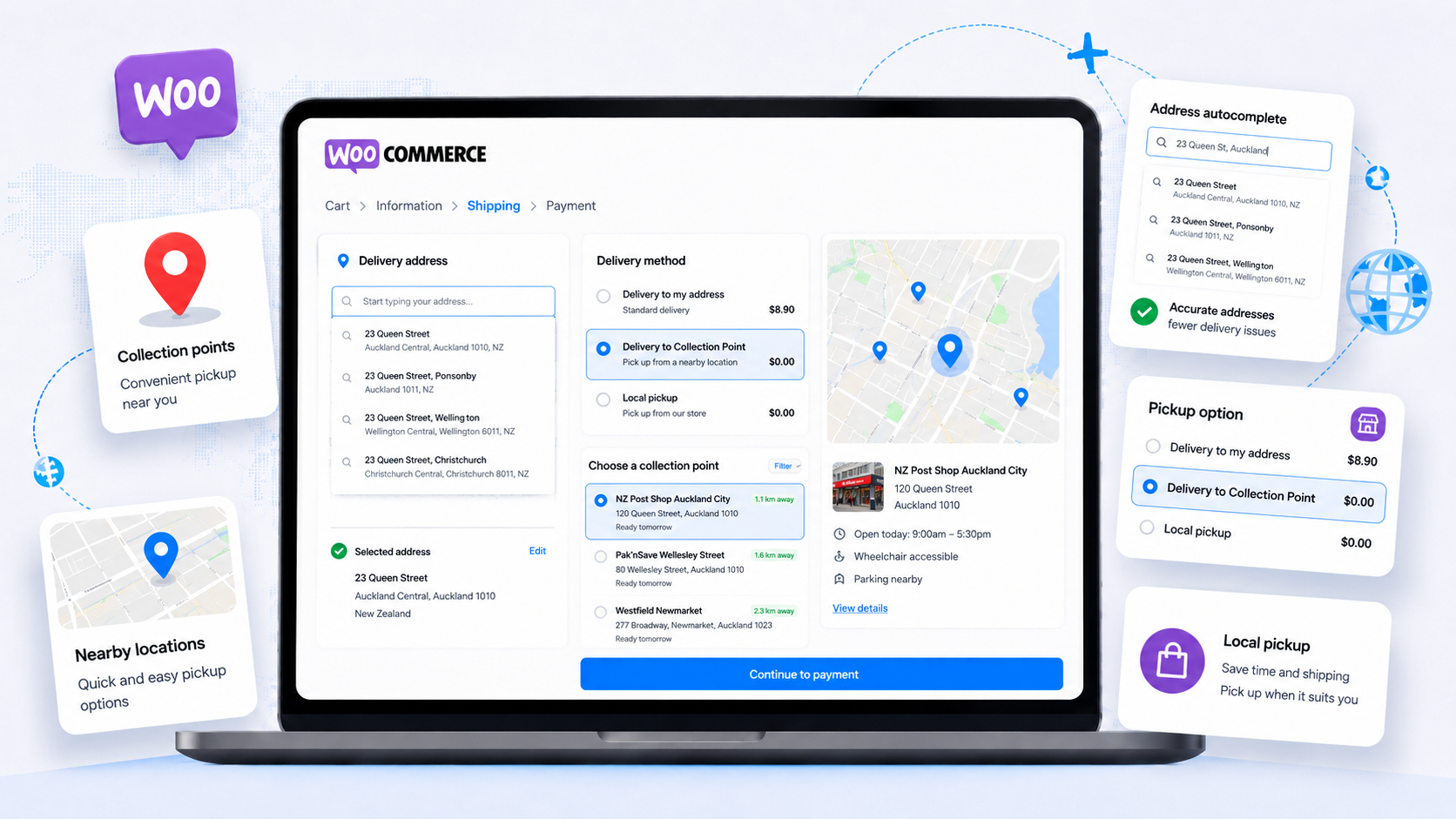
Enable NZ Post address autocomplete to help customers find and select New Zealand addresses during checkout.
Better address data can help support:
The extension also supports New Zealand place names that contain Māori macrons.
Home delivery is not the right choice for every customer.
Where supported, customers can choose an available NZ Post collection point during checkout.
The selected collection point is stored with the WooCommerce order so your fulfillment team has the information available when processing the shipment.
If your business operates stores, warehouses, branches, or other collection locations, use the Local Pickup (Multiple Locations) shipping method to give customers a choice of available pickup points.
You decide which locations are available within the relevant shipping zone, and the customer’s selection is stored with the order.
Re-entering shipment details in separate systems takes time and creates opportunities for mistakes.
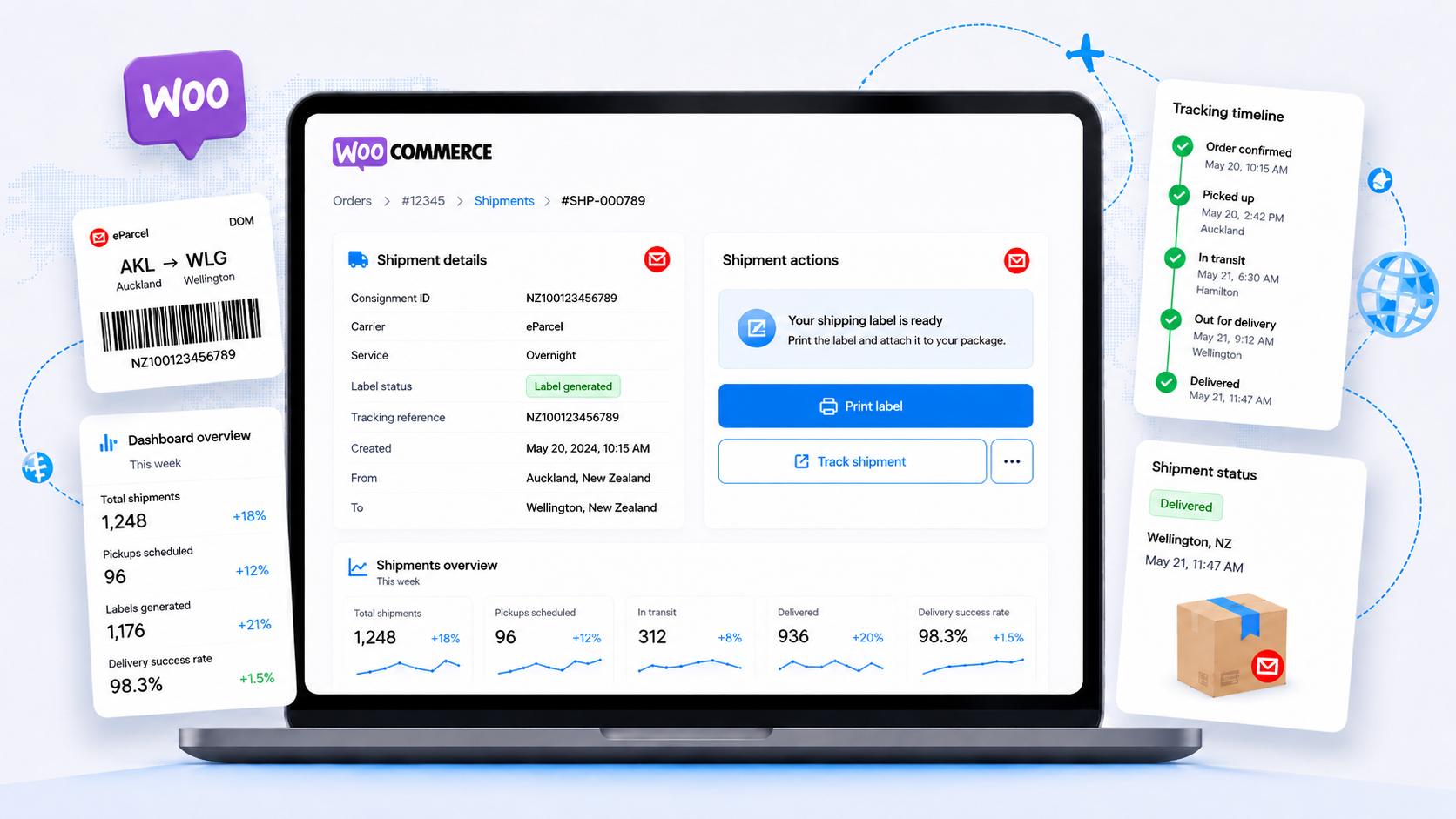
With the appropriate NZ Post API access, New Zealand Post for WooCommerce can generate supported shipping labels as part of your WooCommerce workflow.
Your team can work with shipping information from the order it is already processing instead of recreating the shipment from scratch elsewhere.
Supported collection-point orders can also use the appropriate NZ Post label functionality when available to your NZ Post application.
Customers still need information after they place an order.
Supported orders can include NZ Post shipment and tracking information so customers can follow their delivery without contacting your team for every update.
New Zealand Post for WooCommerce can provide:
Giving customers easier access to shipment information can reduce repetitive “Where is my order?” requests while creating a more useful post-purchase experience.
Free shipping can do more than remove a delivery charge. It can give customers a reason to add another product to their cart.
New Zealand Post for WooCommerce can work alongside WooCommerce Free shipping and display a progress indicator that shows customers how close they are to qualifying.
You can use the free-shipping tools to:
This turns a shipping rule into a visible incentive during the buying journey.
Running a promotion that includes a particular shipping option?
Coupon-linked shipping lets you associate a WooCommerce coupon with a selected shipping method.
When the customer applies the configured coupon, the extension can control which shipping method is offered.
This gives you another way to create shipping promotions using the WooCommerce coupon workflow you already use.
Your retail, wholesale, trade, staff, or member customers may not all have the same shipping arrangement.
The Role Based Shipping method lets you configure different shipping costs according to WordPress user role.
You can also configure a separate amount for guests.
This makes it easier to support different customer groups without creating a separate store or checkout process for each one.
Some orders need more coordination than simply shipping as soon as possible.
Enable preferred delivery-date selection to let customers choose from the dates you make available during checkout.
Configure:
The selected date is saved with the WooCommerce order so your team can see the customer’s preference during fulfillment.
Shipping information is more useful when your team can find it without searching across multiple systems.
The built-in NZ Post dashboard provides an operational view of shipment activity recorded through the extension.
Review metrics including:
Use the date filter to review activity for the period that matters to your business.
Shipping is a critical part of checkout, so changes are easier to make when you can test them before they affect live customers.
New Zealand Post for WooCommerce includes Sandbox Mode for merchants using the NZ Post UAT environment.
Use it to test important workflows such as:
New Zealand Post for WooCommerce is designed for New Zealand merchants who need more flexibility than a basic flat-rate shipping method can provide.
It can help when your business is:
As your shipping workflow becomes more complex, the extension gives you more ways to manage it from WooCommerce.

OPMC has been building practical WooCommerce extensions since 2014.
New Zealand Post for WooCommerce brings rates, packing, labels, tracking, collection options, and shipping tools into one workflow, backed by ongoing maintenance and support as WooCommerce and NZ Post evolve.
New Zealand Post for WooCommerce connects your WooCommerce store to NZ Post so eligible shipping options can be calculated during checkout.
After installing the extension, add New Zealand Post as a shipping method in the relevant WooCommerce shipping zone, enter your NZ Post account and application credentials, and configure the rates and services you want to offer.
Customers can then receive eligible NZ Post shipping options based on their order and delivery address.
Yes. New Zealand Post for WooCommerce can request eligible NZ Post shipping options using information from the customer's order, including the destination and the parcel details calculated from the products being shipped.
You can choose whether customers see all eligible enabled services or only the cheapest available rate.
For ShippingOptions v2, you need the credentials associated with your NZ Post application and account.
These include your NZ Post Client ID, Client Secret, Account Number, and the applicable Site Code or Auth Code.
Your NZ Post application must also have access to the APIs required for the features you plan to use.
The extension manages OAuth authentication automatically, so you don't need to manually enter temporary Bearer access tokens into WooCommerce.
Yes. New Zealand Post for WooCommerce supports eligible domestic and international NZ Post shipping options.
The services available to a particular order depend on factors such as the destination, parcel details, NZ Post account, and API access.
You can control which returned services you want customers to see and adjust how those services are presented or priced in WooCommerce.
Yes, supported NZ Post labels can be generated from the WooCommerce shipping workflow when your NZ Post application has the required label API access.
This helps your fulfilment team work with shipment information from the WooCommerce order instead of manually recreating the shipment in a separate workflow.
Access to shipping rates and access to label functionality are separate NZ Post capabilities, so make sure your application is approved for the features you need.
Yes. The extension supports rural-delivery handling and can include the appropriate eligible rural charges in the shipping workflow.
It can also provide supported NZ Post collection-point options so eligible customers can select an available location during checkout.
Collection-point availability depends on the customer's address and the services and API access available to your NZ Post account.
New Zealand Post for WooCommerce connects using the NZ Post account and application credentials configured for your business.
ShippingOptions requests can therefore use the account information associated with your NZ Post setup rather than requiring you to manually recreate carrier prices as WooCommerce flat rates.
The rates and services ultimately returned depend on your NZ Post account, shipment, destination, and available NZ Post services.
Yes. New Zealand Post for WooCommerce includes Sandbox Mode for testing with the NZ Post UAT environment.
This gives you an opportunity to test workflows such as domestic rates, international rates, parcel packing, labels, addresses, collection points, and tracking before relying on the configuration in Production.
NZ Post manages UAT and Production access separately, so make sure your application is approved for the environment you want to use.
No. New Zealand Post's helpdesk can assist with questions about your NZ Post account, API access, credentials, and NZ Post services, but they do not support the New Zealand Post for WooCommerce plugin.
For questions about installing, configuring, or troubleshooting the plugin, contact WooCommerce/OPMC support.
Extension information
Quality Checks
Countries







