


Subscription includes
Support
Configure more than one fee for a single payment gateway to cover additional costs.
Example: Add a $0.30 fee for processing PayPal payments and an additional 3.9% charge for the order total.
Add specific fees for certain product categories or exclude them entirely for others.
Example: Apply a 2% fee for electronics and exclude fees for apparel purchases.
Ensure some payment methods remain fee-free to encourage their usage.
Example: No extra charges for Stripe payments while fees apply to others.
The Payment Gateway Based Fees & Discounts plugin allows you to add extra fees as a fixed amount or a percentage of the cart total. It also lets you offer discounts, acting as cashback, for specific payment gateways. Additionally, it ensures transparency by showing the exact fee amount during checkout.
 Set Multiple Fees for Each Payment Gateway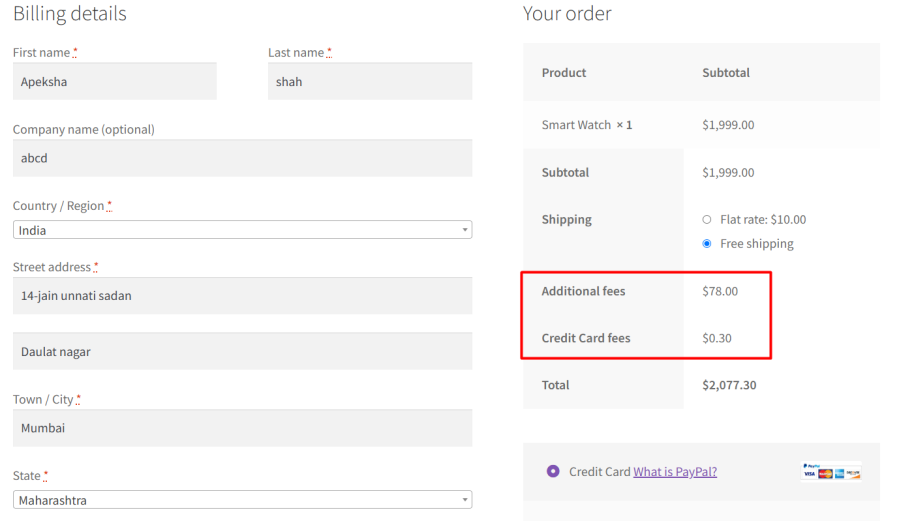


Use Fixed or Percentage-Based Fees for Order Totals


Enable Fees Based on Coupon Usage

Add Taxes to Payment Gateway Fees


Percentage Fee Calculation on Entire Cart or Individual Products When Fees Are Enabled at Product Level

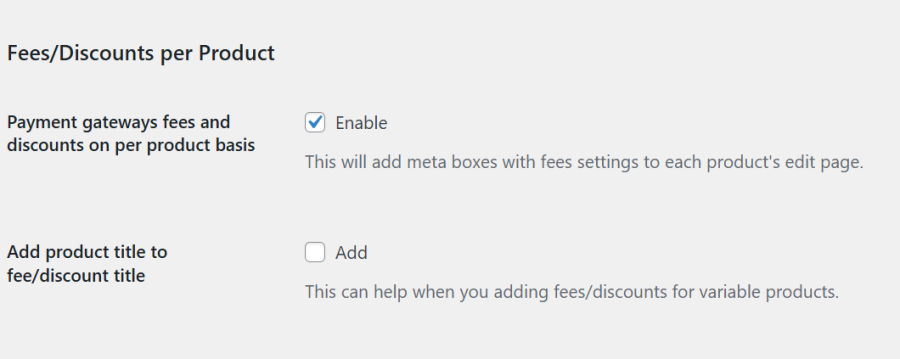
Payment Gateway-Based Fees Per Product
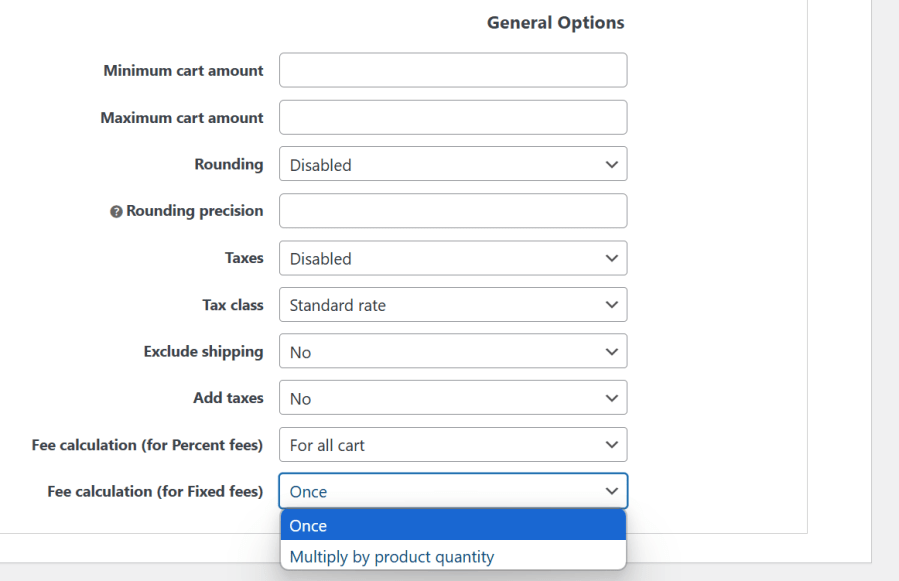
Global Extra Fee to Be Applied to All Respective Payment Gateways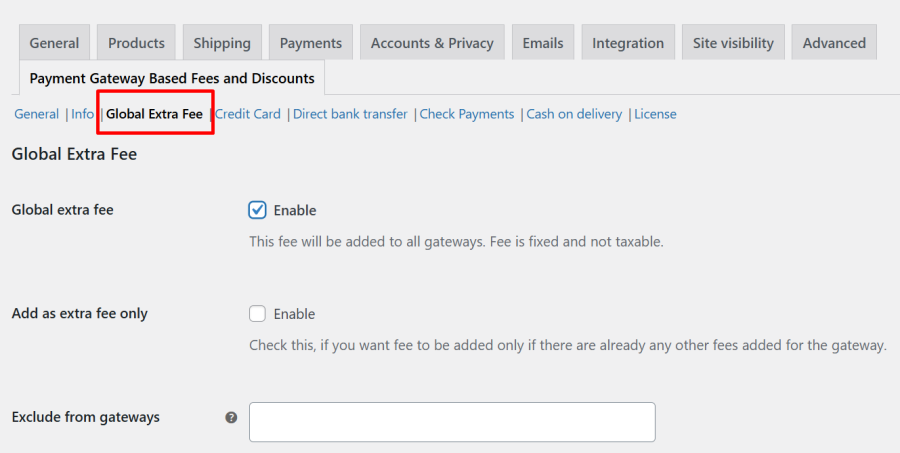 Fixed Fee Calculation: Apply Once or Multiply by Product Quantity at the Product Level
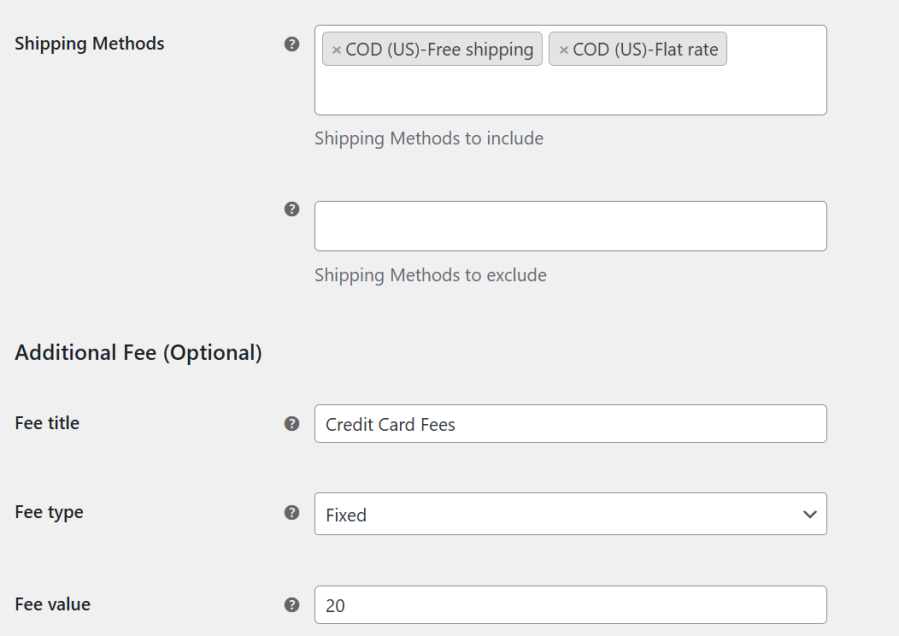
Fee Based on Shipping Methods

Yes. You can configure fees or discounts per product, giving you full control over how payment method charges apply to each product in your store.
Yes. You can charge different fees or offer discounts for each payment method. For example, you could add a small fee for Cash on Delivery or offer a discount for Stripe or PayPal payments.
Yes, the plugin works with variable products.
Yes. You can show the payment gateway fees or discount details right on the product page, so customers know exactly what to expect at checkout.
Yes! You can charge payment gateway fees either as a fixed amount or as a percentage of the order total.
Yes! You can choose to calculate fees based only on the product total, excluding shipping costs, giving you full control over how fees are applied.
Yes. You can make fees taxable by selecting a tax class. The applicable tax will be automatically added to the payment gateway fees at checkout.
Yes. You can configure different fees for the same payment gateway based on the customer’s billing country. This allows you to charge country-specific fees automatically at checkout.
Yes. You can create multiple rules for the same payment gateway. For example, one fee can be based on the order total, and another can be based on the customer’s card type. If the conditions for both rules are met, both fees will be applied automatically at checkout.
Yes! With the Card Rules feature, you can automatically apply fees or offer discounts based on the customer’s card type (Visa, MasterCard, Amex, etc.), bank, or even the card’s issuing country.
Yes! If a customer changes their payment method at checkout, the fee updates automatically. For example, if a fee is added for a credit card and the customer switches to Cash on Delivery, the credit card fee is removed and any fee set to Cash on Delivery payment method, is applied.
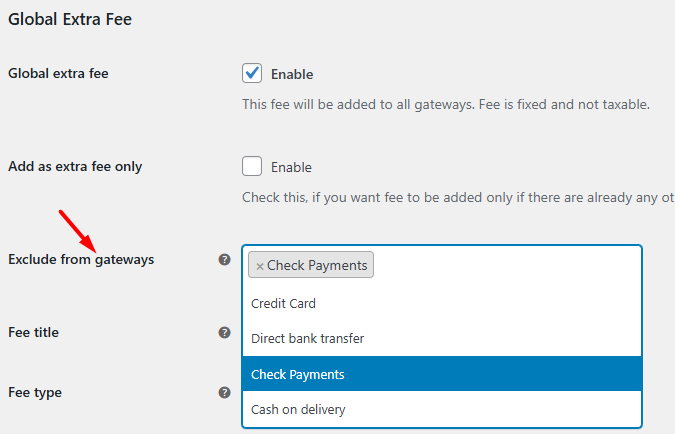
Yes! You can exclude specific payment methods from adding the extra fees. For example, customers could pay via PayPal without any added charges, while fees would still apply to all other payment gateways.
Yes. Fees can be applied only when a coupon is used, allowing you to have more control over discounts and promotions.
Yes! Fees can be applied depending on the shipping method selected by the customer. For example, you could add a small fee for Express Shipping while keeping Standard Shipping fee-free.
Yes. You can set fees only for orders above or below a certain total. This gives you flexibility for small and large orders.
Yes. You can define minimum and maximum payment gateway fees to ensure they don’t get too low or too high, keeping pricing predictable.
Yes! The plugin works seamlessly with WooCommerce Block Checkout, so you can apply fees or discounts even when your store uses the new checkout blocks page.
Yes, our Payment Gateway Based Fees and Discounts Pro plugin is compatible with the WPML translation plugin.
Yes, We have made every effort to make our plugin compliant to the GDPR guidelines. As a part of compliance, we do not capture any data of end-users and customers without consent.
Please fill out this pre-sales form.
Extension information
Quality Checks
Countries






