
Support
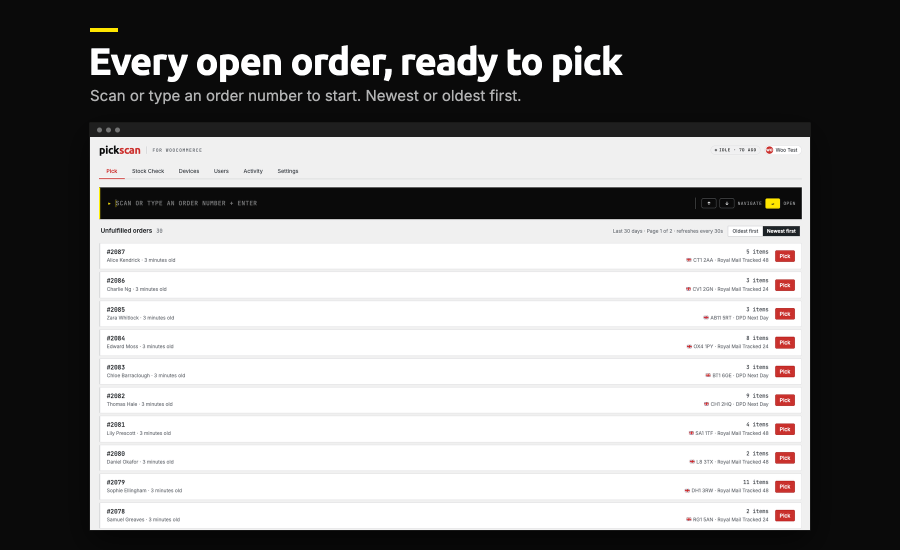
Pickscan turns order fulfilment into a scan-and-go workflow. Your team scans the barcode or SKU on each item as they pack, and Pickscan checks it against the order line by line – so the right products go in the right box before the order is marked complete in WooCommerce.
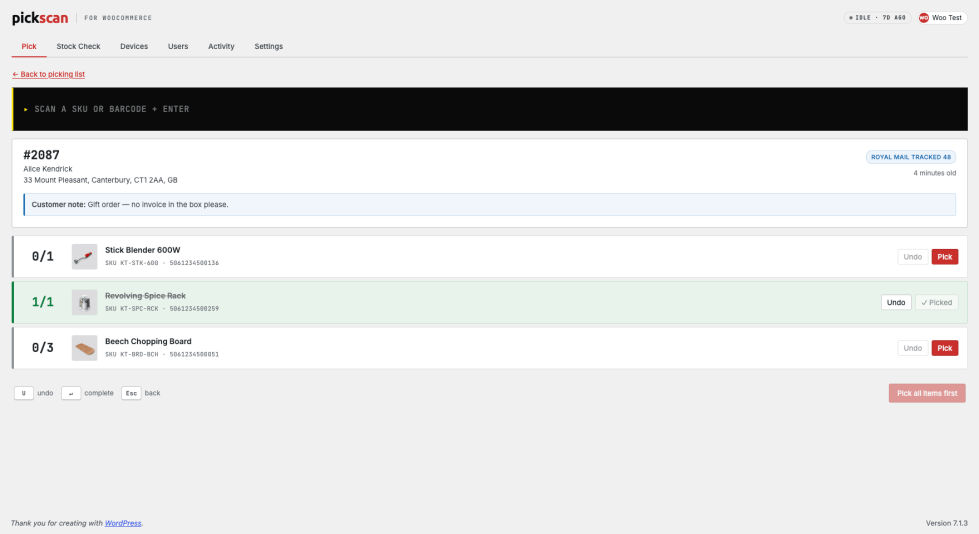
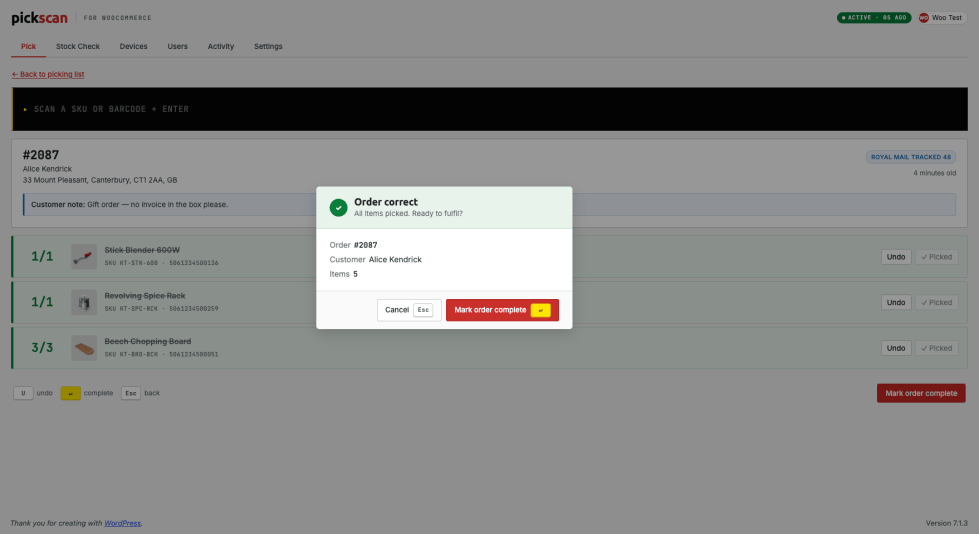
Open an unfulfilled order and scan each item as you pack it. Every line shows its state at a glance – green when fully picked, amber when part-way there, red when a scanned item doesn’t belong to the order. Once every line is picked, Pickscan confirms the order is correct and marks it complete in WooCommerce in one step. Pick from an Android or iOS device on the floor, or from the web station built into the plugin using a keyboard or USB barcode scanner.
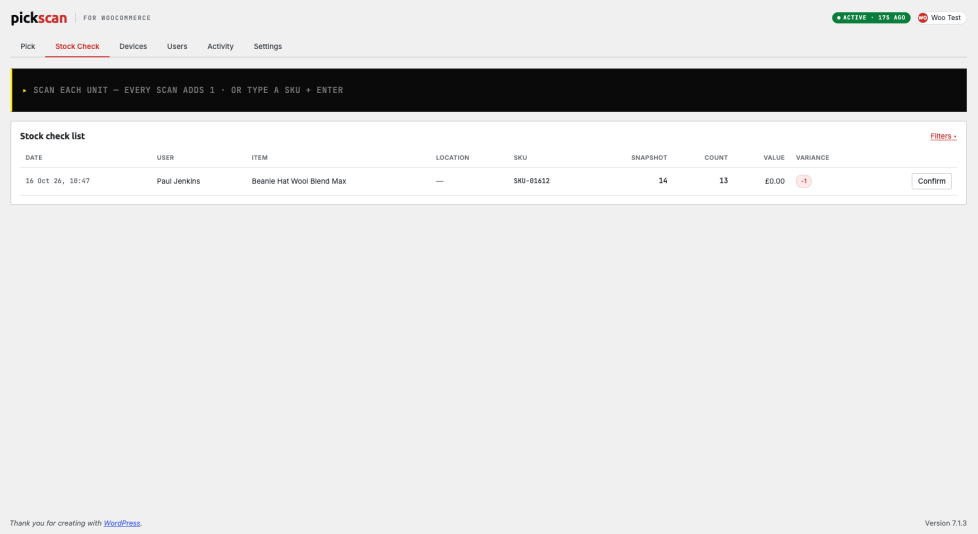
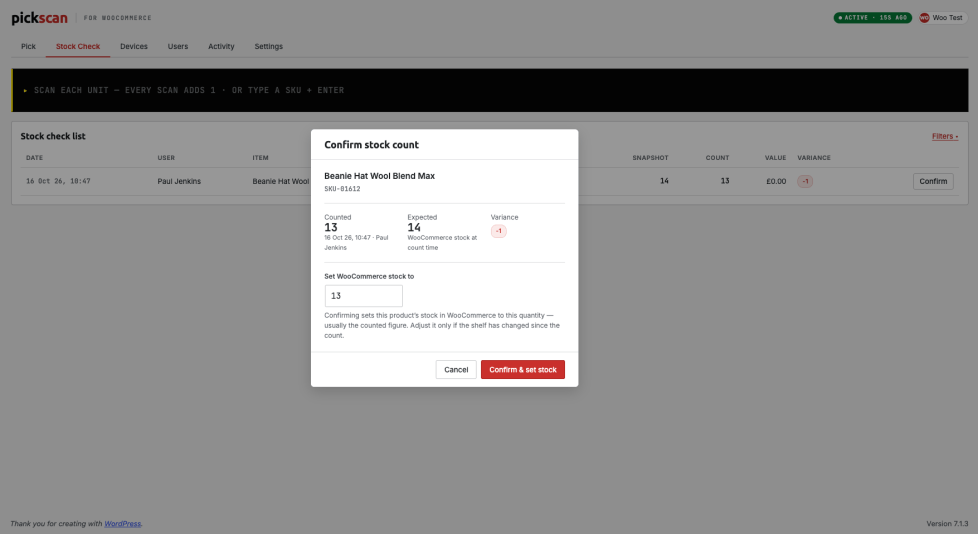
Run a stock check on an Android or iOS device: scan an item, enter the count, submit. The new figures post back to your WooCommerce product stock and appear in the activity log – so your catalogue reflects what’s actually on the shelf, without spreadsheets or manual edits.
Add app users so every scan is attributed to the person who made it. Connect multiple Android and iOS devices and pair each one in seconds with a short-lived code. See which devices are online, and manage them all from one screen.
The activity feed records picking and stock-count activity across your operation — first scan of the day, latest scan, and who’s doing the picking. Supervisors get a live picture of the floor without walking it.
Pickscan sits inside your WordPress admin under WooCommerce. It reads your existing orders and products, so there’s nothing to import and no parallel system to keep in sync. Item matching uses the SKUs and barcodes already on your products.
A printed pick list tells your team what to pick. It doesn’t tell anyone when they’ve picked the wrong thing. With Pickscan:
Pickscan is a hosted service run by Smartcode Solutions Ltd (UK).
Privacy policy: https://docs.pickscan.app/privacy
Terms of service: https://docs.pickscan.app/terms
A WooCommerce store and products with SKUs or barcodes. You can pick orders straight away from the built-in web station in your browser. To scan on the warehouse floor, add the Pickscan app to an Android or iOS device and pair it from the Devices screen.
No. On the web station you can use a keyboard or any USB barcode scanner. In the app, scan with the camera on an Android phone, iPhone or iPad, or use a dedicated Android scanning device. Rugged scanners work well for high volume, but they are not required.
As you scan, Pickscan checks each item against the order. Once every line is picked it marks the order complete in WooCommerce, so your order status stays accurate without manual updates.
Yes. When you submit a stock count from an Android or iOS device, the new quantities post back to the matching WooCommerce products and are recorded in the activity log.
Yes. Add multiple app users and connect multiple devices. Every scan is attributed to the user who made it, and all activity flows into one shared feed.
Yes. Pickscan reads the orders and products already in your store and matches items on their existing SKUs and barcodes. There is nothing to import.
Categories
Extension information
Quality Checks
Countries