

Subscription includes
Support
Offering collection from multiple stores/ branches or pickup points becomes difficult when every location shares the same stock figure. Customers may choose a location that cannot fulfill their order, while store teams have no reliable way to track what is available for collection.
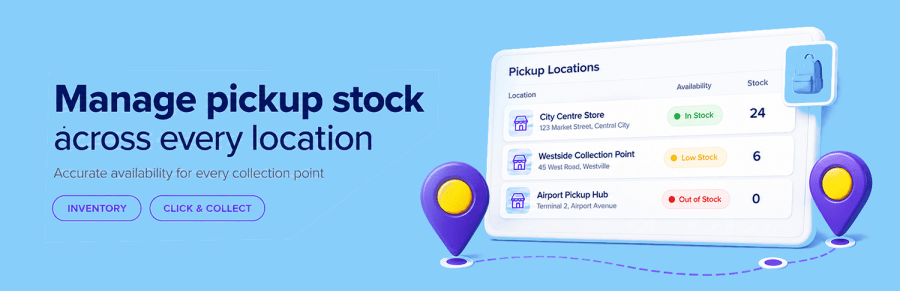
Pickup Location Stock gives every pickup location its own inventory, maintained separately from your standard WooCommerce delivery stock. Customers only see locations with enough available stock to fulfill their complete cart.
Pickup availability is calculated using the products, variations and quantities currently in the customer’s cart.
If a location cannot supply the complete order, it is removed from the available pickup choices. Availability is checked again when the order is submitted, helping protect the final units of stock even when multiple customers are checking out at the same time.
Pickup Location Stock supports both WooCommerce Checkout Blocks and classic checkout.
Pickup inventory works alongside your standard WooCommerce product inventory. WooCommerce continues to reduce its main stock normally, while Pickup Location Stock separately reserves and manages the quantity held at the selected collection location.
This provides accurate location-level availability without replacing WooCommerce’s existing inventory process.
Pickup Location Stock follows the order from checkout through fulfillment:
This reduces manual stock corrections while helping prevent the same pickup stock from being promised to more than one customer.
Set pickup quantities for simple products or manage each product variation separately.
Customers see availability for the exact variation in their cart, making the extension suitable for products whose sizes, colours or other options differ between locations.
Configure the days on which collection is available and allow customers to choose an eligible pickup date during checkout.
Availability can be managed globally or adjusted for individual locations, giving each store or collection point the flexibility it needs.
Pickup details are carried through the order workflow so everyone knows where an order will be collected.
Use the built-in CSV import and export tools to review or update pickup stock across large product catalogues without editing products individually.
An audit log records stock activity with quantities, locations, products and order references, helping store managers investigate changes and maintain accurate records.
The documented REST API allows approved external systems to manage pickup locations and update location stock programmatically.
Requests are validated before changes are saved, and stock cannot be reduced below quantities already reserved for existing pickup orders. This makes the API suitable for integrations with stock-management, point-of-sale and fulfillment systems.
Pickup Location Stock includes support for:
Pickup Location Stock is ideal for retailers that offer collection from multiple shops, warehouses, branches or other pickup points and need dependable inventory at each location.
Whether you operate two local stores or manage a larger collection network, the extension helps customers choose a location that can actually fulfill their order while giving your team clear control over pickup stock.
Yes. Each pickup location can represent a branch, store or collection point, with its own independent pickup stock quantity.
Customers only see locations with enough available stock to fulfill their complete cart. Availability is checked again when the order is submitted, and the required stock is reserved for that order.
The first completed reservation secures the stock. If another customer submits a pickup order after that stock has been reserved, checkout asks them to review their pickup choice rather than accepting an unavailable pickup order.
No. WooCommerce continues to manage and reduce the product’s standard stock normally. Pickup Location Stock maintains an additional quantity for each pickup location and handles its reservation, deduction and restoration separately. Products must still be purchasable under WooCommerce’s normal stock rules.
No. Pickup Location Stock is disabled after installation, giving you time to create locations, add stock and review the settings before enabling it for customers.
Yes. Pickup Location Stock supports both modern WooCommerce Checkout Blocks and classic checkout, and works with WooCommerce’s native Local Pickup options.
Yes. Each variation can have its own pickup quantity at every location, so availability can accurately reflect different sizes, colours or other product options.
Reserved stock is released when an order fails or is cancelled. Stock deducted for a completed order can also be returned to its original pickup location when refunded items are restocked.
Pickup Location Stock is designed around one collection location per order. Customers are shown locations that can fulfill the complete cart, creating a simpler collection experience and avoiding split pickup orders.
Yes. CSV import and export make bulk stock management easier, while the documented REST API supports integrations with external inventory, point-of-sale and fulfillment systems.
You can assign manager email addresses to each location so the appropriate team receives pickup-order notifications. When an order is prepared, it can be marked Ready for Pickup and the customer can be notified automatically.
Yes. You can configure collection days and allow customers to choose an eligible pickup date during checkout, with availability set globally or for individual locations. This is simple date selection rather than a full appointment-booking system; it does not manage time slots or appointment capacity.
Categories
Quality Checks
Countries
Languages







