

Subscription includes
Support
Seamlessly Migrate from Shopify to WooCommerce with Zero Downtime
Switching platforms can feel scary; you don’t want to lose your products, your customers, or your hard-earned Google rankings. Pro Shopify Migrator was built to make this move as simple and stress-free as possible.
Think of it as your personal moving assistant by your side, handling all the heavy lifting so you can focus on growing your business on WooCommerce.
Main Features
Don’t leave anything behind. Our migrator supports a comprehensive range of data:
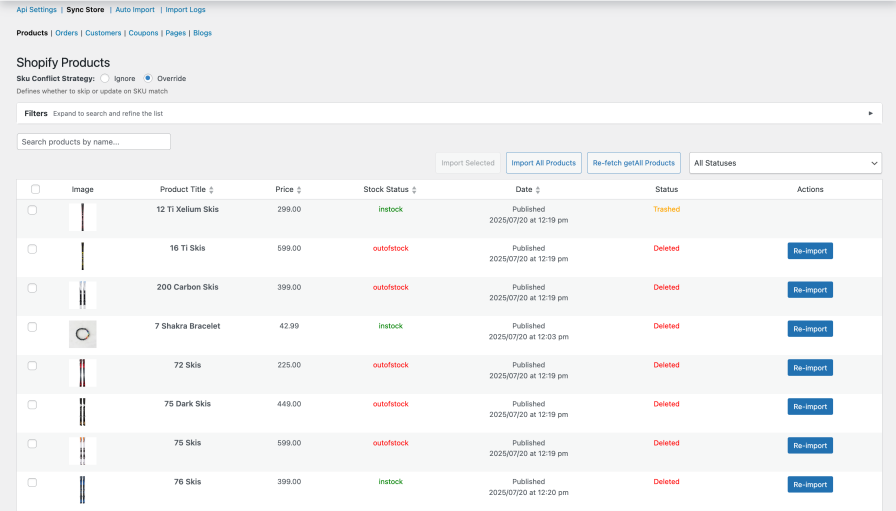
Complete Product Catalyst: Migrate simple and variable products, including all images, descriptions, and stock levels.
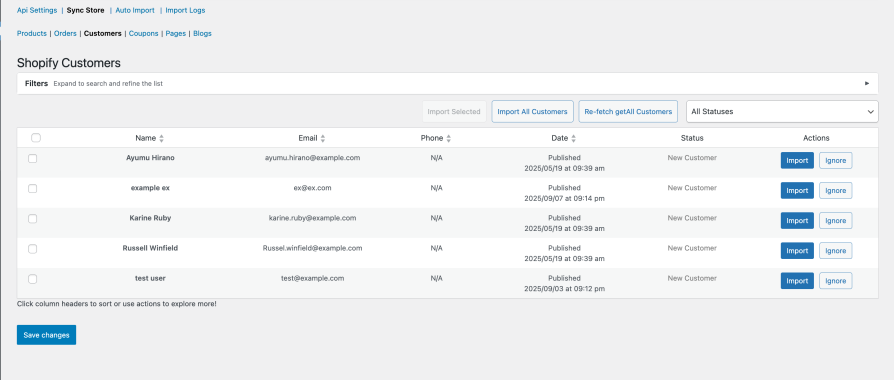
Customer & Order History: Maintain your records by transferring customer profiles and their historical orders.
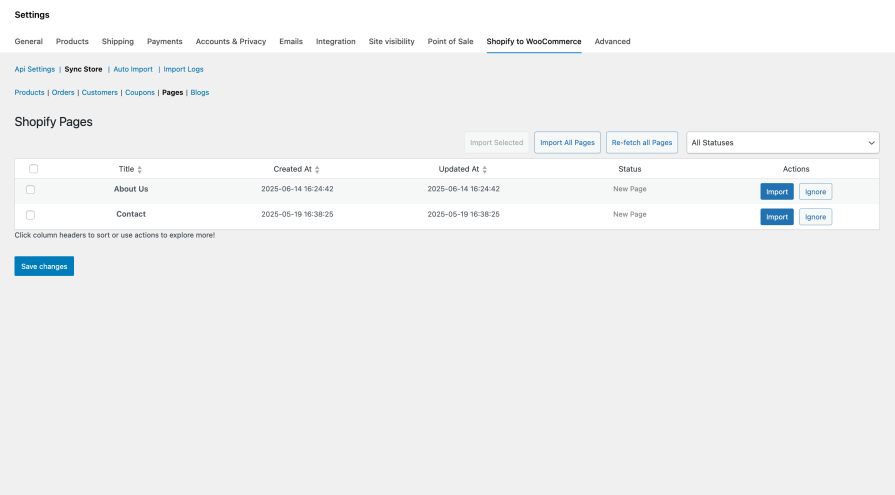
Full Content Transfer: Move your Shopify blogs, articles, and static pages effortlessly.
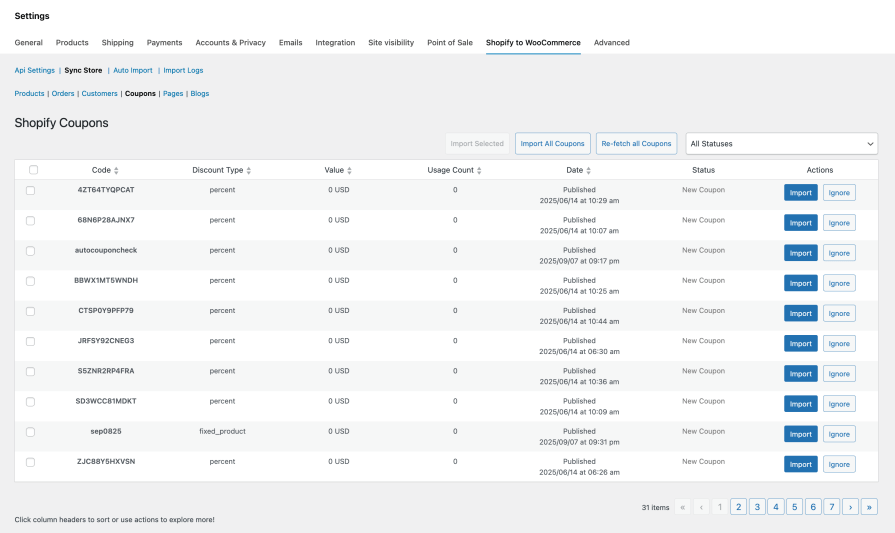
Coupons & Discounts: Bring your active marketing campaigns with you by importing discount codes.
Selective Import with Advanced Filtering: Don’t want to import everything at once? Easily filter your Shopify Products, Orders, and Customers by date, status, vendor, product type, and more. Set your custom criteria and run targeted, precise imports with the click of a single button.
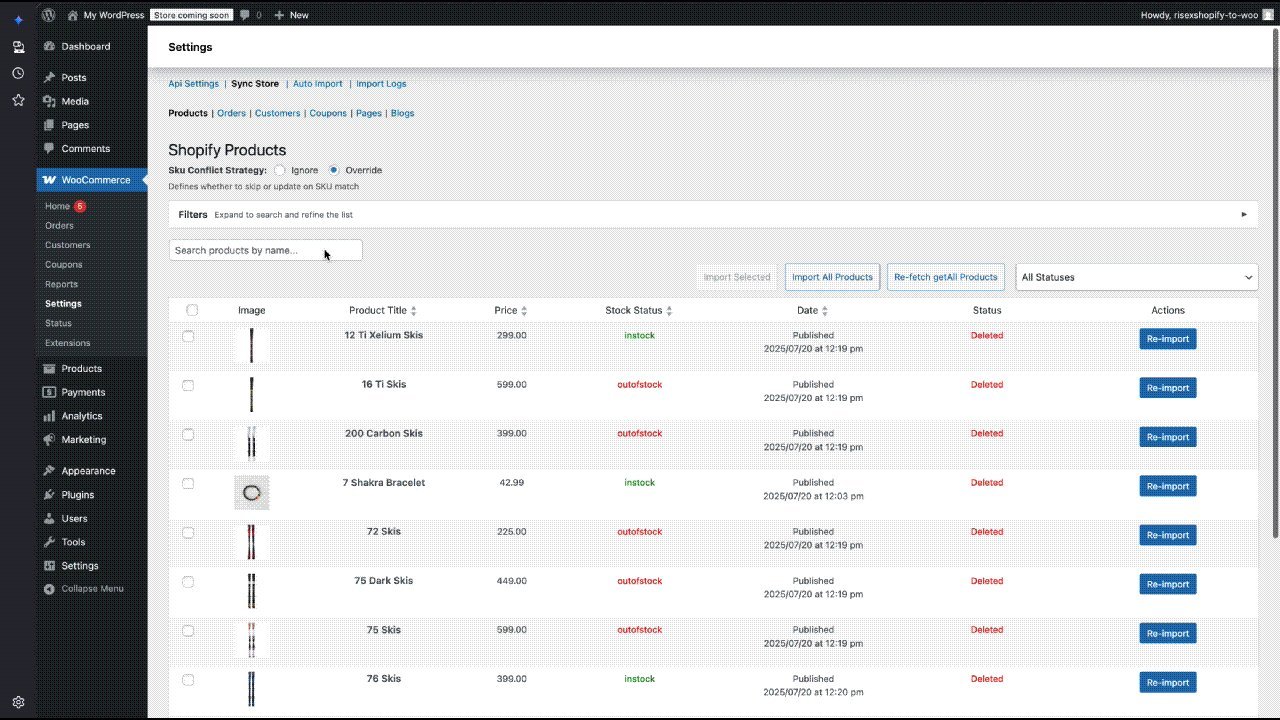
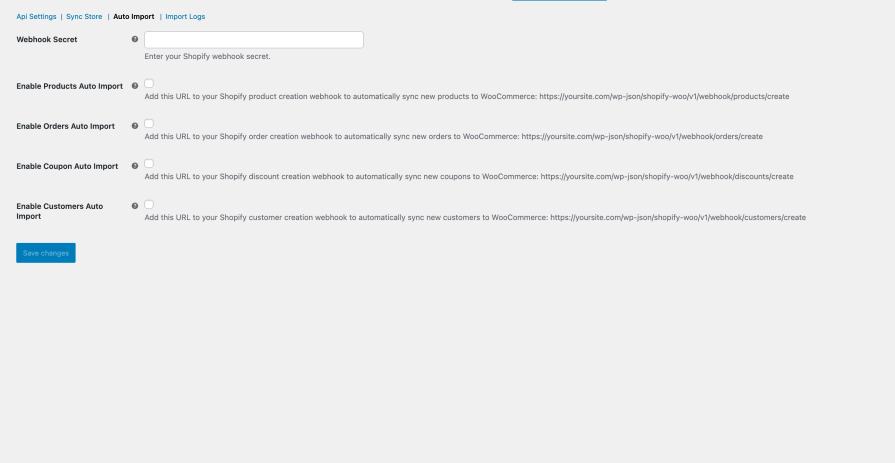
How Easy is It? (Just 3 Simple Steps)
1. Connect: Paste in your Shopify info (we’ll show you exactly how).
2. Pick: Check the boxes for what you want to move (Products, Customers, etc.).
3. Go: Hit “Start” and watch the progress bar. You can even grab a coffee while it works in the background!
Whether you have 10 products or 10,000, Pro Shopify Migrator is here to make your big move a happy one. No more manual data entry, no more lost orders, and no more stress.
Absolutely! You don’t have to move products one by one. You can select your entire catalog, products, collections, customers, and orders and move them all at once with just a few clicks.
No problem at all. Whether you have 50 products or 10,000, our tool is built to handle it. It works quietly in the background so it won't crash your site or time out, no matter how big your store is.
We know how important your SEO is! Our tool automatically carries over your Meta Titles and Meta Descriptions from Shopify. This helps your store stay visible on search engines like Google even after the switch.
Don’t panic! If your internet drops or you accidentally close the tab, the plugin "remembers" exactly where it stopped. You can just hit Resume, and it will pick up right where it left off without creating any messy duplicates.
Extension information
Countries







