

Product comparison
Subscription includes
Support
Some products only make sense to some customers. A lens that fits one camera body. A refill for a machine. A service plan for people who already bought the thing it services. A wholesale line that retail customers should not even see.
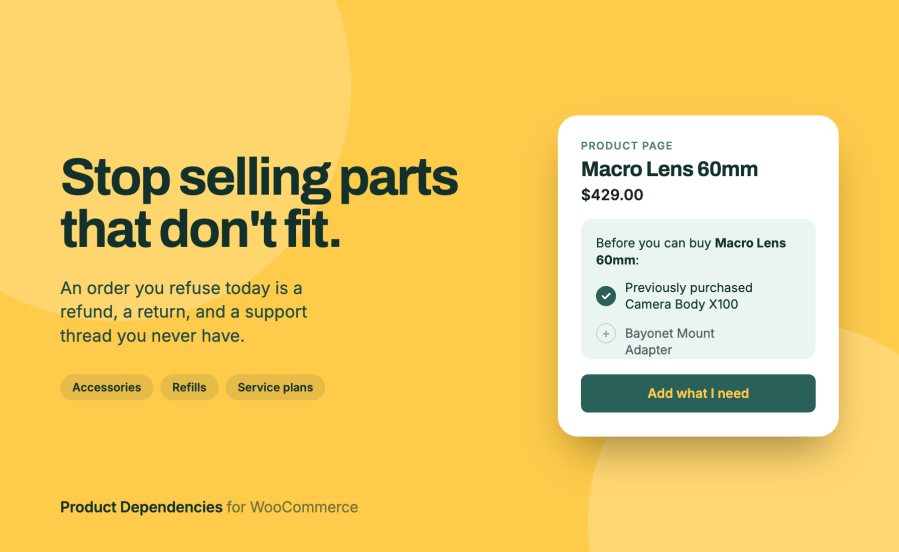
Product Dependencies for WooCommerce puts a rule on the product and enforces it everywhere a product can reach an order. Instead of a shopper discovering the restriction when their cart is refused, they see what they need on the product page, what they already have, and a button that adds the rest.
Fewer abandoned carts on restricted products. The prerequisite panel on the product page lists every requirement with the ones the customer already meets ticked off. A shopper partway through a multi-step requirement sees progress instead of another refusal.
Fewer support tickets about “why can’t I buy this”. Go to WooCommerce > Dependencies, enter a product ID and a customer ID, and get a yes or no plus the exact wording that customer saw. The check runs the same evaluation as the storefront, so it cannot disagree with what happened in the shop.
Restrictions that hold on every path to an order. Rules are enforced in the classic cart, the block-based cart and checkout, when a customer repeats a previous order, and on products configured inside Product Bundles, Composite Products, and Mix and Match containers.
Gating without a membership system. If you only need “customers who bought X can buy Y”, you do not need to build plans, tiers, and member pricing to get there. The rule lives on the product.
Rules you can manage in bulk. Rules travel through the WooCommerce product CSV importer and exporter, the REST API, and WP-CLI, so a store with several hundred gated products is a spreadsheet rather than several hundred product edits.
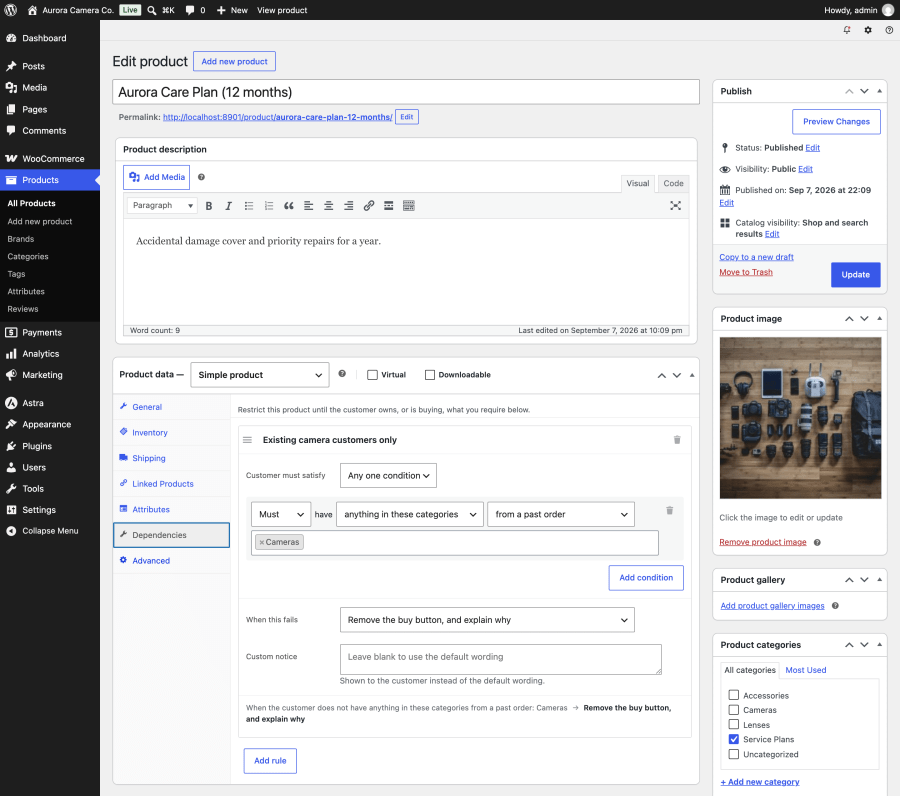
Each rule is built from conditions written as plain sentences: Must or Must not have something, counted from somewhere.
Purchase conditions count from past orders, from the cart right now, or from either. So “must already own the machine” and “must be buying the machine in this order” are two different rules, and you pick the one your business actually means.
Any condition can be inverted. “Must not have previously bought the starter kit” is how a new-customer-only offer works, and how an upgrade path avoids selling someone the thing they already have.
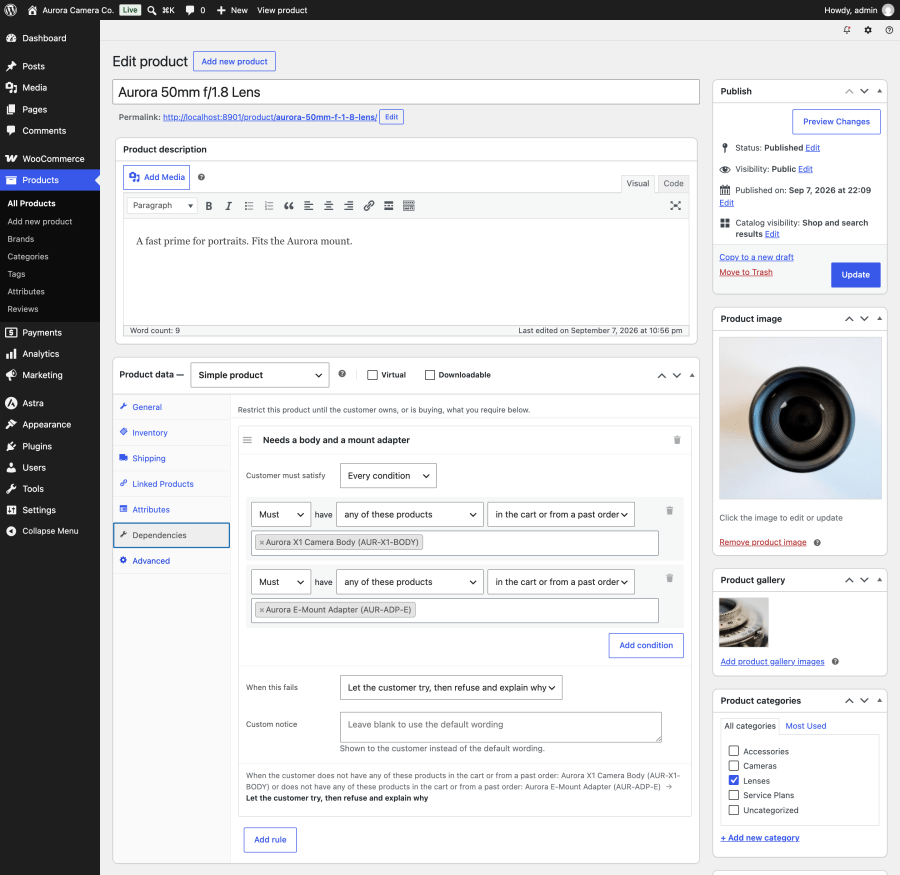
A product can carry several rules, and all of them must pass. Inside a rule, you choose whether the customer needs any one condition, every condition, or at least a number you set.
| Outcome | What the customer sees |
|---|---|
| Refuse and explain | The product and a working buy button, with the requirement stated above it. Adding to the cart is refused with a message naming what is missing |
| Remove the buy button | The product and its price, with the requirement in place of the add to cart form |
| Hide the product | Nothing. It is removed from the shop, search, block Query Loops, and the sitemap for that customer |
| Add what is missing | The prerequisite added to their cart alongside the product, instead of a refusal |
Your own admin screens are never filtered, so a product you have hidden from customers is still where you left it.
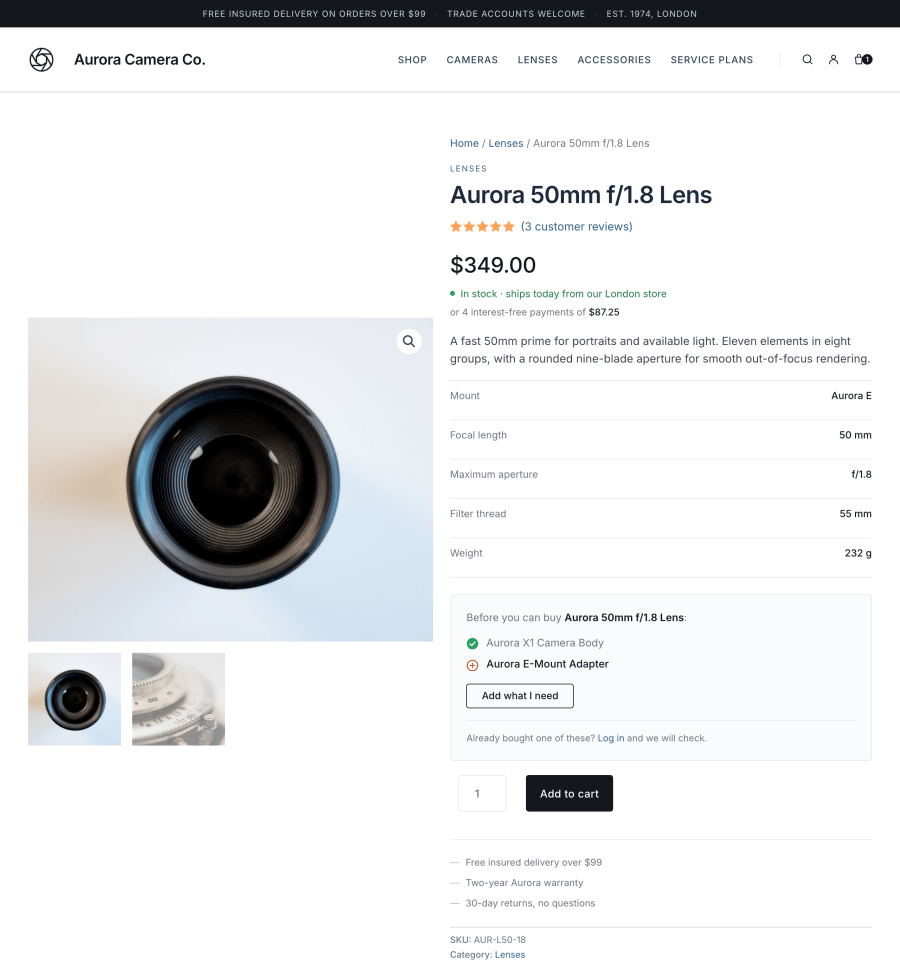
On a gated product page, customers see what the product needs, what they already have, and where the requirement can be met by adding to the cart, an Add what I need button that adds every missing prerequisite in one action. It adds the prerequisites and not the gated product, so the purchase is still their decision.
The default wording names the specific products or categories that are missing and links them. A logged-out visitor whose requirement depends on purchase history is invited to log in, since that may change the answer. You can replace the wording per rule where you want your own.
Rules live inside individual products, which makes them easy to lose. WooCommerce > Dependencies lists every product carrying rules, how many rules each has, what happens when they fail, and a summary of what they require. The same screen answers whether a specific customer can buy a specific product, and explains why not.
Stores selling accessories, parts, and refills. Anything that only fits or only works with something else. Gate the accessory on the base unit and stop taking orders you have to refund.
Stores selling services attached to products. Installation, support plans, extended warranties, training. Require the thing being serviced, either in the same cart or in the customer’s history.
Wholesale and trade stores. Restrict a trade line by user role or membership, and hide it from retail customers entirely rather than showing prices they cannot buy at.
Subscription businesses. Gate member-only products on an active subscription rather than on a purchase that happened once and lapsed. Renewal and resubscribe carts are never blocked, so a lapsed prerequisite cannot stop a customer renewing the very thing that would restore it.
Agencies building for any of the above. Rules are readable and writable over REST and CSV, so a build can be scripted, staged, and moved to production without clicking through the product editor once per product.
Install and activate. There is no license key, no account to connect, and no setup wizard.
Open any product, go to the new Dependencies tab in the Product data panel, and add a rule. Pick what the customer must have, where it counts from, and what happens when they do not have it. Update the product.
That is the whole setup. The rule takes effect immediately on the product page, in the cart, at checkout, and in the catalog.
Coming from the free WooCommerce Product Dependencies plugin? Your rules are migrated automatically the first time you load WP Admin. That plugin’s own data is left exactly where it was, so nothing is lost if you decide to go back.
Three extensions get weighed for this job: the free WooCommerce Product Dependencies plugin by SomewhereWarm, Force Sells by Kestrel, and WooCommerce Memberships by SkyVerge.
“Not listed” below means the capability is not in that extension’s own documentation. It is not a claim that the extension cannot do it.
| Can you gate a product on… | Product Dependencies for WooCommerce | WooCommerce Product Dependencies (free) | Force Sells | WooCommerce Memberships |
|---|---|---|---|---|
| A past purchase of specific products | Yes | Yes | No | Via a plan |
| What is in the cart right now | Yes | Yes | No | No |
| A purchase from a category | Yes | Yes | No | No |
| A purchase with a tag or attribute value | Yes | No | No | No |
| An active subscription | Yes | No | No | Via a plan |
| An active membership plan | Yes | No | No | Yes |
| Lifetime spend | Yes | No | No | No |
| User role | Yes | No | No | No |
| Not owning something (“must not have”) | Yes | NO | No | No |
| Several conditions with any, all, or at least N | Yes | Filter only | No | No |
| Product Dependencies for WooCommerce | WooCommerce Product Dependencies (free) | Force Sells | WooCommerce Memberships | |
|---|---|---|---|---|
| Show the requirements before add to cart | Yes | No | Yes | Yes |
| Refuse at add to cart with an explanation | Yes | Yes | No | Yes |
| Keep the product visible but remove the buy button | Yes | No | No | Yes |
| Hide the product from the catalog and search | Yes | No | No | Yes |
| Add the missing item to the cart instead of refusing | Yes | No | Always adds | No |
| Write your own message per rule | Yes | Yes | No | Yes |
| Enforce inside Bundles, Composite, and Mix and Match | Yes | No | No | No |
| Manage rules by CSV, REST API, and WP-CLI | Yes | No | No | Members only |
| One screen listing every restricted product | Yes | No | No | Yes |
| Check whether a named customer can buy a product | Yes | No | No | No |
| Member discounts, free shipping, and a member area | No | No | No | Yes |
| Restrict posts, pages, and other content | No | No | No | Yes |
They answer different questions, and the deciding one is whether you are running a membership program.
WooCommerce Memberships is a membership system. You build plans, decide how people join them (buying a product, registering, or manual assignment), and then attach restriction rules to the plan. Along with product gating you get member discounts, member free shipping, content and post restriction, content dripping, a member area in My Account, membership notes, renewal reminder emails, and member import and export. If any of that is on your list, buy Memberships. Nothing here replaces it, which is why this extension reads Memberships plans as a condition type rather than competing with them.
Product Dependencies for WooCommerce has no concept of a plan. The rule lives on the product, and it answers “what must be true of this customer for this product”. That matters in three situations Memberships does not cover:
The two also behave differently when a customer does not qualify. Memberships restricts viewing or purchasing and shows a message pointing at the plan. This extension can additionally add the missing prerequisite to the cart, which turns a dead end into a sale. That only makes sense when the requirement is something buyable, which is exactly the case Memberships is not built for.
They run together without conflict. When Memberships has already refused a product in its own words, this extension stays quiet rather than adding a second, different explanation to the same page.
The free WooCommerce Product Dependencies plugin is free, and if all you need is “you must own X to buy Y” with one product list and a refusal at add to cart, it does that and has done for years.
Force Sells is the better tool when the goal is to always sell items together rather than to restrict. Synced force sells lock the linked item’s quantity and removal to the main product, which a dependency rule does not attempt.
Product Dependencies for WooCommerce is the one to pick when the rule belongs on the individual product, the conditions go beyond a product list, and you want the customer told what they need before they click.
Categories
Extension information
Quality Checks
Countries








