

Subscription includes
Support
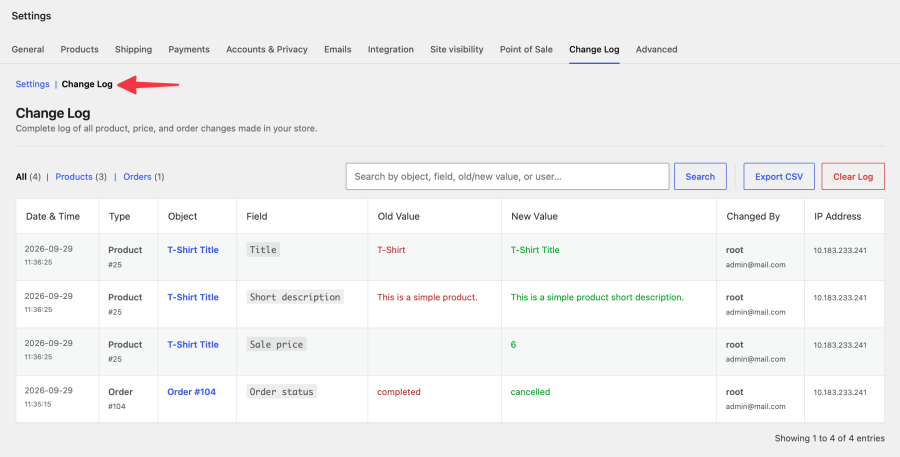
Every product edit, price change, stock adjustment, and order modification in your WooCommerce store happens somewhere – you just can’t see where. Product and Order Change Log for WooCommerce gives you a complete, timestamped record of who changed what, when, and from which IP address.
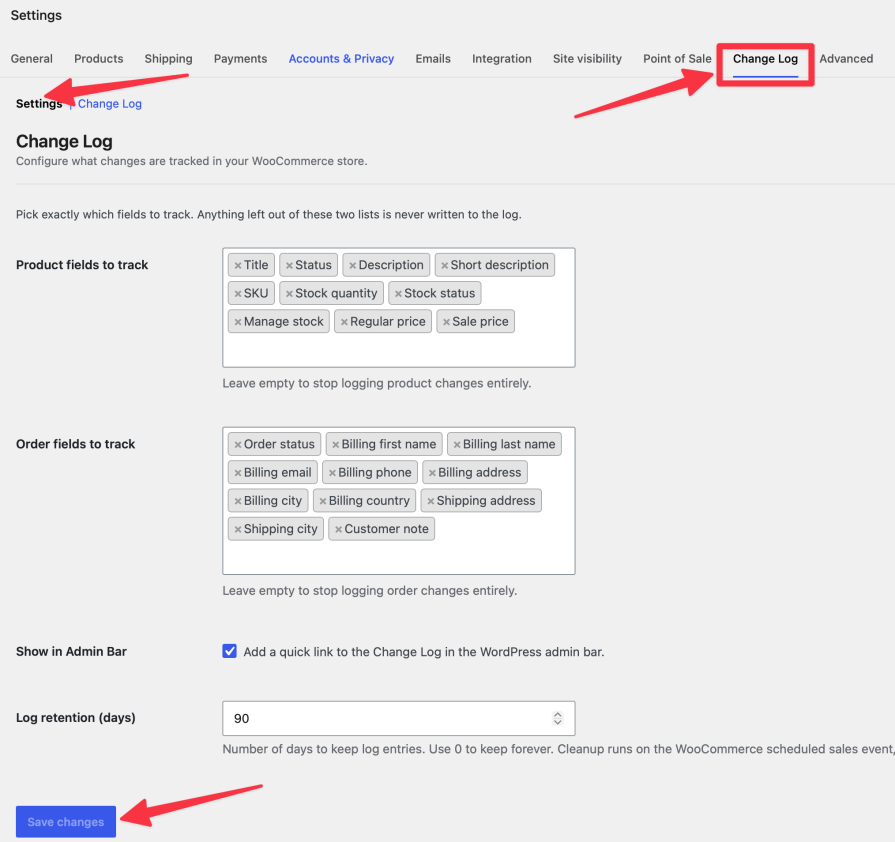
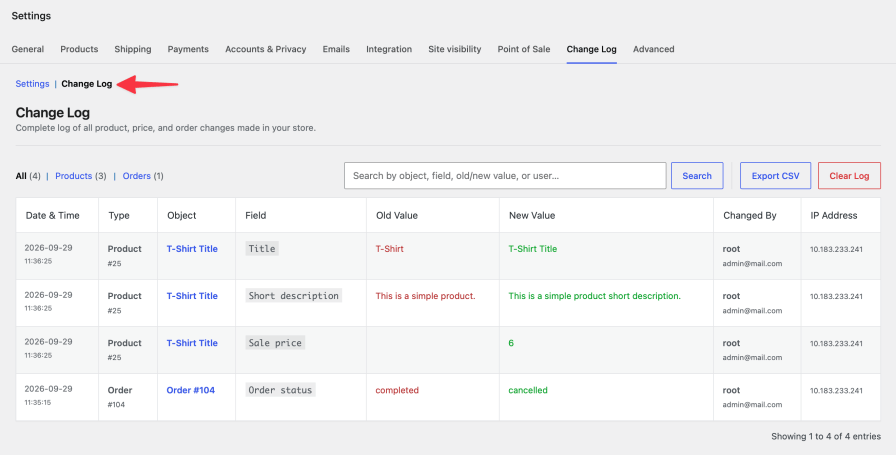
Product and Order Change Log runs quietly in the background, watching every product and order save in your store. When a title, price, stock level, or billing detail changes, it records the old value and the new value side by side, along with the editor’s name, email, user ID, IP address, and the exact time it happened.
WooCommerce doesn’t track this on its own. Once a price is overwritten or a stock count is edited, the previous value is gone – there’s no way to know what it used to be, or who changed it. This extension closes that gap with a searchable, exportable log that requires no code and no third-party service.
Multi-Admin or Agency-Managed Stores
When more than one person can edit products and orders, changes get lost in the noise. The log shows exactly which team member (or agency contractor) made a specific edit, and when.
Investigating Pricing Errors
A product goes live at the wrong price and nobody remembers changing it. Filter the log by product, find the exact edit, and see who made it and what the price was before.
Order Dispute Resolution
A customer claims their shipping address was changed without their knowledge. Pull up the order in the log and see every billing and shipping field edit, with the editor’s identity and IP address attached.
Compliance and Audit Trails
Stores that need to demonstrate change accountability – for internal policy, client reporting, or data requests – can export a complete, timestamped CSV at any time.
Yes. The plugin declares full compatibility with WooCommerce Custom Order Tables, and all order data is accessed using WooCommerce's order methods, so it works correctly on both legacy and HPOS setups.
All entries are stored in a custom database table in your WordPress database. No data is sent to external services.
Deleting the plugin permanently removes the log database table and all plugin settings. Deactivating it without deleting keeps your data intact.
Yes. Every user who saves a product or order through wp-admin is logged, regardless of role, including administrators.
Extension information
Quality Checks
Countries







