

Active installs
100+
Subscription includes
Support
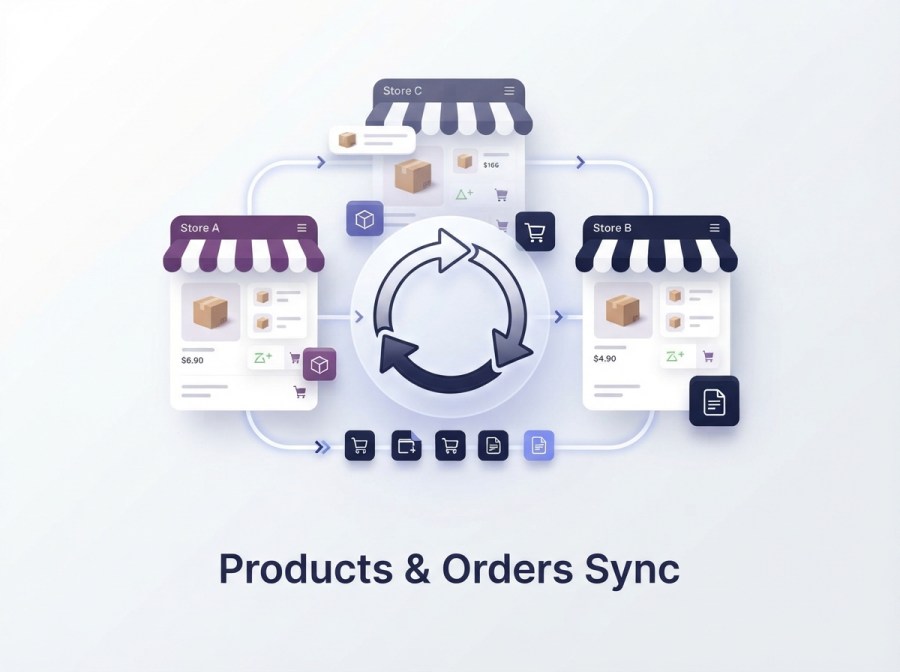
Sync WooCommerce products and orders across multiple websites with the Products and Orders Sync extension. Keep listings up to date by syncing specific categories and tags, and create new products that automatically sync to your destination sites, with prices, SKUs, short and long descriptions, attributes, and categories transferred accurately every time.
Order details including items, billing, and shipping information, are automatically transferred across your sites, keeping every store’s order data consistent without manual entry.
Version 2.1.0 rebuilds the synchronization engine on Action Scheduler queues, adds full customer sync, improves duplicate protection, and supports WooCommerce’s High-Performance Order Storage (HPOS).
Version 2.0.6 migrates your existing setup automatically. On upgrade, the plugin carries over your supported configuration, including:
In most cases, you won’t need to manually recreate destination stores or re-enter API credentials after upgrading.
Synchronize products from your source store to one or more destination WooCommerce sites. Build the exact sync scope for each destination by combining rules:
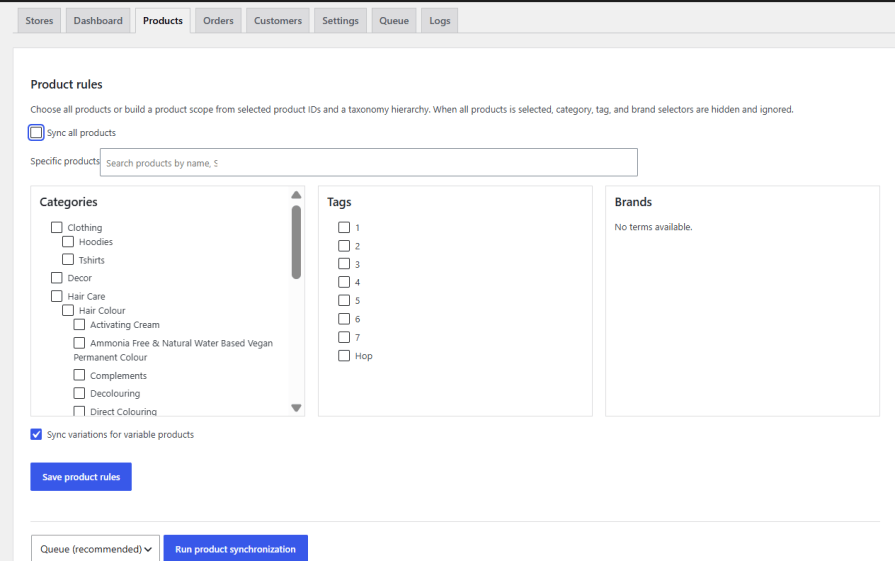
When a product matches your sync rules, it enters the synchronization queue automatically as soon as it’s created, there’s no need to run a manual full-catalog sync every time you add a product.
When product update sync is enabled, changes on the source product are sent to the mapped destination product automatically, including:
Before updating a destination product, the plugin checks for an existing verified mapping to reduce accidental duplicates.
Variable products sync with their parent-product relationships, attributes, terms, variation options, pricing, stock, images, and metadata intact; variations are created under the correct parent product rather than as standalone items.
Before creating a new destination product, the plugin checks, in order:
1. An existing verified destination mapping
2. A Global Unique ID, where available
3. An exact SKU match
4. A normalized title match as a fallback
A new product is only created when none of these produce a match which keeps existing catalogs from ending up with duplicate listings after the first sync.
Product taxonomies stay consistent across connected stores. Existing destination terms are reused when a match exists, and missing terms required by a synced product are created automatically. You can also control whether future changes or deletions to source taxonomy terms should propagate to destination stores.
Global attributes (Color, Size, Material, etc.) and their terms sync to destination stores, with the destination attribute ID resolved before terms are created, preventing terms from landing under the wrong attribute. Version 2.1.0 adds attribute discovery caching to reduce unnecessary API calls on stores with large attribute catalogs.
Featured images, gallery images, and variation images transfer to connected stores, so you’re not re-uploading the same media on every site.
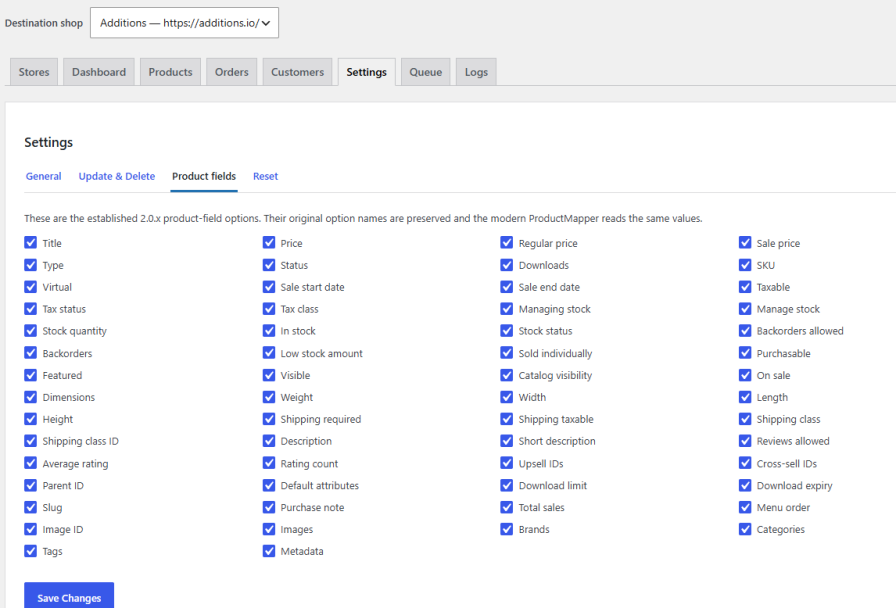
Choose which product fields sync to each destination, and set how newly created products should be published there, same status as source, Published, Draft, Pending, or Private. This status setting only applies to newly created products; it won’t change the status of products that are already mapped.
Transfer orders from your source store to connected destinations automatically, including:
Set your rules once, sync all orders, specific orders, orders after or before a given date, or orders matching included/excluded statuses and qualifying new orders enter the sync queue on their own.
When a synced source order changes, the mapped destination order is updated instead of duplicated. Supported updates include order status, billing and shipping details, line items, quantities, coupons, fees, and metadata.
Version 2.1.0 reconciles order items on repeat syncs: it identifies already-mapped line items, shipping lines, fees, coupons, and tax lines, and updates them instead of appending a second copy each time the order syncs again.
If an order contains a product that hasn’t synced to the destination yet, you decide what happens.
Enable: Create missing order products on destination
So, Products and Orders Sync will run the normal product synchronization process before continuing with the order. The flow becomes:
Order contains missing product → Product synchronization runs → Product and dependencies are created/matched → Mapping saved → Order synchronization continues
The missing product can include its: Images, categories, tags, brands, attributes, variations, product metadata, pricing, stock settings
If the option is disabled, synchronization stops safely and reports the missing product instead.
Historical orders keep their original creation, payment, and completion timestamps instead of appearing as newly created on sync day. Every synced order also carries metadata identifying its source order ID and source store, so “Store A | Order #77” stays distinguishable from “Store B | Order #77” even when multiple sources feed the same destination
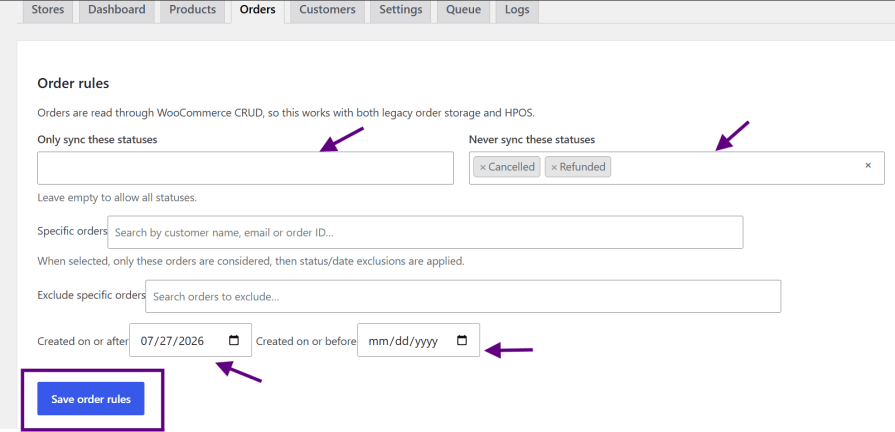
Version 2.1.0 adds customer synchronization. Sync all customers, or search and select specific ones by customer ID, name, or email. Synced data includes first and last name, email, billing and shipping details, and customer metadata processed through the same queue architecture as products and orders.
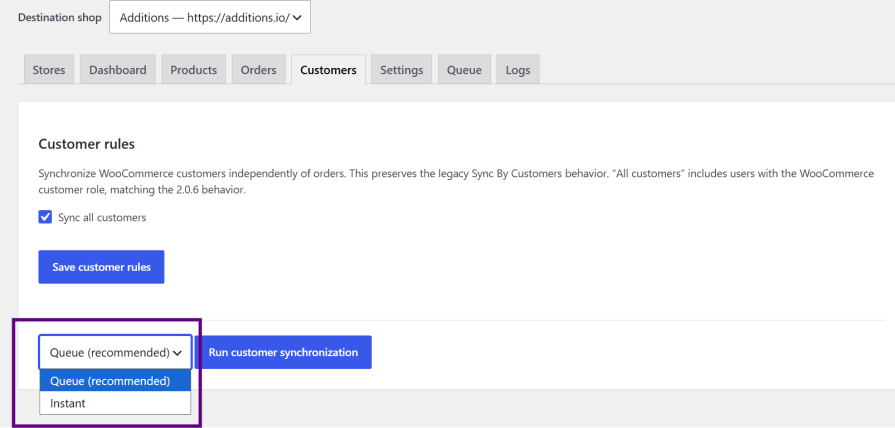
Before creating a new customer account, the plugin checks for an existing saved mapping, then searches for an existing account by exact email match, and adopts that account rather than creating a duplicate. This helps avoid the common WooCommerce error: “An account is already registered with this email address.”
Order-level customer sync can be controlled independently. Enable Sync order customer to associate the registered source customer with the destination order, or leave it disabled to sync orders using billing and shipping details only, without touching customer accounts.
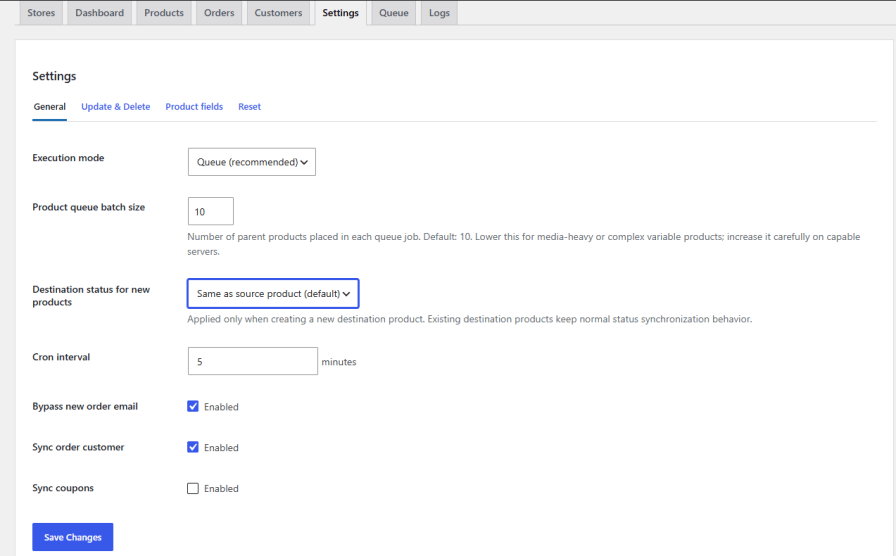
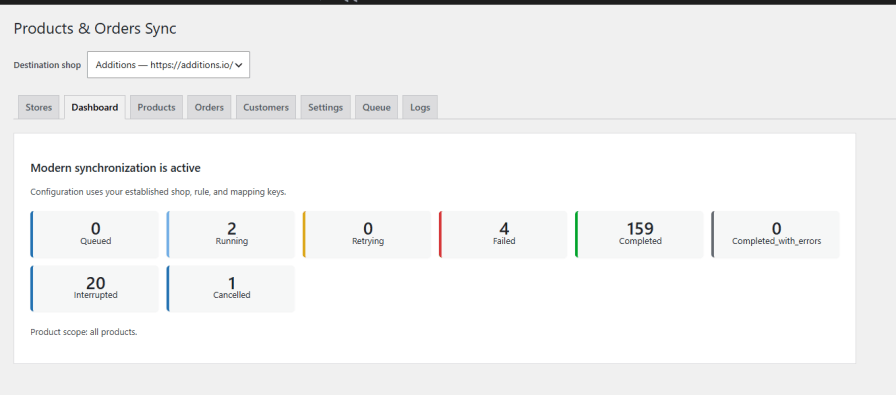
Version 2.1.0 replaces the older sync approach with an Action Scheduler queue architecture. Instead of processing an entire sync inside one request, work is split into smaller jobs and worker slices, reducing the risk of PHP timeouts and giving you retry support, persistent progress, and visibility into what’s happening.
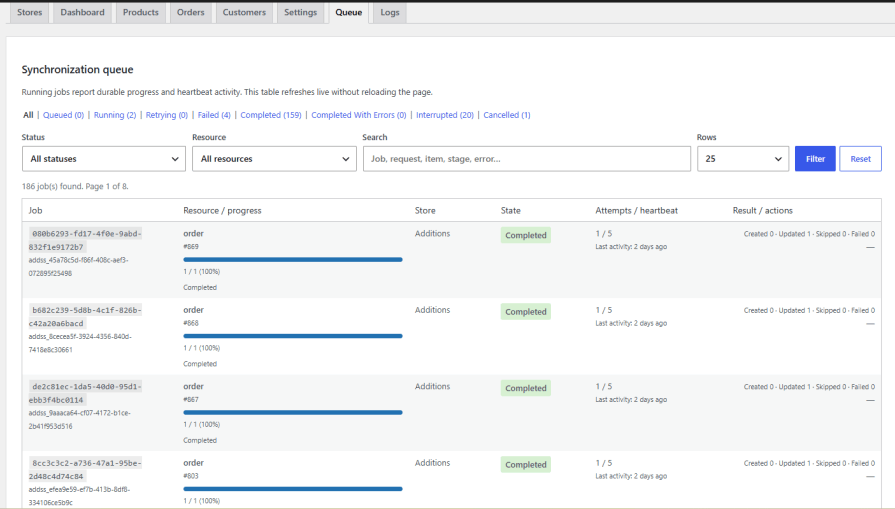
The Queue tab shows job ID, resource type, destination store, current state, records processed vs. total, current sync stage, retry attempts, and counts of created, updated, skipped, and failed records with statuses like Queued, Running, Retrying, Completed, Completed With Errors, Failed, Interrupted, and Cancelled.
Filter and search large queue histories by status, resource, or destination, with pagination and configurable rows per page, so you can find one failed order or product without scrolling through the entire log.
Built-in logs help troubleshoot REST API authentication issues, destination connection errors, missing product mappings, customer matching problems, HTTP errors, timeouts, and queue failures. For deeper diagnostics, you can also use WooCommerce’s own Action Scheduler screen.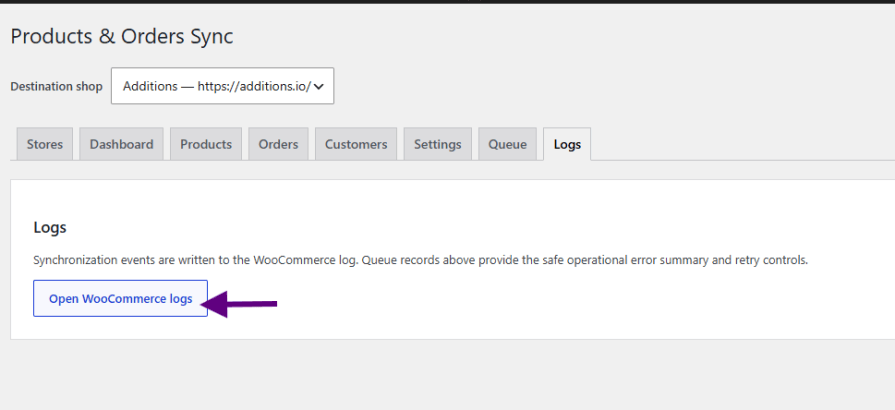
Queue batching, small internal worker slices, persistent progress, retry handling, exact-mapping verification, paginated attribute discovery, and attribute caching are all designed to handle bigger product catalogs. Actual performance still depends on your hosting resources, catalog size, media sizes, and API response times.
Each destination store connects using its own WooCommerce REST API credentials (Store URL, Consumer Key, Consumer Secret, Read/Write permissions needed for product, customer, and order creation), and can have independent settings:
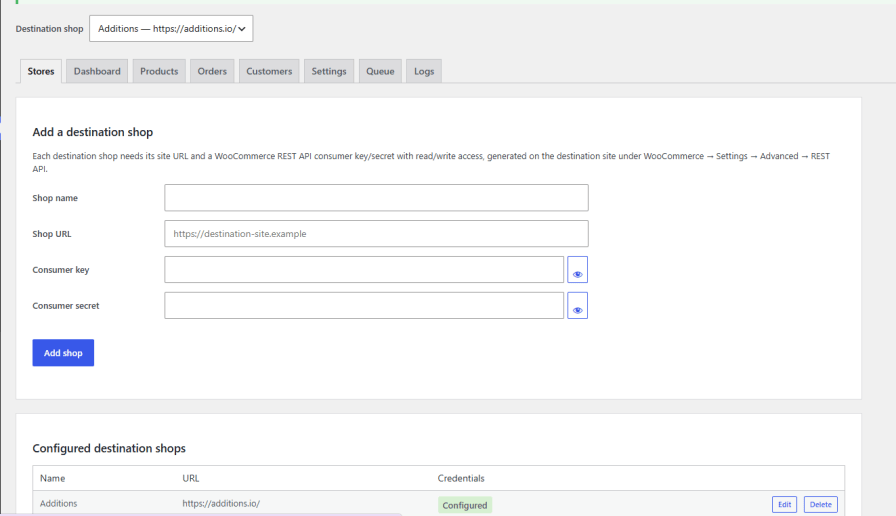
Because connections run over the REST API rather than WordPress Multisite, stores can live on completely different domains, hosts, or servers. This fits multi-brand businesses, regional storefronts, wholesale/retail networks, B2B/B2C store pairs, agencies managing related sites, and distributor or dealer networks.
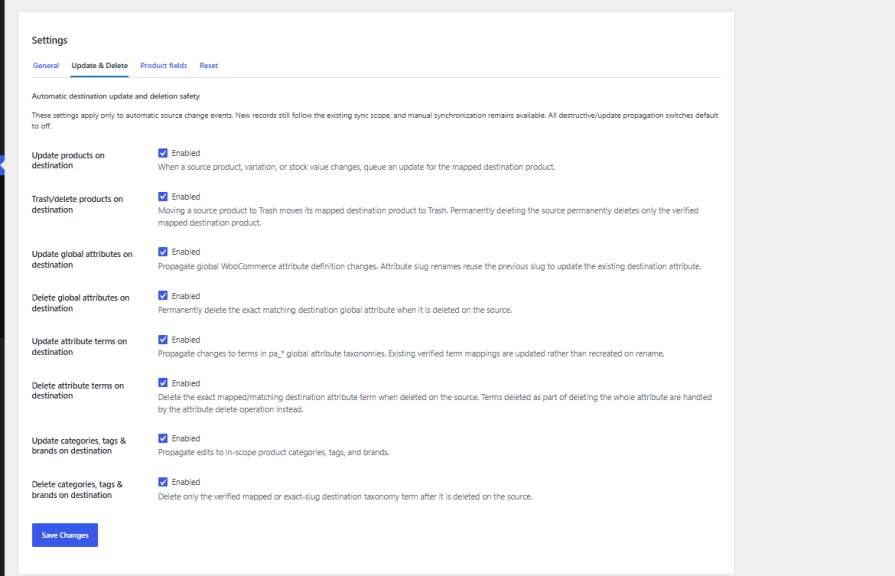
Decide exactly which source-side changes propagate to destinations: updating or trashing products, updating or deleting categories/tags/brands, and updating or deleting global attributes and attribute terms. New installs default to conservative settings; stores migrated from 2.0.6 retain their existing behavior.
Version 2.1.0 uses WooCommerce’s CRUD APIs for order processing and is built for compatibility with High-Performance Order Storage — keeping order sync aligned with current WooCommerce architecture rather than depending only on legacy post-based orders.
You can sync all WooCommerce product types, including simple, grouped, virtual, external/affiliate, and variable products.
Yes, you can sync specific products by selecting them individually or by category. You also have the flexibility to sync all products if needed.
By default, synchronization is set to occur every 5 minutes. You can modify this interval by going to WooCommerce > Settings > Shop Sync and adjusting the cron job interval as needed.
Yes, our extension first checks if the order items already exist on the destination site. If any product is missing, the extension will automatically create that product along with all its associated data. Once the products are successfully created, the extension will proceed to generate the order, including all purchased items, ensuring that the entire order and its details are properly synchronized.
Yes, this extension ensures that product images and galleries are created and sync across all connected stores.
No. The plugin never creates, updates, or deletes destination tax rates during order sync.
No. It connects independent WooCommerce sites via the REST API, regardless of domain or host.
Yes, mapped order items are reconciled and updated rather than appended again each time the order syncs.
In some cases, duplicate products may still appear due to server or sync-related issues outside the plugin’s control. This commonly happens when the destination website responds slowly, experiences downtime, or fails to process requests correctly during product syncing.
When a sync request times out or does not receive a proper response from the destination server, the same request may be sent again, which can result in duplicate product creation.
What can help prevent this issue?
* Increase the cron job interval, such as running sync every 15 minutes instead of very frequently
* Check if the destination website is slow, overloaded, or experiencing downtime
* Use a hosting/server environment that can handle multiple requests reliably
* Sync products in smaller batches or category-wise instead of syncing the entire catalog at once
* Review server limits such as execution time, memory usage, and request handling capacity
Our plugin helps detect and clean duplicate products, but server performance and third-party sync behavior can still affect how products are created.
If you need assistance diagnosing the issue, please contact our support team at help.additions@gmail.com or create a support ticket through WooCommerce support.
Extension information
Quality Checks
Countries
Requirements







