Product comparison
Subscription includes
Support
Repeat customers should not have to search your catalog every time. Recently Purchased Products adds an Ordered Products tab to My Account where customers see everything they bought before, pick what they need, set quantities and add it all to the cart in one click.
It is built for stores with regular buyers: wholesale and B2B customers, cafés and offices that restock every month, and shoppers who reorder the same items.


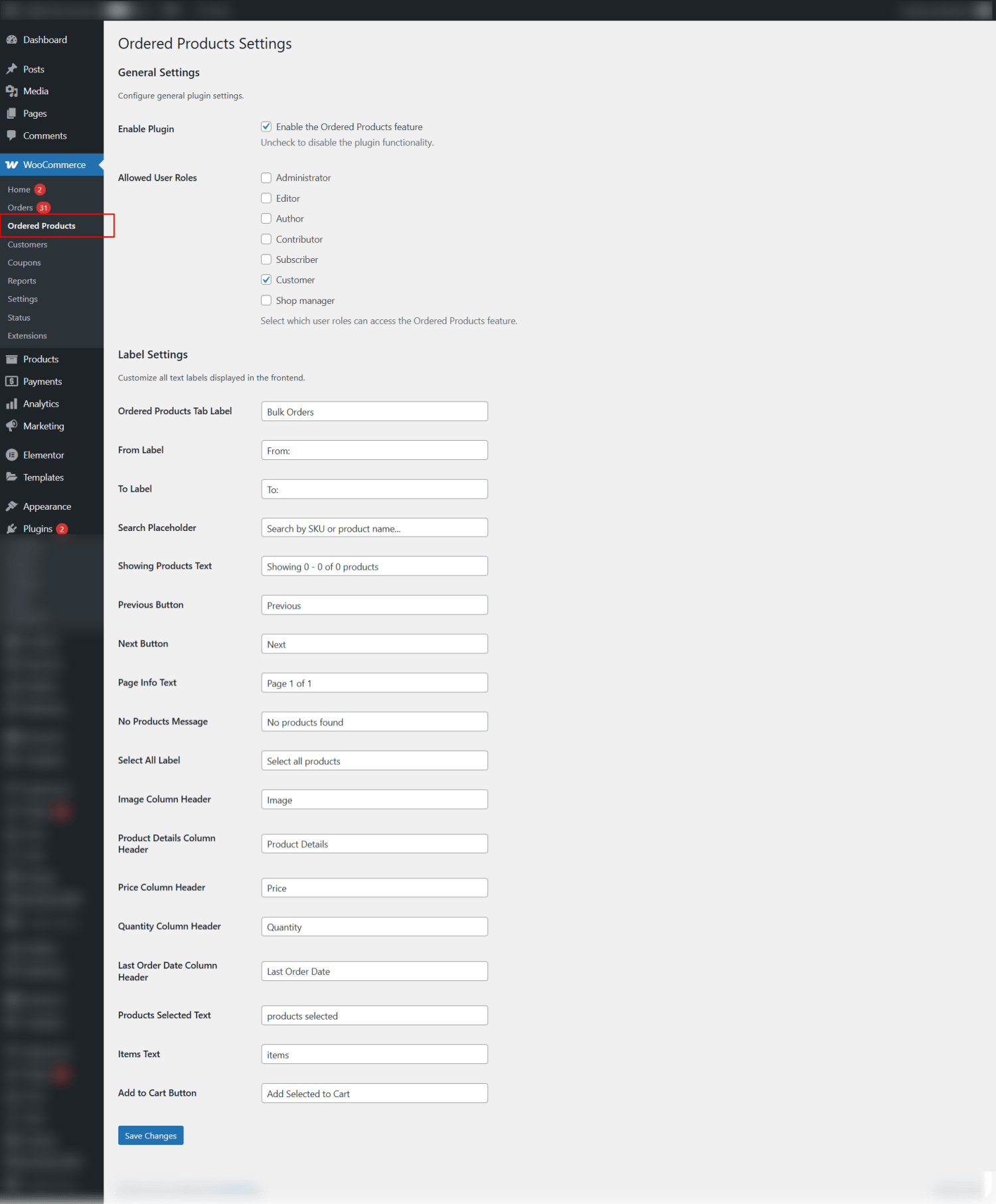
Find everything under WooCommerce › Ordered Products: turn the feature on or off, choose which user roles can see the tab, and change every label and button text to match your store.
The easier it is to order again, the more often customers do it. Give them a one-click reorder list right in their account.
In My Account, in a new “Ordered Products” tab. You can rename the tab.
Yes. They tick products, set quantities and click “Add Selected to Cart”.
Yes, by product name or SKU.
Yes. The last 3 months are shown by default, and customers can change the date range.
Yes. Each purchased variation is listed separately and the exact variation is added to the cart.
They are marked “Out of stock” and cannot be added.
Yes. Choose which user roles see the tab, for example a wholesale role.
Yes, in the current version only products with a SKU appear in the list.
Categories
Extension information
Quality Checks
Countries