

Subscription includes
Support
Make shopping easier with Search and Buy by Voice, a WooCommerce plugin that lets customers find products and add items to their cart using voice commands. Customers can search hands-free instead of typing, creating a faster and more convenient shopping experience across desktop, tablet, and mobile devices.
With voice product search, voice add to cart, multilingual support, flexible placement options, Gutenberg blocks, shortcodes, and built-in analytics, you can add voice shopping functionality to your WooCommerce store without coding.
Help customers find products faster by allowing them to search your WooCommerce store using their voice. Instead of typing product names or search terms, customers can use voice commands to find the products they need.

Make product selection more convenient with voice-based cart actions. Customers can use voice commands to add products directly to their WooCommerce cart, reducing the need for manual clicks.
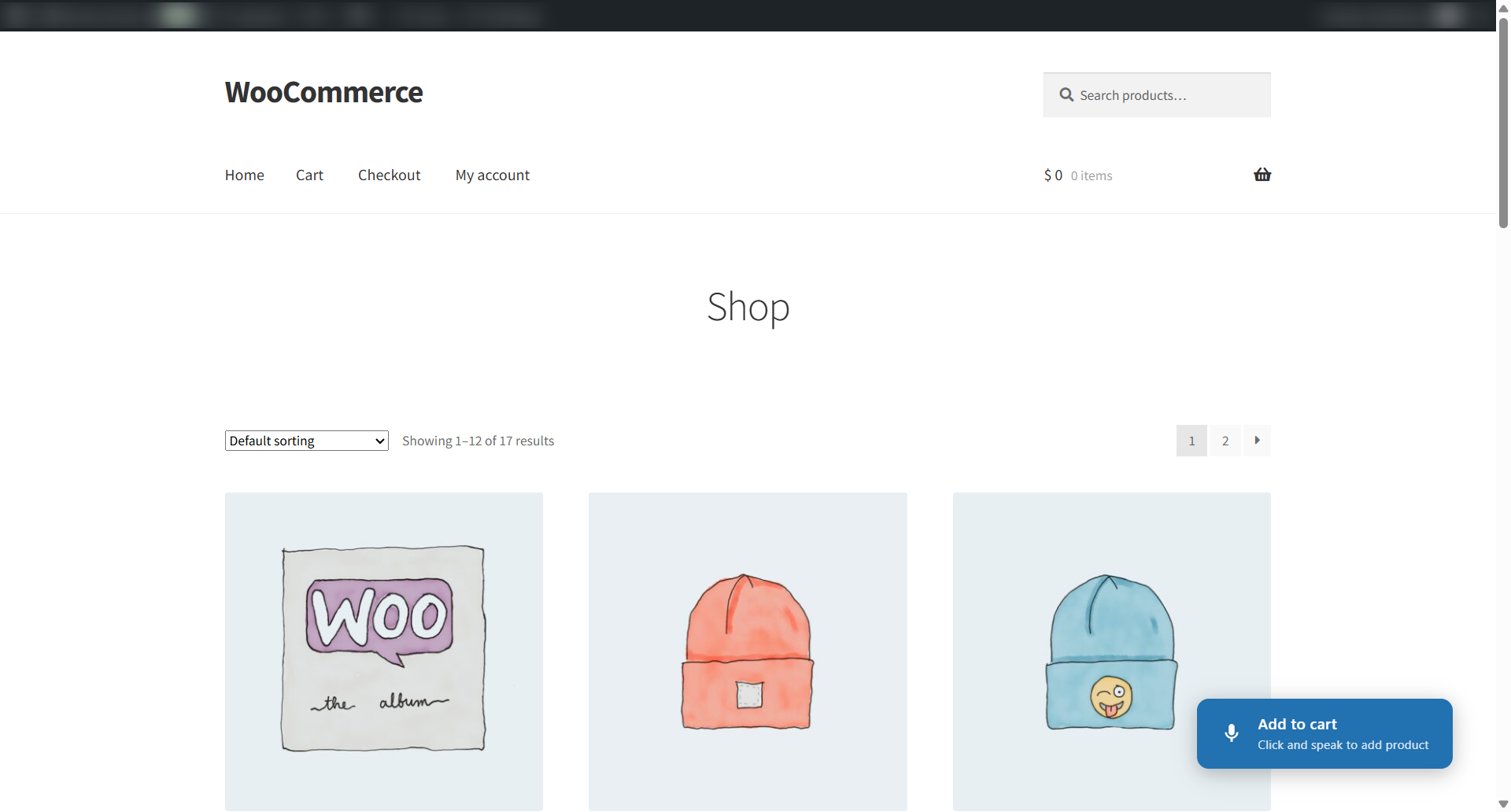
[voice_search_product][voice_add_to_cart_button]Use the available shortcodes to add voice functionality to supported areas of your WooCommerce store.
Add voice search and voice cart functionality directly from the WordPress Block Editor.
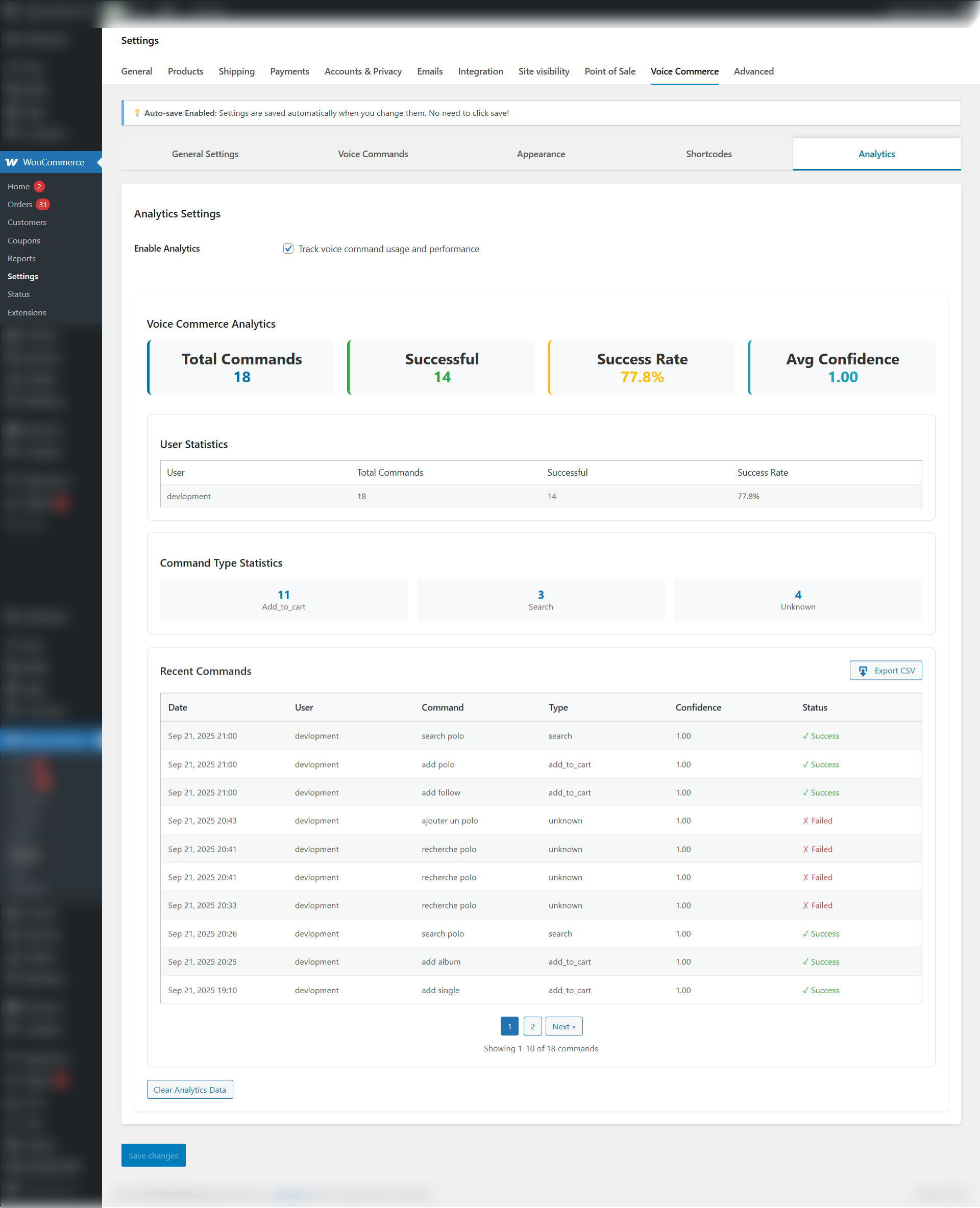
Track how customers use voice functionality in your store and review voice search activity from the analytics dashboard.
Search and Buy by Voice brings voice search and voice shopping functionality to WooCommerce in one lightweight plugin. Customers can search for products, use voice commands to add items to their cart, and interact with your store without relying entirely on traditional typing and clicking.
With support for multiple languages, flexible button placement, Gutenberg blocks, shortcodes, and voice search analytics, the plugin gives store owners multiple ways to add voice functionality to their WooCommerce shopping experience.
Our extension supports core voice commands such as:
“Search for [product name]” – Quickly find products using voice search.
“Add [product name] to cart” – Add products hands-free to the shopping cart.
Voice commands work seamlessly in 16 supported languages, including English, Spanish, French, German, Japanese, Arabic, and more.
No special hardware is required. The extension uses your browser’s built-in speech recognition API, so it works with any standard microphone connected to your device, including built-in laptop or smartphone mics.
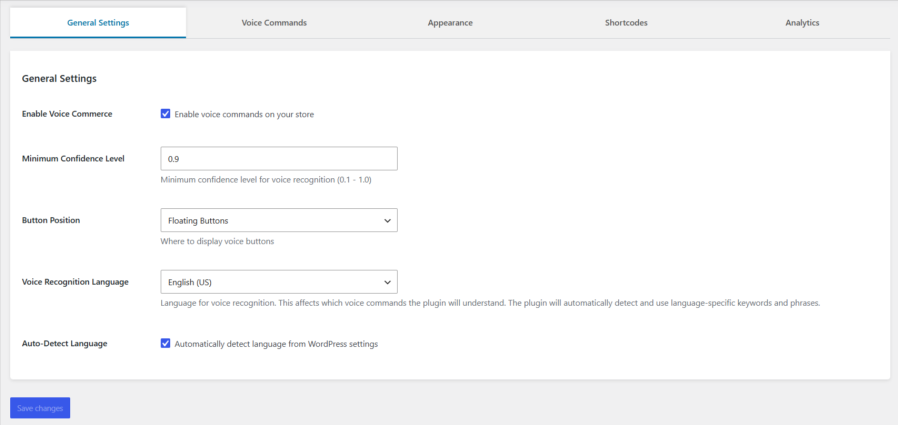
Yes! You can fully customize button colors, text, animations, and choose from 9 different screen positions (top/middle/bottom combined with left/center/right). You can also decide to show only the search button, only the add-to-cart button, or both.
Absolutely! The extension is designed to work seamlessly with any WooCommerce-compatible theme. Floating buttons and sidebar widgets are positioned to avoid conflicts and ensure smooth integration.
You can add voice search and add-to-cart features via:
Floating buttons automatically displayed on product/shop pages
Sidebar widgets available for your theme’s widget areas
Gutenberg blocks for easy drag-and-drop placement
Shortcodes: [voice_search_product] and [voice_add_to_cart_button] for manual insertion anywhere
Yes! It supports 16 languages, including English (US/UK), Spanish, French, German, Italian, Portuguese, Japanese, Korean, Chinese, Arabic, Russian, and Dutch. You can select the voice recognition language from the extension settings.
Accuracy depends on your microphone quality, background noise, and speaking clarity. The extension includes adjustable confidence levels and language-specific keyword matching to improve recognition reliability.
Yes! The extension features a comprehensive analytics dashboard where you can monitor:
Total voice commands issued
Success rates of recognition
Most popular voice commands
Recent command history with pagination
CSV export for detailed reporting
Definitely! The extension is fully responsive and optimized for smartphones and tablets, ensuring excellent voice command performance on all devices.
Extension information
Quality Checks
Countries







