

Subscription includes
Support
By default, WooCommerce displays product variations in a drop-down menu on the single product page. Customers must visit the product page, select a variation, and then add it to their cart.
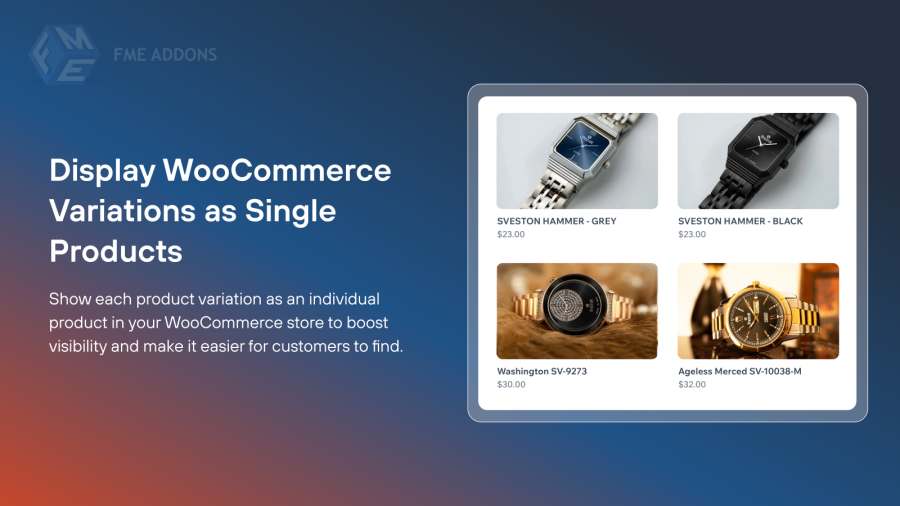
For stores with products that have multiple variations, this can slow down the buying process. The WooCommerce Show Single Variations plugin makes it easier for customers to shop by displaying each product variation as a separate product.
With this plugin, your customers can quickly add multiple variations to their cart without navigating through drop-down menus. You can also choose to hide the parent product from shop and category pages, providing a cleaner, more user-friendly shopping experience.
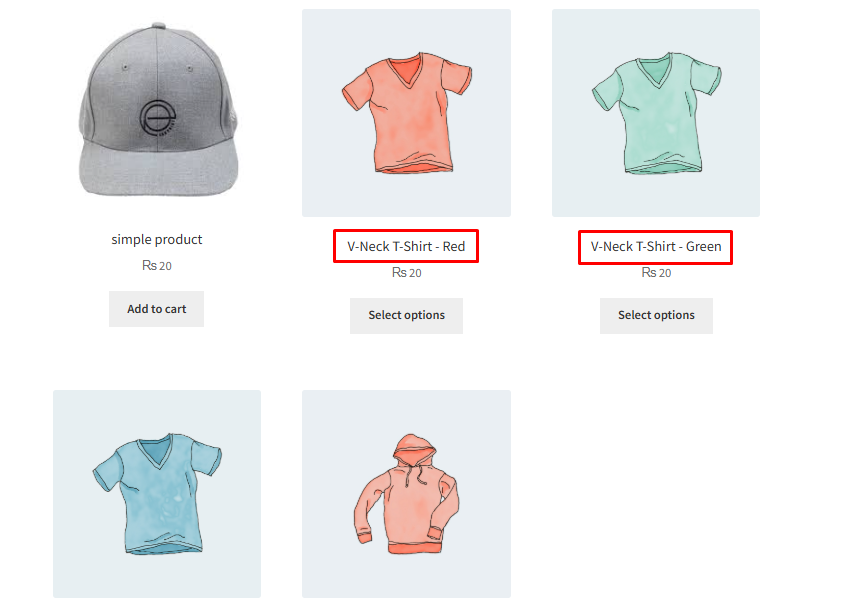
Show each product variation as an individual product in your WooCommerce store to boost visibility and make it easier for customers to find. Each variation can have its own image, price, and description, appearing as a standalone product in shop and category listings. This helps shoppers quickly compare options and choose the exact product they want.
Make your WooCommerce product pages clean and easy to navigate by hiding unnecessary details and unavailable options. You can choose specific product attributes to hide, showing only relevant information to customers. Hide out-of-stock variations from listings to reduce confusion and ensure a smooth shopping experience.

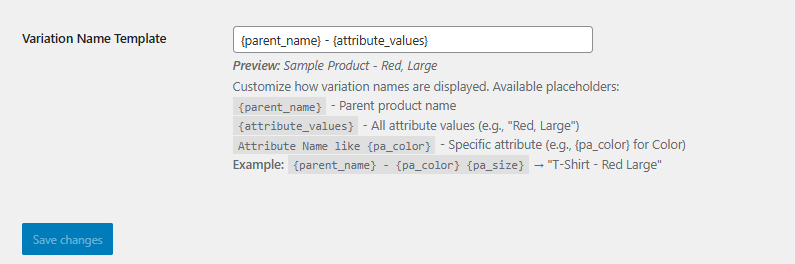
Easily customize how your product variation names appear using a flexible template system. Combine the parent product name with its attributes to create clear and consistent variation names. For example, a template can display a variation as “T-Shirt – Red Large”, making your product listings more organized and user-friendly.
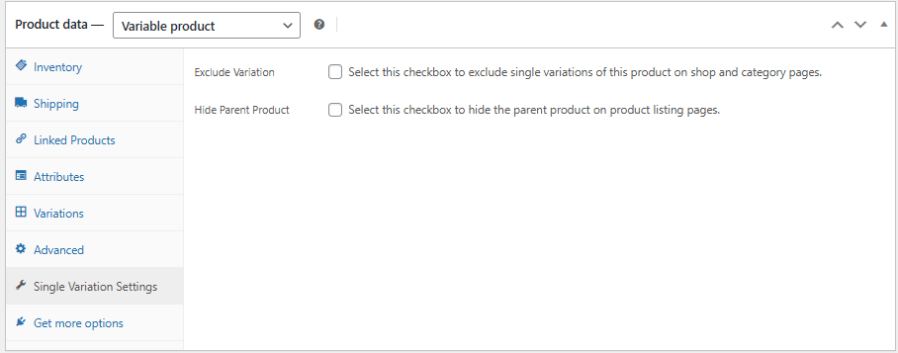
You can choose to exclude individual product variations from appearing on shop and category pages, ensuring only the relevant options are visible to customers. Additionally, hiding the parent product from product listings helps keep your store clean and focused, displaying only the variations you want shoppers to see.
This feature allows each WooCommerce product variation to appear as an individual product in your store. Each variation can have its own image, price, and description, making it easier for customers to find, compare, and purchase the exact product they want.
Yes. You can choose which attributes to hide, keeping your product pages clean and showing only the most relevant information to customers.
No. Out-of-stock variations are automatically hidden from shop and category pages, reducing confusion and providing a smoother shopping experience.
The plugin lets you set a variation name template. You can combine the parent product name with attributes, for example: “T-Shirt - Red Large,” ensuring your listings are clear and organized.
Yes. You can hide the parent product while still showing its variations, keeping your store pages focused and uncluttered.
Absolutely. You can exclude specific variations from shop and category pages, allowing you to control which options are visible to your customers.
Categories
Extension information
Quality Checks
Countries







