
Product comparison
Subscription includes
Support
Running sitewide promotions can be complex, with multiple products, categories, and customer roles to manage. Sitewide Sale for WooCommerce simplifies this by letting you configure percentage or fixed discounts, set sale schedules, and apply rules to specific products, categories, or user roles, all in one place for efficient, hassle-free sales management.
The site wide sale for woocommerce works by letting you quickly create and manage store-wide promotions from a single interface. After enabling the sale, you can choose a discount type, either percentage or fixed, and define how it applies to the product and pricing. Target the sale across your entire store or refine it by selecting specific products, categories, or user roles, with options to include or exclude items as needed. Schedule the start and end dates, and the module automatically runs the promotions, while built-in features like countdown timers, pop-ups, and top bars help boost visibility and urgency. At the same time, a sales dashboard tracks performance, giving you insights to optimize future campaigns, all without manual intervention.
This feature allows you to apply discounts across your entire WooCommerce store. It allows you to create a single sale and includes all the products, categories, or preferred items in one sale, which makes it easier to manage all the promotions and provide uniform pricing. It also assists in boosting sales without manual work.
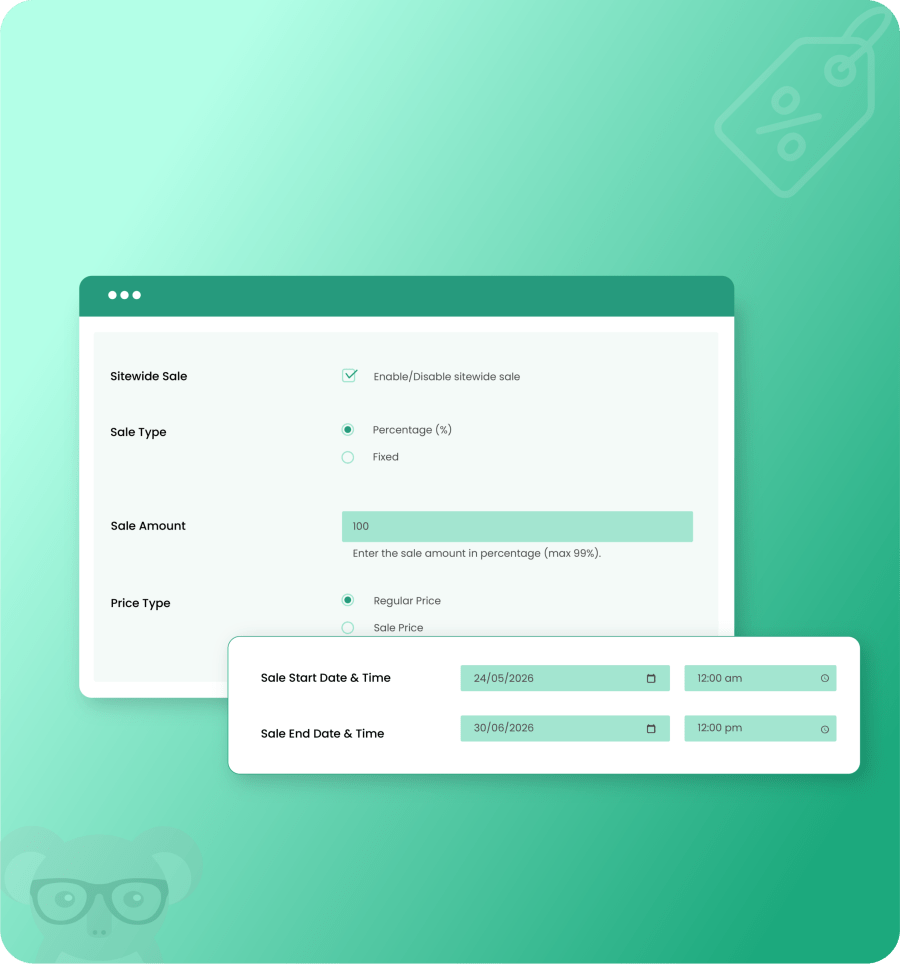
This sitewide sale for woocommerce will allow you to plan your sales by specifying certain end and start dates and times. The discounts are automated, which means that once they are scheduled, the sale is turned on or off automatically. It makes sure that your promotions are only done at the time you want them, for example, holidays, weekends, or special occasions. With a computerized campaign, you can save time and also eliminate the chances of missing valuable sales prospects. This facilitates running storewide promotions to a greater degree of efficiency and reliability.
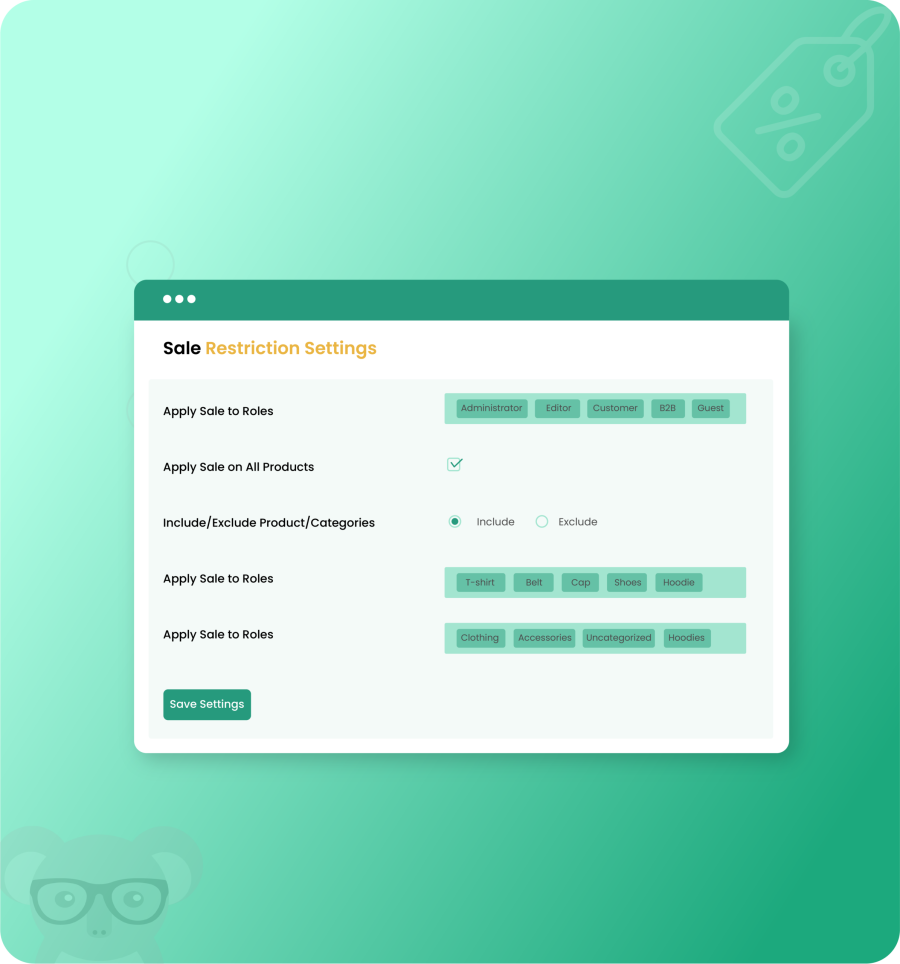
With this feature you can control where and to whom the discount is applied. You can include or exclude specific products and categories instead of applying the sale to your entire store. This feature lets you target particular user roles, such as subscriber, author, administrator, etc, while excluding other roles if needed. In this way, you can create more planned and personalized promotions. As a result, you can run targeted campaigns that align with your store’s goals without affecting your entire product catalog.
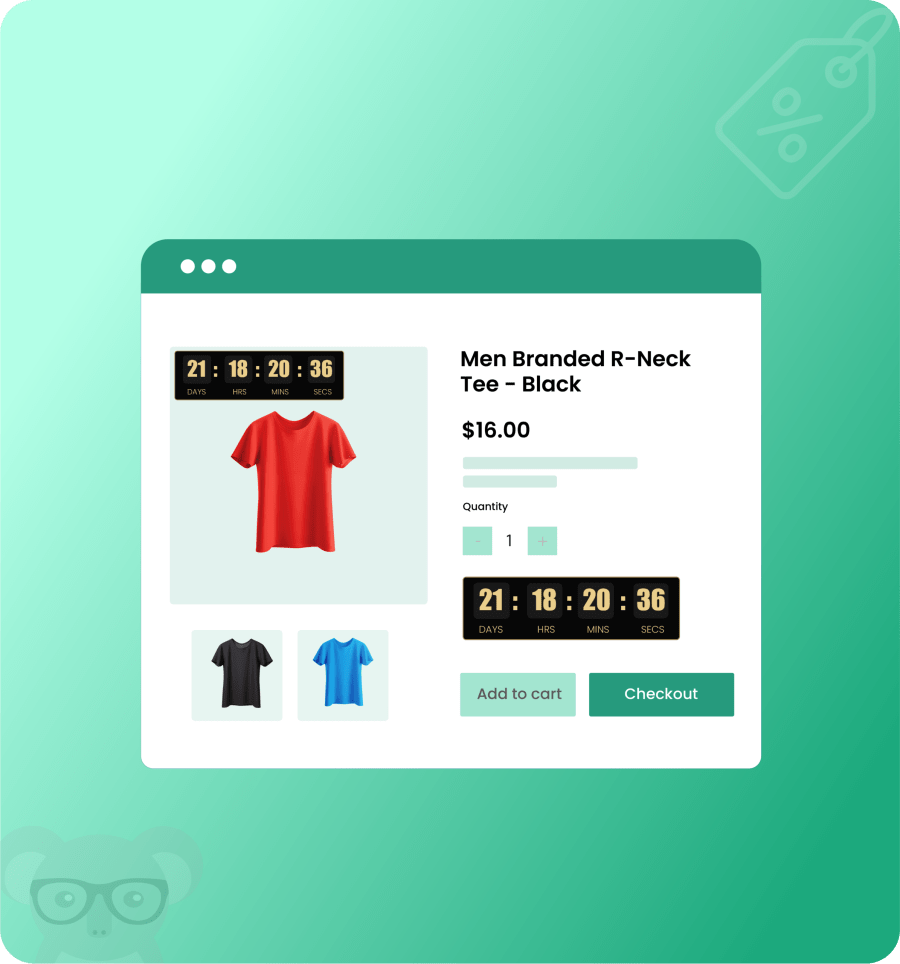
This feature creates a sense of urgency among customers by showing a live countdown timer on products, showing them exactly how much time is left before the offer expires. The visual countdown timer encourages quicker purchasing decisions. By highlighting the limited time availability, it increases engagement and motivates customers to complete their purchase before the sale ends.
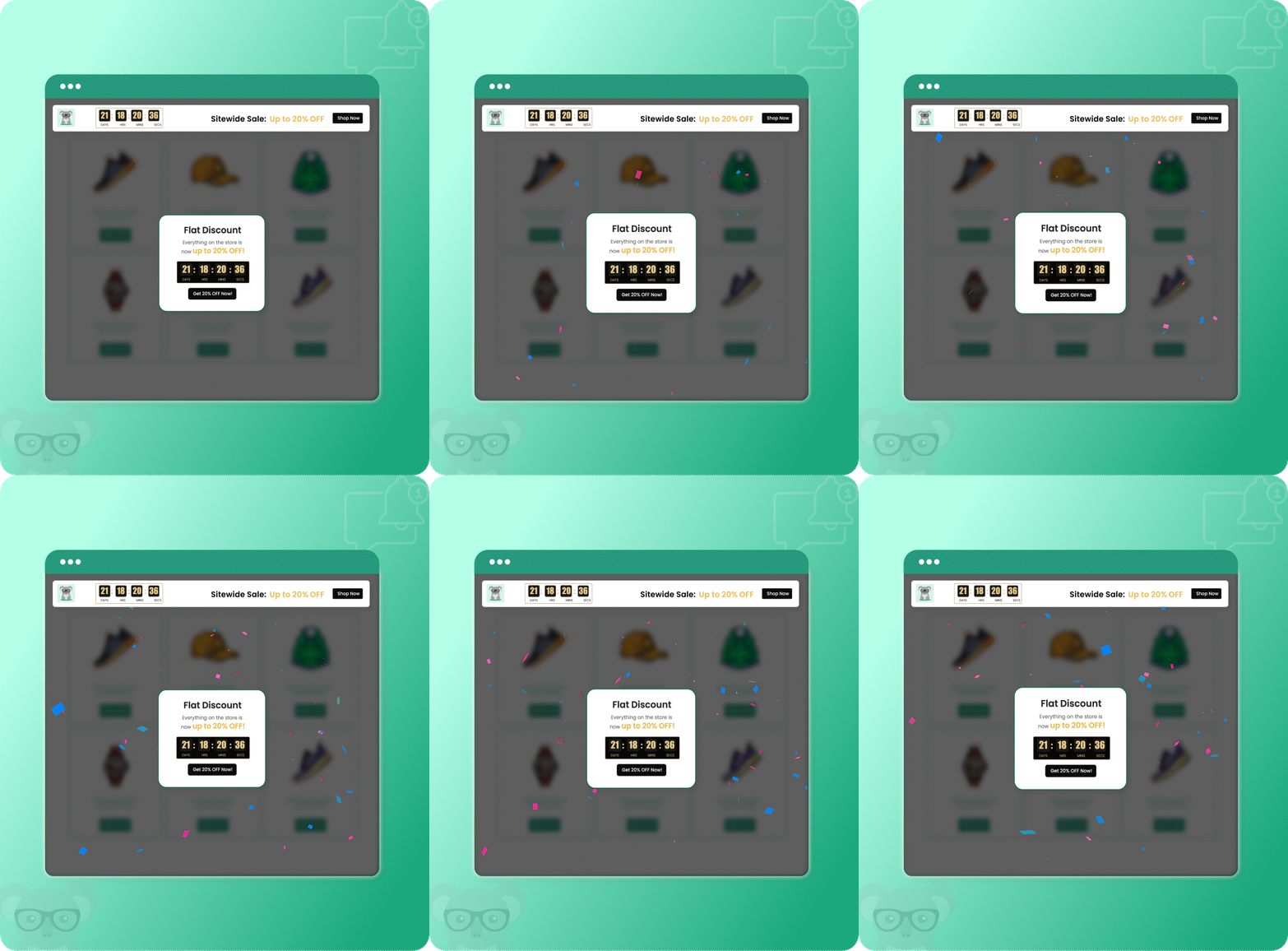
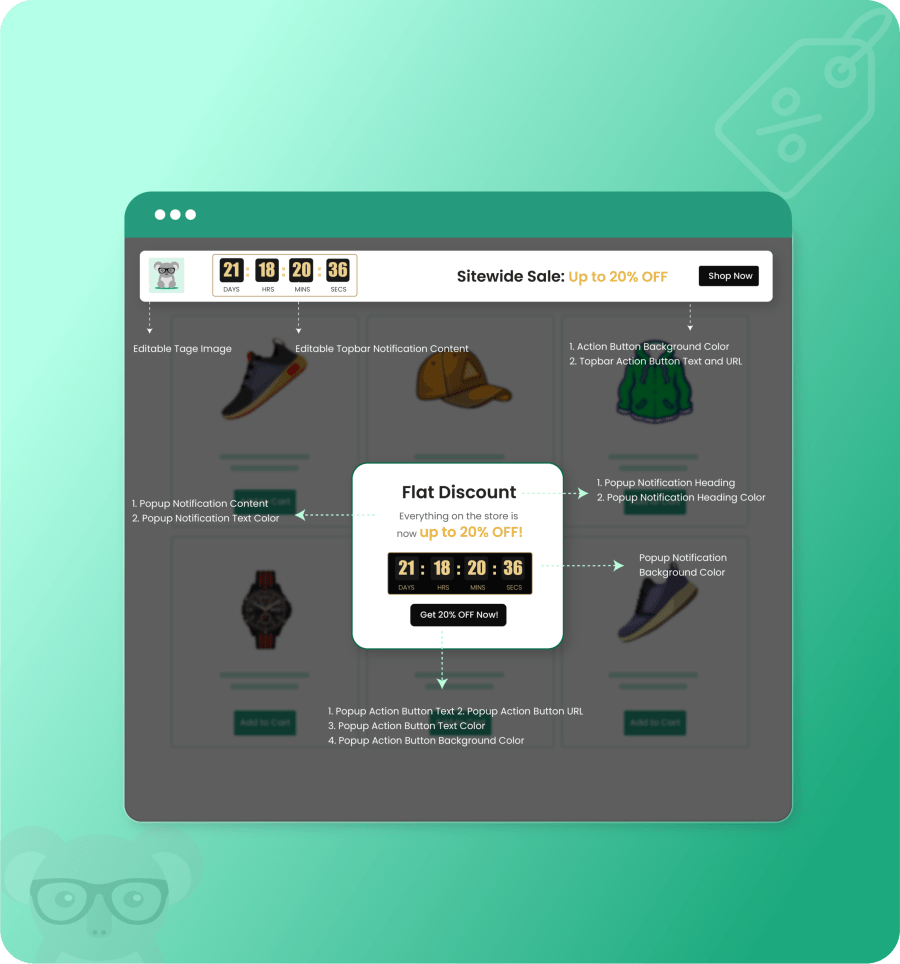
This feature lets you highlight active sales across your store. It lets you display pop-ups that grab the attention of customers and show top notifications instantly to inform customers about ongoing discounts. You can customize these elements to blend into your store’s branding and promotional message. Keeping the offer visible throughout the shopping journey, it creates awareness, engagement, and conversions.
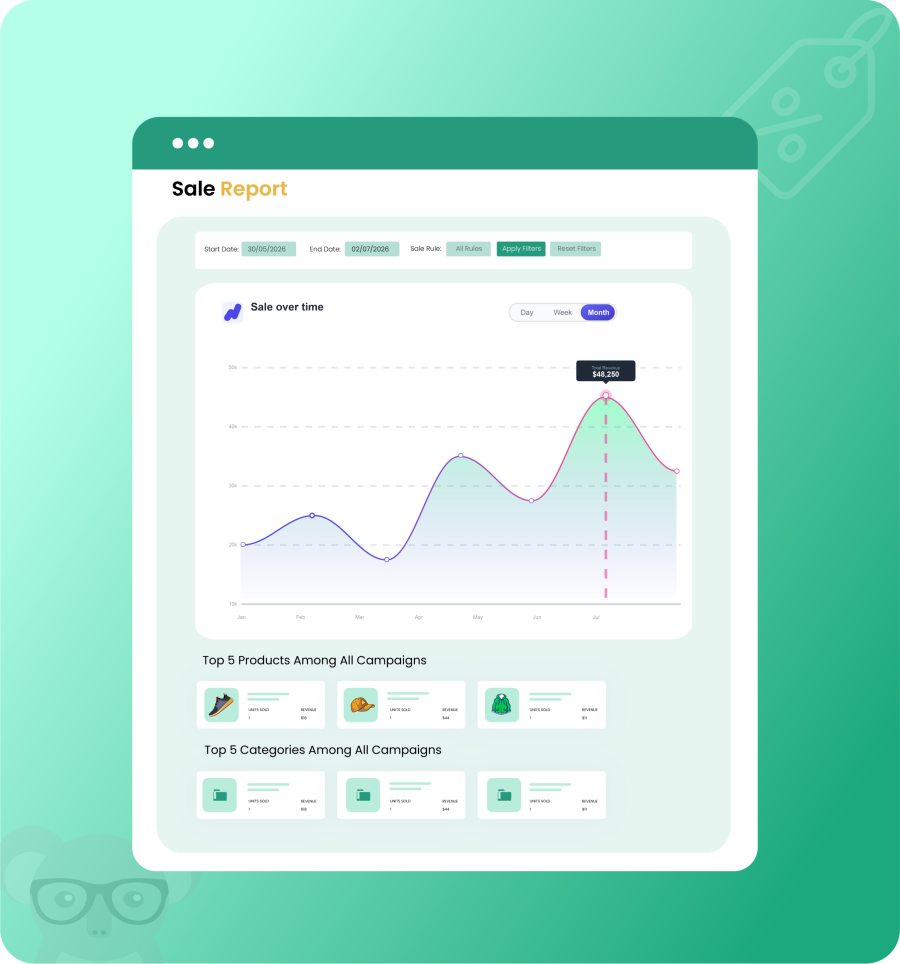
The detailed sales dashboard helps you in making data-driven decisions by providing an overview of your sitewide sales performance within a selected timeframe. You can set a start and end date to track sales data for a specific period, and with a sales rule filter, you can view performance based on a particular campaign or check data across all rules.
This characteristic enables you to implement discounts on the whole WooCommerce store. It allows you to create a single sale. It includes all the products, categories in it, or just preferred items making it easier to manage all promotions and provide uniform pricing. It also assists in boosting sales without manual work.
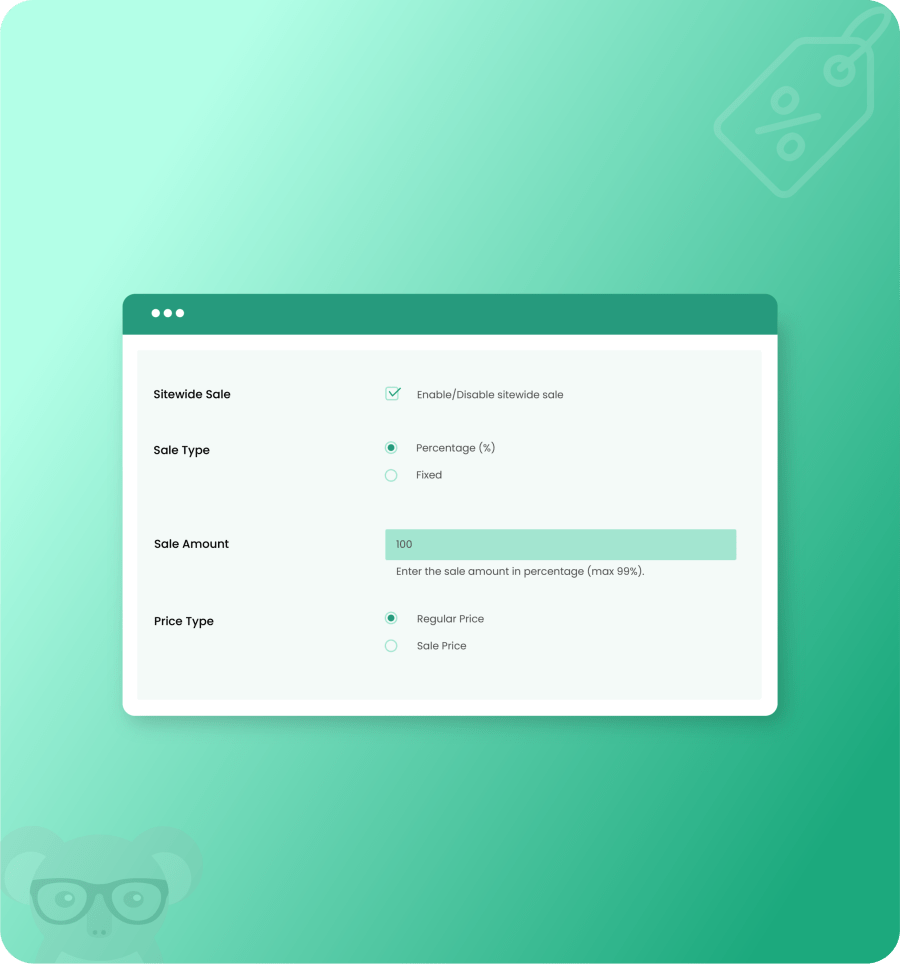
You can schedule multiple storewide sales by configuring individual sales rules. These rules are designed to help you plan and automate promotions throughout the year. Please note: If multiple rules overlap during the same period, the rule with the highest priority will take effect.
No, top bars and popups are not tied to individual rules; they are global settings. While they are only displayed when a storewide discount sale rule is active, their content must be updated manually for each campaign.
Yes, the extension allows you to include or exclude specific products and categories within each sales rule. This enables you to run targeted, category-specific campaigns using the sitewide sales functionality.
Extension information
Quality Checks
Countries







