

Subscription includes
Support
Want complete control over how your products are displayed in your WooCommerce store? With this plugin, you can easily sort and reorder products across your entire shop or within specific categories, attributes, and tags. The intuitive drag-and-drop interface lets you rearrange products in seconds, while flexible sorting options like Name, Price, ID, or Reviews help you organize your catalog exactly the way you want.
You can also choose how many products appear per page and simplify the shopping experience by hiding the default sorting dropdown. It’s a simple yet powerful way to create a cleaner, more personalized storefront that puts your best products in the spotlight.
Take full control over how your products are displayed by sorting them within specific categories or tags. Whether you’re showcasing seasonal items, bestsellers, or new arrivals, you can arrange your products in a way that highlights what matters most to your customers.
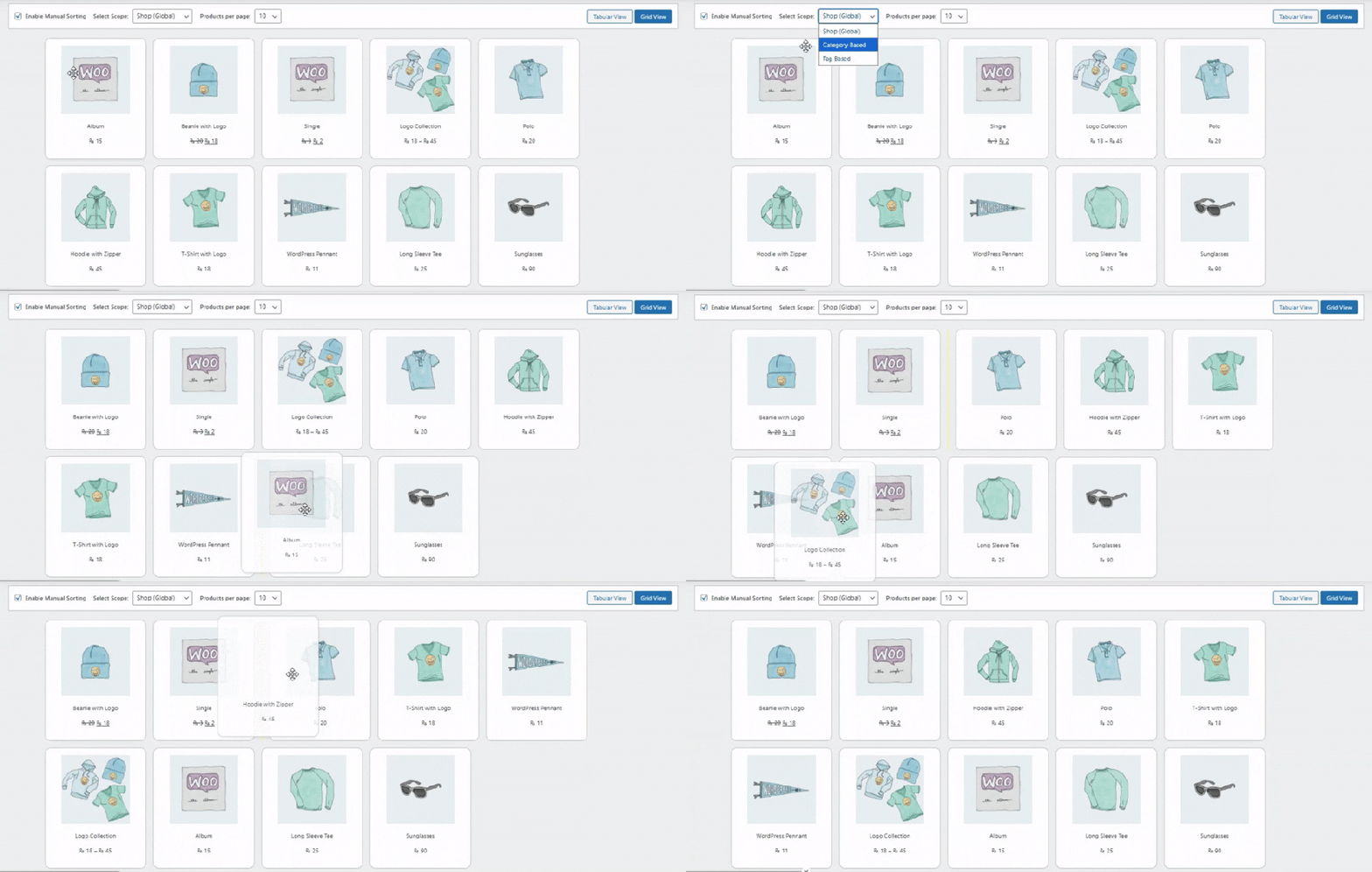
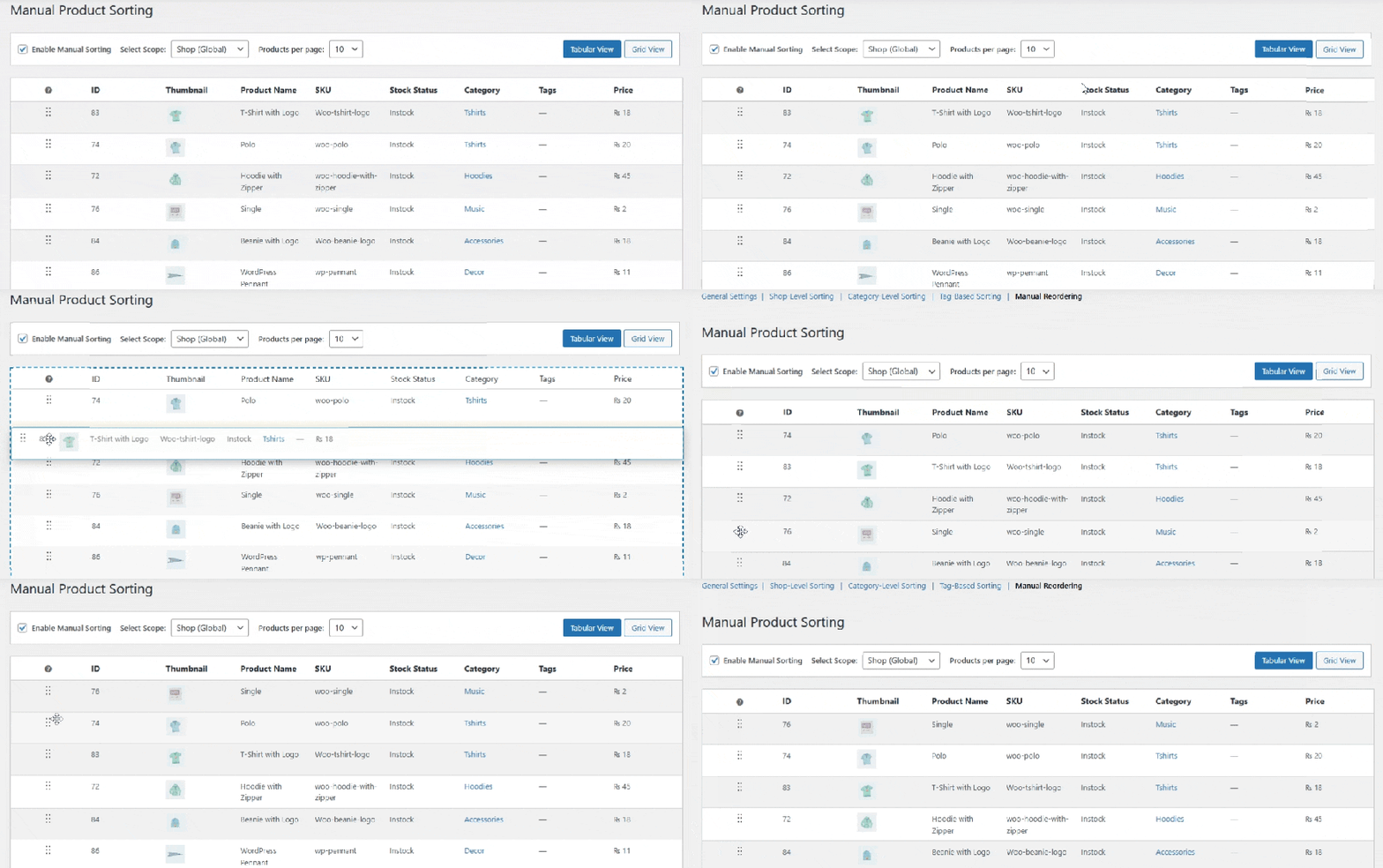
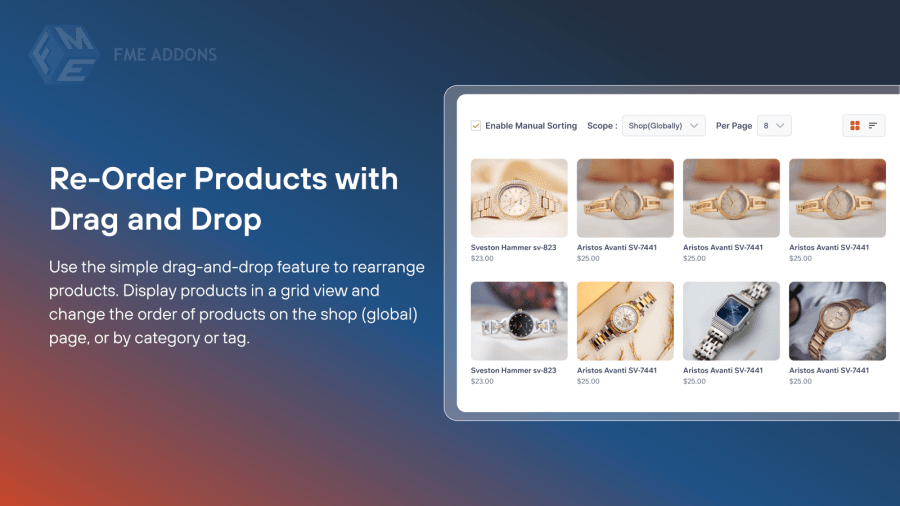
Easily rearrange the order of the products with a simple drag-and-drop interface. Change the order of products on the shop (global) page, or based on category or tags. Arrange products in tabular or grid view to easily sort products.
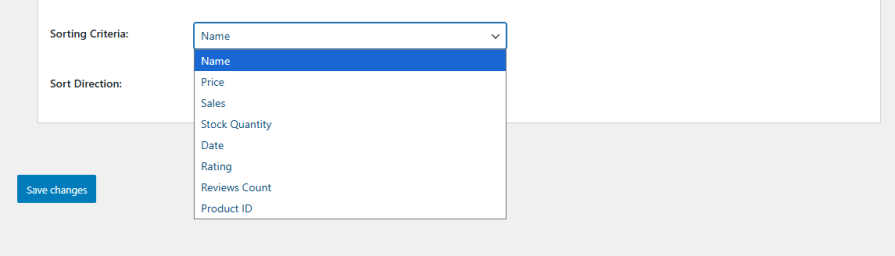
Enhance your product organization by selecting from multiple sorting options. You can select between multiple sorting options:
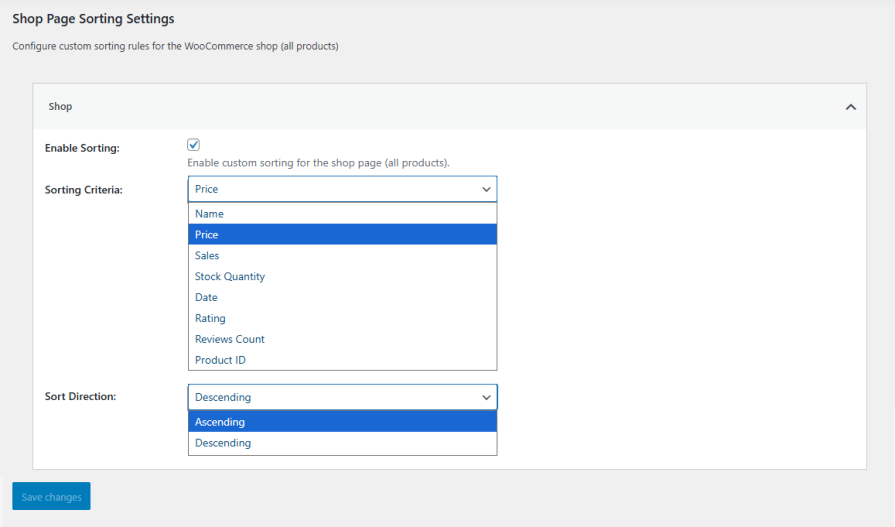
Set a global sorting order for your entire shop. Choose from various criteria such as Name, Price, ID, or Reviews to ensure a consistent and organized shopping experience across all product pages.

Organize your products within specific categories to make it easier for customers to find what they are looking for. Choose a different sorting criterion for each category, such as price or ID, and set sorting order as ascending or descending.

Organize your products within specific tags to help customers find what they are looking for more easily. Select a different sorting criterion for each tag, such as Price or ID, and specify the sorting order as either ascending or descending.
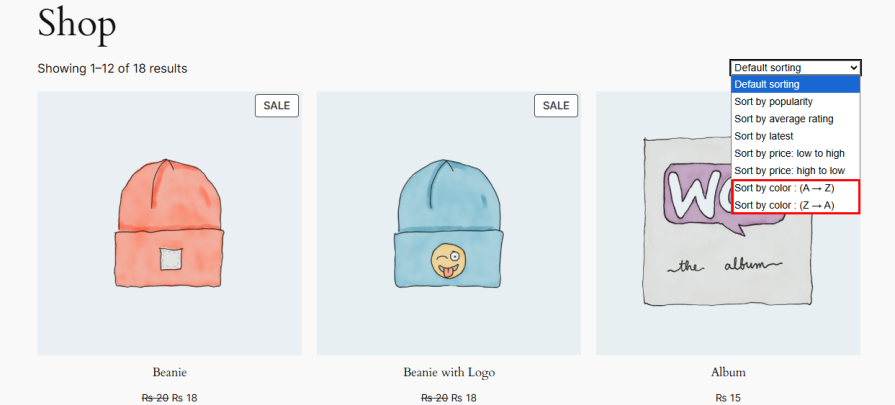
The WooCommerce sort products plugin allows store owners to add attributes as a sorting option in the sorting dropdown menu. This allows customers to easily sort products based on different attributes, such as color, material, or size, making it easier for customers to make an informed decision.

Control the number of products displayed on each page of your shop, category, or tag pages. This feature helps optimize page load times and enhance the overall shopping experience for your customers.

Streamline your store’s interface by hiding the default sorting dropdown. This option provides a cleaner look and can be particularly useful if you’re implementing custom sorting methods or wish to simplify the user interface.
Yes, you can create custom sorting orders for individual categories and tags, giving you full control over how products appear.
Yes, you can set a global sorting order for all products on your shop page, ensuring a consistent layout across your store.
You can easily drag and drop products to rearrange their order on the shop page, category pages, or tag pages without any coding skills.
Yes, the extension lets you set the number of products displayed per page for the shop, category, and tag pages.
Yes, you can hide the default sorting dropdown to create a cleaner storefront or to use your custom sorting orders.
Categories
Extension information
Quality Checks
Countries








