

Subscription includes
Support
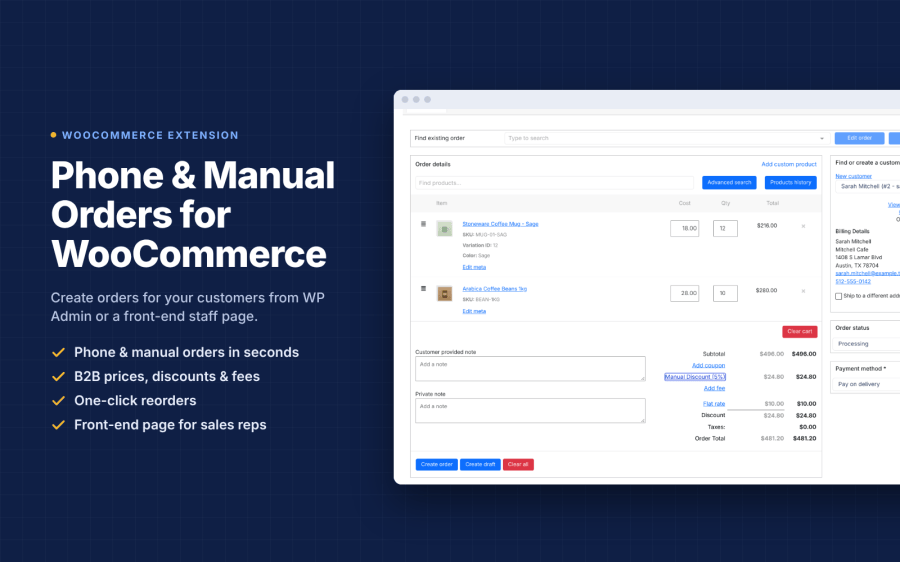
Not every sale starts at your online checkout. Customers may call your business, send an email, message your sales team on WhatsApp, or visit your physical store. With Techminers Phone Orders for WooCommerce, you can easily take WooCommerce phone orders and create manual orders for customers directly from your store.
Search for existing customers, add products and variations, adjust prices, apply discounts, enter billing and shipping details, and create orders in just a few clicks. Every order is saved directly in WooCommerce, keeping your online, phone, email, and in-store sales together in one place.
Whether you manage a call center, wholesale business, retail store, or sales team, this WooCommerce manual order plugin makes order creation faster and easier.
Creating a manual WooCommerce order is simple. Your team can follow these steps:
Managing manual orders through the default WooCommerce interface can be limiting for businesses with dedicated sales teams. Techminers Phone Orders provides additional tools to simplify the process.
| Feature | Default WooCommerce | Techminers Phone Orders |
|---|---|---|
| Front-End Order Form | No | Yes |
| Custom Staff Role Permissions | Limited | Yes |
| Clone Existing Orders | No | Yes |
| Google Maps Address Autocomplete | No | Yes |
| Staff Activity Tracking | No | Yes |
| Special B2B and Wholesale Pricing | Manual adjustments | Built into the workflow |
Techminers Phone Orders works with your existing WooCommerce products, customers, tax settings, shipping zones, and inventory. There is no need to manage a separate order management system or manually synchronize your sales data.
All your online and offline orders remain organized in your WooCommerce dashboard, making it easier to manage customers, process orders, and track business activity.
Start managing WooCommerce phone orders, manual sales, wholesale purchases, and walk-in orders from one place. Try Techminers Phone Orders today, with the confidence of WooCommerce’s 30-day money-back guarantee.
Install the plugin, open the order screen in WP Admin or the front-end page, search the customer, add products, set pricing and click Create Order. The order is saved in WooCommerce Orders like any online order.
Yes. It is built for phone orders: your agent searches the customer and products while on the call and places the order on the customer's behalf.
Yes. The front-end order form lets sales reps, call center agents and retail staff place orders without access to the WordPress dashboard. You choose which roles can use it.
Yes. You can apply negotiated prices, special discounts and coupons on each order, which suits wholesale and B2B customers.
Yes. Tax uses your store's tax settings, product tax classes and customer location. Shipping uses your configured shipping zones and methods.
Yes. Clone any order in one click. Customer, products, pricing, shipping and tax are copied, and you can edit before saving. Ideal for repeat and B2B reorders.
Yes, it works with WooCommerce Subscriptions, Bookings and Memberships.
Administrators and Shop Managers by default. You can grant access to custom roles such as Sales Rep or Call Center Staff.
Most free plugins only add backend order creation. This extension adds a front-end staff order form, role-based access, B2B pricing, one-click order cloning, address autocomplete, staff activity tracking, and support from the developer.
Yes. Use the live demo on this page, and every purchase includes Woo's 30-day money-back guarantee.
Extension information
Quality Checks
Countries







