
Subscription includes
Support
The WooCommerce Cart and Checkout Upsell Plugin helps you increase average order value by showing relevant product recommendations exactly where customers are ready to buy. By displaying related products directly on the cart and checkout pages, you encourage last-minute add-ons without interrupting the purchase flow.
The plugin displays upsell products in a smooth, attractive slider that allows customers to add items to their cart with a single click. You can show upsells on both the cart and checkout pages and choose precise placement, such as above or below cart items, near the checkout form, or next to the order summary, to maximize visibility and conversions.
You have full control over what products appear in the upsell slider. Show all products or only selected products and categories, and include or exclude items as needed. Advanced conditional logic lets you display products dynamically based on cart total, items in the cart, subtotal, or user roles, using conditions to ensure customers always see relevant offers.
To match your store’s branding, the upsell slider is fully customizable. Set a custom upsell message, adjust header and button colors, change add-to-cart button text, and control checkout options like enabling or disabling the remove button for a seamless, conversion-focused upsell experience.
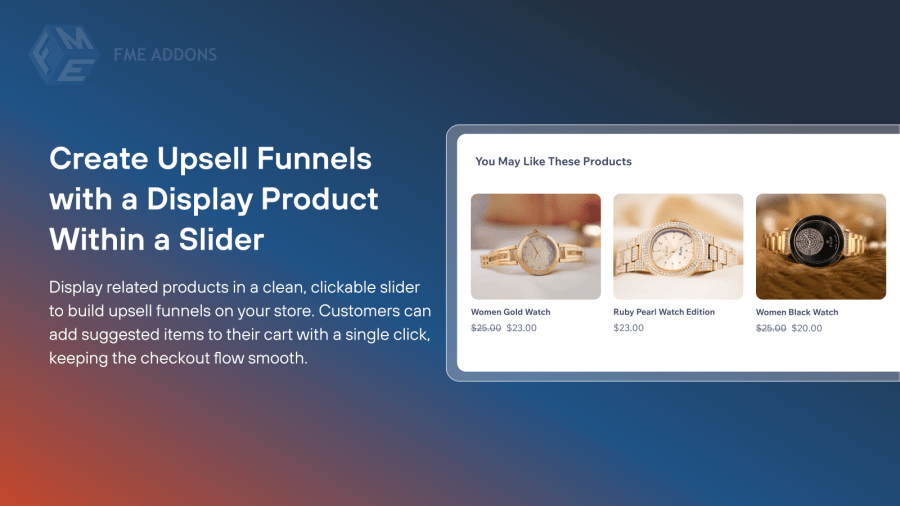
The WooCommerce Cart and Checkout Upsell Plugin lets you create effective upsell funnels by displaying related products in a sleek, clickable slider. Customers can instantly add suggested products to their cart with a single click, helping you increase average order value without disrupting the checkout experience.
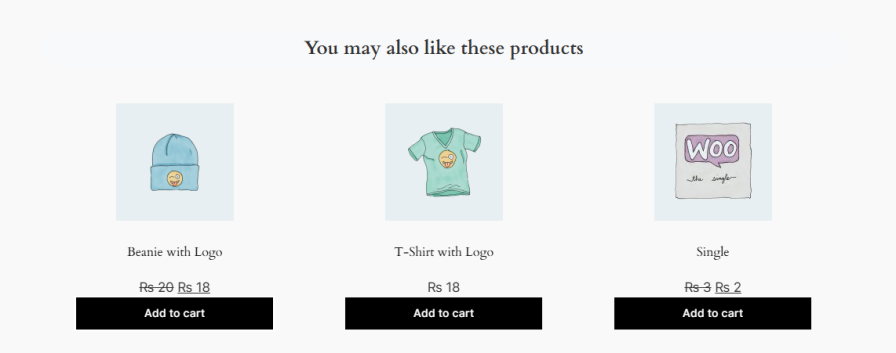
Use WooCommerce upsell in cart and checkout to display relevant product suggestions exactly where customers are ready to buy. You can show upsells on both the cart and checkout pages and choose the best position to grab attention before purchase completion.
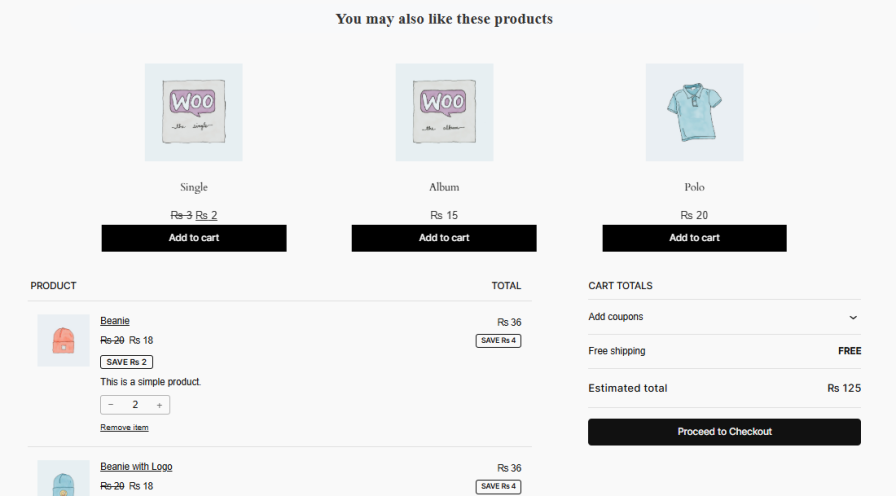
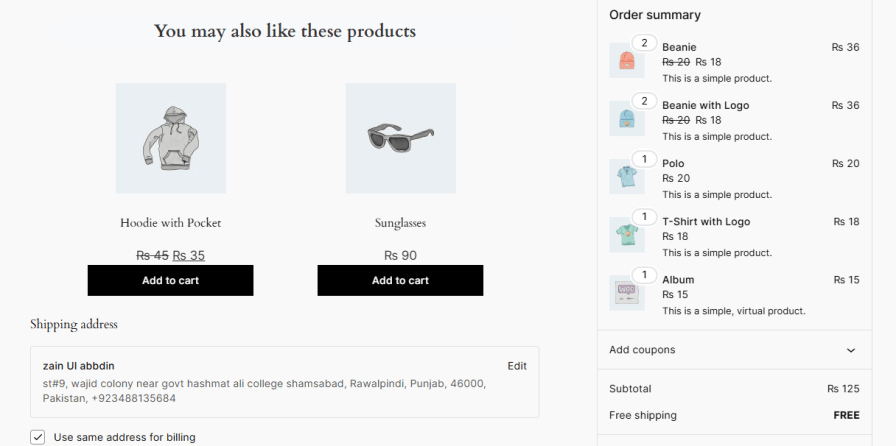
This cart upsell for WooCommerce lets you display all products or limit upsells to specific products or categories. You can also include or exclude items to ensure customers see only relevant and high-converting offers.

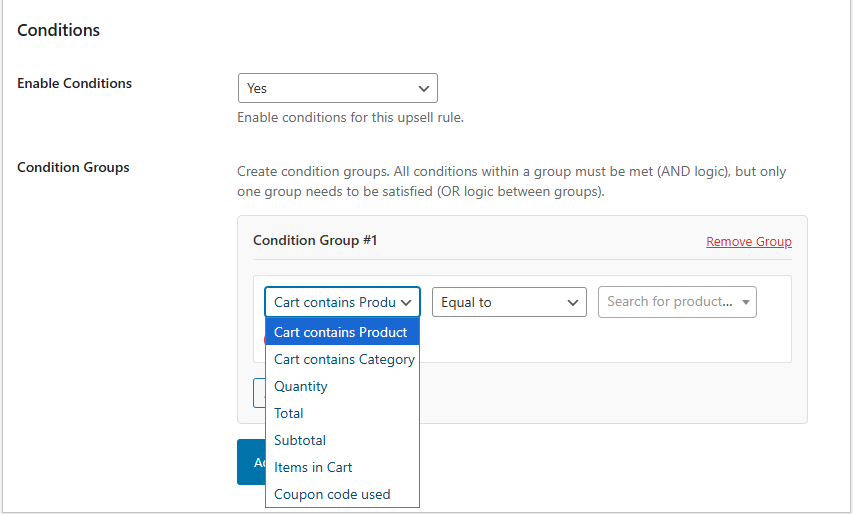
Create dynamic WooCommerce checkout upsell offers using flexible conditions. Show products based on cart total, subtotal, items in the cart, or user roles. Combine conditions using AND or OR logic to control exactly when upsell products appear.
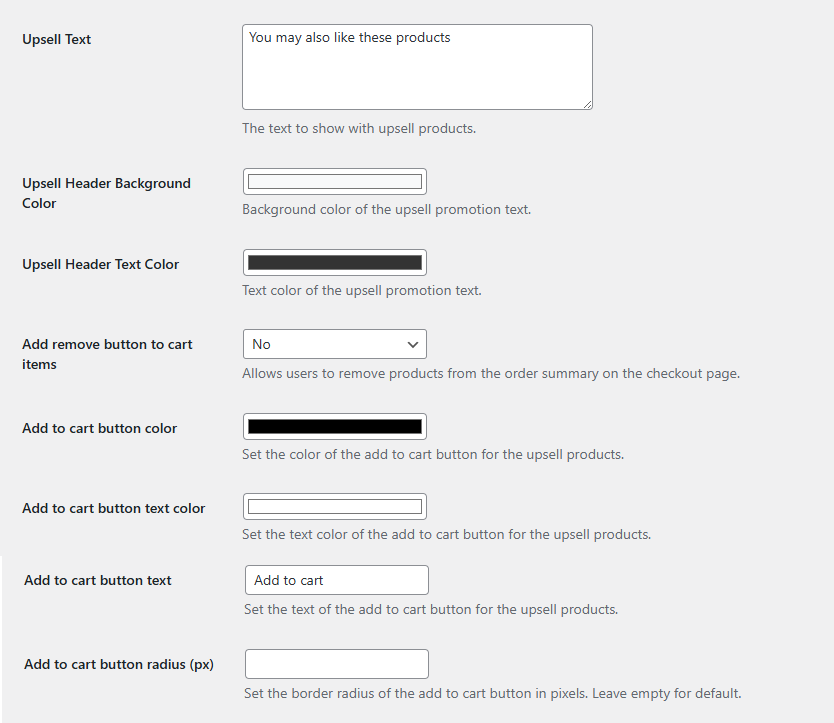
Customize your WooCommerce upsell checkout slider to match your store’s branding and improve conversions. Set a custom upsell message, adjust header background and text colors, and style the add-to-cart button to create a consistent shopping experience.
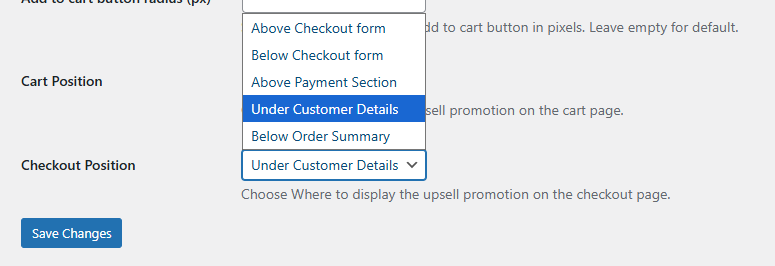
Choose where to display WooCommerce cart upsell products for maximum visibility:
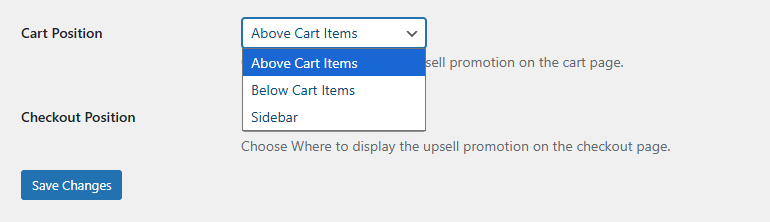
Position WooCommerce upsell checkout products where they perform best:
The answer goes here Yes, the plugin lets you show upsell products on the cart page, checkout page, or both. You can choose the exact position for maximum visibility.
Absolutely. You can display all products, select specific products or categories, and even exclude certain items to show only the most relevant upsells.
Yes, you can create dynamic upsell rules based on cart total, subtotal, items in the cart, or user roles. You can also combine conditions using AND/OR logic for precise targeting.
Yes, you can set a custom upsell message, adjust header and button colors, change add-to-cart button text, and enable or disable the remove button on checkout.
Yes, products in the upsell slider can be added to the cart with a single click, providing a smooth and seamless shopping experience.
Categories
Extension information
Quality Checks
Countries








