

Subscription includes
Support
In a standard WooCommerce store, customers must open each product page individually just to select a quantity before adding an item to their cart. For stores with large catalogs e.g wholesale shops, grocery stores, or bulk-order businesses, this creates unnecessary friction. Customers are forced to navigate in and out of product pages repeatedly, which increases drop-offs and reduces conversions. Without a way to show the quantity field directly on the shop or archive pages, store owners miss a simple but powerful opportunity to improve the shopping experience and boost sales. That’s where Shop Page Quantity Selector changes everything.
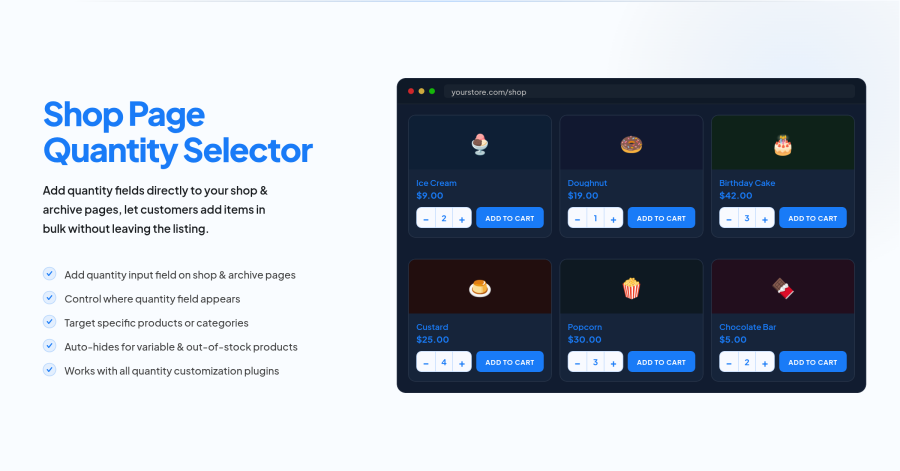
The Shop Page Quantity Selector plugin solves this problem by adding a quantity input field directly on WooCommerce shop, category, and archive pages. Customers can select their desired quantity and add products to the cart without ever opening the product page. With flexible display controls, targeted product visibility, smart conditional handling for variable products, and full compatibility with popular quantity plugins — this tool gives store owners complete control over the quantity field experience, helping reduce cart abandonment and increase conversions.
The core feature of Shop Page Quantity Selector is the ability to display a quantity input field directly on WooCommerce shop and archive pages. Customers can pick their quantity and click Add to Cart, all from the product grid without ever having to open the product page.
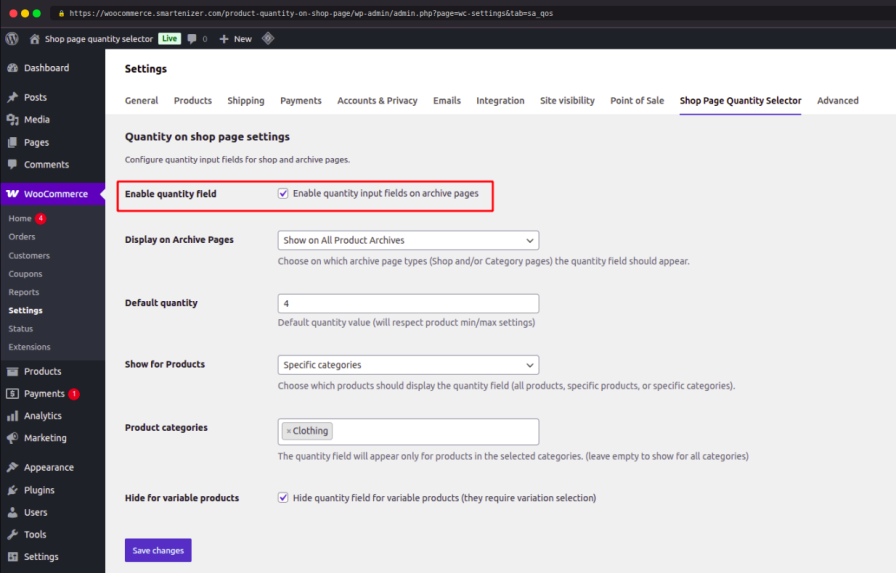
This feature eliminates unnecessary page navigation and gives customers a faster, more convenient way to shop. Fewer clicks mean less friction, and less friction means more completed purchases. It is especially valuable for wholesale stores, repeat buyers, and high-catalog shops where speed matters.
Not every store needs the quantity field everywhere. With the Display on Archive Pages setting, you have full control over exactly where the quantity field appears on your WooCommerce store.
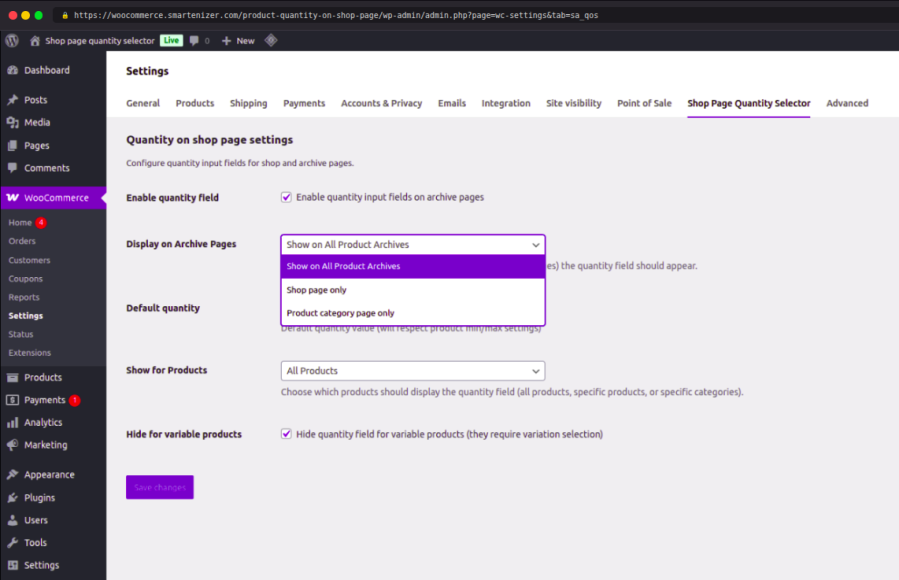
This flexibility lets you tailor the shopping experience to your store’s specific needs. Whether you want the quantity selector on every archive page or only in specific areas, this setting puts that control in your hands — without any coding required.
The Default Quantity setting lets you define a pre-filled quantity value that appears in the quantity field when customers land on your shop or archive pages. This saves customers from having to manually enter a quantity every time.
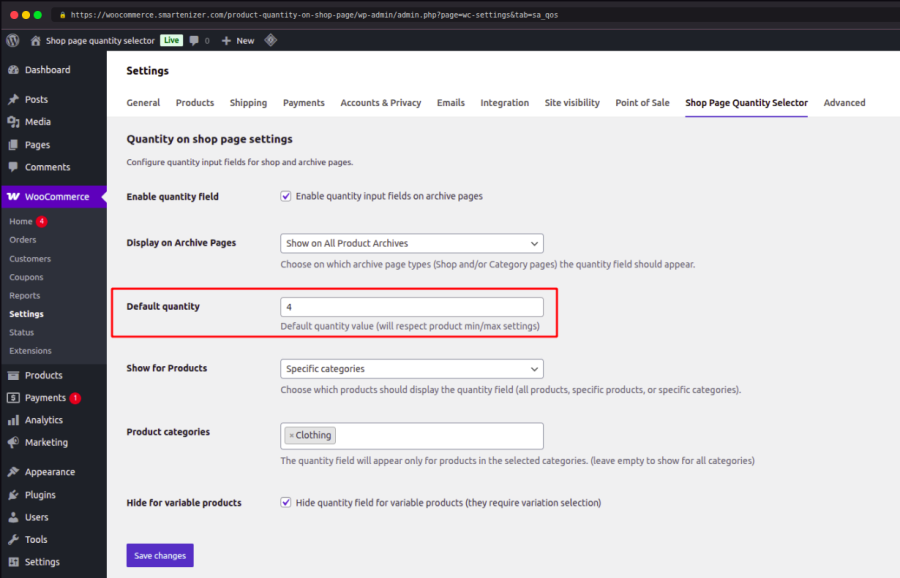
Pre-filling a sensible default quantity reduces the number of steps a customer needs to take before adding a product to the cart. For bulk and wholesale stores, this can significantly speed up the ordering process and improve the overall shopping experience.
The Show for Products setting gives you targeted control over which products display the quantity field on shop and archive pages. You can apply it to your entire shop or narrow it down to exactly the products or categories that need it.
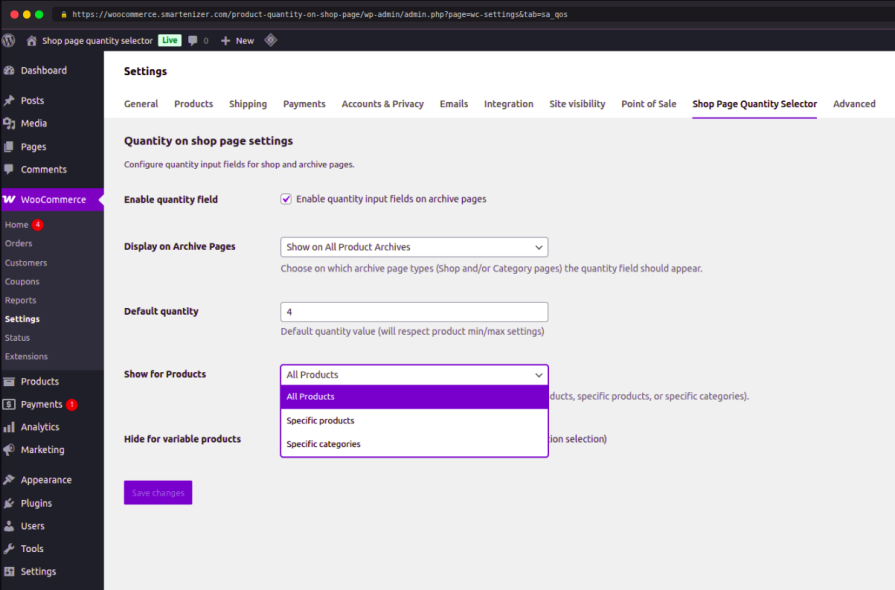
This targeted visibility gives store owners precise control without affecting products or categories where the quantity field is not needed. It is perfect for stores that run mixed catalogs — for example, showing the quantity selector only for bulk-eligible or wholesale products while keeping the standard layout for others.
The plugin includes intelligent conditional handling to automatically hide the quantity field for products where it should not appear — without any manual configuration on your part.
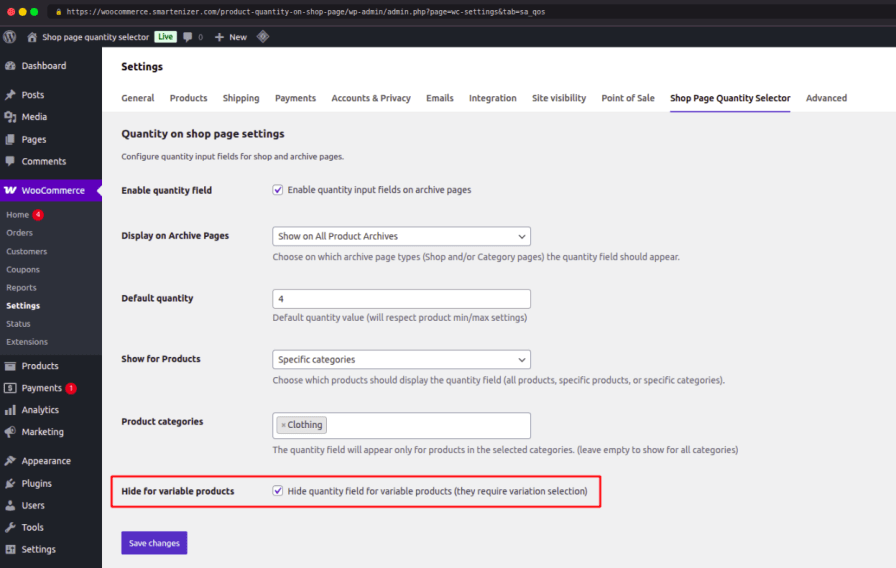
This smart handling ensures that the quantity field only appears where it makes sense, protecting your store from order errors and confusing customer experiences. It keeps the shop page clean and functional across all product types without requiring you to manage each product manually.
Shop Page Quantity Selector is built to work alongside the WooCommerce ecosystem — including third-party plugins that modify or extend the quantity field behavior.
You do not have to choose between this plugin and the quantity customization tools you already use. Shop Page Quantity Selector integrates cleanly with your existing setup, ensuring a consistent and accurate quantity experience across your entire WooCommerce store.
By adding these features to your WooCommerce store, you will give customers a faster and smoother shopping experience, reduce unnecessary page navigation, and create more opportunities for completed purchases.
Do not let extra clicks cost you sales. Install Shop Page Quantity Selector today and make every product archive page a powerful conversion point.
Yes. You can show the quantity field on the main shop page, category pages, or all WooCommerce archive pages.
Yes. The plugin is built to work with standard WooCommerce hooks and is compatible with most WooCommerce-compatible themes.
Variable products require variation selection before a quantity can be set. By default, the plugin hides the quantity field for variable products to avoid order errors. This behavior can be configured.
Yes. You can limit the quantity field to specific products or specific product categories from the plugin settings.
Yes. The plugin respects min/max quantity rules and works alongside popular quantity customization plugins including dropdown quantity selectors.
No. The plugin is lightweight and only loads its assets on archive pages where the quantity field is displayed.
Yes. You can define a global default quantity value. It will also respect any product-level min/max settings.
Extension information
Quality Checks
Countries








