

Active installs
200+
Product comparison
Subscription includes
Support
Turn product browsers into buyers with the Product Enquiry Form for WooCommerce plugin. Hide prices, replace the “Add to Cart” button with an enquiry button, and let customers ask questions on any page.
Select products, categories, or pages on which you want to showcase the enquiry button. Users can reach out with their inquiries by using the enquiry form or by contacting you via email, SMS, or WhatsApp. Once enquiries start coming in, reply, convert them into orders, and track performance, all from a single dashboard.
Display an enquiry button on different pages of your WooCommerce store by using the Enquiry Form extension. Hide the product price and Add-to-Cart button and replace it with a Product Enquiry button. You can add the enquiry button on the:
The product enquiry plugin for WooCommerce empowers store owners by providing three different channels for enquiries, thus offering more flexibility and choices to the customers.
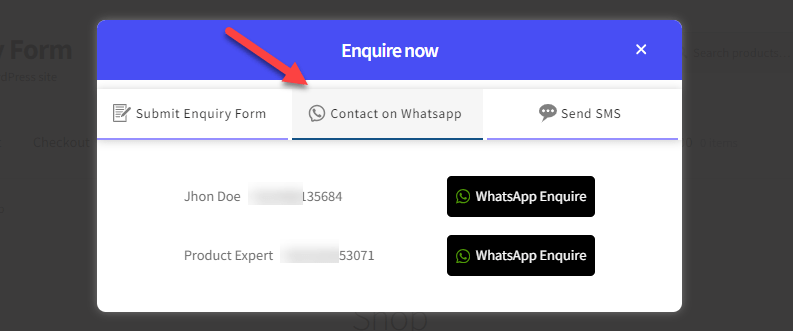
Receive customer inquiries through WhatsApp. Add multiple WhatsApp numbers, each with its own name and status, to cater to more customer enquiries, route them to the right team, and improve the user experience easily.
Admins can configure recipient email addresses from the backend and send a copy of emails to customers. Notification and reply emails can be fully branded with your own colors, heading, and message, so every enquiry email looks and sounds like your store.
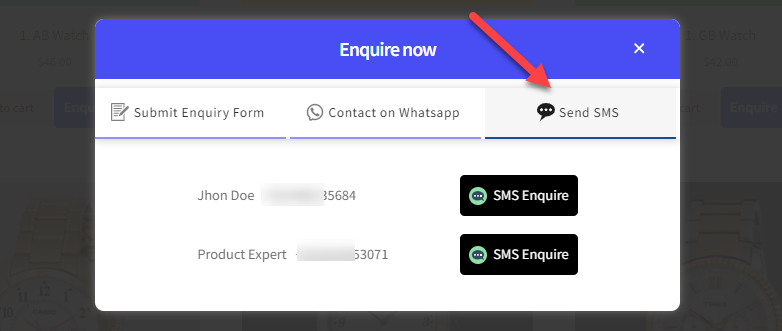
Display the SMS enquiry button on the front end and add multiple numbers, each with its own status, for enquiries.
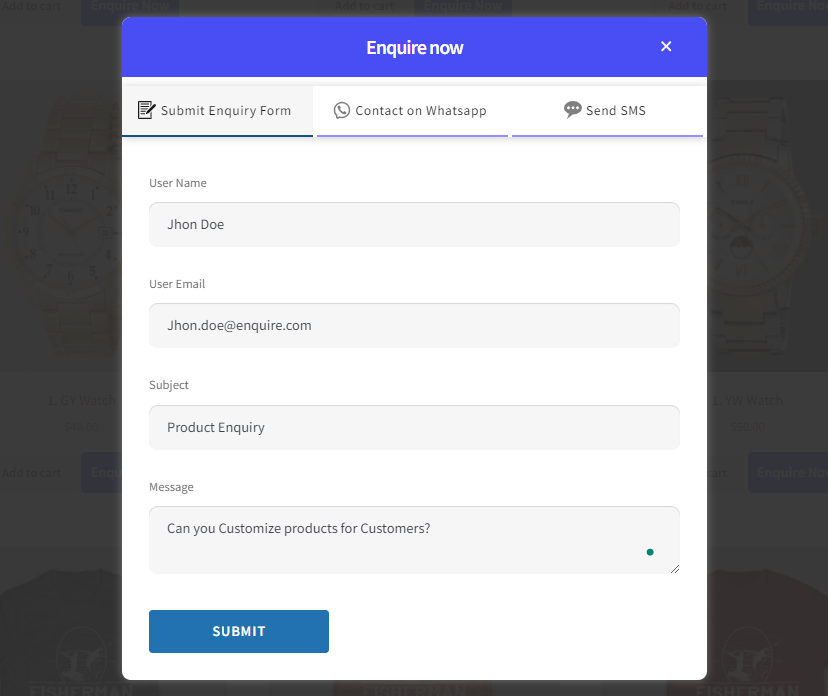
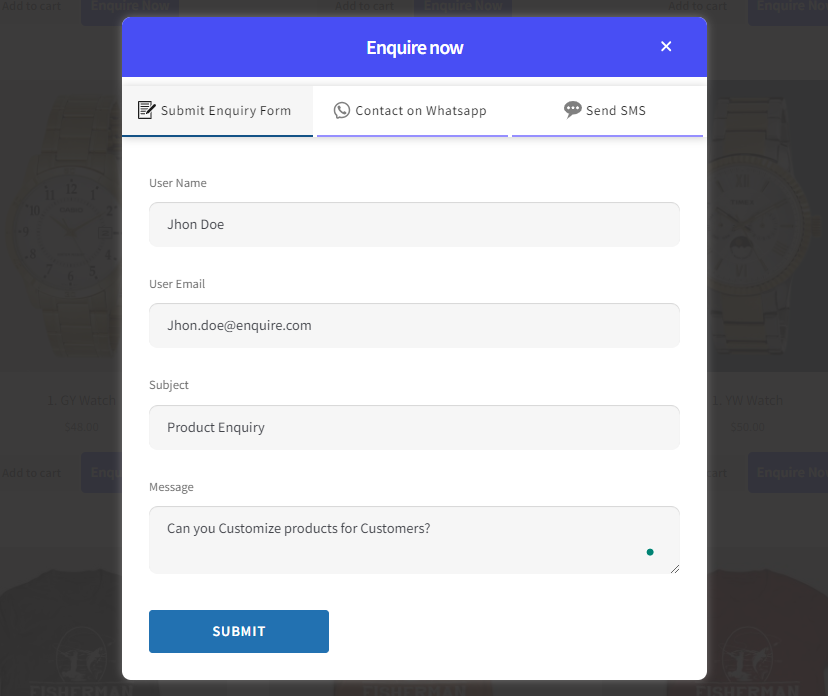
Customers can stay on the same page and submit questions or quote requests easily by filling out a pop-up enquiry form with enquiry options including email, WhatsApp, and SMS.
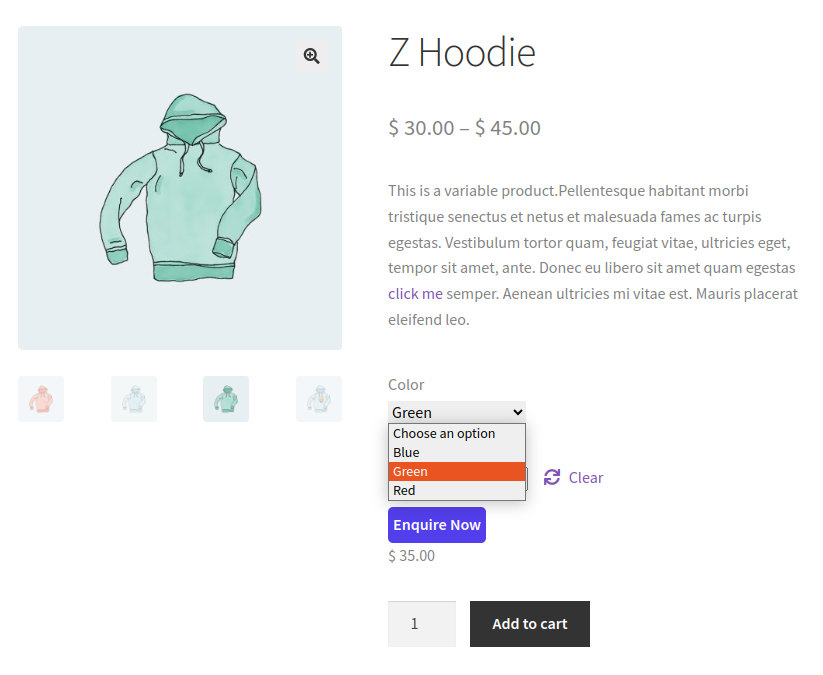
Enable the enquiry button only for selective product variations. You can select products depending on your marketing efforts, increasing your engagement rate. This way, you can also increase sales of underperforming products by answering queries related to those products.
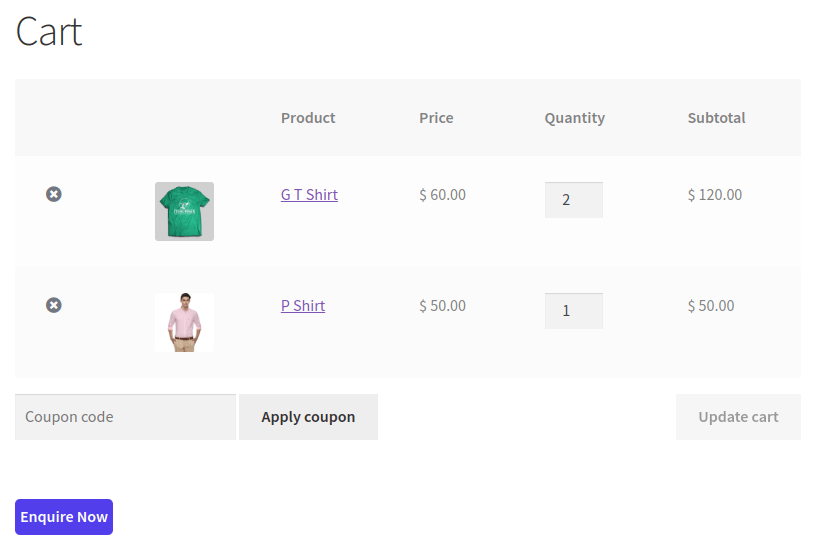
Add an enquiry button on the cart page so that customers can send enquiries regarding the whole cart. The admin will receive the enquiry with all the product information in the form of clickable links.
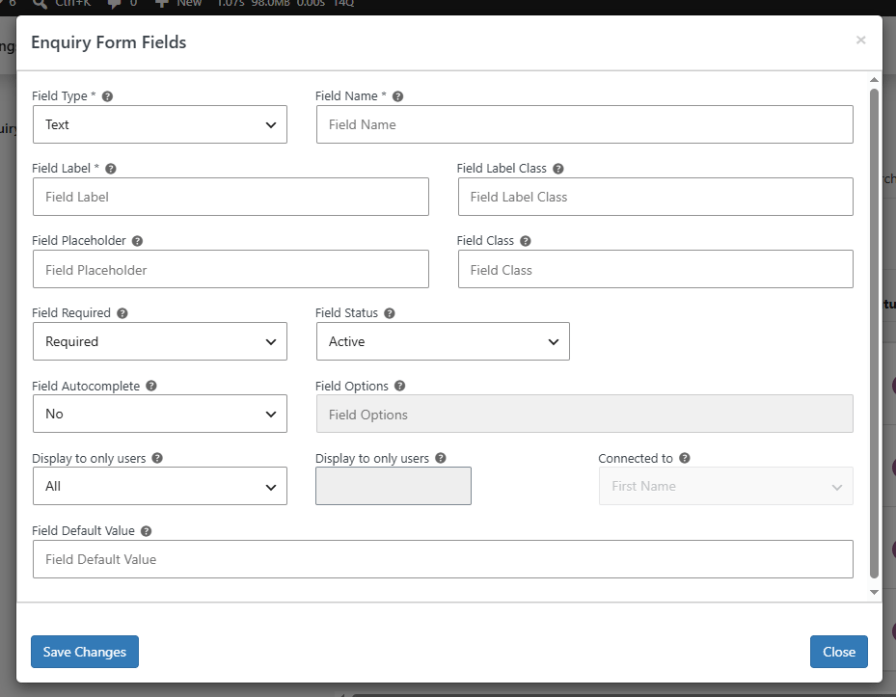
Go beyond the default fields. Add new fields such as text, email, number, dropdown, checkbox, radio, or file upload, and control each one’s label, placeholder, required status, and default value. Fields can even be connected to existing customer details, like name or email, so submitted enquiries stay organized and easy to act on.
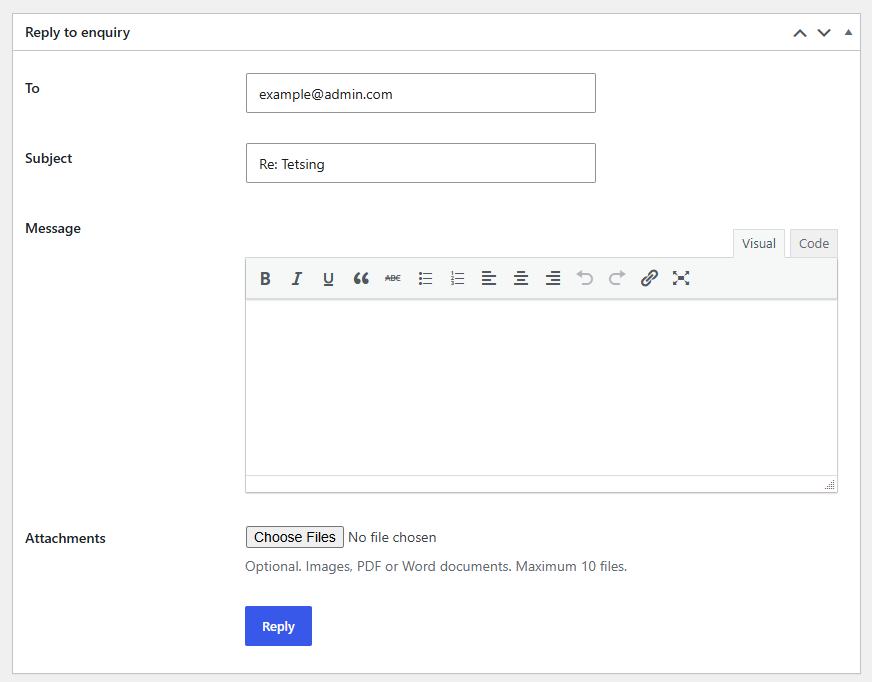
Manage every enquiry from a single dashboard. Reply to customers directly, with attachments, without leaving WordPress. When a customer is ready to buy, convert their enquiry straight into a WooCommerce order with one click; no need to ask them to fill out the checkout from scratch.
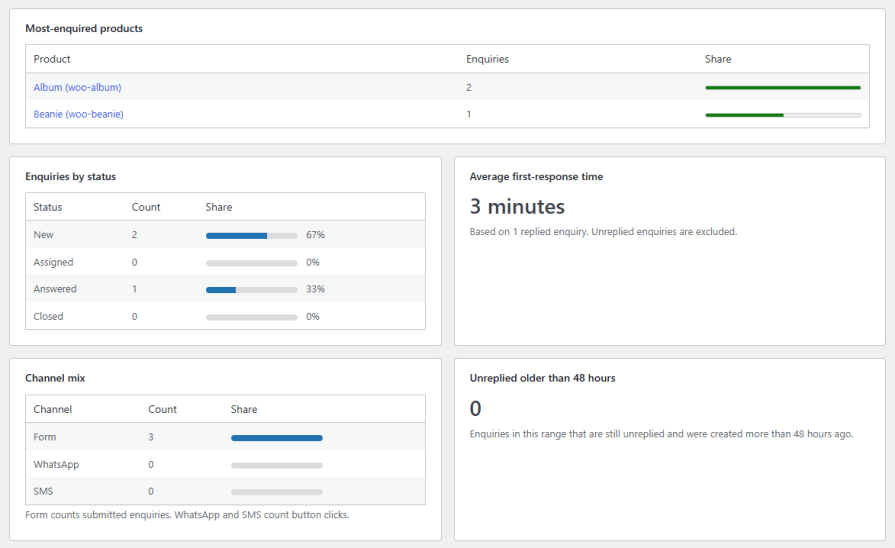
See what’s working at a glance. The Enquiry Analytics dashboard shows your most-enquired products, a breakdown of enquiries by status, average first-response time, and a channel mix across form, WhatsApp, and SMS enquiries, so you always know how quickly and how well your team is responding.
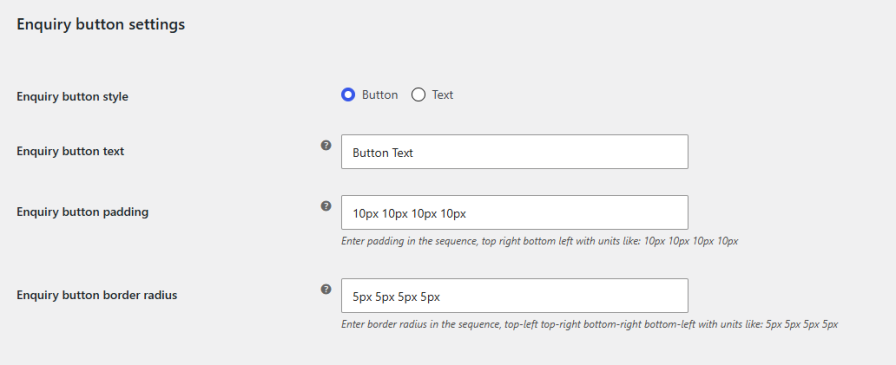
You can select the enquiry button style as a button or text and change the enquiry button’s text. You can also set the background, hover, text, and text hover colors.
You can easily personalize the enquiry form by using the Product Enquiry Form extension for WooCommerce. This allows you to add, edit, and rearrange fields as needed.
It's an extension that lets customers submit product questions or request a quote directly from your store, through an on-page form, email, SMS, or WhatsApp, instead of going through checkout.
Yes. Enable "Hide Price" and "Hide Add to Cart Button" in General Settings, and the enquiry button will take their place.
Customers can use the on-page enquiry form, email, WhatsApp, or SMS, depending on which channels you enable. You can also add multiple WhatsApp and SMS numbers to route enquiries to different team members.
Yes. You can add, edit, or remove fields such as text, email, number, dropdown, checkbox, radio, or file upload, and connect fields to existing customer details.
Go to WooCommerce > Product Enquiries to view, search, filter, and reply to all enquiries from one dashboard, with attachments if needed.
Yes. Open the enquiry and click "Create Order" to convert it into a WooCommerce order without asking the customer to fill out checkout again.
Yes. The Enquiry Analytics dashboard shows your most-enquired products, enquiries by status, average first-response time, and a breakdown by channel.
Extension information
Quality Checks
Countries








