

Subscription includes
Hide shipping methods for WooCommerce lets you hide shipping methods based on conditions like products, categories, shipping classes, order weight, subtotal, customer location, user roles, and more. Show only the most relevant shipping options to streamline the checkout experience and reduce cart abandonment.
Hide WooCommerce shipping methods based on multiple conditions, ensuring customers only see the options relevant to their order. Here are a few of the conditions based on which you can hide the shipping methods:
Here are a few of the conditions based on which you can hide the shipping methods:
Easily hide specific shipping methods when certain products or entire categories are added to the cart. For example, if you’re selling large furniture, you can hide standard shipping and only show options suited for special handling or express delivery.

You can easily hide WooCommerce shipping methods that are based on shipping classes. Use shipping classes to group similar types of products and control shipping options accordingly. If an item is marked as fragile, you can hide basic shipping methods and only show ones that include careful handling.

Hide shipping method for WooCommerce lets you show or hide shipping methods based on the total weight of the order. Set a weight range when creating a condition to ensure the right shipping method appears for every order automatically.

Hide WooCommerce shipping methods based on conditions allows you to set rules based on the cart’s total value. Shipping methods will automatically be hidden if the total is greater than, equal to, or less than the amount you define.
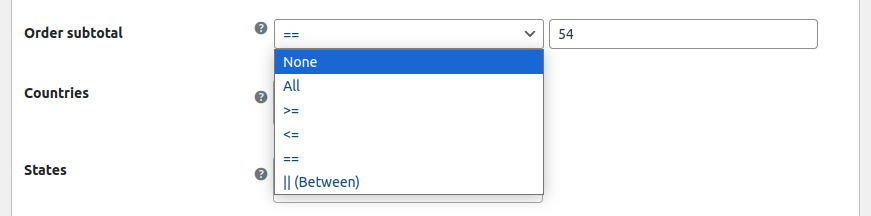
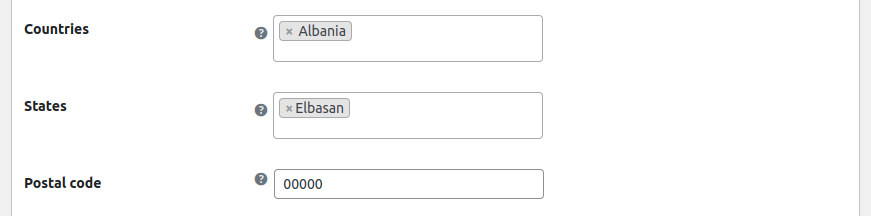
This plugin lets you hide shipping methods based on the customers country or ZIP code. It helps you only display relevant shipping methods to users based on their location.
Restrict shipping methods on your store based on user roles. You can select the user roles and hide specific shipping methods against them. It allows you to display limited or discounted shipping options.

Hide shipping method for WooCommerce allows you to create multiple rules to control which shipping methods appear at checkout. Hide options based on product, user role, cart total, location, and more. Each rule runs independently, giving you complete flexibility to display shipping methods for different customers and scenarios.

Hide Shipping Methods for WooCommerce lets you hide shipping options from third-party carriers like FedEx, UPS, and DHL using the same condition-based rules. Control their visibility based on cart total, product type, location, or user role to ensure customers only see the most relevant shipping options at checkout.
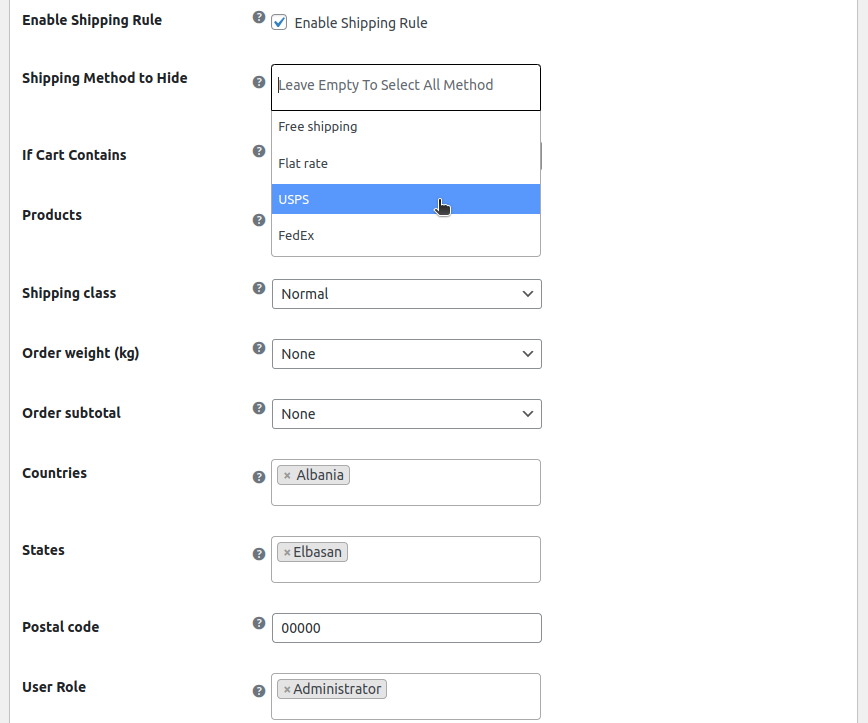
Yes, the WooCommerce Hide Shipping Method plugin allows you to hide shipping methods when specific products or entire product categories are present in the cart.
Absolutely. You can set conditions to hide or show shipping methods depending on the total weight or subtotal of the cart. This ensures that certain shipping options only appear when the cart meets the defined weight range or value threshold.
Yes, you can hide shipping method for WooCommerce based on the customer's country or postal/ZIP code. This feature helps you display only location-relevant shipping methods, improving the accuracy and efficiency of your shipping process.
Yes, the WooCommerce Hide Shipping Method plugin allows you to hide third-party shipping services such as FedEx, UPS, and DHL based on your defined conditions like cart total, product type, user role, and location.
Categories
Extension information
Quality Checks
Countries







