
Template parts are reusable layout sections, like headers, footers, and sidebars, that help keep your store’s design consistent. They are built with blocks and used within templates, allowing you to make global changes from a single place.
How Template Parts Work
↑ Back to topTemplate Parts (unlike patterns) are always synced, meaning any changes you make to them will automatically update everywhere they’re used. This makes them ideal for consistent layout sections like headers, footers, or promotional banners that appear across multiple pages.
Template parts are:
- Always synced, changes apply everywhere the part is used
- Template parts are only editable in templates (not in page/post content)
Accessing Template Parts
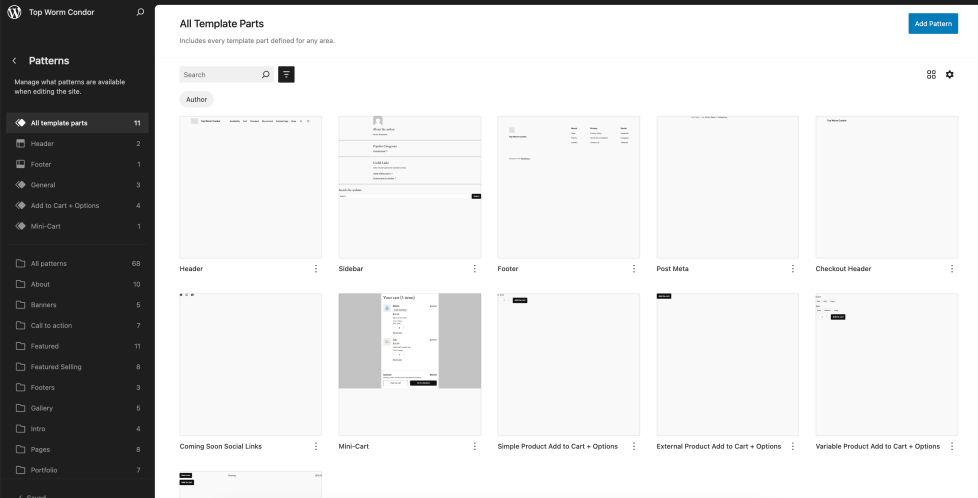
↑ Back to topTo view all available template parts:
- From your WP Admin area, navigate to Appearance > Editor,
- Click on Patterns
- Select the All Template Parts
Adding and Managing Template Parts
↑ Back to topTo add a template part to a template or page that you’re customizing, you can follow the same process as when adding a block. Use the aptly named “Template Part” block to choose an existing block template part or create a new one.
More information on the Template Part block can be found in the WordPress.org documentation here:
- Adding template parts
- Creating new template parts
- Customizing template parts
- Managing template parts
- Advanced Settings
Note: Template parts are only available to be added when editing a template, and can’t be added directly to post or page content.
Template & Patterns
↑ Back to topWant more flexible design tools to customize your store? Please check out the guides below:
- Using Patterns in WooCommerce – Learn how to use synced and unsynced block patterns to create reusable design sections that can be customized per location.
- Using Templates in WooCommerce – Get full control over product, cart, and checkout page layouts using the Site Editor.
Questions and support
↑ Back to topDo you still have questions and need assistance?
This documentation is about the free, core WooCommerce plugin, for which support is provided in our community forums on WordPress.org. By searching this forum, you’ll often find that your question has been asked and answered before.
If you haven’t created a WordPress.org account to use the forums, here’s how.
- If you’re looking to extend the core functionality shown here, we recommend reviewing available extensions in the WooCommerce Marketplace.
- Need ongoing advanced support or a customization built for WooCommerce? Hire a Woo Agency Partner.
- Are you a developer building your own WooCommerce integration or extension? Check our Developer Resources.
If you weren’t able to find the information you need, please use the feedback thumbs below to let us know.