

Subscription includes
Support
Barcode and QR Code extension makes it easy to create and manage barcodes and QR codes for your products and orders without any complex setup. Whether you need them for inventory tracking, order verification, warehouse operations, or retail labeling, this plugin helps you build a faster and more organized workflow across your entire store.
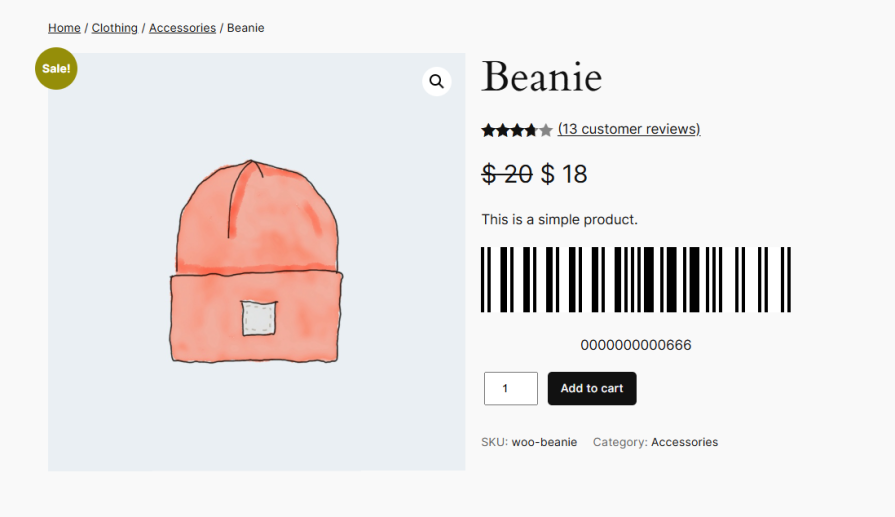
The bar and QR code extension supports 13 barcode protocols, flexible generation controls by product and category, and a shortcode-based search that works on any page. The plugin fits naturally into how your store already operates. You can also export printable PDF labels with product and order details, configure barcode behavior at the individual product level, and set up automated code generation for every new product or order added to your store.
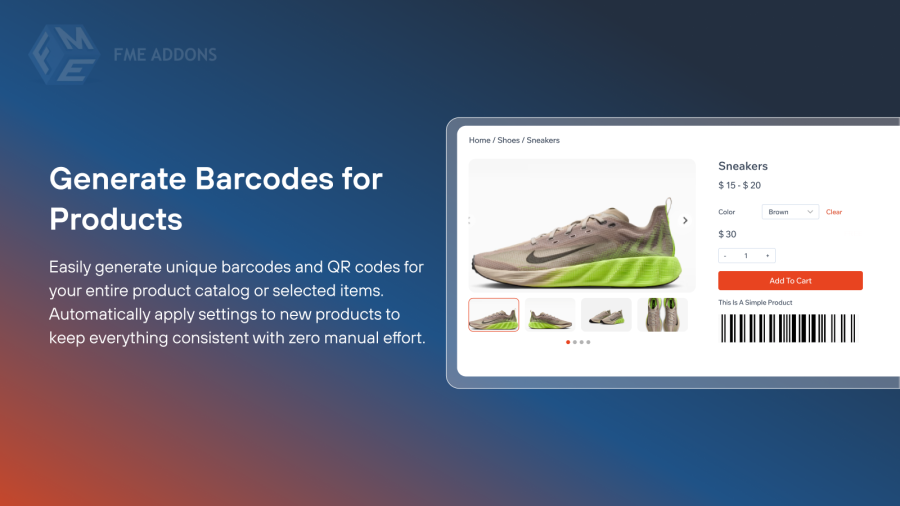
Barcode and QR Code extension makes it simple to create unique barcodes and QR codes for your entire product catalog. Once enabled, you can generate codes for all products or limit generation to specific products or categories. The plugin can also be set to automatically apply barcode settings to every new product added to your store, so your catalog stays consistent without any extra manual effort.
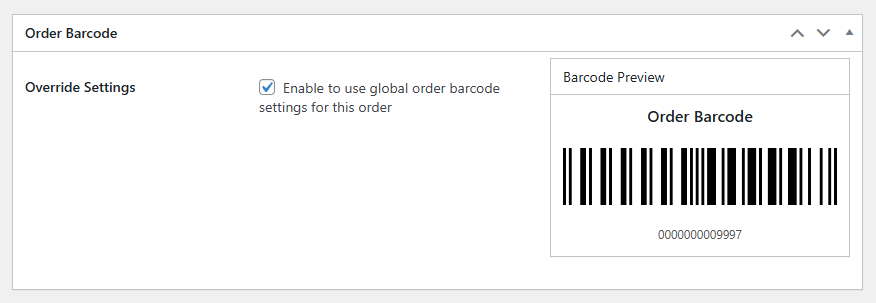
Create barcodes for orders, making it easier to track and verify them throughout the fulfillment process. Add order barcodes to packing slips and order emails so your warehouse staff can process and confirm orders quickly and reliably. You can also delete generated order codes individually whenever they are no longer needed.
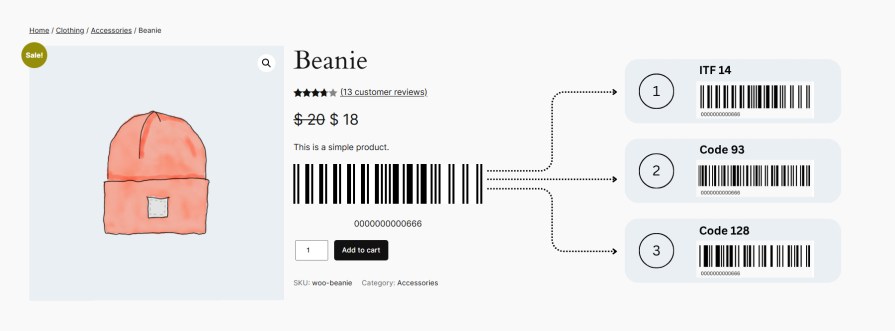
Select the barcode format that best matches your scanning equipment, labeling requirements, and business processes. The plugin supports 13 widely used formats, including UPC, UPC-E, EAN 8, EAN 13, Code 128, Code 39, Code 93, ITF 14, QR Code, Data Matrix, PDF 417, Codabar, and Aztec Code. This broad compatibility ensures your code works reliably across scanners, POS systems, and inventory management workflows.
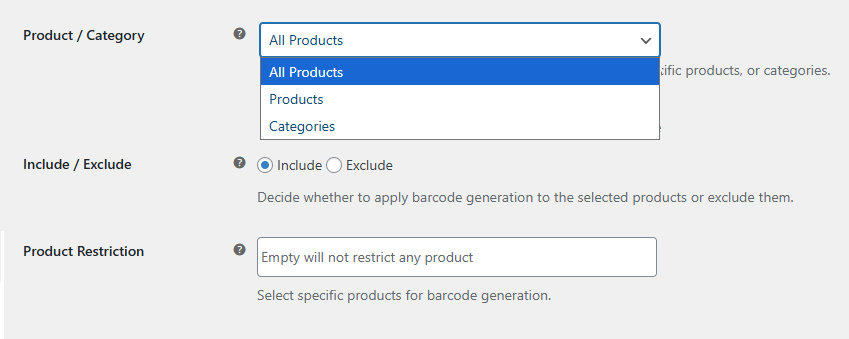
Take full control of where barcodes appear across your store. Choose to generate codes for all products, restrict generation to specific products, or limit it to selected categories. Use the include and exclude options to target exactly the products that need codes and skip the ones that do not. This keeps your catalog organized and prevents unnecessary code generation.
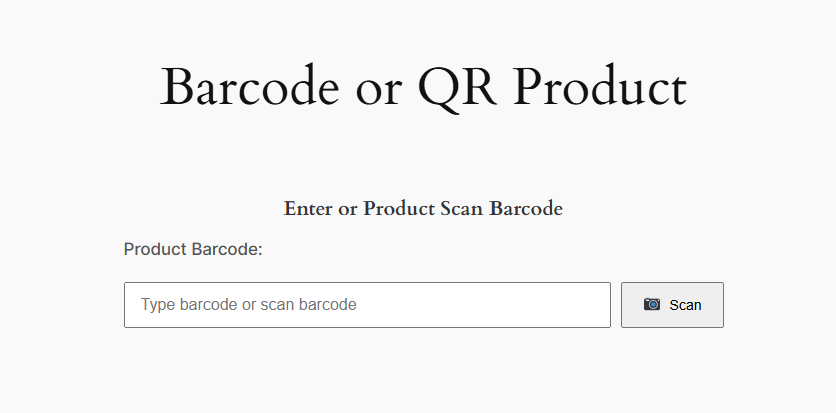
Place a barcode search form anywhere on your store using a simple shortcode. Store staff and customers can enter a barcode or QR code value to instantly retrieve the matching product or order details. Configure which user roles can access the search form and define how stock levels or order statuses should update when a code is scanned. This makes order verification, warehouse lookups, and inventory adjustments significantly faster and more accurate.
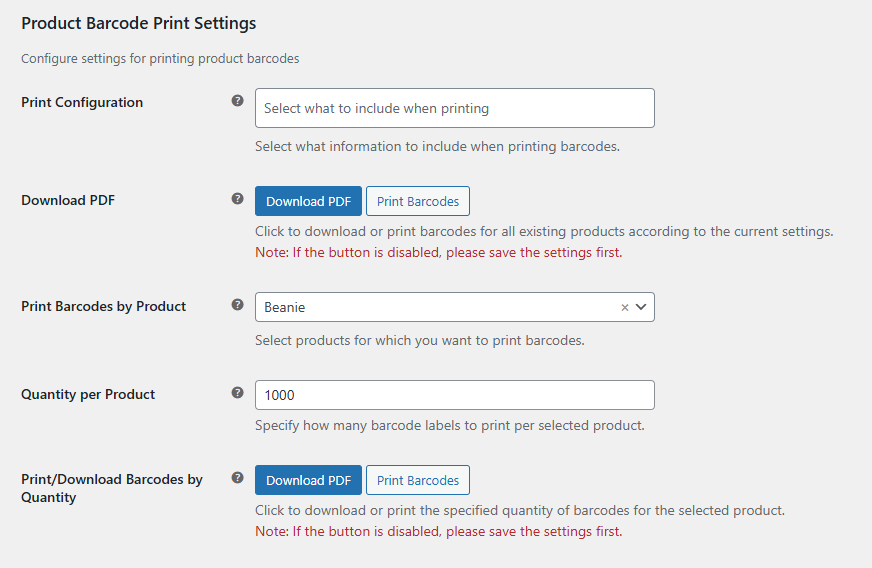
Build print-ready barcode and QR code label sheets for your products and orders without leaving your store. The PDF export feature lets you choose which product details to include on each label, such as:
For orders, you can include the following details on each label:
Once generated, print these labels and use them for packaging, retail display, inventory tracking, and warehouse organization. You can also define the range of orders to print and set the number of columns in the label layout, giving you full control over how your labels are structured and presented.
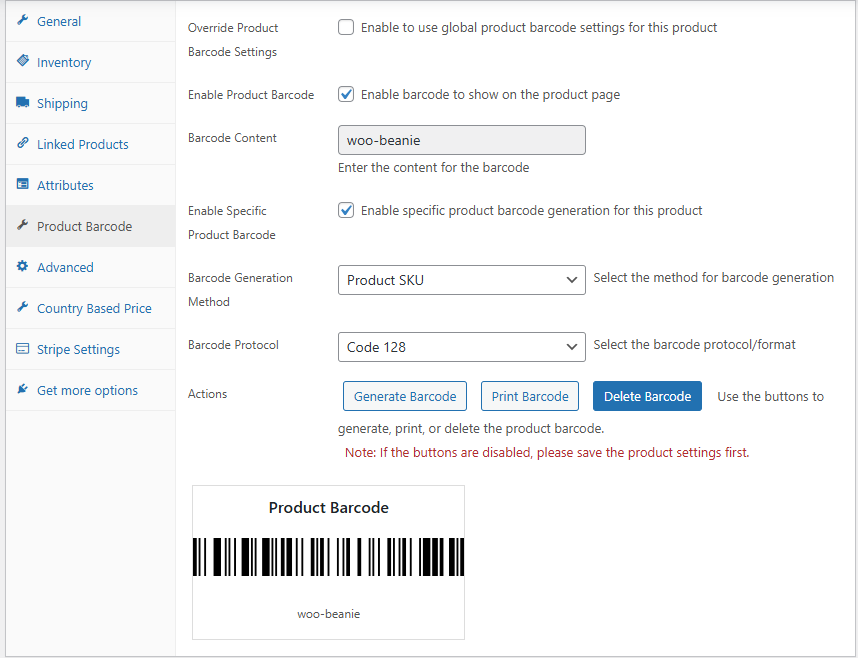
In addition to global settings, manage barcodes for each product individually from the product edit section. Override the global settings, choose a specific barcode protocol, set the generation method, and generate, print, or delete the barcode directly from the product data panel. This gives you granular control without touching store-wide settings for individual cases.
The plugin supports 13 barcode formats, including UPC, UPC-E, EAN 8, EAN 13, Code 128, Code 39, Code 93, ITF 14, QR Code, Data Matrix, PDF 417, Codabar, and Aztec Code. You can select a different format for product barcodes and order barcodes independently.
Yes. You can choose to generate barcodes for all products, limit generation to specific products, or restrict it to selected categories. You can also use the include and exclude options to fine-tune exactly which products or categories receive codes.
Yes. You can enable the auto-apply option separately for products and orders. Once enabled, the plugin will automatically apply your configured barcode settings to every new product or order added to your store.
For products, you can generate barcodes based on the Product SKU, Product ID, or a Custom Field value. For orders, you can use the Order ID, Order Number, or a Custom Field value.
Product barcodes can appear on the single product page and in order confirmation emails. Order barcodes can appear on the admin order details page and in order confirmation emails.
Yes. The plugin includes product-level settings accessible from the product edit screen. From there you can override global settings, choose a specific barcode protocol, set the generation method, and generate, print, or delete the barcode for that product individually.
You can place the shortcode on any page of your store to add a barcode search form. Users can enter a barcode or QR code value to instantly retrieve the matching product or order. You can control which user roles have access to the form and configure whether scanning a code should update stock levels or change the order status.
Yes. The PDF export feature lets you download and print barcode labels for all products or a defined range of orders at once. You can configure which details appear on each label and set the number of columns in the label layout before generating the PDF.
Yes. The plugin uses an AJAX-based approach to load products in dropdowns, ensuring smooth and fast performance even in stores with thousands of products.
Yes. Generated barcodes can be deleted for both products and orders. For products, you can delete barcodes from the product-level settings panel. For orders, you can delete generated order codes individually as needed.
Quality Checks
Countries






