
Role-Based Access allows you to restrict login to specific user roles. When enabled, only the roles you select will be able to log in to your site.
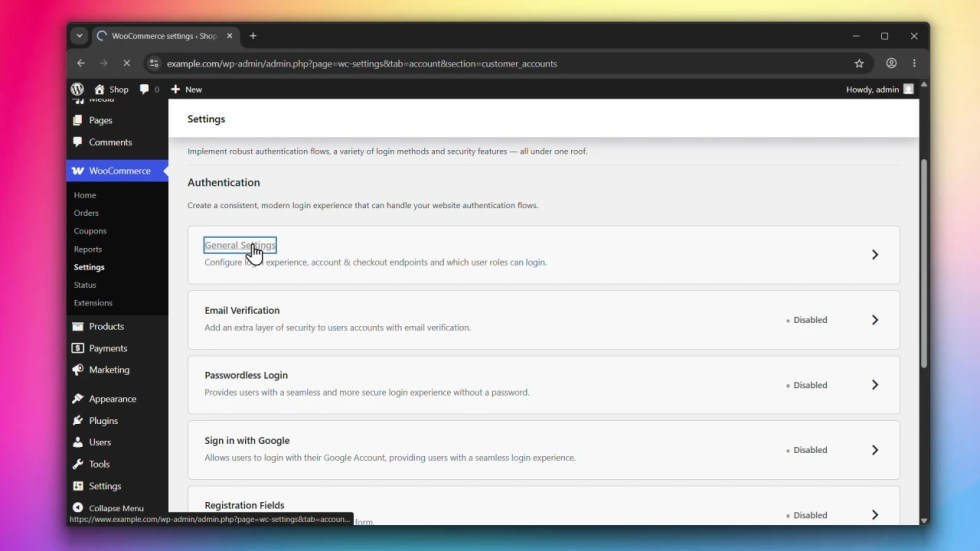
Accessing General Settings
↑ Back to topGo to WooCommerce > Settings > Accounts & Privacy > Customer Accounts and click on General Settings.
Steps
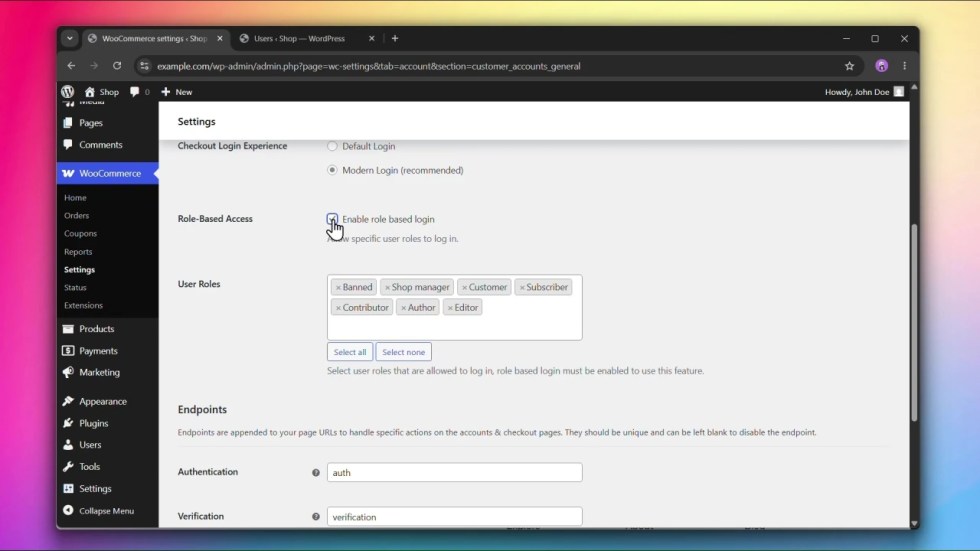
↑ Back to topStep 1: Enable Role-Based Access
↑ Back to topUnder Role-Based Access, check Enable role based login.
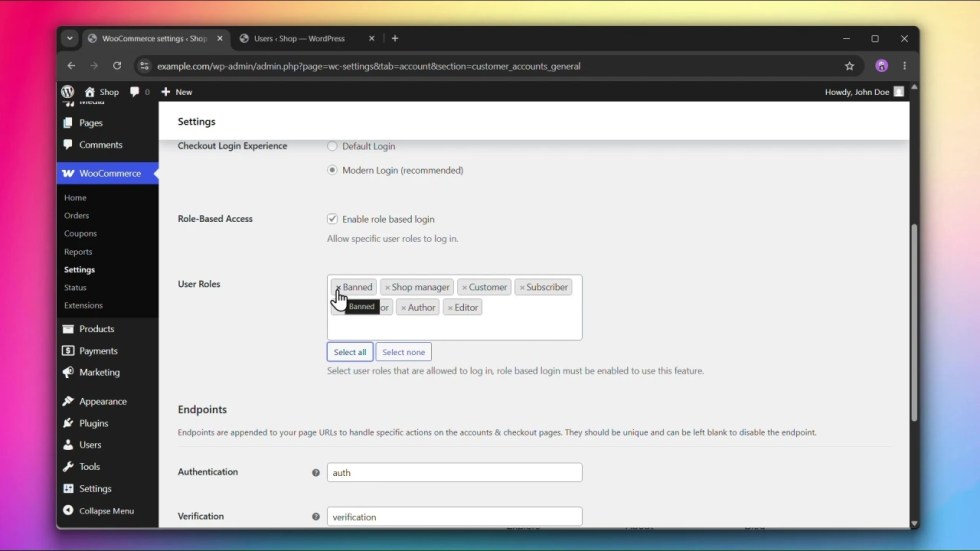
Step 2: Select User Roles
↑ Back to topUnder User Roles, select the roles that are allowed to log in. You can use Select all or Select none to quickly manage the selection.
Step 3: Click Save changes
↑ Back to topClick Save changes to apply your settings.
The User Roles field has no effect unless Enable role based login is checked.

