

Subscription includes
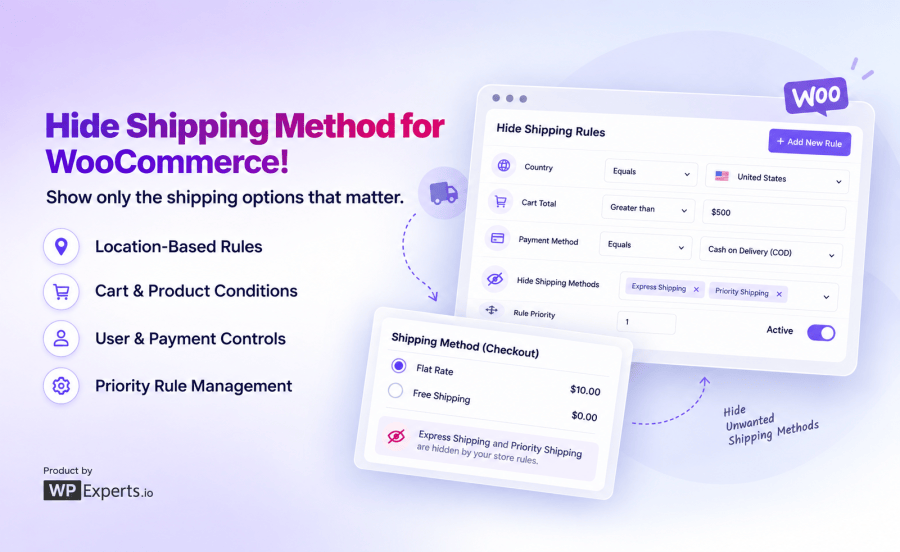
Custom Hide Shipping Methods for WooCommerce is a rule-based WooCommerce plugin that lets you hide shipping methods automatically. It lets you hide shipping based on cart weight, location, user role, payment method, or almost any condition you set.
Showing every shipping option to every customer isn’t always helpful. This plugin lets you display only the shipping methods that actually apply to each order.
Heavy orders shouldn’t necessarily see the same shipping options as a single lightweight item.
Control when free or paid shipping methods appear based on the value of the cart.
Not every shipping method makes sense for every country, state, or postcode.
Wholesale customers, VIPs, and retail shoppers don’t need to see the same shipping menu.
Some shipping methods shouldn’t be paired with certain payment options.
Fragile, oversized, or restricted items often need their own shipping rules.
Every rule is built from three main parts: the shipping method or methods to hide, the match logic (AND/OR), and one or more conditions.
| Step | What you do |
| 1. Name the Custom Hide Shipping Methods in WooCommerce | e.g., “Hide Flat Rate When Free Shipping Available” |
| 2. Pick methods to hide | Select one or more from a multi-select field |
| 3. Set match logic | AND (all conditions must be true) or OR (any condition triggers it) |
| 4. Add conditions | Choose a condition, operator, and value |
| 5. Set priority | Lower number = higher priority when rules overlap |
| 6. Publish | The hide shipping method rule goes live instantly at checkout |
| Scenario | Match logic | Result |
| US customer, cart over 10kg | AND (Country = US + Weight > 10kg) | Rule triggers; both conditions met |
| US customer, cart under 10kg | AND | Rule doesn’t trigger; weight condition fails |
| US customer, cart under 10kg | OR (Country = US + Weight > 10kg) | Rule triggers; country condition alone is enough |
| Store Type | Typical use |
| General WooCommerce stores | Hide flat rate the moment free shipping kicks in |
| Heavy/bulky product sellers | Hide Express Shipping above a weight threshold |
| Wholesale and B2B stores | Show role-specific shipping methods only |
| International sellers | Restrict shipping visibility by country or zone |
| COD-restricted stores | Hide premium shipping when COD is selected |
Yes. You can create a rule that hides Flat Rate (or any other method) whenever Free Shipping becomes available based on your cart subtotal conditions, no manual checkout management needed.
Yes, either through the plugin's built-in "Show Free Shipping only" setting or by building a custom rule that hides every other method once your free shipping conditions are met.
No. Rule conditions are simple comparisons that run in milliseconds, so there's no noticeable impact on checkout speed or page load.
Yes. The plugin supports both the classic shortcode-based checkout and the newer WooCommerce Blocks checkout, so your rules apply no matter which checkout experience your store uses.
Nothing changes, WooCommerce displays shipping methods normally. The plugin only ever hides methods; it never shows methods that weren't already configured and available.
Yes. Using the User Role condition, you can hide specific shipping methods for wholesale roles while leaving retail customers' checkout unaffected, or vice versa.







