

Product comparison
Subscription includes
Support
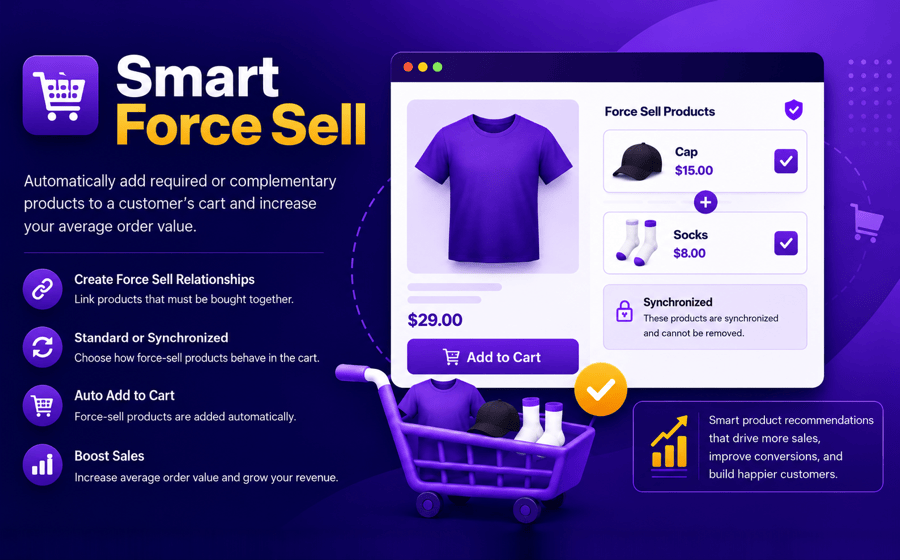
Smart Force Sell helps you increase average order value by automatically adding required or complementary products to a customer’s cart whenever a specific product is added. Create force-sell relationships between products to ensure customers never miss essential products or services.
Whether you’re selling mandatory accessories, extended warranties, replacement parts, gift wrapping, or recommended add-ons, Smart Force Sell ensures the right products are included in the purchasing process without requiring customers to find them manually.
Designed to integrate seamlessly with WooCommerce, the plugin gives store owners full control over product pairing while providing a clear, friction-free experience for customers.
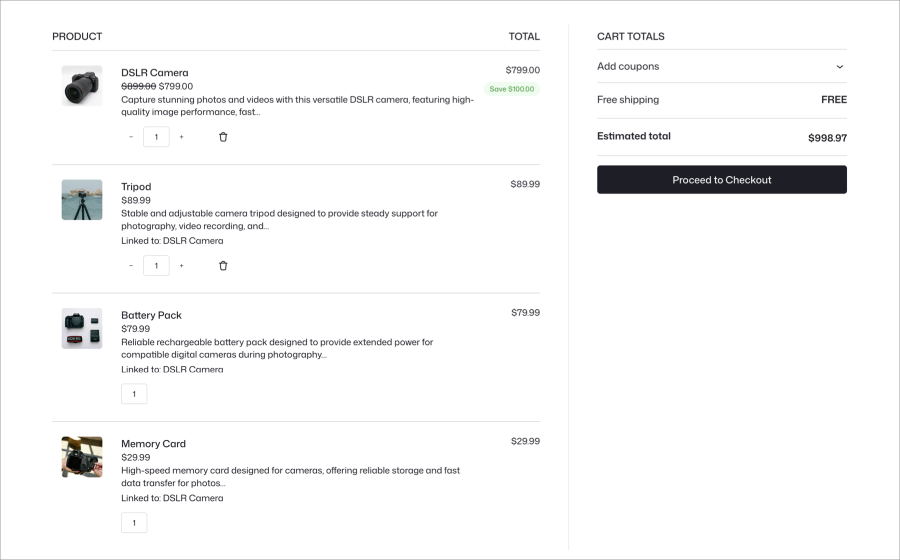
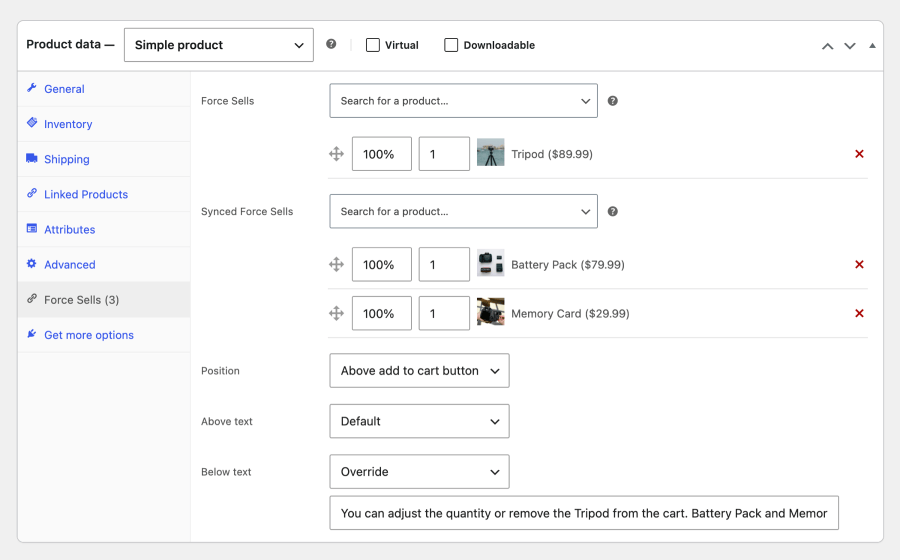
Standard Force Sell – Items are added automatically, but customers retain full freedom to adjust quantities or remove the add-ons independently.
Synchronized Force Sell – Quantities lock dynamically to the parent product (Example: Buying 2 cameras forces 2 memory cards). Add-ons cannot be edited or removed separately unless the main item is removed.
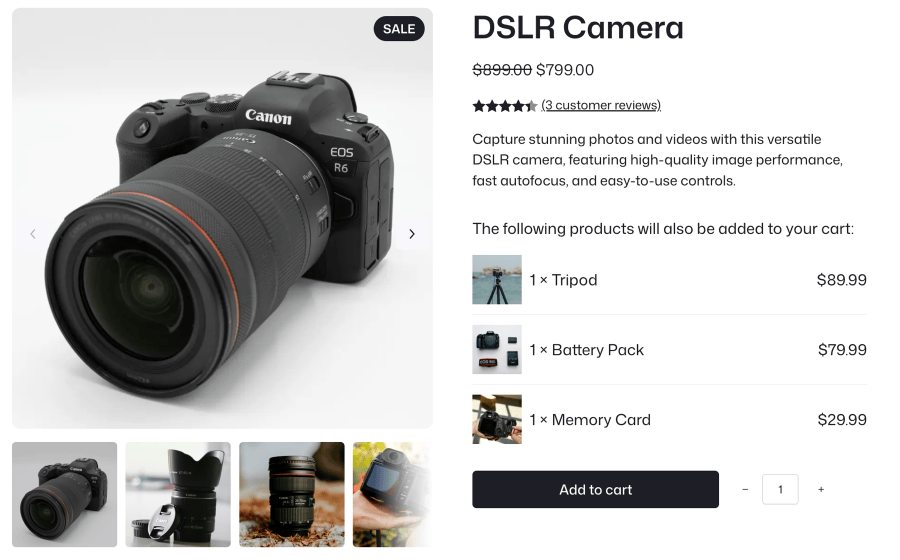
Each product can have two lists of linked products. You can use either list, or both at once.
| Standard Force Sells | Synced Force Sells | |
|---|---|---|
| Added to cart automatically | Yes | Yes |
| Quantity | Added at the quantity you set. Customers can change it. | The quantity you set × the main product’s quantity. Updates whenever the main product’s quantity changes. |
| Customer can remove it | Yes | No. The remove link is hidden and the quantity is locked. |
| When the main product is removed | Stays in the cart | Removed with it, and restored if the customer clicks Undo |
| Good for | Recommended products, optional services, etc | Mandatory parts, per-unit fees, warranties, etc |
Example: A camera has a memory card as a synced force sell with quantity 1. A customer who adds 2 cameras gets 2 memory cards. If they change the cameras to 3, the memory cards change to 3.
Link standard and synchronized force-sell products with an intuitive drag-and-drop interface.
Smart Force Sell is a WooCommerce plugin that automatically adds required or complementary products to the cart when a customer adds a specific product. It helps store owners ensure essential products and services are included in relevant purchases while increasing average order value.
Yes. You can override the price of individual force-sell products using a fixed price or a percentage-based adjustment. When a discount is applied, the original price can be displayed with a strikethrough alongside the discounted price.
Yes. You can display the force-sell block above or below the Add to Cart button. You can also customize its heading and choose whether to display product thumbnails, quantities, prices, and the total number of linked products.
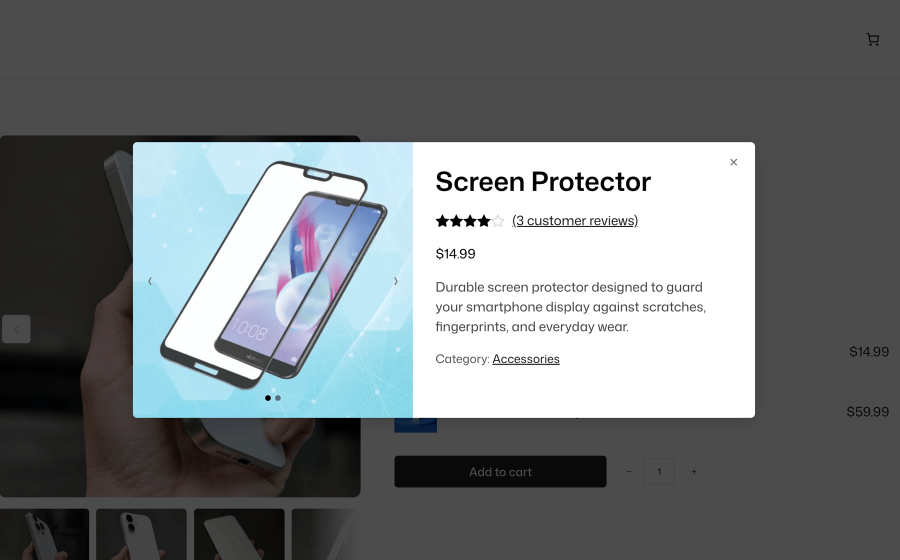
Yes. The optional Quick View popup lets customers preview an add-on's product details and image gallery without leaving the main product page, helping them make more informed purchasing decisions.
Yes. Smart Force Sell supports theme-level template overrides, allowing you to customize the force-sell block's markup and layout to match your store's design.
To override the templates, follow these steps:
Your customized templates will then be used instead of the plugin's default templates.
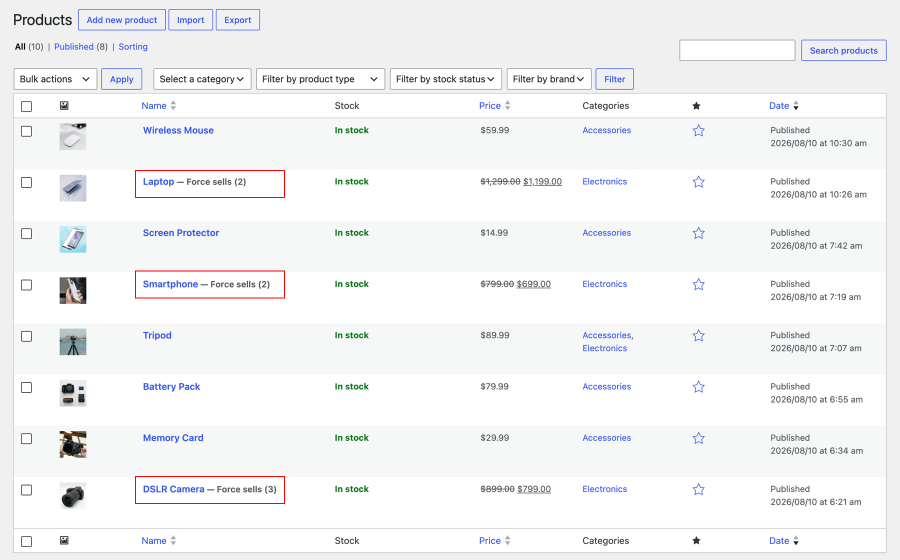
Edit any product and open the "Force Sells" tab in the Product data panel. Search for the products you want to link and add them to either the "Force Sells" or "Synced Force Sells" list. You can drag and drop to reorder them. The tab label shows how many force-sell products are linked.
Standard Force Sells automatically add linked products to the cart while allowing customers to adjust their quantities or remove them independently.
Synchronized Force Sells keep add-on quantities matched to the main product. For example, purchasing two cameras automatically adds two memory cards. Customers cannot change or remove synchronized add-ons separately.
Yes. Set the position to "None (Hidden)". The block is hidden on the product page, but the linked products are still added to the cart automatically.
Categories
Quality Checks
Countries







