
Active installs
300+
Subscription includes
Support
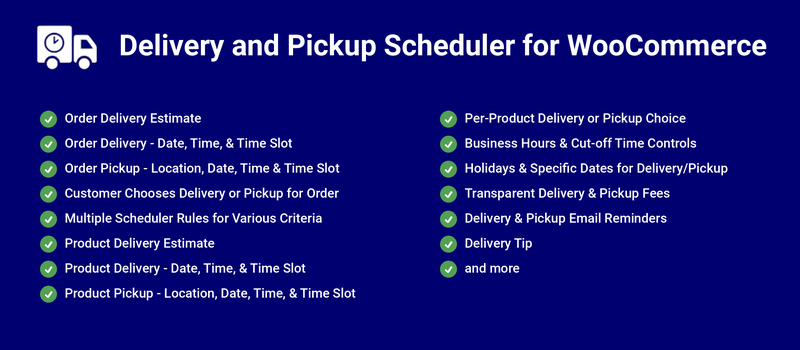
Delivery and Pickup Scheduler for WooCommerce can help you offer the following prominent features to your WooCommerce Shop,
Earn additional revenue for your site by charging fees for faster delivery/pickup. Keep earning on recurring orders by applying scheduler fees to subscription renewal orders.
Based on the configuration, notify customers of their delivery/pickup dates or let them select the delivery/pickup date for their orders as well as for the products. Customers can also schedule delivery/pickup for subscription products, with every renewal order scheduled automatically.
Sync scheduled deliveries and pickups to Google Calendar, so your team always knows what is coming up, from any device.
Show delivery/pickup details on invoices and packing lists, so your staff has the schedule right on the paperwork.
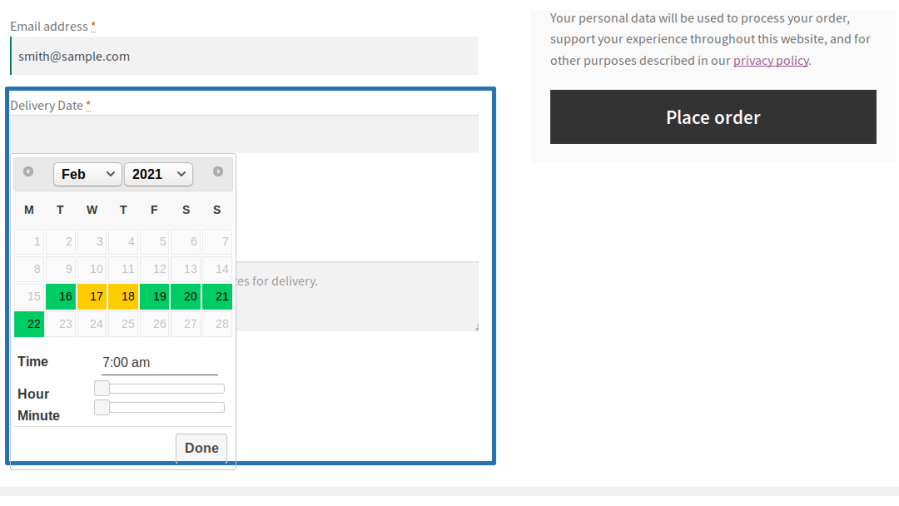
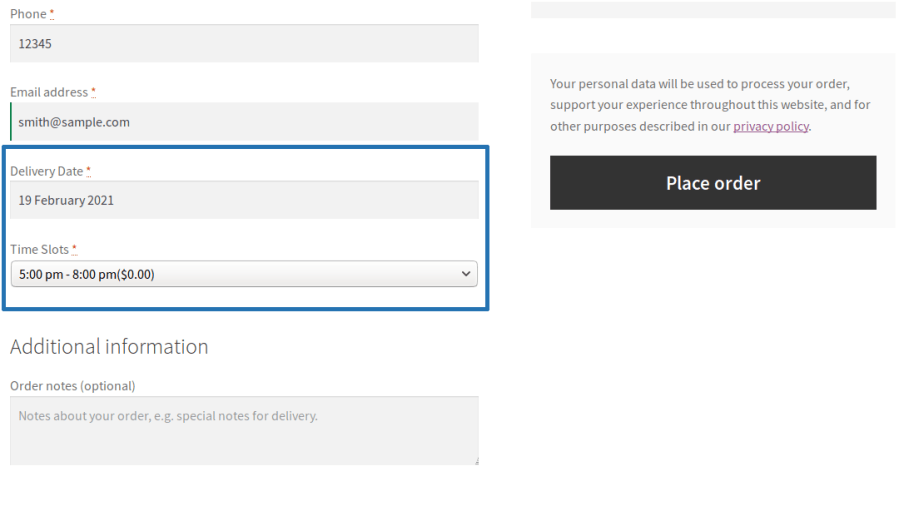
The Order Delivery date can be displayed based on the Processing Time, Cut-Off time and Business Days & Time configuration.
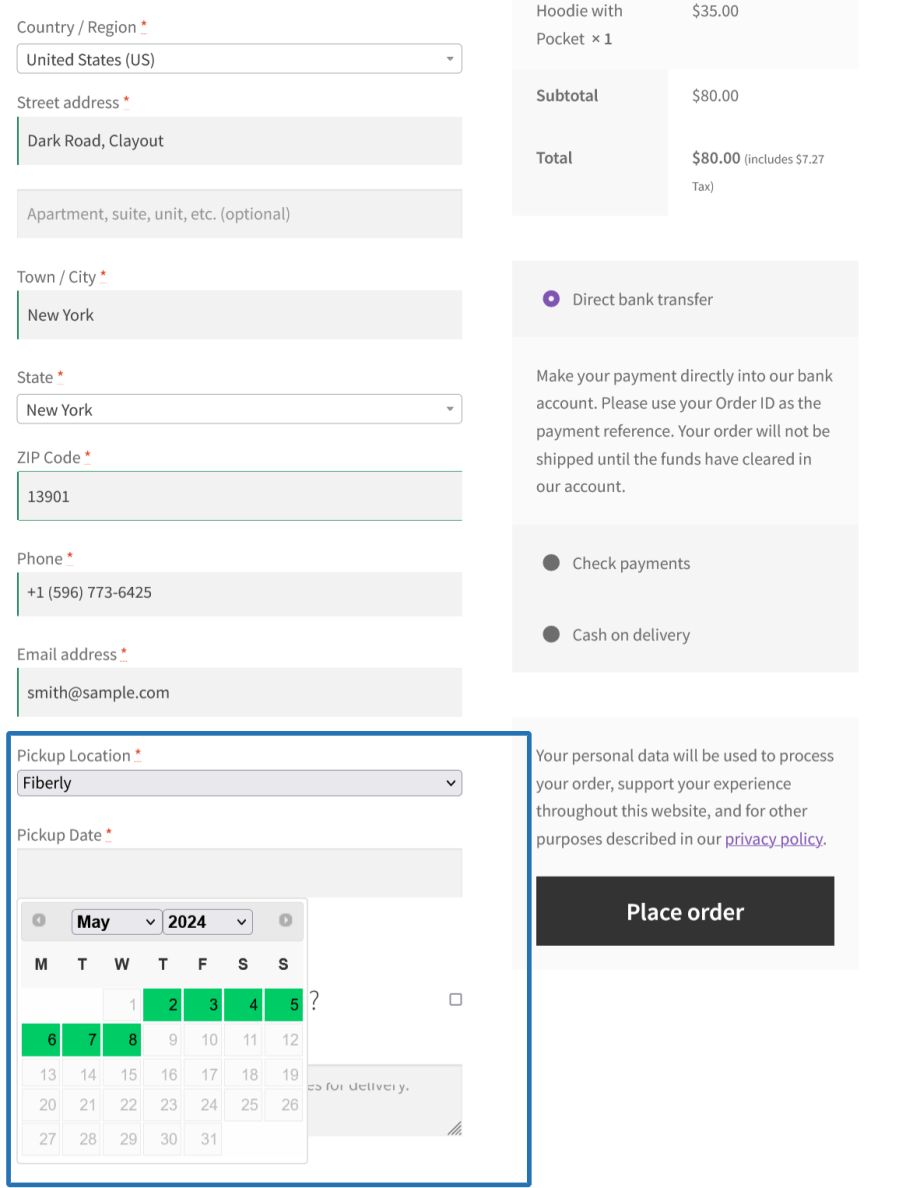
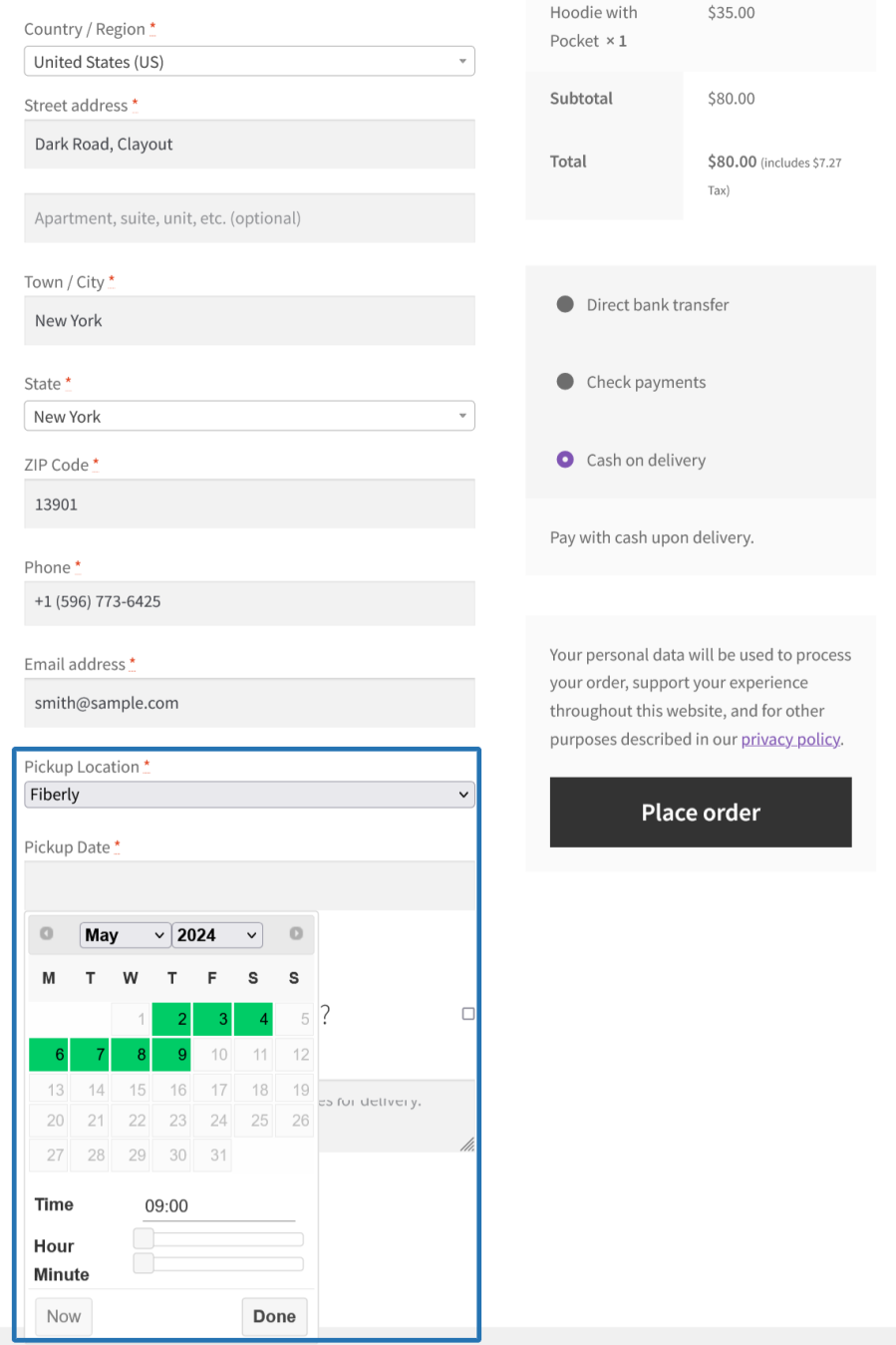
The Order Pickup date can be displayed based on the Processing Time, Cut-Off time and Business Days & Time configuration.
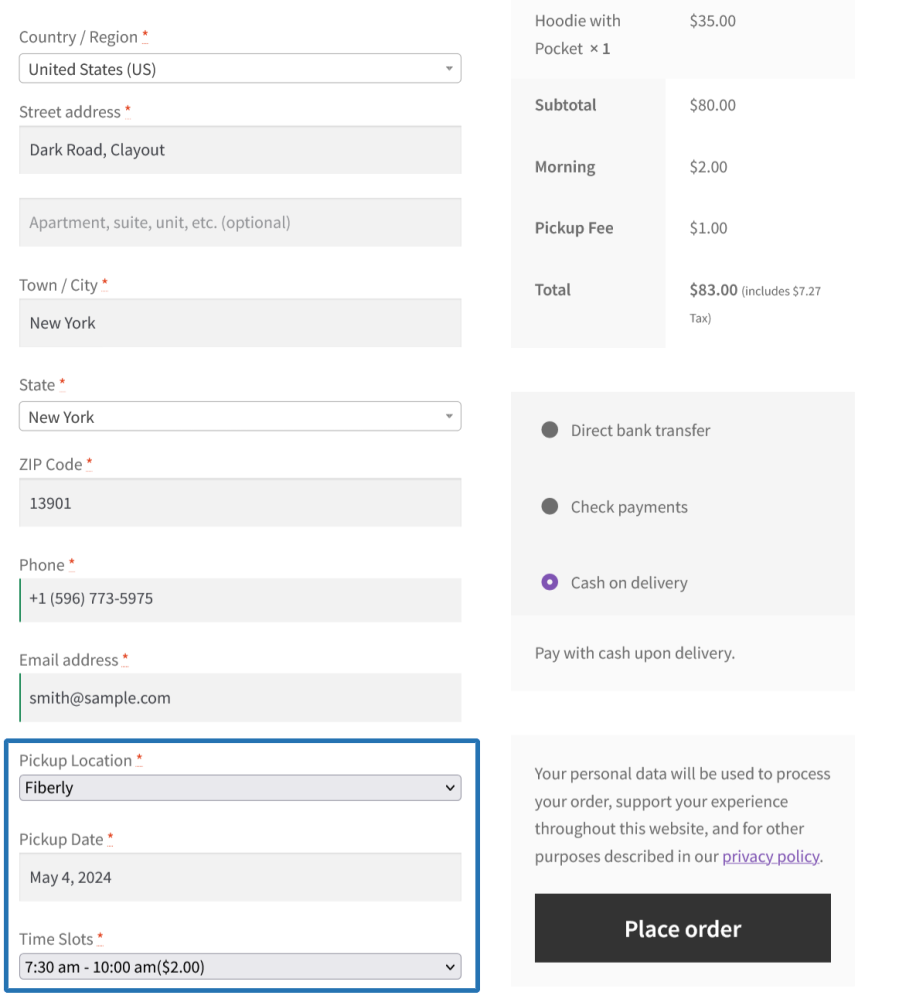
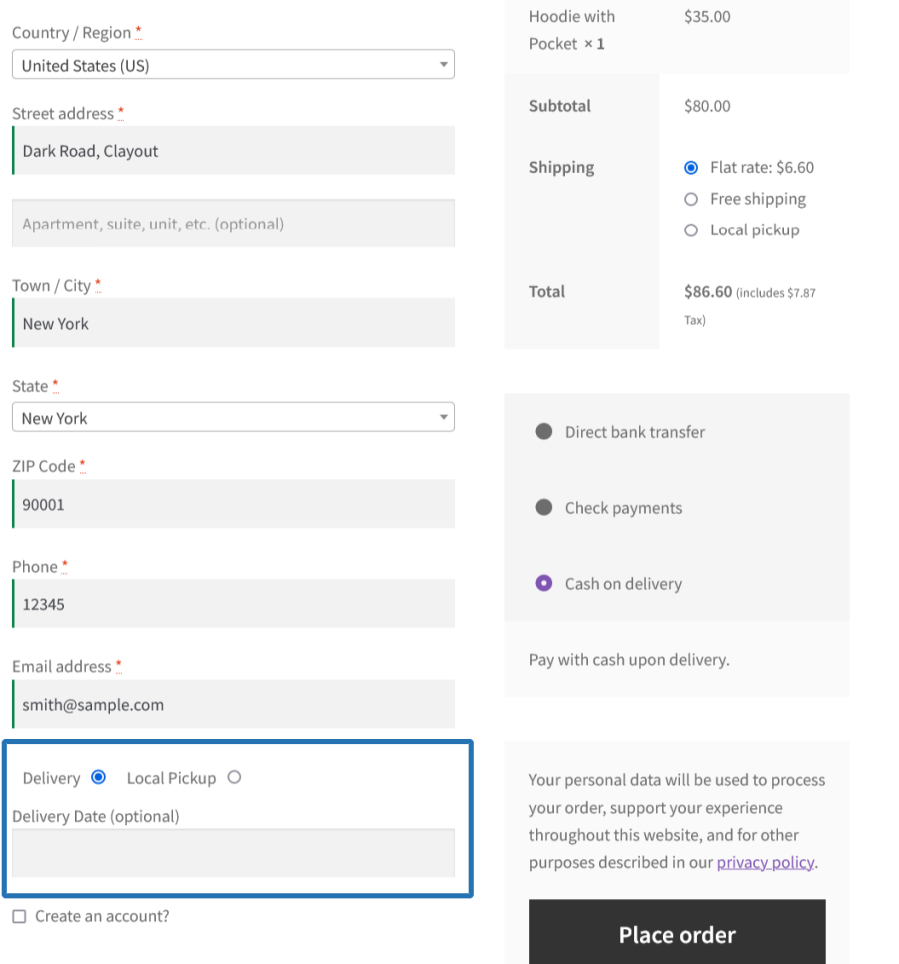
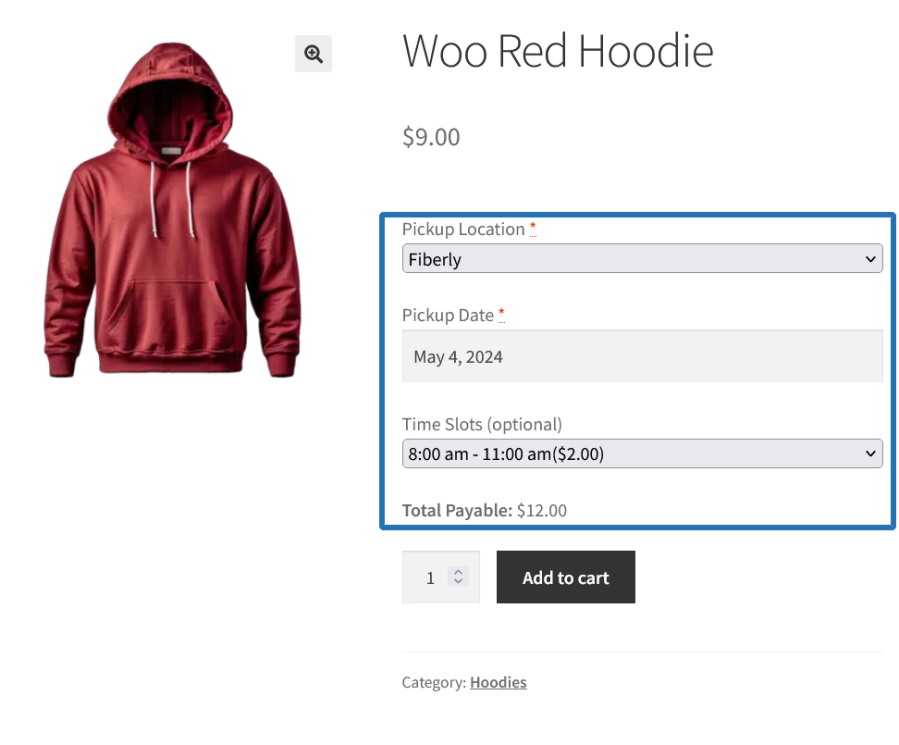
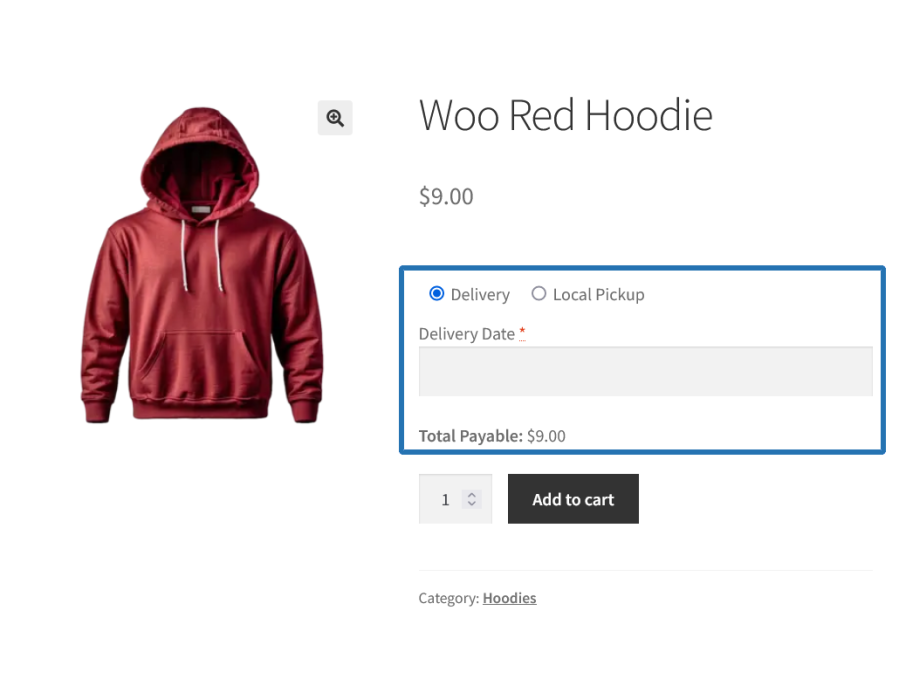
Customers can choose either Delivery or Pickup for the order based on their preference during the purchase. Based on the type selected, they need to proceed with the respective steps to select the Delivery Date, Time/Time Slots or Pickup Location, Date, Time/Time Slots before completing the purchase.
The Product Delivery date can be displayed based on the Processing Time, Cut-Off time and Business Days & Time configuration under the respective product configuration.
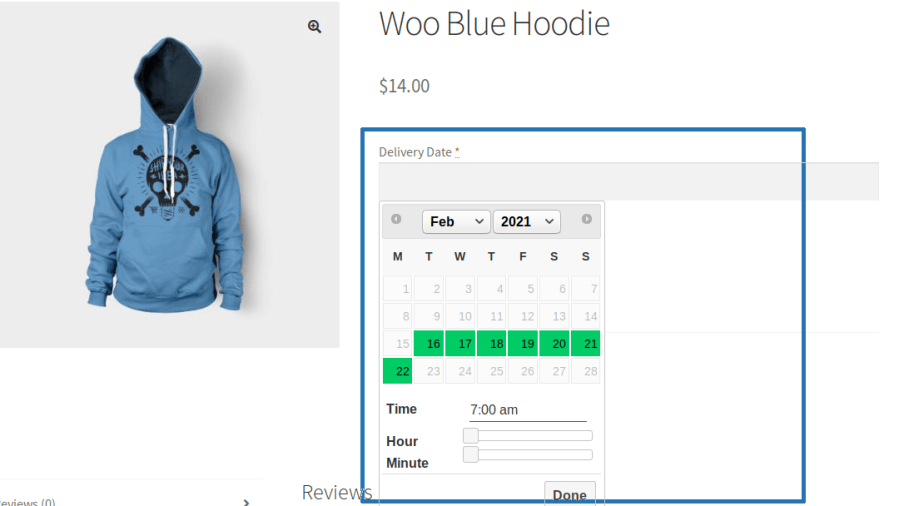
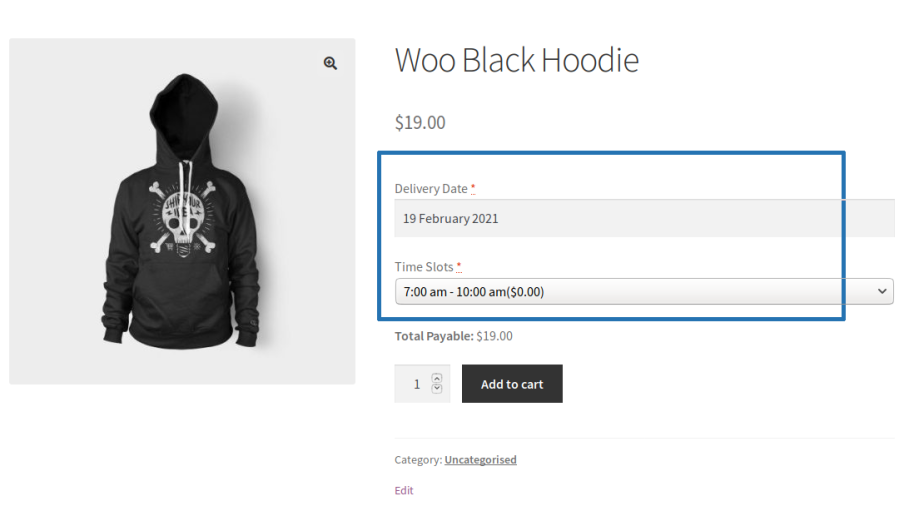
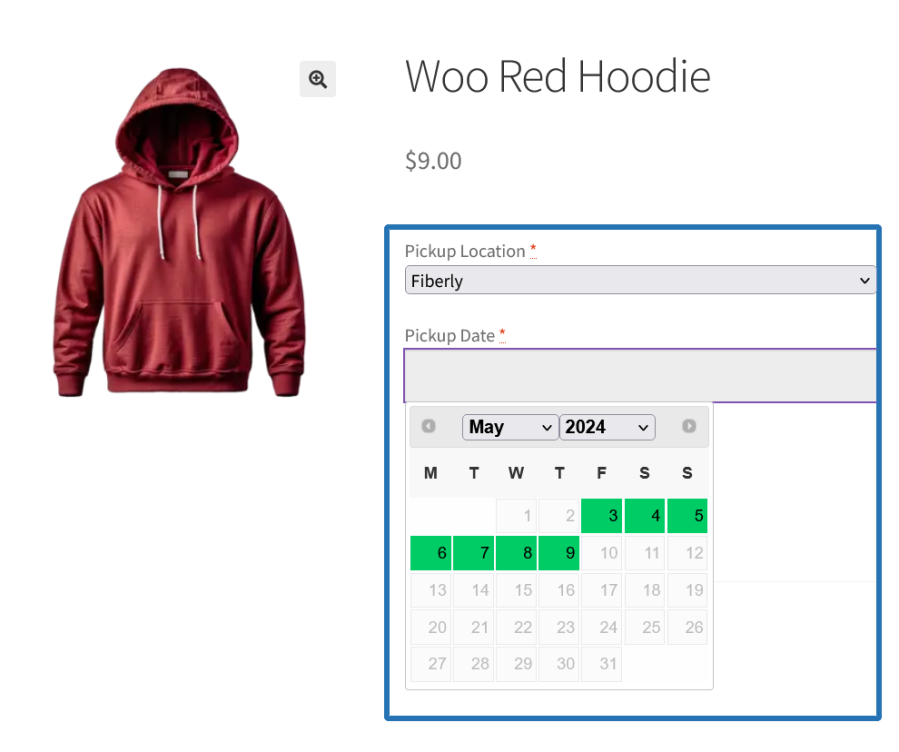
The Product Pickup date can be displayed based on the Processing Time, Cut-Off time and Business Days & Time configuration under the respective product configuration.
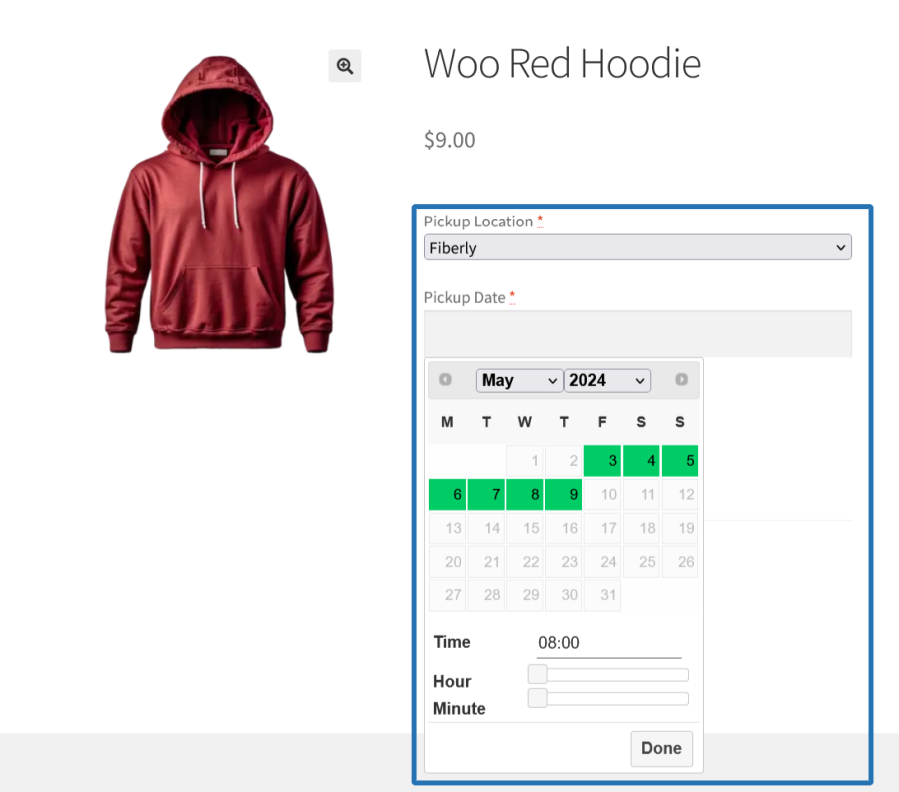
Multiple time slots can be created at once by splitting a time range at a set interval, with an order limit for each slot and optional buffer time and break times between slots.
The Delivery or Local Pickup can be skipped for specific available dates using the Holiday configuration. The holiday can also be applied to business day calculations, so it is skipped while calculating the processing time.
The Delivery or Local Pickup can be done in a specific date even if it is a Holiday or Unavailable day using the Specific Date Delivery/Local Pickup configuration. The specific date can also be counted as a business day while calculating the processing time.
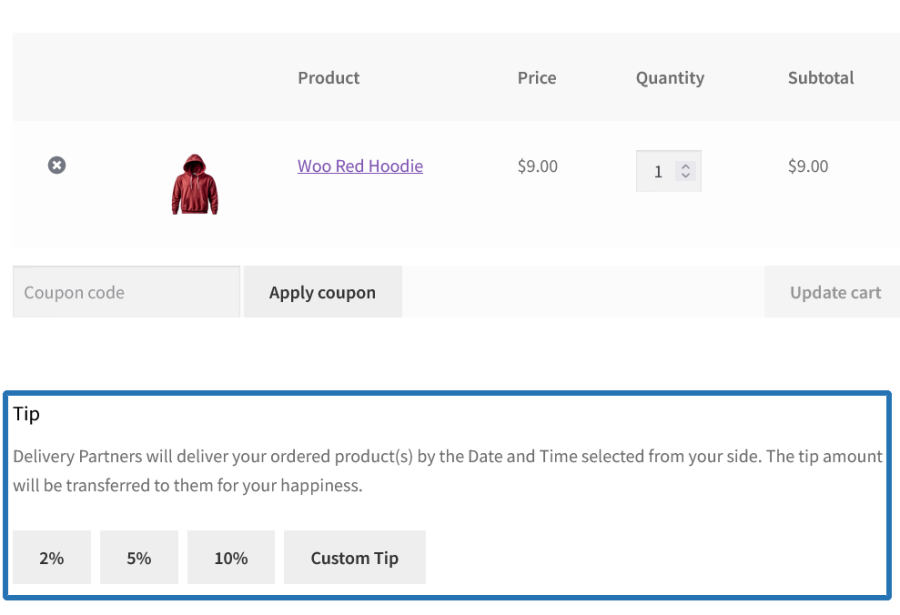
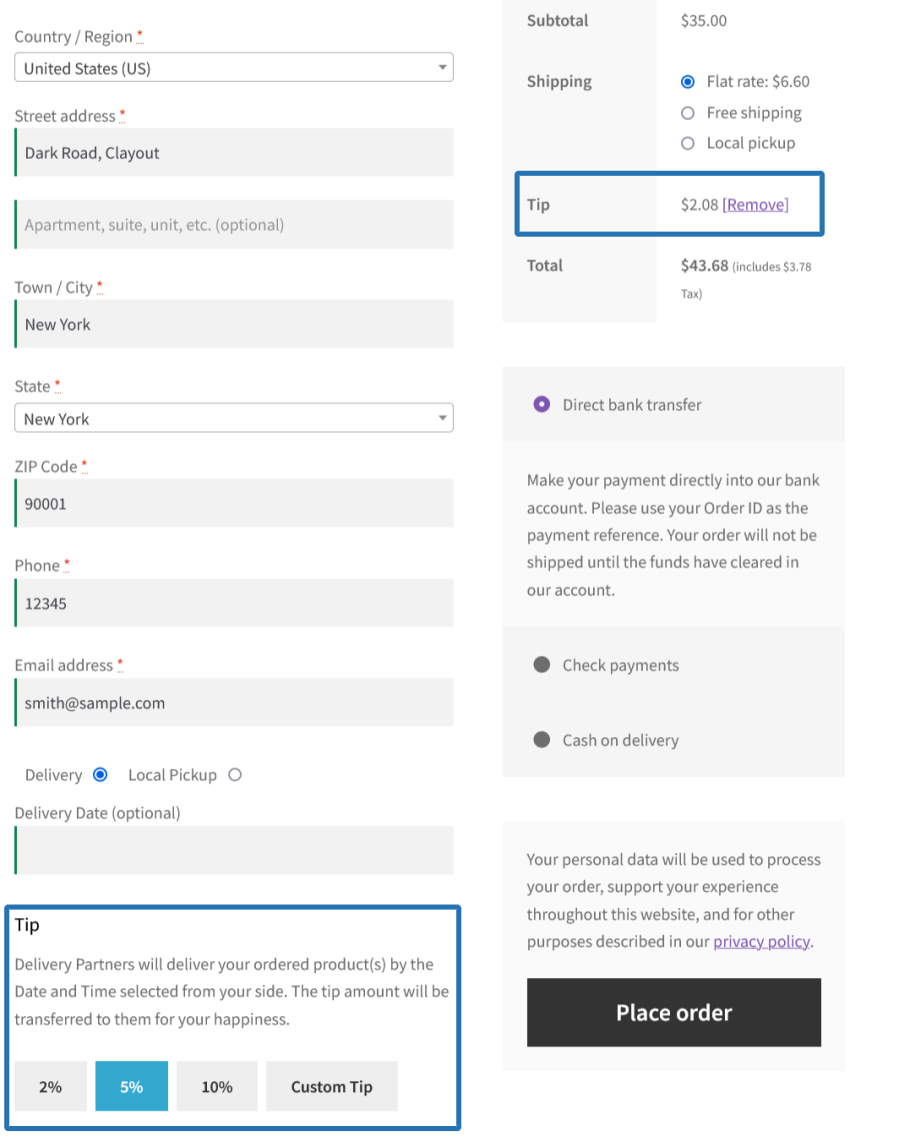
Allow customers to add tip for their order for allowing them to choose their preferred Order Delivery/Pickup date and time during the Order placement.

A calendar to display the following info,
Scheduled Order/Product Deliveries and Pickups are synced to Google Calendar from the scheduler logs. The calendar events are updated or removed automatically when the schedule changes or the order is cancelled.
The Delivery/Pickup date, time slot and pickup location are displayed on the invoices and packing lists generated using WooCommerce PDF Invoices and WooCommerce Print Invoices/Packing Lists.
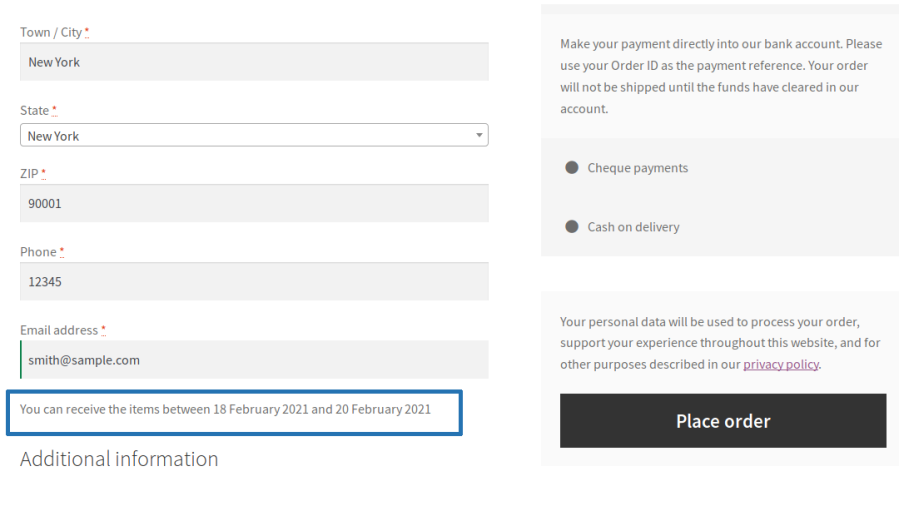
Customers see a clear estimated delivery window at checkout instead of a calendar. The message tells them the earliest and latest date they can expect to receive their order no date selection required, no friction added.
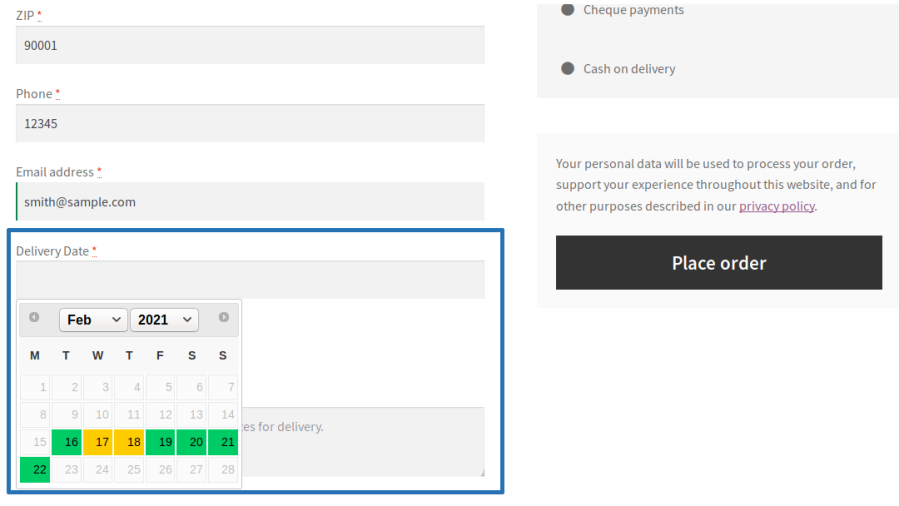
Customers can conveniently choose their preferred delivery date, delivery date with time, or delivery date with time slot during checkout, ensuring their order arrives when it suits them best. Available dates and time slots are displayed based on store availability, while fully booked or unavailable options are automatically restricted.
Date-only delivery
Customers select a delivery date with no time selection required.
Delivery with time selector
Customers choose any preferred delivery time within the available delivery window.
Delivery with time slots
Customers select from predefined delivery windows such as Morning, Afternoon, or Evening.
Customers choose where they want to collect their order from a list of store pickup locations, then select a pickup date and optionally a time or time slot. The chosen location’s address and details are confirmed in the order.
Customers are given the choice at checkout to either have their order delivered or collect it from a pickup location. Based on their selection, the relevant date, time, and location fields appear automatically.
Create multiple scheduler rules to apply different delivery and pickup configurations based on your store’s specific requirements.
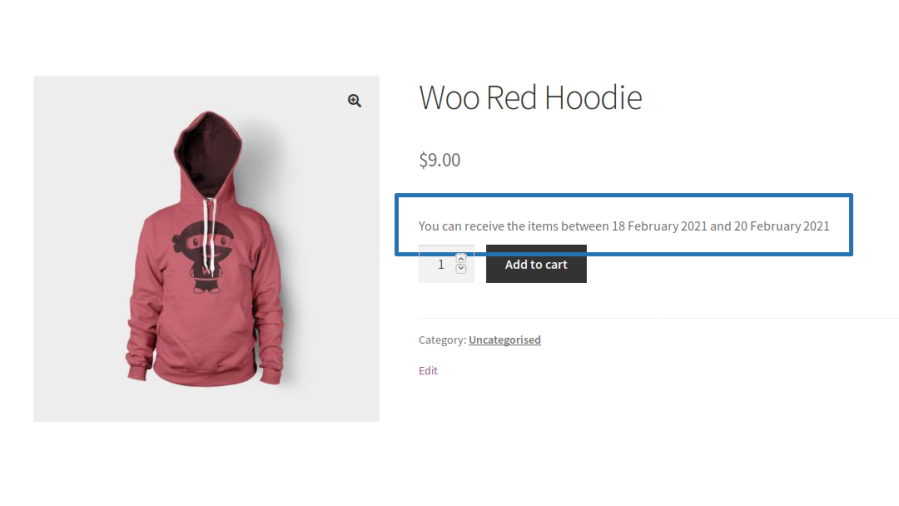
An estimated delivery window is displayed directly on the product page, giving customers a clear indication of when they can expect to receive that specific product before they even add it to their cart.
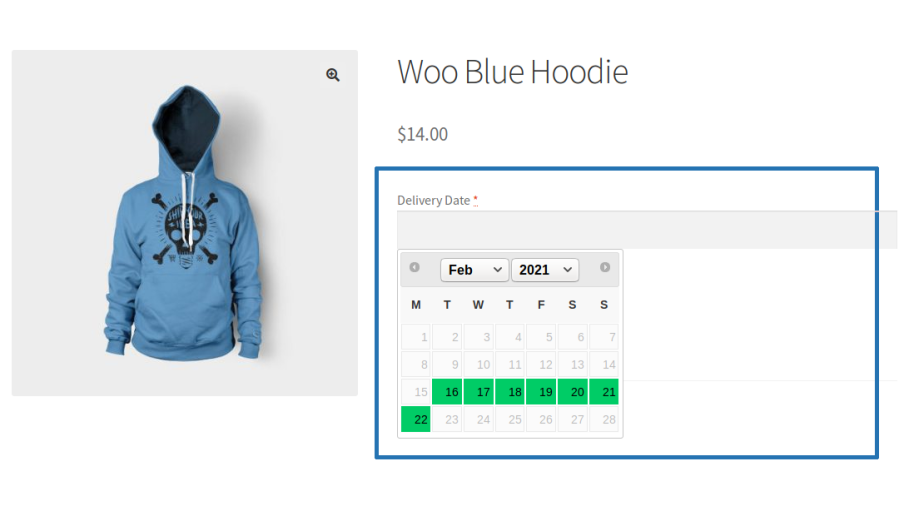
Customers can conveniently choose their preferred delivery date, delivery date with time, or delivery date with time slot directly on the product page before adding an item to the cart. Available dates and time slots are displayed based on store availability, while fully booked or unavailable options are automatically restricted.
Date-only product delivery
Customers select a delivery date for a specific product with no time selection required.
Product delivery with time selector
Customers choose a delivery date and any preferred delivery time within the available delivery window for the selected product.
Product delivery with time slots
Customers select a delivery date and choose from predefined time slots window such as Morning, Afternoon, or Evening for each product.
Customers choose a pickup location and select a pickup date and optionally a time per product, directly on the product page. Each product in the cart can have its own independent pickup location and schedule.
On products that support both fulfillment methods, customers choose whether they want the item delivered or would prefer to collect it — directly on the product page. The relevant date, time, and location fields appear based on their selection.
Configure business hours and processing times independently for delivery and pickup to ensure customers only select dates and times your store can fulfill. Define same-day and next-day cut-off times to automatically control availability based on when an order is placed, preventing customers from choosing options that can no longer be accommodated.
Customers can only select available delivery dates, with holidays and non-service days automatically excluded from the delivery scheduling calendar. If a holiday falls within the delivery time frame, estimated delivery dates are automatically adjusted, ensuring accurate delivery expectations and preventing orders from being scheduled on unavailable dates.
The Specific Date feature gives store owners the flexibility to open delivery or local pickup availability on any date even on days that are otherwise marked as holidays or unavailable in the scheduler.
This means your store is never rigidly locked to its default schedule. When a particular date needs to be made available regardless of how it’s classified in your calendar it can be unlocked as a bookable slot, and customers will see it as a valid option at checkout just like any regular delivery or pickup day.
Holiday and specific date settings can also be applied to business day calculations, keeping processing times and estimated delivery dates accurate.
Customers see accurate, itemized delivery and pickup fees in the cart and at checkout. Fees update dynamically based on the date or time slot they select, so there are no surprises at the payment step.
Create multiple time slots in one go by automatically splitting a time range into bookable slots at your preferred interval.
Store owners managing large catalogs can update Product Delivery/Pickup Scheduler configurations across multiple products at once, instead of editing each product individually.
Automatically sync scheduled deliveries and pickups to Google Calendar, so your team can view the upcoming schedule anytime, from any device.
Customers receive a reminder email on the day their order is due for delivery or pickup. The email confirms the key details — what’s coming, when, and (where applicable) which time slot was booked.
Customers can choose to leave a tip for the delivery team directly on the cart or checkout page. The tip is added as a transparent line item in the order total and can be removed before placing the order.
Offer delivery and pickup scheduling on subscription products and choose how renewal orders are scheduled, automatically or without a delivery/pickup date.
Display delivery and pickup details on invoices and packing lists, so customers and staff always have the schedule on hand.
Minimum PHP version: 5.6
Categories
Extension information
Quality Checks
Compatibility
Countries
Languages







