
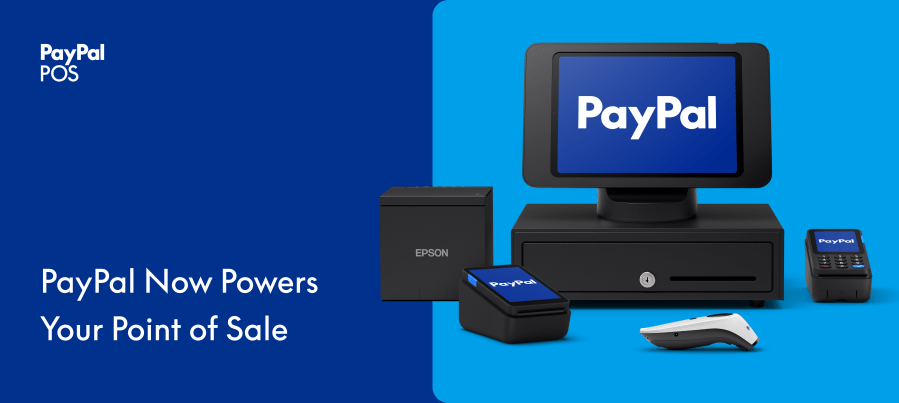
Product Icon

PayPal Zettle for WooCommerce

Sell online with WooCommerce and in person with PayPal POS. One catalog, one accurate stock count, everywhere you sell.

Subscription includes

  • Free updates
  • Free customer support

One catalog. Online and in person.

Your WooCommerce store is where you build your business. PayPal POS is how you sell face to face. PayPal POS for WooCommerce connects the two, so the products you manage online are the same products you ring up at the counter, with stock levels that stay accurate on both sides.

Manage your catalog once, in WooCommerce. Push it to PayPal POS. Then sell everywhere you do business, knowing your inventory keeps itself honest.

Manage in WooCommerce, sell at the counter

WooCommerce stays your single source of truth. Create and edit products where you already work, then send a selection or your entire catalog to your PayPal POS product library. Updates you make in WooCommerce flow through to PayPal POS automatically, so there is no second catalog to maintain and no copy-paste between systems.
  • Send a collection or your full catalog to PayPal POS in a few clicks.
  • Edit products in WooCommerce and let changes sync to PayPal POS.
  • Keep individual products online only by excluding them from sync.

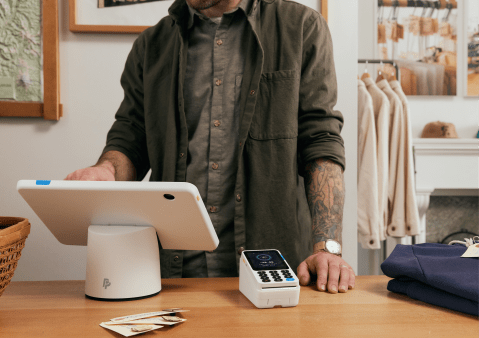
Merchant taking a payment at the counter with a PayPal POS terminal

Stock that stays in sync, in real time

Sell a product in store and your online stock drops. Sell it online and your in-store count updates too. Stock changes sync both ways between WooCommerce and PayPal POS, automatically, so you avoid overselling and skip the end-of-day reconciliation.
  • Two-way stock sync between WooCommerce and PayPal POS.
  • Updates happen in real time as sales come in.
  • One accurate stock count, wherever a customer buys.

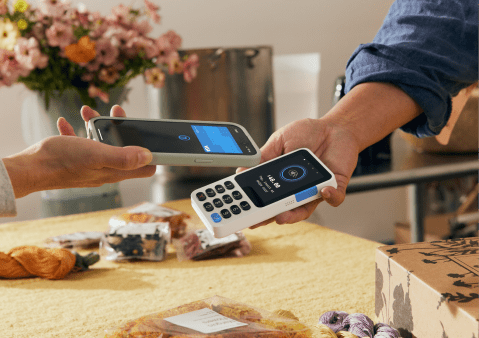
Customer tapping their card to pay on a PayPal POS card reader

Built for omnichannel sellers

If you run a shop, a stall, a studio, or a pop-up alongside your online store, this plugin keeps your channels in step. It focuses on the foundation every omnichannel seller needs first: one catalog and one accurate stock count across online and in person.

One plugin, every payment, all PayPal

Get started in minutes

  1. Install and activate the PayPal POS plugin on your WooCommerce store.
  2. Connect your PayPal POS account through the guided onboarding flow.
  3. Sync your product library to PayPal POS and start selling.

A guided setup walks you through connecting your account and syncing your catalog, so you can be up and running the same day.
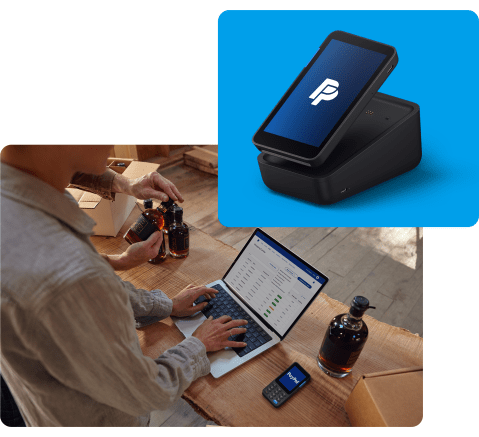
A PayPal POS terminal and the PayPal dashboard while a merchant packs orders

What you need

  • WordPress 6.8 or higher
  • WooCommerce 10.2 or higher
  • PHP 8.2 or higher
  • An active PayPal POS account

PayPal POS is PayPal’s point of sale system for taking payments in person, with card readers, terminals, and the PayPal POS app. Payments are taken on your PayPal POS hardware and app. This plugin keeps your WooCommerce catalog and stock in sync with PayPal POS.

Where PayPal POS is available

United States, United Kingdom, France, Sweden, Norway, Finland, Denmark, Netherlands, Germany, Spain, Italy, Brazil, and Mexico. Check availability and sign up on the PayPal POS website.

Venmo is a service of PayPal, Inc., a licensed provider of money transfer services. All money transmission is provided by PayPal, Inc. pursuant to PayPal, Inc.’s licenses. PayPal is located at 2211 North First Street, San Jose, CA 95131.


Extension information

  • PHP version required: 8.2
  • Tested with WordPress: 7.0
  • Tested with WooCommerce: 10.2
  • Requires at least WordPress: 6.8
  • Requires at least WooCommerce: 10.2

Countries

Customer reviews

Average rating 3.5

8 reviews

5 stars, 25% of reviews
4 stars, 50% of reviews
3 stars, 0% of reviews
2 stars, 0% of reviews
1 star, 25% of reviews
  • Rated 1 out of 5
    John HedleyUnited States (US)Oct 14, 2024
    Simply does not work. Sync was running for five days and still hasn't completed. It locks up and eventually you can't even go to the settings page at all. Plugin is dangerous and shouldn't even be attempted. It apparently will damage your site
  • Rated 4 out of 5
    uphillchrisUnited Kingdom (UK)Oct 27, 2023
    My New Card Reader My new PayPal Zettle card reader worked very well in Kensington Town Hall recently although occasionally disconnected from the wifi and then took a while to reconnect - probably a problem with the Hall's wifi rather than the reader though.
  • Rated 5 out of 5
    fermedesainteodileFranceSep 24, 2023
  • Rated 5 out of 5
    aoduyeSep 21, 2023
    PayPal Zettle is our POS it serves us well Our small non-profit had been using PayPal Zettle since PayPal started to phase out it's "PayPal Here" system. As a vehicle for our fund raising, we sell about 200 products in our physical store and almost 30 small, easily shipped products. PayPal handles the the transactions. The WooCommerce PayPal Zettle plugin allows us to sell online without having to use other Bank Card transaction companies, making our book keeping easy. Once you get used to managing the products you sell online through the plugin, the products sync with PayPal Zettle keeping your stock levels accurate whether item is sold online or in store. The only place where I consider it the plugin could be improved if it was to keep categories and folder/product structure between online and the off line store. Whenever you add a new product through WooCommerce, you have to log into the Zettle application to add the tax exempt status , the category and place the product in the correct folder instead of leaving the new item as uncategorized. Connecting the plugin to Zettle plugin is simple and straight forward.
  • Rated 1 out of 5
    happbeeacresUnited States (US)Aug 26, 2023
    Never preformed as promised I used this in connection with a Paypal Zettle Terminal, Paypal Zettle Card Reader on I Pad, I Phone, and Android. Products would sync in funny manners (600 products and it would say it was uploading 1030). I would cancel and restart, it would give weird numbers. Support said they don’t know why. Products stopped syncing inventory count between in store sales and the website which resulted in angry customers due to inventory counts being off. Barcodes never would work longer than a week for finding the product. Developers said it was zettle or woocommerce or hosting, we checked all those. No issues. Developer had me do the same steps multiple times with no different outcomes. I finally found a plugin (paid unfortunately) that I tried their free trial, all those issues were magically fixed. Not impressed with the blame game, redo all these steps over and over, and no fix after 9 months. Yes, we did staging sites, uninstall, reinstall, new api key, resync, firewall test, plugins disabled and tested, etc. Never did work. Kept getting different people under the same name for “assistance” that would tell me to do the same thing we just did.

Related Products

Free download
Rated 2.6 out of 5 stars
Free download
Rated 3.1 out of 5 stars
Price $79 annually
Rated 3.4 out of 5 stars
Price $279 annually
Rated 3.2 out of 5 stars
Price $59 annually
Rated 3.1 out of 5 stars
Price $109 annually
Rated 2.7 out of 5 stars
Price $49 annually
Rated 4.1 out of 5 stars
Price $109 annually
Rated 2 out of 5 stars
Use of your personal data
We and our partners process your personal data (such as browsing data, IP Addresses, cookie information, and other unique identifiers) based on your consent and/or our legitimate interest to optimize our website, marketing activities, and your user experience.