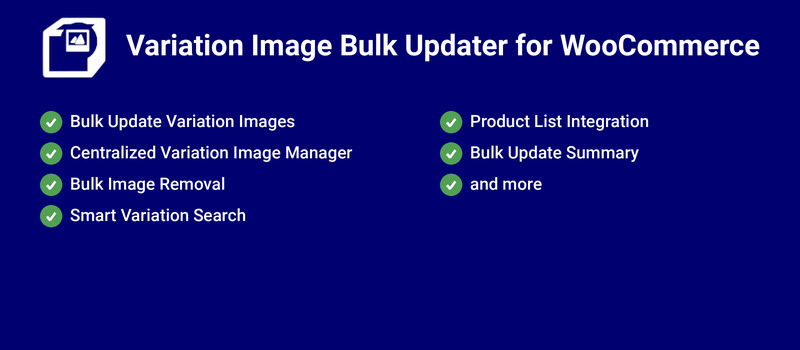
Works for variable products and variable subscriptions
Variation images can be easily set, replaced, updated & removed in bulk
An option for the admin to add/replace images from the products section
Admin can easily search and edit or replace variation image(s)
An option for the admin to remove the assigned image(s)
Variations with unsaved changes will be highlighted and displayed
Unsaved/Uploaded/Replaced image count will be displayed
Variation images can be easily viewed from a single place
Compatibility given with High-Performance Order Storage[HPOS]
Simple and easy to use
Translation ready
Update Product Variation Images in Bulk
Use the Variation Image Bulk Updater for WooCommerce plugin to set or replace variation images in bulk.
Benefits
Better product configuration
You can easily set or replace variation images from a single interface.
Save admin time
Configuring images from a single place saves admin time.
How does it work?
Find the settings for Variation Image Bulk Updater for WooCommerce in the Variation Image Bulk Updater meta box on the variable product configuration page.
Note: The Variation Image Bulk Updater meta box will be visible only when variations have been configured.
Set images in bulk
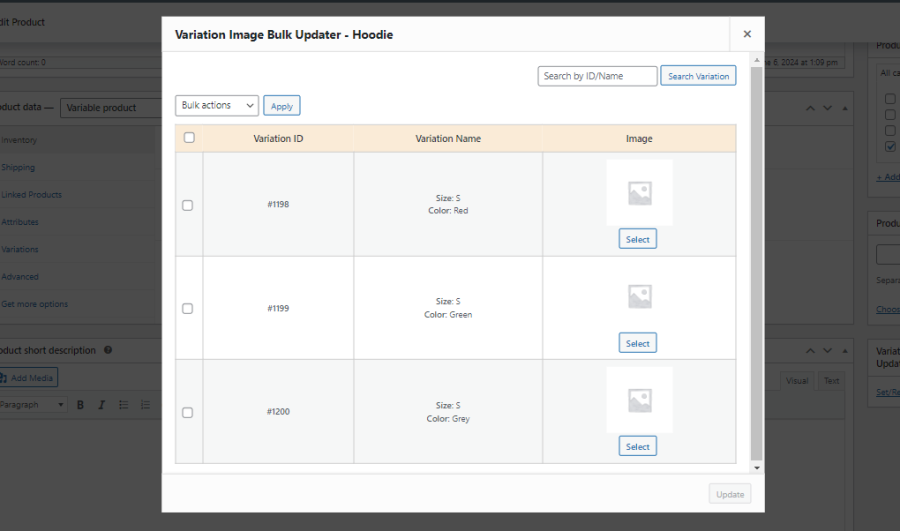
Click on the Set/Replace Variation Image link.
To set an image for a variation, click the Select button to upload/select the variation image.
Bulk Image Updater Wizard
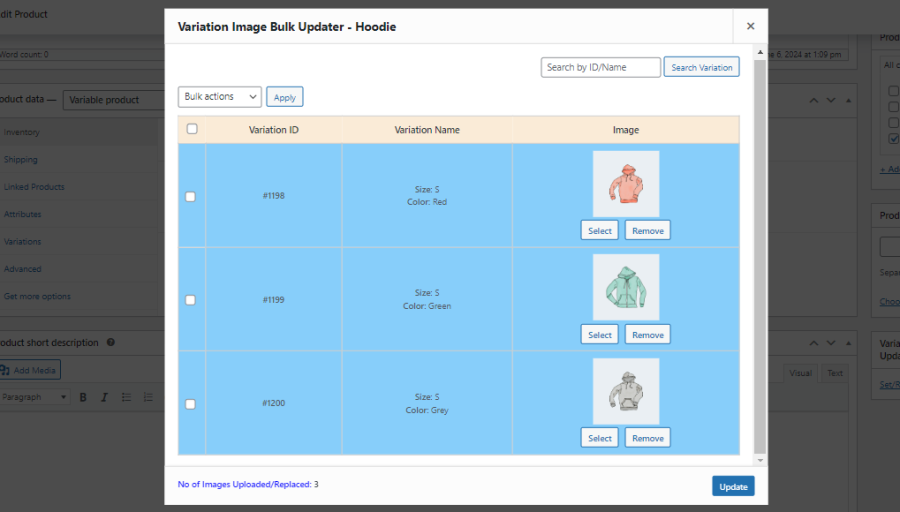
Once you select the images for the variations, you can see the count of uploaded images at the bottom of the page.
Image Count of Uploaded/Replaced Images
Replace images in bulk
Click on the Set/Replace Variation Image link.
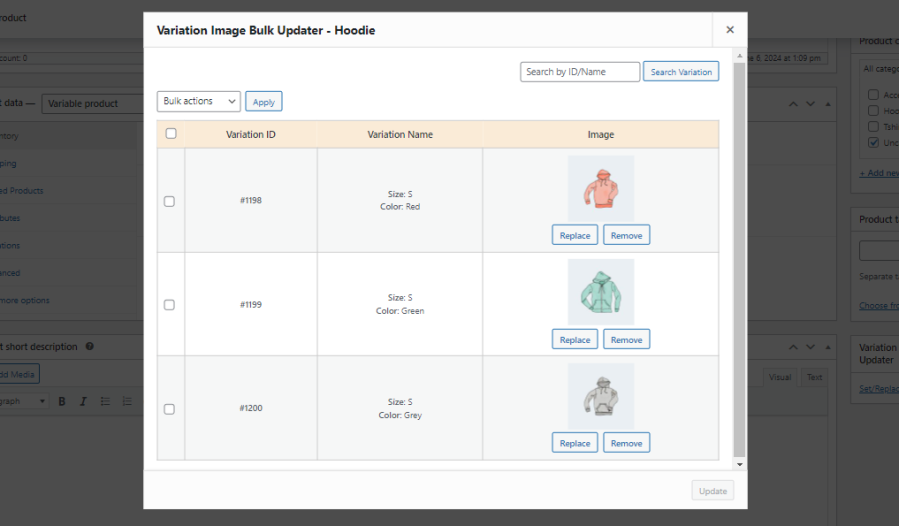
To replace/remove an image for a variation, click the Replace/Remove button to complete the action.
Replace/Remove Image Buttons Visible
When the images have been set/remove, click the Update button. Once updated, the images are assigned/removed to the variations.
Extensive Features List
Works for variable products and variable subscriptions.
Variation images can be easily set, replaced, updated, and removed in bulk.
An option for the admin to add or replace images from the Products section.
Access the Variation Image Bulk Updater directly from the Products page for faster image management.
Apply a selected image to multiple variations in a single action during bulk image updates.
Update or remove variation images for multiple variations simultaneously using bulk actions.
An option for the admin to remove assigned images.
Remove variation images from multiple variations at once using bulk removal actions.
Admin can easily search and edit or replace variation images.
Search variations by ID or name to quickly locate and manage variation images.
Identify and manage variation images using variation IDs and variation names for easier administration.
Variation images can be easily viewed from a single place.
Variations with unsaved changes will be highlighted and displayed.
Unsaved, uploaded, and replaced image counts will be displayed.
Review uploaded, replaced, and removed images before saving changes to ensure accuracy.
Prevent accidental loss of updates with unsaved changes warnings before leaving the page.
Compatibility is provided with High-Performance Order Storage (HPOS).
Translation-ready support for multilingual stores.
Simple and easy to use.
Customer reviews
We are accepting reviews for this product, and will display them when we get a few more.
We and our partners process your personal data (such as browsing data, IP Addresses, cookie information, and other unique identifiers) based on your consent and/or our legitimate interest to optimize our website, marketing activities, and your user experience.