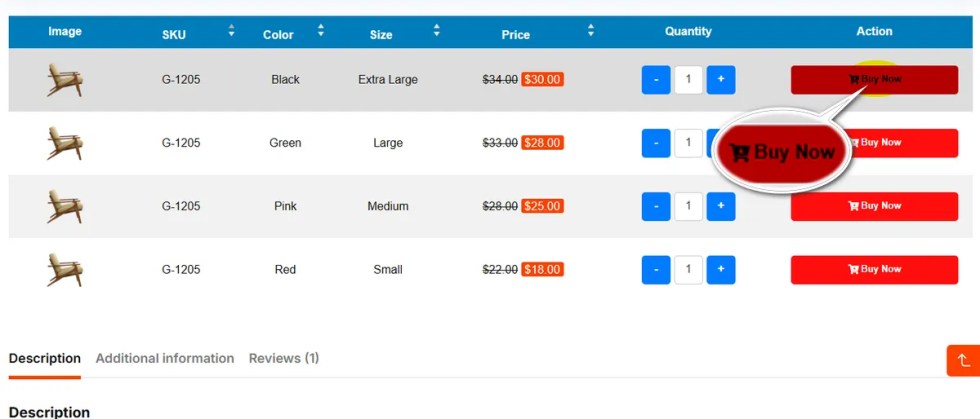
Visual cues help users identify actions quickly.
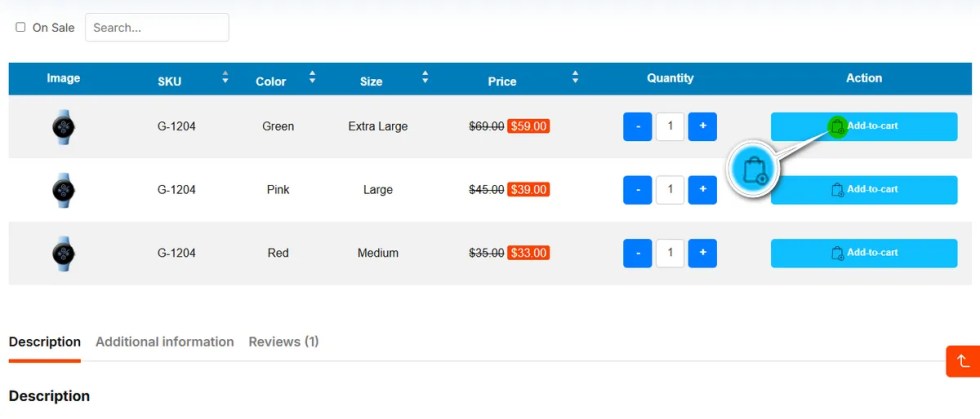
This setting lets you select a specific shopping cart icon from the Font Awesome 5 library to appear on your “Add to Cart” buttons.
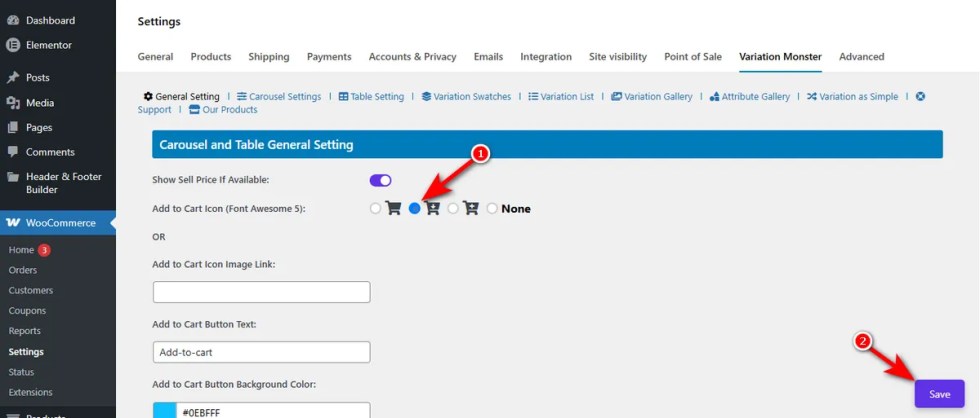
See the changes in the variation table on a variable product’s detail page.
Add to Cart Icon Image Link
↑ Back to topIf the default icons do not match your branding, you can use a custom image instead.
Simply paste the URL of your desired icon image into this field.
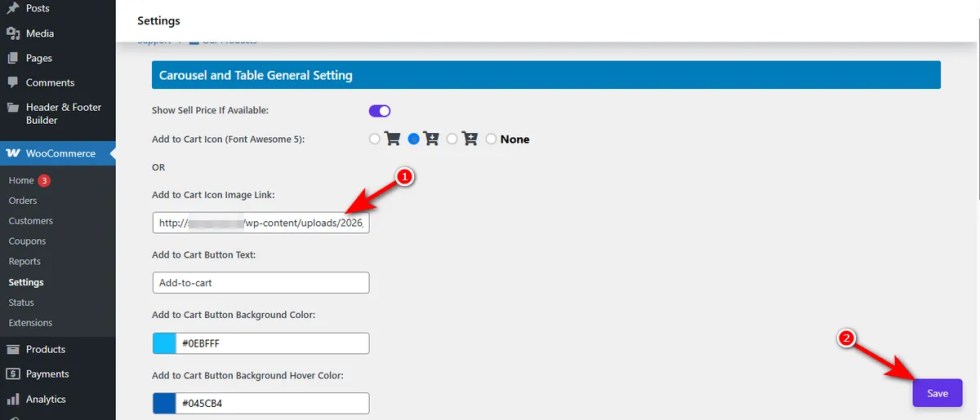
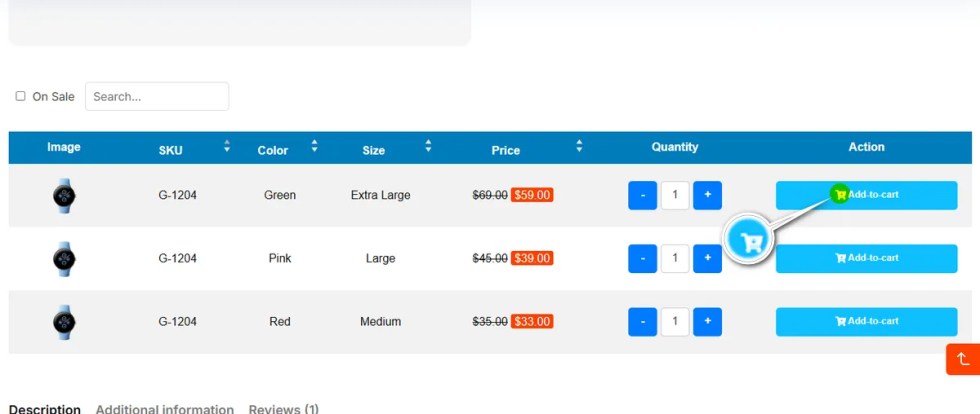
This overrides the Font Awesome selection, giving you complete creative control over the button’s iconography across all Carousel and table views.
Here’s the screenshot of the custom Add to Cart icon.
Add to Cart Button Text
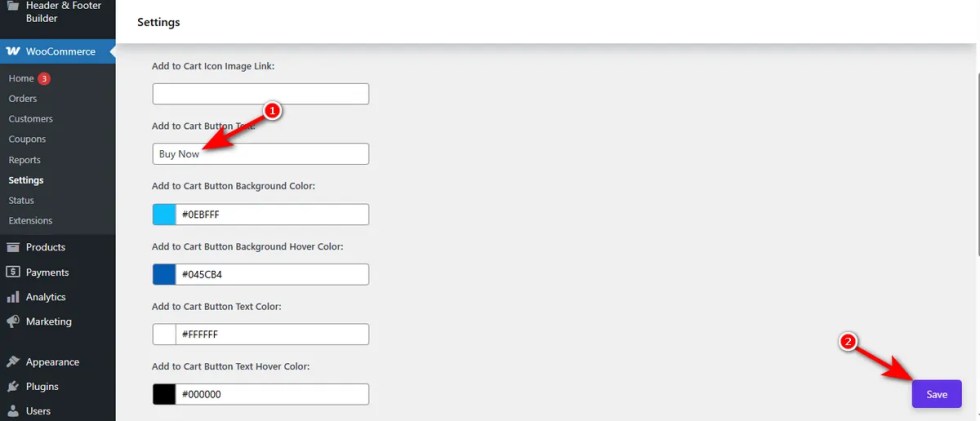
↑ Back to topThe default “Add to cart” text might not always fit your store’s tone.
This field allows you to rewrite the call-to-action text on the button. You might change it to “Buy Now,” “Select,” or “Grab Yours” to better align with your marketing strategy and improve click-through rates on your Variation Swatches layouts.
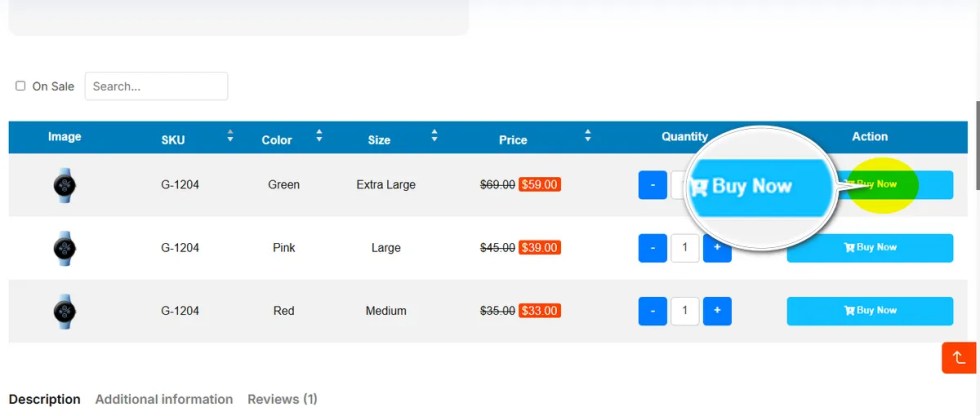
Once you change the “Add to Cart” text, you can see the effect on a variation table’s product detail page.
Add to Cart Button Background Color
↑ Back to topColor is a key part of brand recognition.
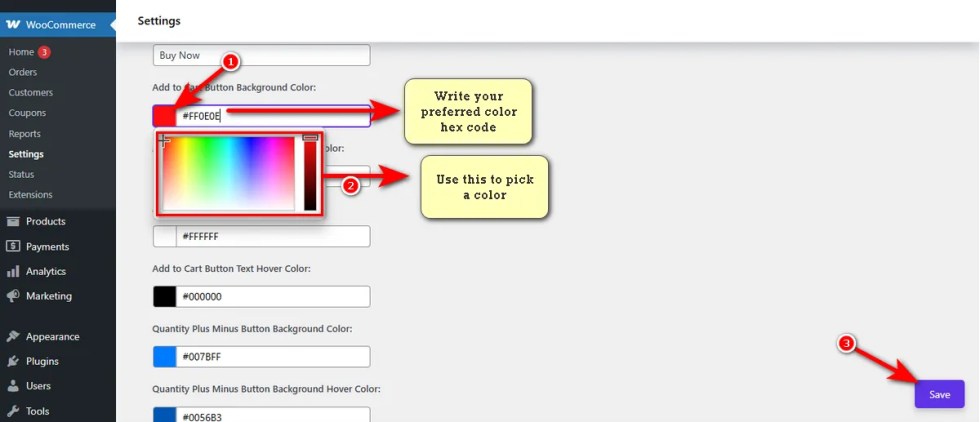
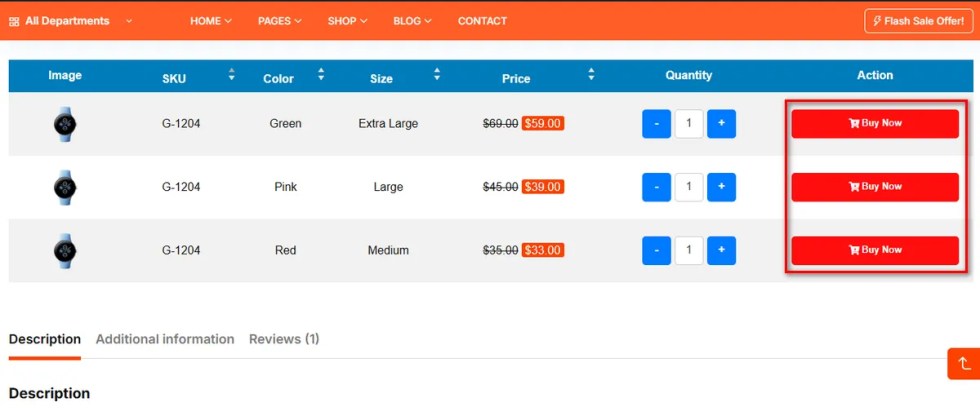
This color picker allows you to set the primary background color for the “Add to Cart” button in its normal state.
Choose a color that stands out from the rest of your page content to draw the user’s eye immediately to the conversion point.
Let’s now view the changes in the variation table of a variable product’s detail page.
Add to Cart Button Background Hover Color
↑ Back to topInteractive elements should respond when a user engages with them.
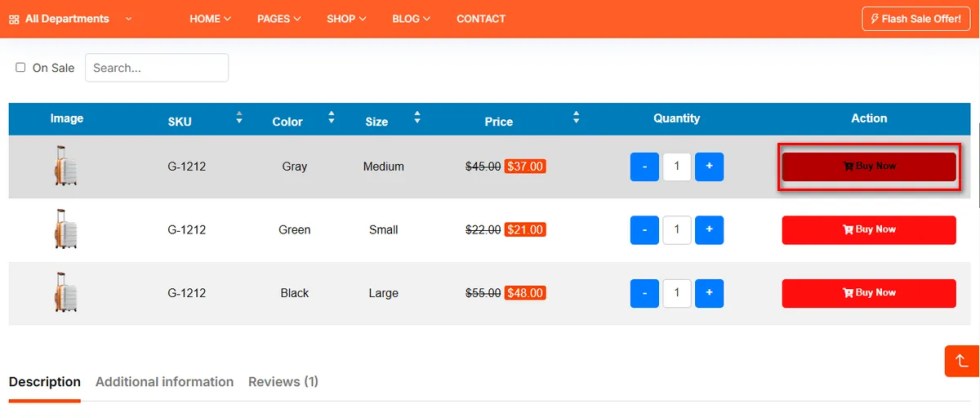
This setting defines the background color of the Add to Cart button when a customer hovers their mouse cursor over it.
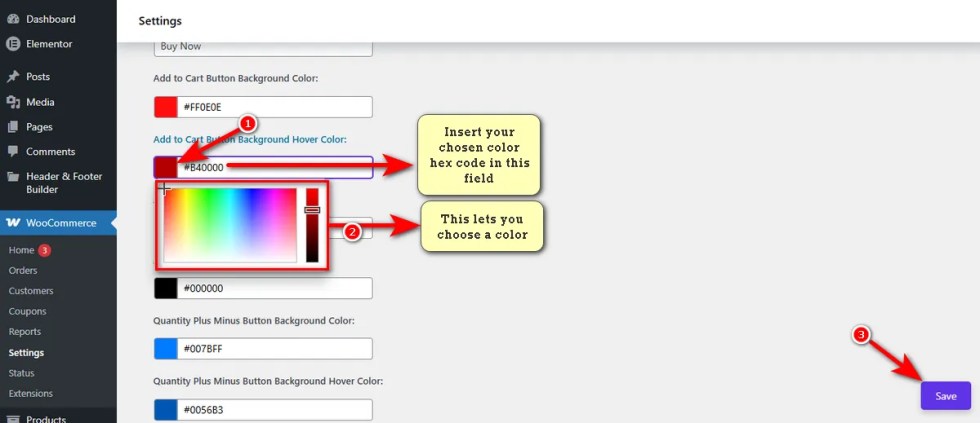
Here are the changes you can witness on a variation table of a variable product’s detail page.
Add to Cart Button Text Color
↑ Back to topLegibility is crucial for conversions.
Use this option to set the color of the text inside the “Add to Cart” button.
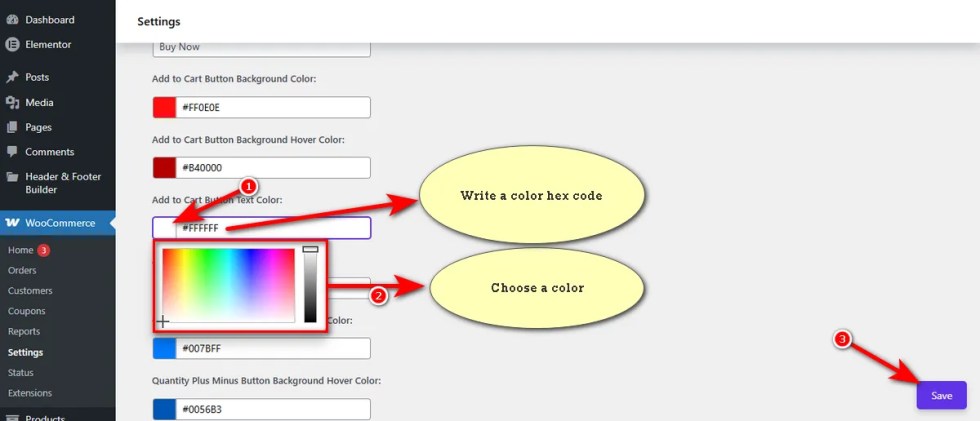
Ensure there is high contrast between this text color and your chosen background color of the Add to Cart button so the label is easy to read on mobile devices or smaller carousel screens.
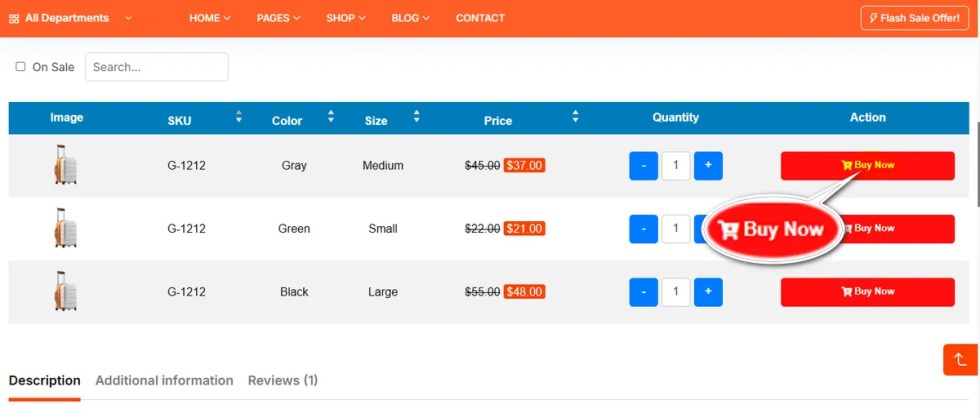
Add to Cart Button Text Hover Color
↑ Back to topJust like the Add to Cart button text background, the Add to Cart button text hover color can change on hover.
This setting allows you to define a specific button text hover color that appears when the user interacts with the button.
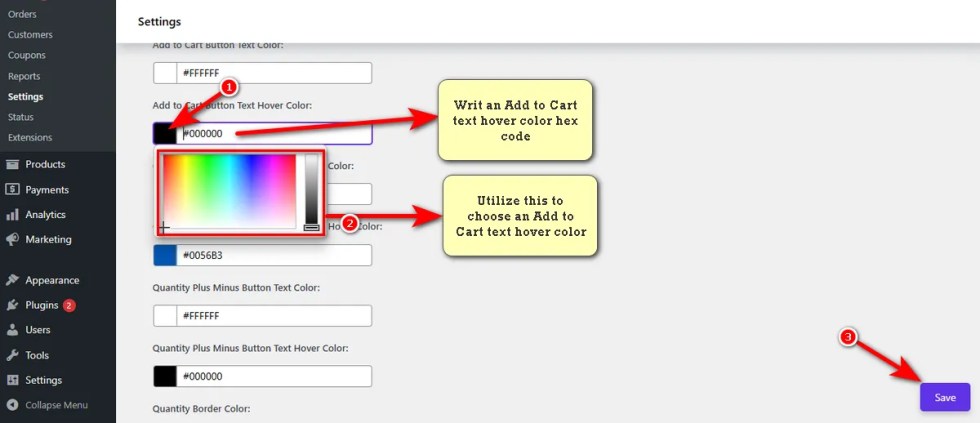
Let’s now view the changes you make in the Add to Cart button text hover color.