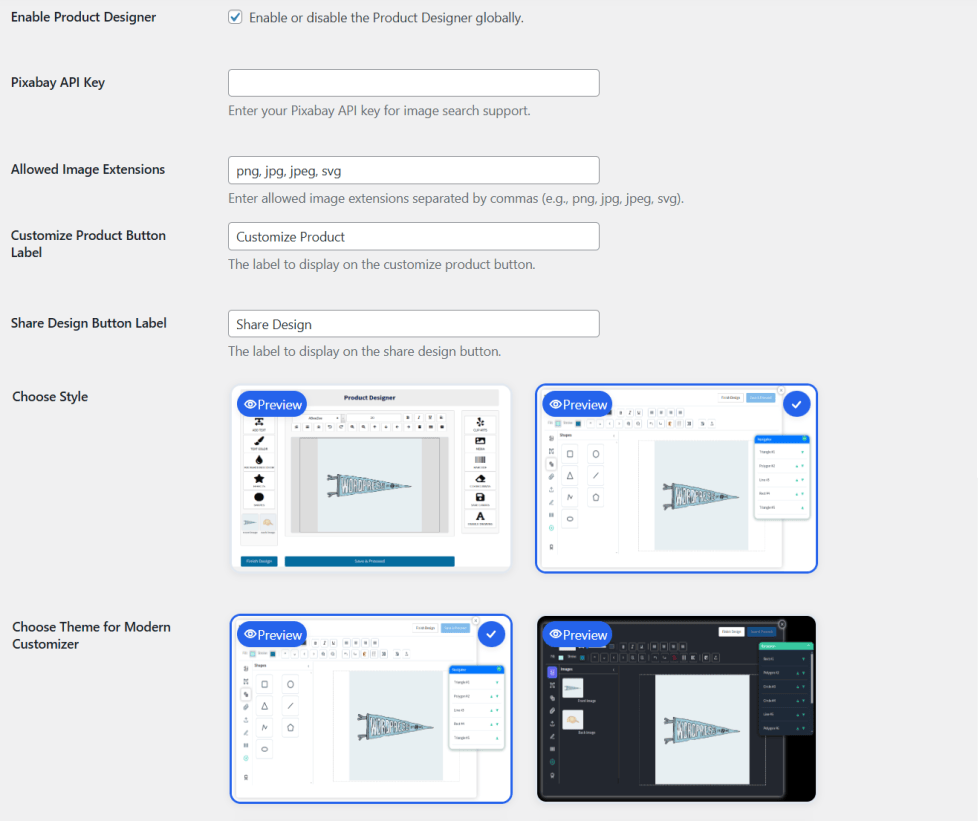
The General tab holds the global options of the designer.
Go to WooCommerce > Settings > Product Designer and open the General tab.
General options
↑ Back to top- Enable Product Designer: Enable or disable the designer on your whole store.
- Pixabay API Key: Add your Pixabay API key to turn on image search.
- Allowed Image Extensions: Set the image types customers can upload. Separate them with commas, for example png, jpg, jpeg, svg.
- Customize Product Button Label: Set the text of the customize button.
- Share Design Button Label: Set the text of the share design button.
- Choose Style: Select the Classic or Modern designer. Pick a light or dark theme for the Modern style.
Note: You also need to enable it on each product.