
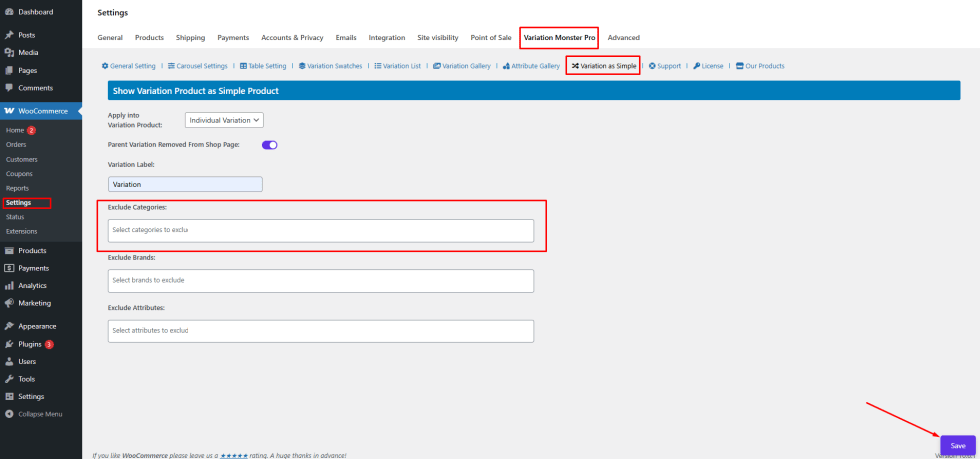
This setting allows you to exclude specific categories from applying the “Show Variation as Product” feature.
How to Configure
↑ Back to top- Select categories such as:
- Uncategorized
- Accessories
- Clothing
- Decor
- Hoodies
- Music
- T-shirts
- Click Save
Frontend Output
↑ Back to topProducts under the selected categories will not show variations as separate products.
Exclude Brands
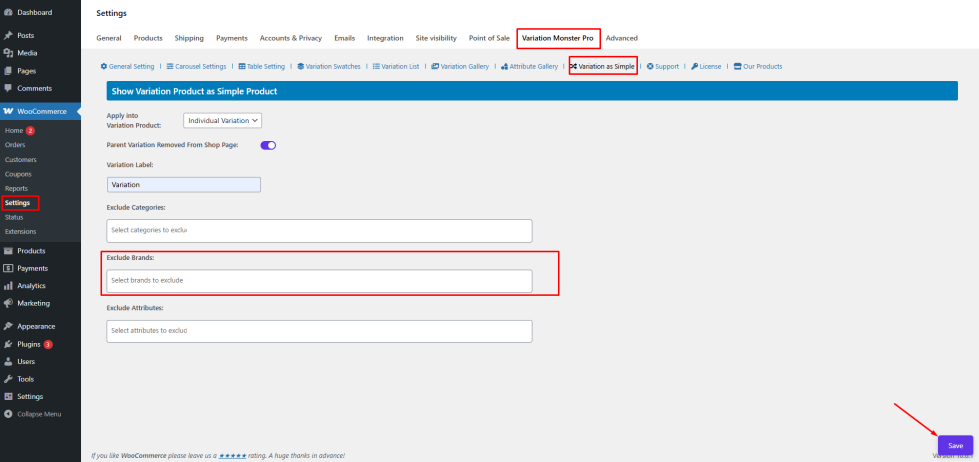
↑ Back to topThis option allows you to exclude specific brands from this feature.
How to Configure
↑ Back to top- Select brands such as:
- Apex
- Bata
- Click Save
Frontend Output
↑ Back to topProducts belonging to the selected brands will not display variations as individual product
Exclude Attributes
↑ Back to topThe Exclude Attributes setting allows you to prevent certain attributes from being used to create separate variation products.
How to Configure
↑ Back to top- Select attributes such as:
- Color
- Size
- Click Save
Frontend Output
↑ Back to topVariations based on the selected attributes will not be displayed as separate products.

