Default WooCommerce dropdowns hide your product options. Shoppers must click multiple times just to find their preferred size or color.
This hidden information frustrates buyers. They lose patience and leave your store without buying anything.
A clean grid layout solves this problem instantly.
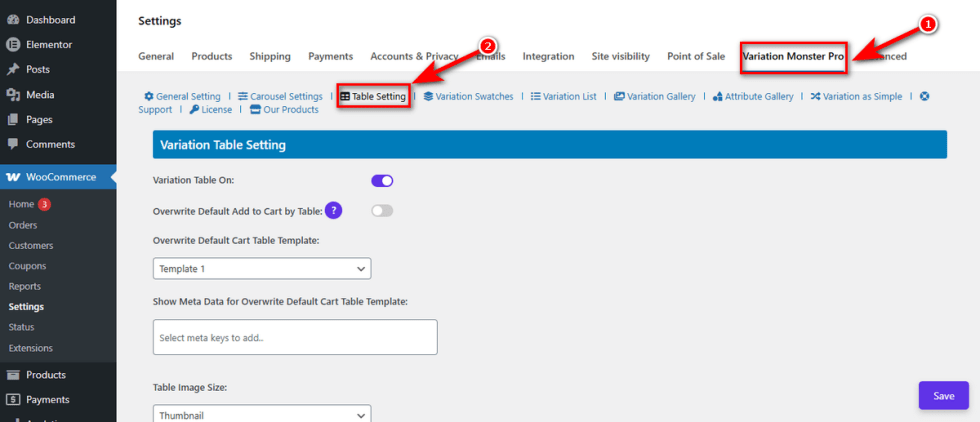
The Variation Table Settings in Variation Monster allow you to transform messy menus into a highly visible list. This section covers how to enable the table, customize its appearance, and configure the displayed data.
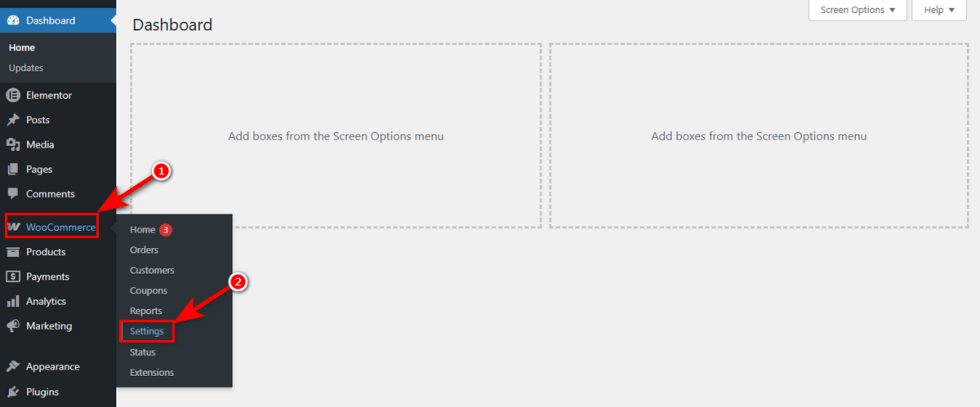
Let’s first access the setting. Head to your WordPress Admin Panel > WooCommerce > Settings.
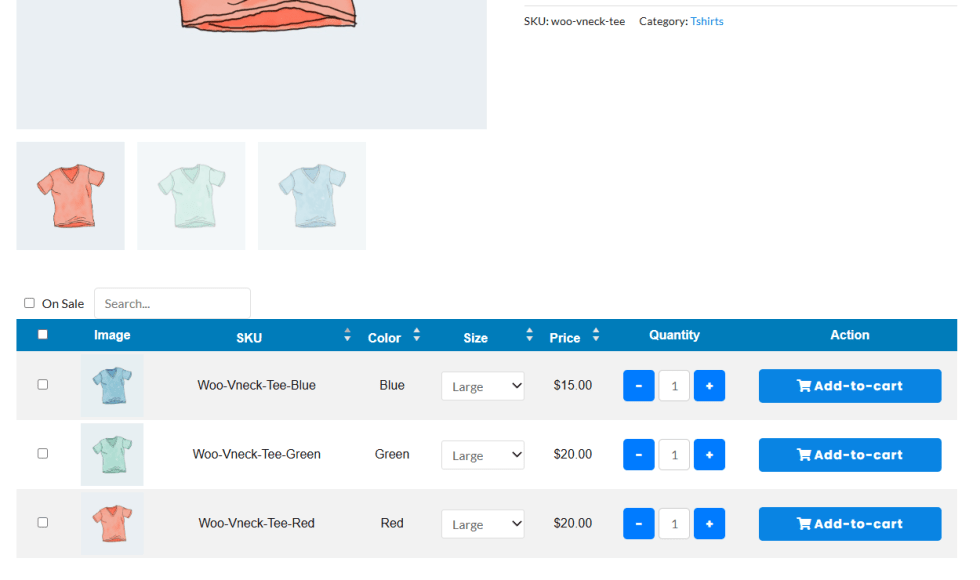
This table will show on single product page frontend.
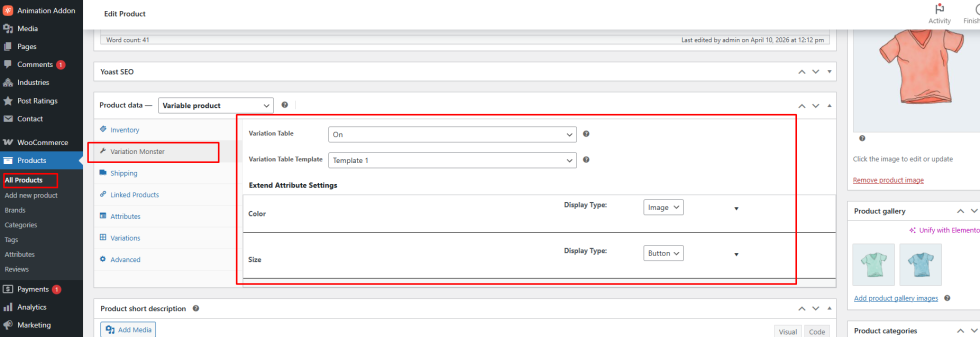
It also add some options in single product backend. That can manager by individual products.