
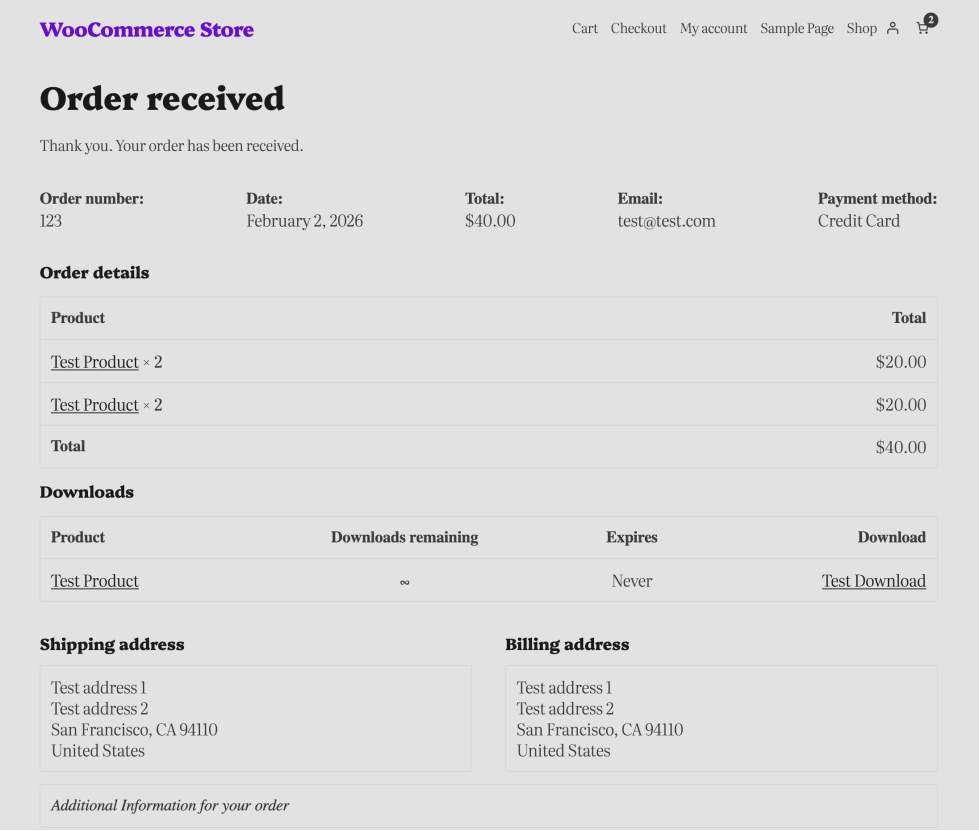
The Order Confirmation template appears after a customer completes a purchase. It serves as both a receipt and a confirmation of the order. This template is designed to reassure customers that their order has been placed successfully and to provide all relevant purchase details in one location.
This page can also be used to thank customers, suggest related products, or share next steps for shipping and delivery. This template includes key details for your customers:
- A summary of purchased items
- Shipping and billing addresses
- Payment method
- Order totals and taxes
- Additional instructions or store messages
Access the Order Confirmation Template
↑ Back to topYou can access this template from your WordPress Dashboard by going to:
- Appearance > Editor
- Click Templates, select WooCommerce > Order Confirmation
Inner Block Structure of Order Confirmation
↑ Back to topThe Order Confirmation WooCommerce template uses a number of WooCommerce blocks to display a complete summary of the customer’s order after checkout.
These blocks are arranged to show the order status, purchased items, totals, downloadable products (if applicable), shipping and billing details, and any additional information provided during checkout.
| Block | Purpose |
|---|---|
| Order Status | Displays a thank-you message and the order’s status. |
| Order Summary | Includes order number, date, total, email, and payment method. |
| Order Totals Section | Contains two main parts: Order Details and Order Totals. |
| Order Details | Links product names to their product pages. Displays multiple items in a table format. |
| Order Totals | Updates dynamically based on order contents and applied charges. |
| Downloads Section | Only appears if the order contains downloadable items. Includes Downloads heading and Order Downloads list. |
| Shipping Address Section | Includes recipient name, street address, city, state, postal code, and country. Only appears if shipping is required. |
| Billing Address Section | Includes name, address, and location details provided during checkout. Always appears. |
| Additional Fields | Allows the store to collect and display supplementary information during checkout. |
| Additional Field List | Each field appears as a separate item in the list. |
| Additional Information | Often used by plugins for custom checkout fields, delivery instructions, or gift messages. |
Note: Only the color and typography Settings can be tweaked for the blocks in this template.
Using the Legacy Order Confirmation Template
↑ Back to top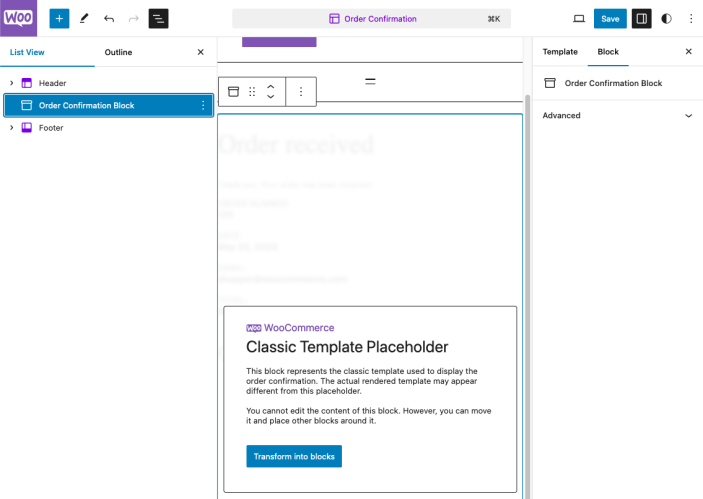
If you would prefer to use the classic Order Confirmation template instead of the new, customizable block template, you can delete the parent group that holds all the Order Confirmation Blocks and then insert the “Order Confirmation Block,” which acts as a classic template placeholder. Please follow the steps below to make the switch:
- Open the Order Confirmation template in the Site Editor by navigating to Appearance > Editor > Templates > Order Confirmation.
- Open the List View and delete all the special Order Confirmation blocks (Select a range of blocks in the list by holding shift, then clicking the final block in the range you’d like to select in the list view).
- Open the Block Inserter, search for the “Order Confirmation Block”, then add it. You’ll see the classic template placeholder notice as shown above.
- Save your changes.
Note: These steps only apply to Block themes.
Now your site will display the order confirmation page using the legacy template, just as it would on a classic theme, enabling any custom code on that template to run.
Questions and support
↑ Back to topDo you still have questions and need assistance?
This documentation is about the free, core WooCommerce plugin, for which support is provided in our community forums on WordPress.org. By searching this forum, you’ll often find that your question has been asked and answered before.
If you haven’t created a WordPress.org account to use the forums, here’s how.
- If you’re looking to extend the core functionality shown here, we recommend reviewing available extensions in the WooCommerce Marketplace.
- Need ongoing advanced support or a customization built for WooCommerce? Hire a Woo Agency Partner.
- Are you a developer building your own WooCommerce integration or extension? Check our Developer Resources.
If you weren’t able to find the information you need, please use the feedback thumbs below to let us know.