


Active installs
1K+
Subscription includes
Support
Bulk Table Editor for WooCommerce is built for store owners who manage large or complex product catalogs and need to make changes quickly — without risking errors or wasting time on repetitive edits.
Instead of editing products one by one, you work in a powerful table-based interface where prices, stock, categories, attributes, images, sales, and linked products can be updated in bulk and with precision.
Whether you’re running promotions, updating supplier prices, or maintaining thousands of SKUs, Bulk Table Editor helps you stay efficient and in control.
Take Control of Your WooCommerce Store
Managing a WooCommerce store with hundreds or thousands of products doesn’t have to be overwhelming.
Bulk Table Editor gives you a clear, structured overview of your products and variations, allowing you to make changes quickly and confidently — whether you’re adjusting prices, scheduling sales, updating stock, or organizing categories.
Everything happens inside a single, consistent interface designed for real store operations.
Curious about how Bulk Table Editor can transform your store management? Watch our quick tutorials to witness its capabilities firsthand:
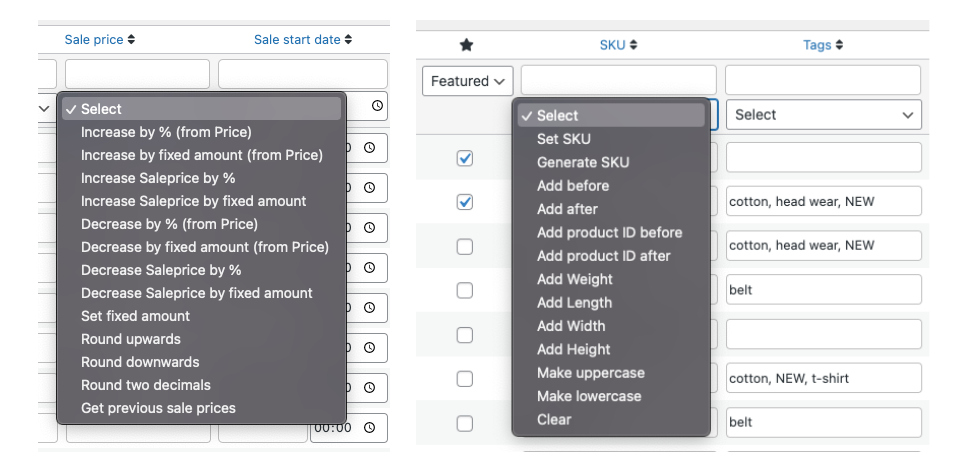
Easily adjust prices and stock levels using flexible bulk functions.
Perfect for campaigns, supplier price updates, and catalog-wide changes.
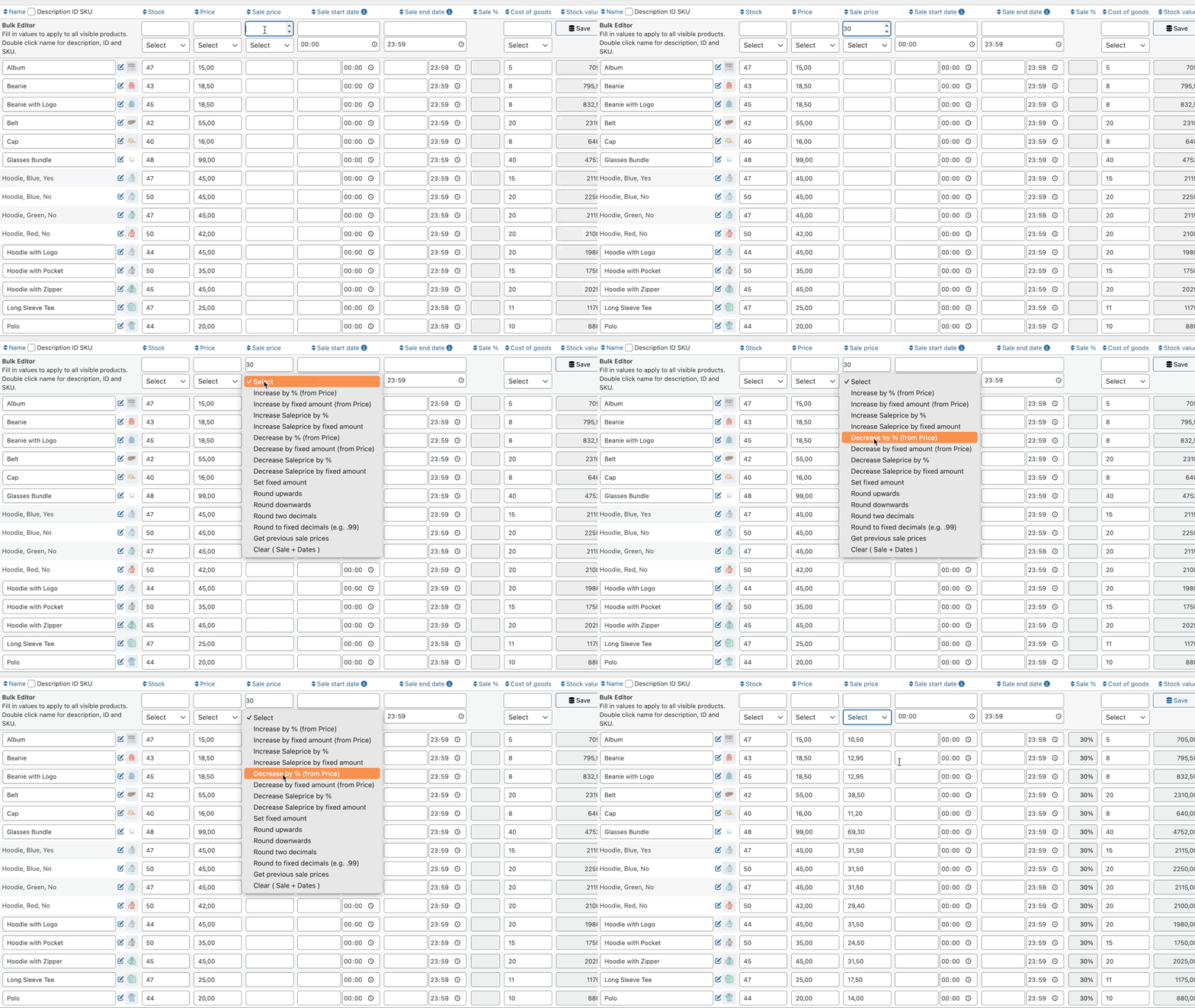
Plan, launch, and manage sales without manual product edits.
Sales management becomes fast, repeatable, and predictable.
Finding the right products is just as important as editing them.
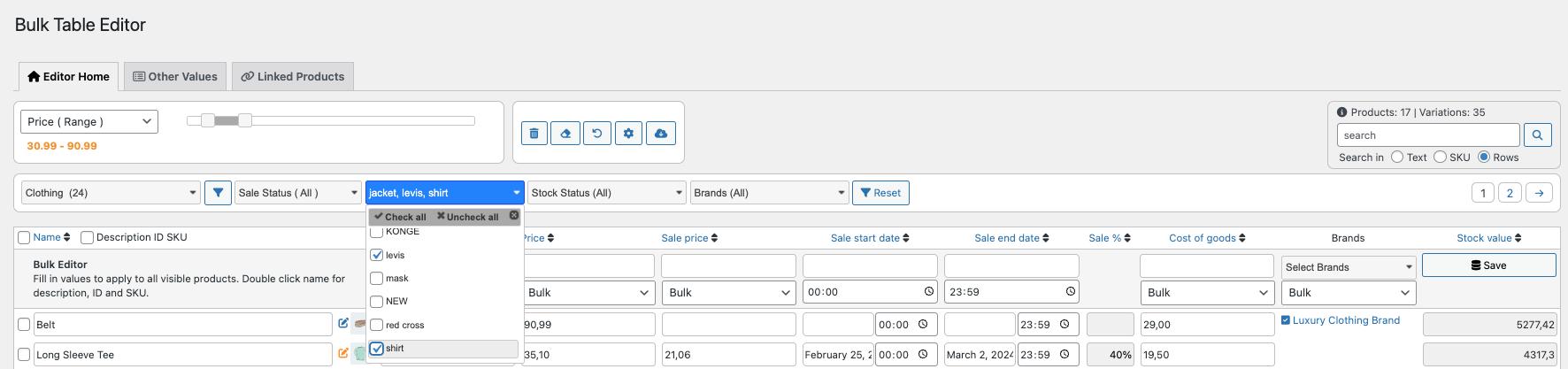
Bulk Table Editor includes robust filtering tools that help you target products precisely:
This makes managing even very large catalogs efficient and focused.
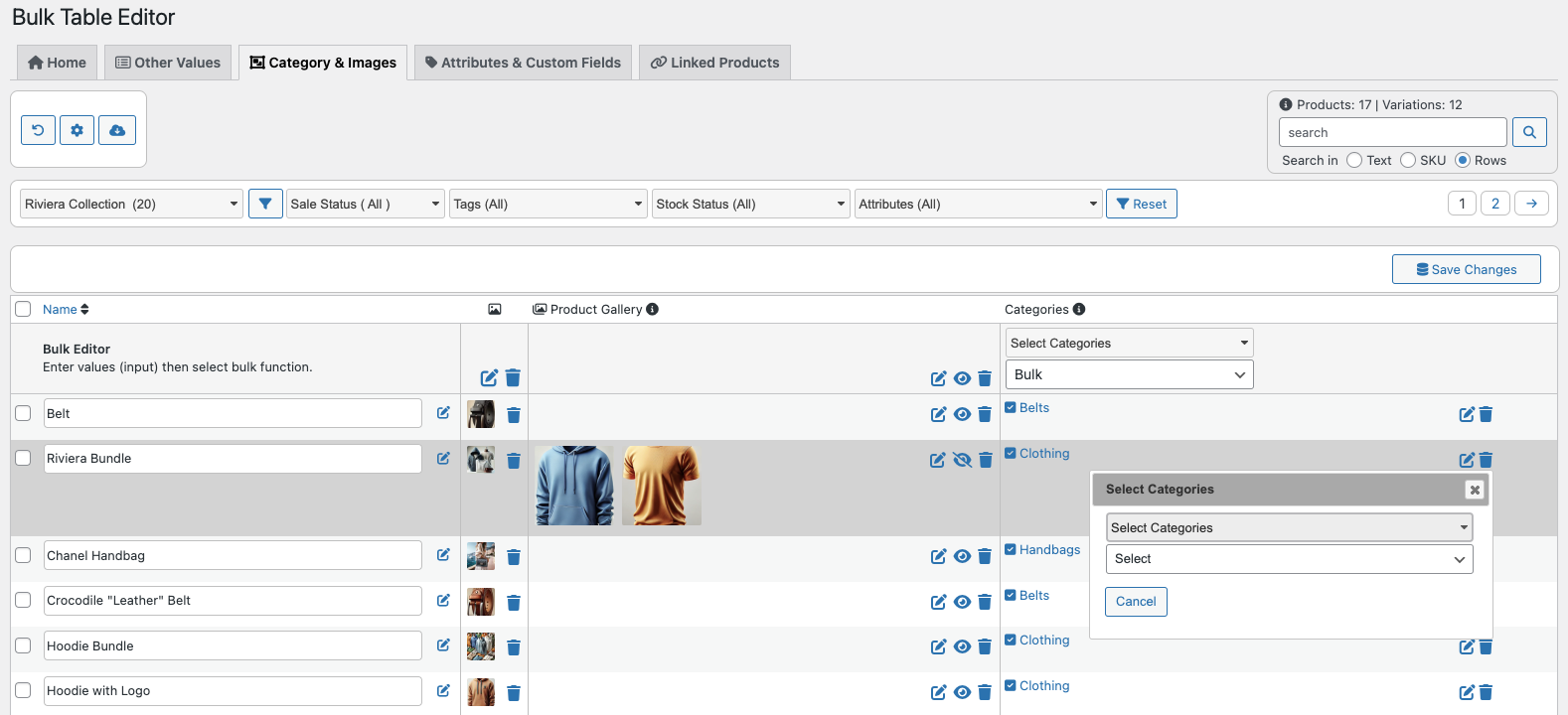
Organize your catalog visually and structurally from one place.
Ideal for stores that regularly update collections or seasonal assortments.
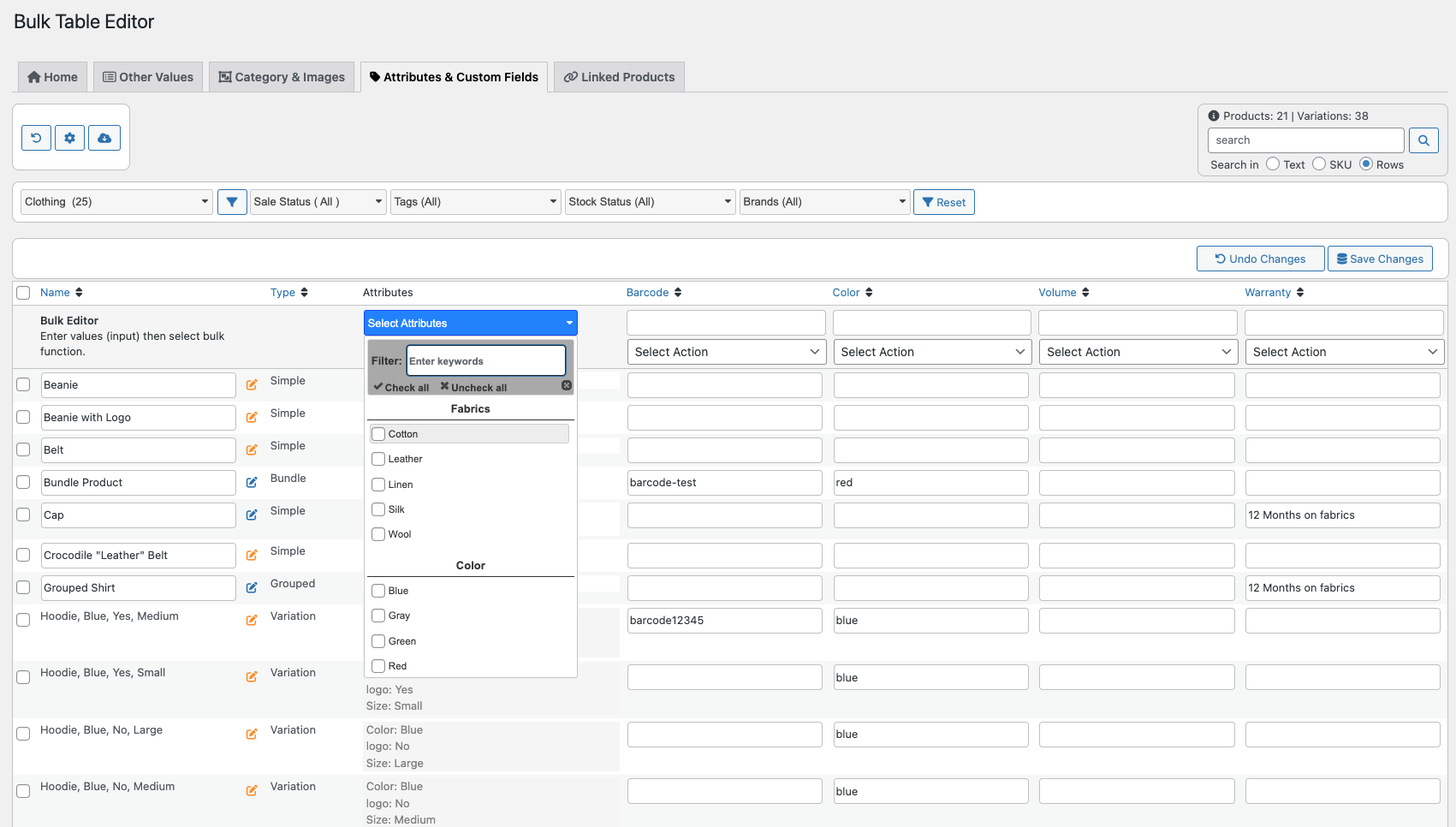
Bulk edit product attributes and selected custom fields directly from the table.
This helps you:
Especially useful for stores with complex product structures.
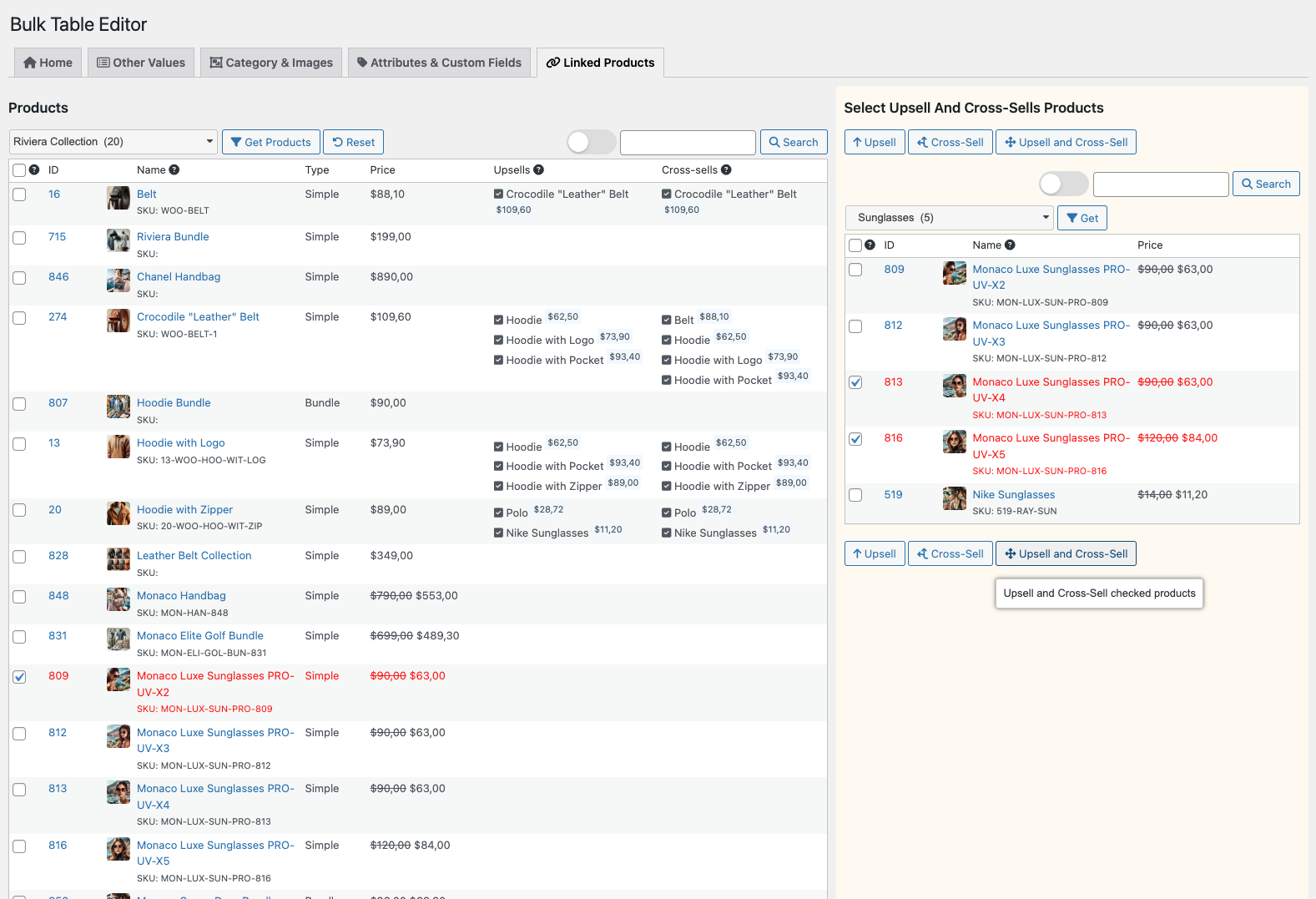
Create upsells and cross-sells without manual linking.
The Linked Products tab allows you to bulk assign:
This helps increase average order value while keeping product relationships consistent across your catalog.
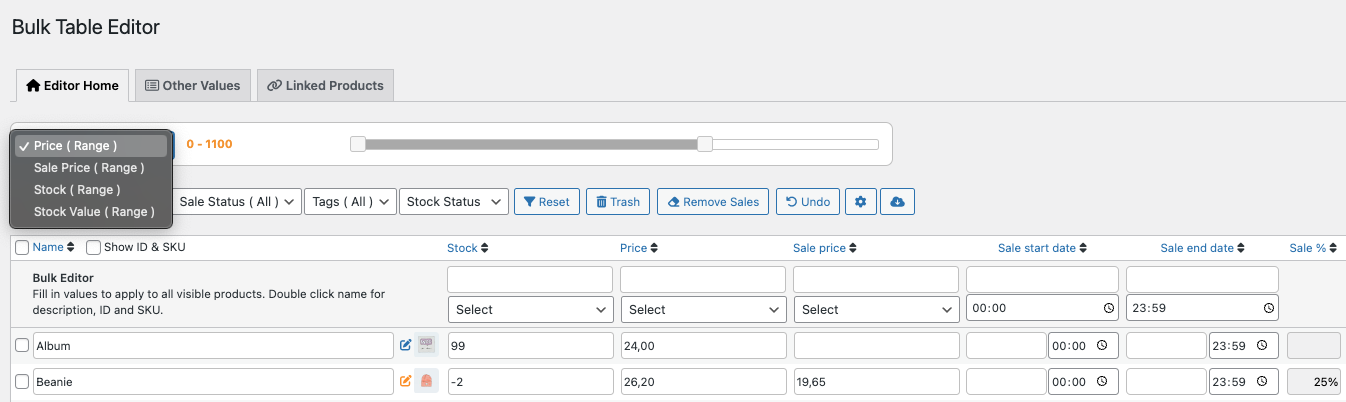
Use range filters to target products within specific values.
Examples:
Range filters make advanced bulk updates fast and precise.
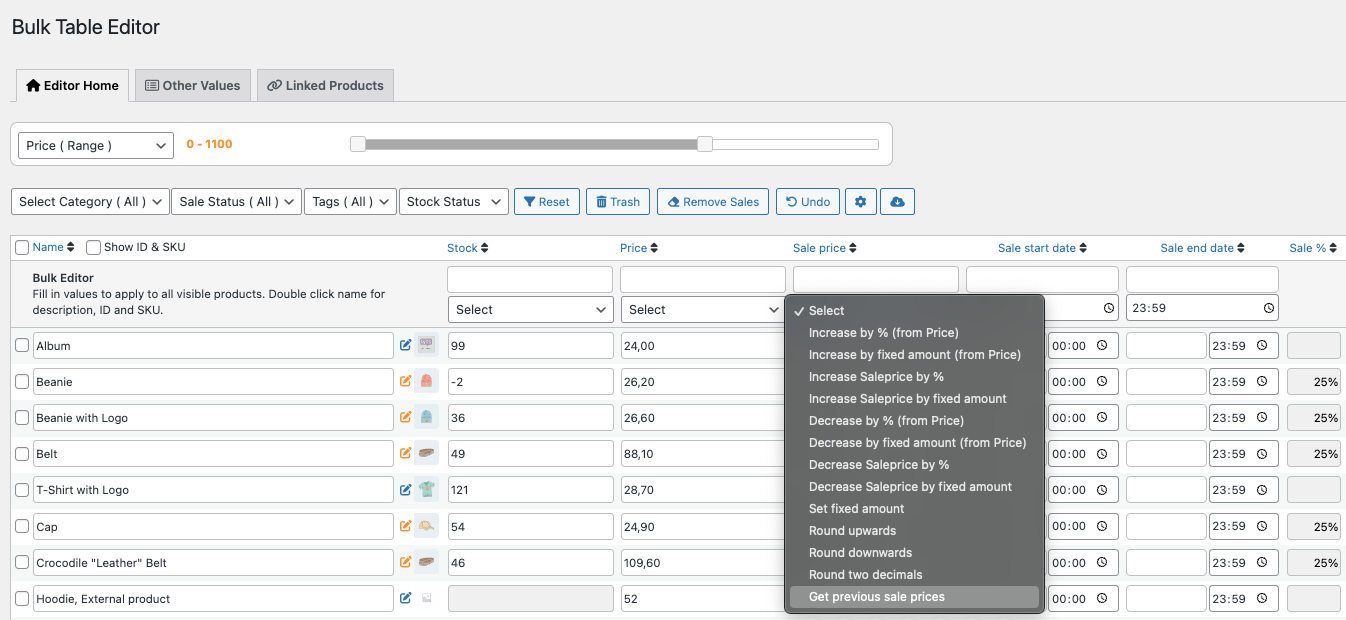
Bulk Table Editor remembers your previous sale prices.
This allows you to:
Perfect for seasonal sales and recurring promotions.
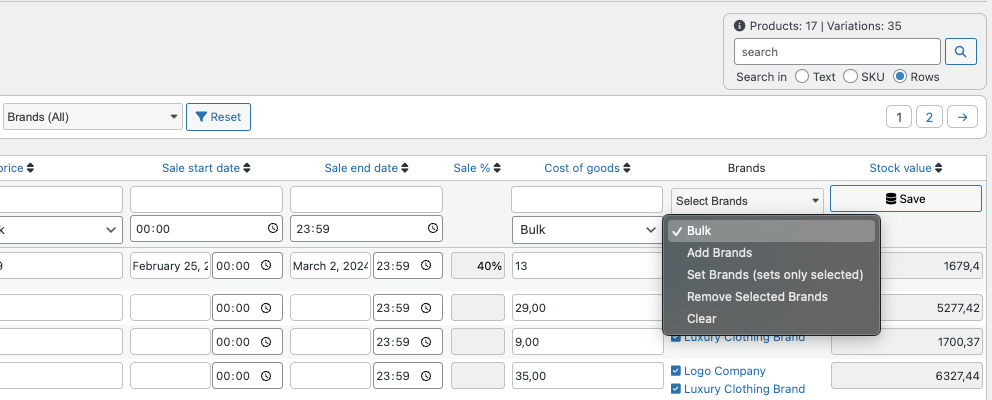
Manage brands efficiently in bulk.
Especially useful for multi-brand stores.
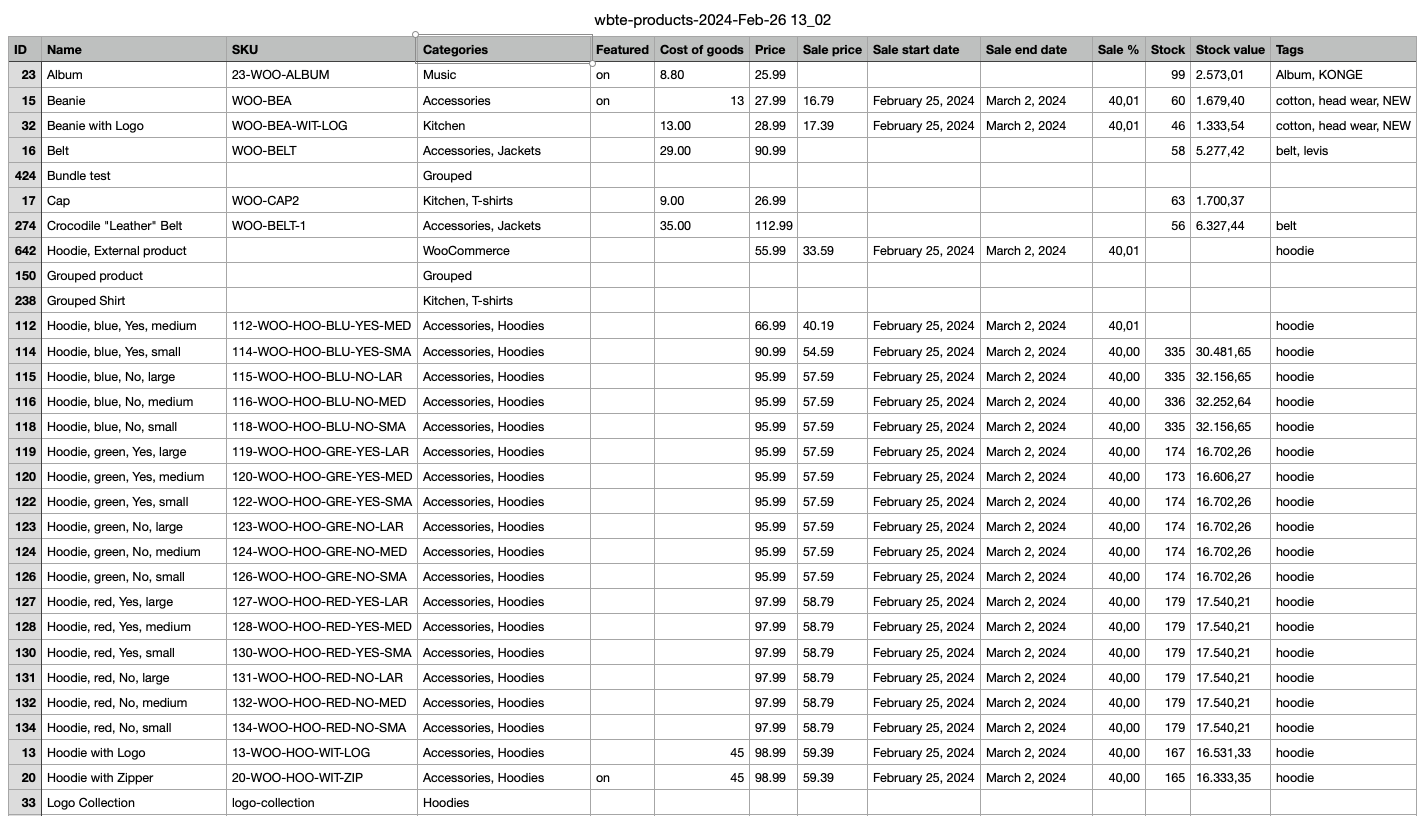
Export your product data to CSV in just a few clicks.
Use exports for:
Your data stays accessible and under your control.
Yes. Bulk Table Editor applies changes in a controlled and predictable way. Filters help ensure only the intended products are updated.
Yes. You can bulk edit both simple products and variations, including prices, stock, attributes, and linked products.
No. The interface is designed for store owners and managers — no coding required.
Bulk Table Editor is built for real-world WooCommerce store management, with advanced filtering, pricing tools, and catalog-level control — not just basic bulk edits.
Categories
Extension information
Quality Checks
Works with
Compatibility
Countries
Languages








