Subscription includes
Support
This extension is currently in an early access (beta) stage, which means we’re actively working to improve it based on your feedback. While we strive to provide a seamless experience, please note that some features may still be under development, and occasional bugs may occur. This extension is designed for single-currency stores only. Multi-currency functionality is not supported, which may result in inaccurate analytics for stores operating in multiple currencies. Your input is invaluable in helping us enhance the product, so please don’t hesitate to share your feedback or report any issues.
WooCommerce Analytics has advanced order attribution reporting that provides powerful insights into each order’s last-touch data, whether you’re just launching or have thousands of products in your catalog.
With WooCommerce Analytics, you’ll gain access to five comprehensive order attribution reports that check the last touch of the shopper’s journey and break down your orders by different attribution metrics:


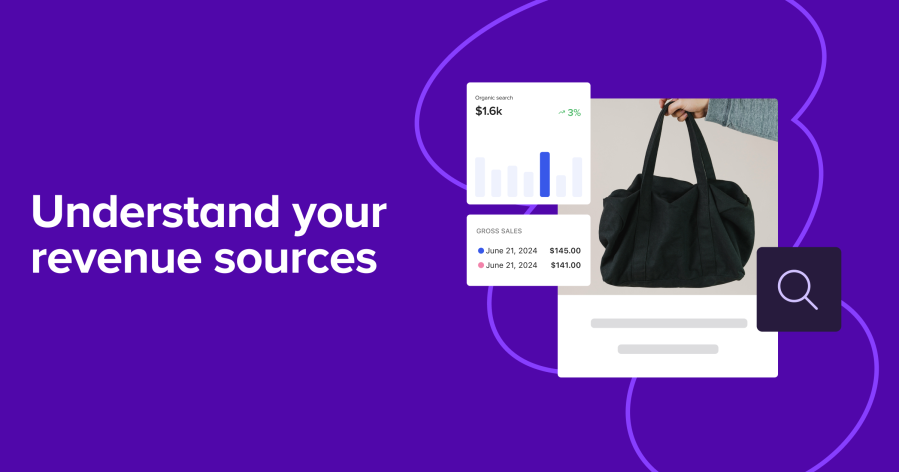
Get a quick overview of your top-performing channels, sources, devices, or campaigns and how they contribute to your gross sales. Use these insights to:

Filter and compare your store’s order attribution data across different channels, sources, devices, or campaigns, and dig into a range of metrics, including gross sales, net sales, refunds, number of orders, coupon usage, fees, shipping costs, new customers, repeat customers, and average order value. Discover what really drives sales for your store and find valuable opportunities for improvement.
Use custom time frames (e.g. promotional periods, holidays, or seasons) to analyze trends and patterns over specific periods.

WooCommerce Analytics is an order attribution reporting extension for WooCommerce. It adds a set of reports that show the last touch of each shopper's journey, so you can see which channels, sources, devices, and campaigns are driving your orders. It builds on the Order Attribution tracking already available in WooCommerce and turns that raw data into reports you can filter, compare, and act on.
WooCommerce Analytics adds five order attribution reports:
Orders by channel: see which channels (such as organic social, email, or referral) drive the most orders.
Orders by source: identify the specific sources within channels (such as Google, Facebook, or Instagram) contributing to sales.
Orders by device: track whether customers order on mobile, desktop, or tablet.
Orders by campaign: evaluate which marketing campaigns are driving sales.
Orders by channel and source: combine the two for a more detailed view, for example Paid Ads broken down by Google, Facebook, and Instagram.
Yes. That is the core job of WooCommerce Analytics. It attributes each order to the last channel, source, device, or campaign that brought the shopper to your store, so you can move from guessing to data-driven answers about what is working. This is useful when you want to know whether your sales are coming from organic search, paid ads, social, email, or referrals before you decide where to invest next.
It can help by showing which channels, sources, and campaigns are contributing the most orders and revenue. With that visibility you can allocate budget toward your best-performing segments, rethink underperforming ones, and measure campaign effectiveness against past periods. It gives you the data to make marketing decisions with more confidence, though results depend on the actions you take.
You can filter and compare a range of metrics, including gross sales, net sales, refunds, number of orders, coupon usage, fees, shipping costs, new customers, repeat customers, and average order value. This lets you look past raw order counts and understand which segments bring in the most valuable orders, not simply the most orders.
Yes. WooCommerce Analytics supports custom timeframes, so you can zero in on a promotional period, a holiday, or a full season and study trends and patterns over that specific window. This is helpful for comparing how a campaign or sale performed against a normal period.
Yes. You need Order Attribution tracking enabled in WooCommerce core first, since the reports build on that data. After that, you install the WooCommerce Analytics extension, connect your store, and sync your data. Reports will only include orders placed after Order Attribution tracking was enabled, so newly enabled stores build up their data over time rather than showing full history immediately.
Generating order attribution reports takes more processing than your store handles natively, so the data is synced to a separate system. This keeps your store fast, avoids slowing down the customer experience, and allows richer insights and report improvements without waiting on WooCommerce updates. Your existing order data stays in WooCommerce; the sync is about processing it for deeper reporting.
The data is updated continuously as new orders are processed, so your attribution reports reflect recent activity rather than a fixed snapshot. If you ever notice a gap, you can trigger a manual data sync from your store's WooCommerce status tools.
WooCommerce Analytics reports on a last-touch (last-click) attribution model, which gives full credit for an order to the last interaction before the shopper landed on your store. This is the model used by default across most marketing platforms, so the reporting lines up with how many other tools attribute conversions. If you need first-click or multi-touch attribution, this extension focuses on last touch.
WooCommerce already includes free Analytics and Sales Reports that cover areas like revenue, orders, products, categories, coupons, taxes, and customers. WooCommerce Analytics adds something those reports do not focus on: order attribution, meaning where your orders come from by channel, source, device, and campaign. If you want to understand your sales numbers, the built-in reports handle that. If you want to understand which marketing efforts are driving those sales, WooCommerce Analytics is the addition designed for that job.
It is a good fit for merchants who run marketing across multiple channels (paid ads, social, email, referrals, organic search) and want clear evidence of what is driving orders. It works whether you are just launching or managing a catalog with thousands of products, and it is especially useful for anyone deciding where to focus marketing budget and effort.
It may not suit stores that operate in multiple currencies, since multi-currency is not supported and can lead to inaccurate analytics. It is also currently in an early access (beta) stage, so some features are still being developed and occasional issues can occur. If you need first-click or multi-touch attribution rather than last touch, or you require multi-currency accuracy, this extension may not fully meet your needs yet.
No. WooCommerce Analytics is designed for single-currency stores. Multi-currency functionality is not supported and may result in inaccurate analytics for stores selling in multiple currencies, so it is best suited to stores operating in one currency for now.
The reports only include orders placed after Order Attribution tracking was enabled on your store. If the feature was turned on recently or was previously disabled, older orders will not appear. You can trigger a manual data sync from your store's WooCommerce status tools to pull in recent orders that are not yet showing.
WooCommerce Analytics is free to install, with no payment details required to get started. Your subscription includes free updates and free customer support, so you receive ongoing improvements and can reach the support team if you run into questions. Because the extension is in early access, updates are being released actively as the product develops.
Categories
Extension information
Quality Checks
Countries