

Active installs
800+
Subscription includes
Support
Auctions for WooCommerce is professional auction plugin that extends your WooCommerce store with a new custom product type: auction – you can have normal, reverse, silent, or proxy auctions. Auctions can be used in conjunction with the Product Vendors plugin to create an eBay-style website where users can auction off their own items.
Auctions for WooCommerce is customizable via templates and Elementor, and supports hooks, shortcodes, widgets, notifications, translations, and WPML. It also includes auction-specific features like anti-sniping, variable bid increments, live ajax bid refreshing, and live bid browser notifications, different types of sorting. Auctions for WooCommerce is a fast, secure, efficient auction plugin that is optimized for high traffic and can handle hundreds of concurrent bidders.

Please check screenshots below taken from actual Auctions for WooCommerce demo website:


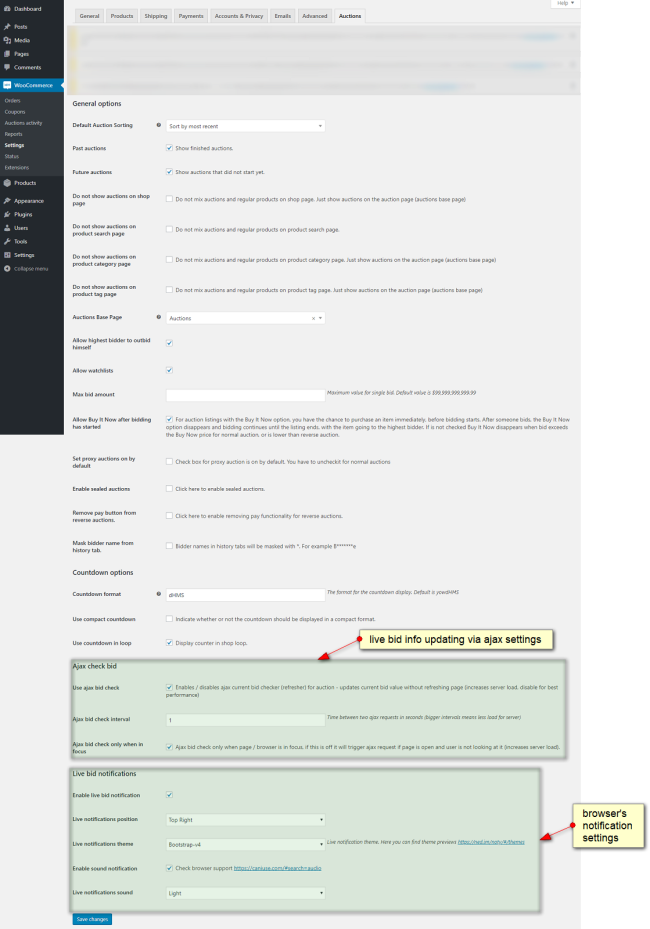
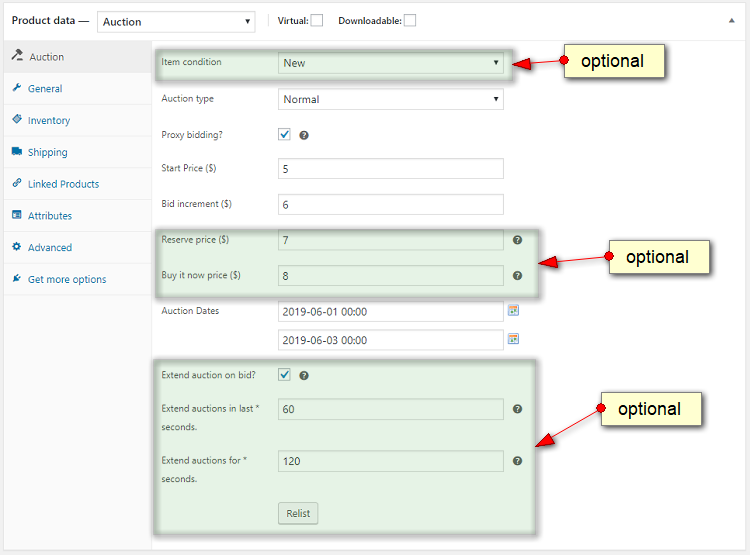
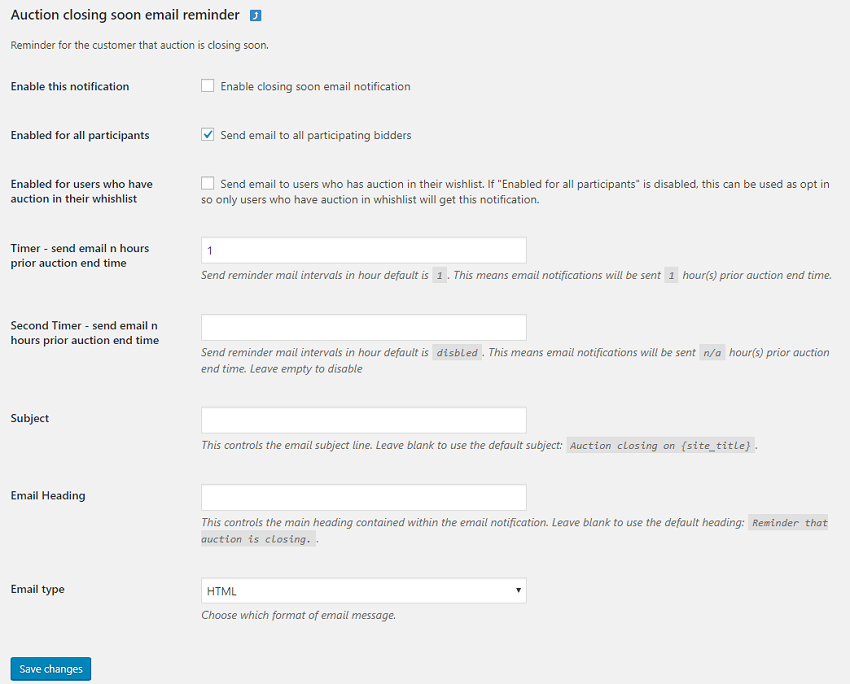
Take a look at the complete documentation to learn more about all these features and how to use them.
Yes, go to edit auction then check "Extend auction on bid" option and set "Extend auctions in last seconds" and "Extend auctions for seconds" values.
Those are auctions which require seat to be purchased in order to bid - bidders have to purchase seat in order to participate in auction. Auctions for WooCommerce support this feature. You define simple product called "Buy Seat" and check option "Seated auction?" on edit auction page. Then in dropdown you need to select simple product called "Buy Seat" which you defined earlier. Number of seats is defined by stock of simple product "Buy Seat".
Yes, you can use this code snippet for that.
Yes, go to item details, section Auction where auction log is and click on delete.
Yes, please check it here https://wpinstitut.com/auctions-for-woocommerce-documentation
Yes, check this tutorial - working code example is included.
Please check faq item no 24 here https://wpinstitut.com/auctions-for-woocommerce-documentation
Yes, this can be enabled in auction settings.
User has to be logged in because we don’t have reliable way to track its bid(s) otherwise. If you have real auction site at one moment user(s) will have to enter details for shipping, payment etc, it’s also a way to filter serious bidders and block fake accounts more easily.
There is option in auction settings for that called “Mask bidder name from history tab”.
You can delete that winning bid and next highest bidder will be winner and will see pay now button for auction. There is auto relist option that can relist auction: “Relist if not paid after n hours”.
Please check this sample code snippet.
If you use persistent like Redis / Memcache object cache you will need to add group to a list of non presistent groups in your wp-config.php, see line below:
define( 'WP_REDIS_IGNORED_GROUPS', ['afw'] );Categories
Extension information
Quality Checks
Countries
Requirements






