Role Based Tax enables you to customize tax policies for locations, assign unique tax rates to specific customer groups, and customize taxes, price displays, suffix, and more.
Why you need Role Based Tax
Set up tax rates based on roles: If you sell products to different customer types, such as retail or wholesale, you may need to adjust your tax rates based on the tax laws of a location.
Meet tax display requirements: The tax laws in some areas require you to display prices with or without taxes shown based on customer roles (retail, wholesale, etc.). Role Based Tax allows you to easily configure tax-display settings based on user roles.
Tax exemptions or special tax rates: You can assign tax exemptions or set reduced tax rates based on user roles with Role Based Tax.
Benefits of Role Based Tax for WooCommerce
|

Wholesale Tax Rates
|
- Apply special tax rates to wholesale and B2B customers.
- Set different rates for specific customer roles.
- Manage taxation according to your store’s pricing structure.
|

Tax Exemptions
|
- Exclude eligible customer roles from applicable taxes.
- Configure tax exemptions for selected customer groups.
- Simplify tax management for tax-exempt buyers.
|
Location-Based Taxes
|
- Configure tax rules based on customer locations.
- Use billing or shipping addresses for tax calculations.
- Manage location-specific taxation more effectively.
|

Product-Specific Taxes
|
- Assign different tax classes to products based on customer roles.
- Apply standard, reduced, or zero tax rates where applicable.
- Customize product taxation for different customer groups.
|
Detailed Feature of Role Based Tax for WooCommerce
1. Tax Rates by User Roles
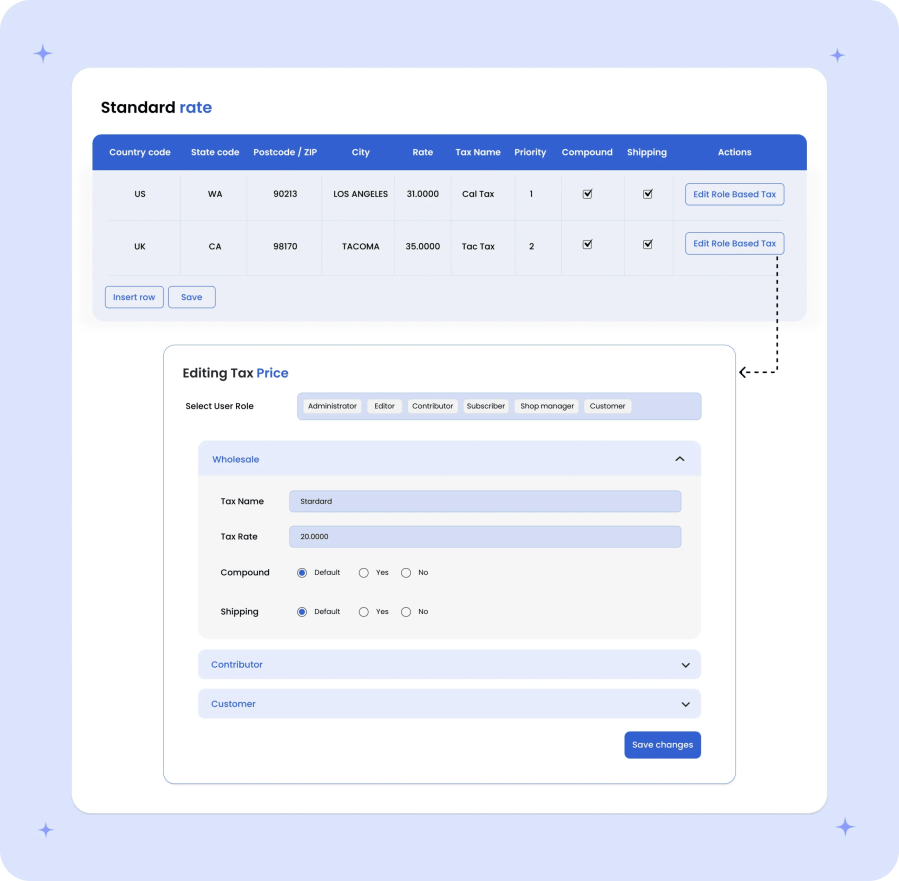
With Role Based Tax, you can adjust tax rates based on user roles, including standard, reduced, and tax-exempt. You can set custom tax rates for each role and schedule their start and end dates. Additionally, you can customize tax names, delete tax rates when needed, and choose whether taxes apply to shipping or are calculated as compound rates.
2. Tax Display Settings
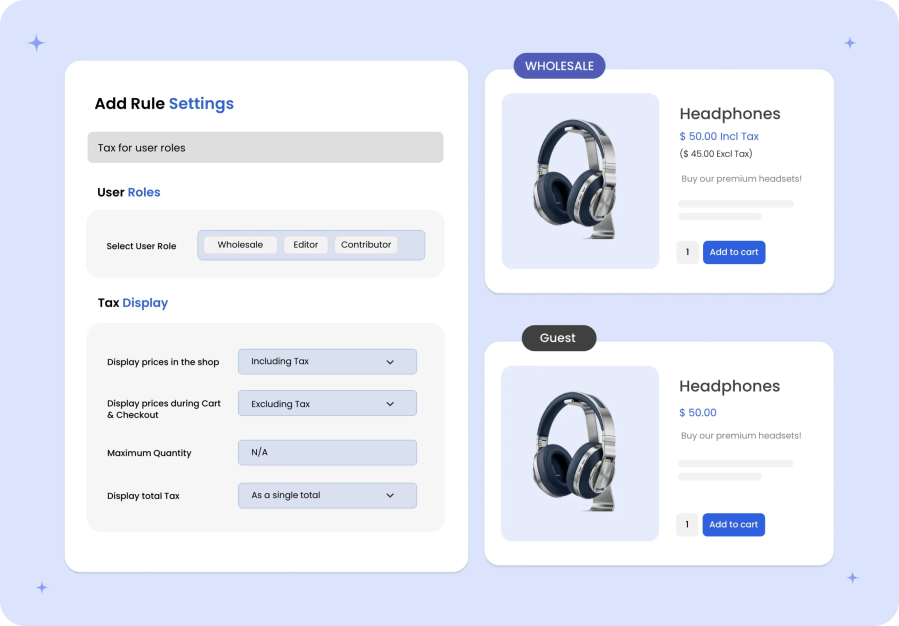
Along with tax rates, you can customize the following tax display settings based on user roles.
- Show prices inclusive or exclusive of taxes: Control how prices appear in your shop, Cart, and Checkout pages. You can tailor the visibility of prices based on user roles and schedule these settings by adding start and end dates.
- Customize price suffixes: Display personalized pricing information to your customers by adding different price suffixes for specific user roles.
- Customize tax information on the Cart page: Display taxes as a single summary total or per-item list on the Cart page.
3. Tax Display Settings
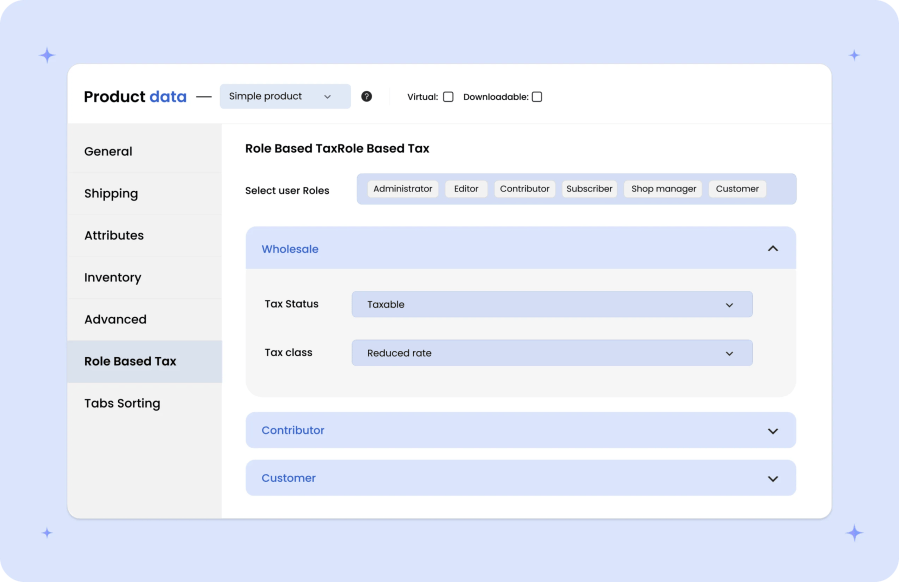
Using product-level settings, you can customize your product’s tax status and class based on user roles.
Tax statuses include:
- Taxable: applies regular taxes to the selected user role
- Shipping only: only applies tax on shipping costs for the selected user role
- None: excludes a product from taxes for the selected user role
You can select a tax rate after you mark a product as taxable. Tax rates include:
- Standard: Applies the standard tax rate for the location
- Reduced rate: Apply a reduced tax rate based on the selected user role
- Zero rate: Applies a 0% tax rate to the selected user role
More Features
- Set different tax rates for different user roles
- Show product prices in the shop with or without tax
- Set priorities for tax rates
- Schedule tax rates by adding start and end dates
- Delete tax rates whenever needed
- Enable role based tax for users of any specific country, state, or city
- Add price suffixes for better clarity
- Create multiple rules to control how prices and taxes are displayed for specific user roles
- Avail one of the two options to display prices during cart and checkout:
- Including tax
- Excluding tax
- Set rule priority for multiple price display settings
- Display multiple taxes:
- As a single total
- As an itemized list
- Delete or edit the incorrectly added tax rate
- Choose to calculate the tax rate based on:
- Customer shipping address
- Customer billing address
- Shop base address
- Show prices during cart & checkout inclusive or exclusive of taxes
- Select shipping tax class
- Standard
- Reduced Rate
- Zero Rate
- Shipping Tax Class based on cart items