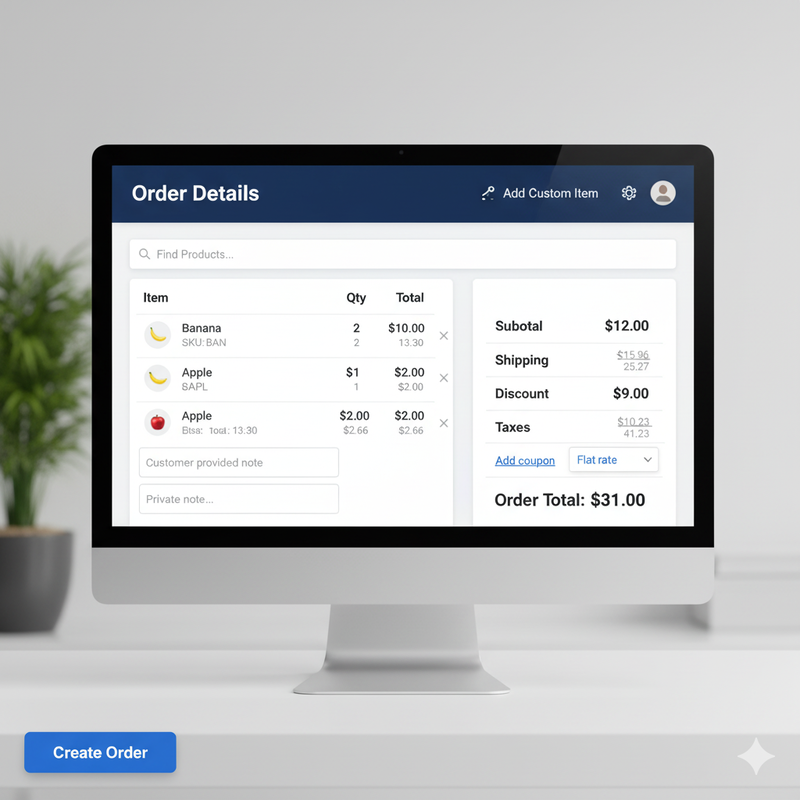
WooCommerce Manual & Phone Orders Plugin – Order Management Solution for Sales Teams & B2B
Take control of your WooCommerce store’s order management with the ultimate order management solution. Effortlessly create manual orders, phone orders, and B2B bulk orders from the back-end or a dedicated front-end interface — no coding required. This powerful WooCommerce order management plugin is perfect for sales teams, call centers, retail staff, and store administrators looking for a comprehensive order management solution.
Why Choose This WooCommerce Order Management Plugin?
Best WooCommerce Order Management Plugin – Trusted by thousands of stores worldwide for manual order creation and phone order processing.
- Increase Sales & Close Deals Faster – Place orders instantly during calls, meetings, or in-person visits with our WooCommerce phone order plugin.
- B2B & Wholesale Friendly – Apply negotiated pricing, volume discounts, and special offers seamlessly with our WooCommerce B2B order management solution.
- Centralized Order Management – Manage all manual, phone, and online orders in one place with this comprehensive WooCommerce order management plugin.
- Boost Team Productivity – Simplify order entry, reduce errors, and track activity efficiently with advanced order management features.
- Enhanced Customer Experience – Quickly place and customize orders on behalf of customers, improving service and trust with our manual order management system.
Powerful Features for WooCommerce Order Management
- Manual & Phone Order Creation: Create WooCommerce manual orders instantly from the dashboard or a secure front-end page. Perfect for phone orders, walk-in sales, and in-person transactions. This WooCommerce order management plugin makes order creation effortless.
- Smart Customer Search & Management: Live search by name, email, or partial billing/shipping address. Quickly retrieve previous orders, customer notes, or custom fields. Advanced order management features for efficient customer handling.
- Advanced Product & Variation Search: Add products and variations instantly, adjust quantities, and customize pricing. Fully compatible with bundled products, composite products, and subscription items. Perfect for WooCommerce create manual orders workflow.
- Flexible Pricing & Discounts: Apply special pricing, wholesale discounts, or negotiated deals per order. Tiered discounts and promo codes support for maximum flexibility in your order management system.
- Front-End Order Screen: Staff can place orders without back-end access. Fully mobile-friendly interface for tablets and smartphones. This front-end WooCommerce order form is perfect for call centers and retail teams.
- Clone, Resume, & Edit Orders: Duplicate existing orders or resume incomplete carts. Add custom fees, service charges, or metadata effortlessly with our WooCommerce order management tools.
- Google Maps Address Autocomplete: Reduce errors and save time entering billing and shipping addresses. Streamline your phone order management process.
- Advanced Logging & Reporting: Track staff activity, order history, and generate detailed reports. Comprehensive order management reporting for better insights.
- Role-Based Access Control: Restrict order creation and management to specific roles (Admins, Sales Reps, Shop Managers). Secure order management plugin with granular permissions.
- Seamless WooCommerce Integration: Works with all modern WooCommerce themes and popular extensions. Compatible with WooCommerce subscriptions, bookings, and membership plugins. This WooCommerce order management plugin integrates seamlessly.
Benefits of Using This WooCommerce Order Management Plugin
- Boost Conversion Rates – Quickly close phone and B2B orders with minimal friction using our WooCommerce phone order plugin.
- Streamline Sales Workflow – Centralize manual, phone, and bulk order management with this comprehensive WooCommerce order management solution.
- Increase Average Order Value – Apply dynamic pricing, discounts, and upsells with advanced order management features.
- Enhance Customer Satisfaction – Personalized order management for VIP clients with our manual order management system.
- Save Time & Reduce Errors – Fast order creation with smart search and autocomplete. This WooCommerce order management plugin saves hours of work.
Who Should Use This WooCommerce Order Management Plugin?
- Call Centers & Support Teams: Process phone orders instantly and professionally with our WooCommerce phone order management solution.
- B2B & Wholesale Teams: Place large, customized orders with special pricing using our WooCommerce B2B order plugin.
- Retail Staff & Store Managers: Manage walk-in orders from the front-end or dashboard with this WooCommerce sales team order plugin.
- Admins & Store Owners: Clone, edit, and track all manual orders efficiently with comprehensive WooCommerce order management tools.
Real-World Use Cases
- Call Centers: Process phone orders instantly with our WooCommerce phone order plugin – perfect for customer service teams.
- B2B Sales Teams: Manage wholesale orders with custom pricing and bulk discounts using our WooCommerce B2B order management solution.
- Retail Stores: Create walk-in orders using the mobile-friendly front-end interface with this WooCommerce manual order plugin.
- E-commerce Managers: Centralize all order management in one powerful WooCommerce order management plugin for streamlined operations.
Perfect For
- WooCommerce manual orders
- WooCommerce phone orders
- WooCommerce order management plugin
- WooCommerce create manual orders
- B2B WooCommerce orders
- WooCommerce phone order management
- Wholesale WooCommerce orders
- WooCommerce manual order plugin
- Bulk order management WooCommerce
- Front-end WooCommerce order form
- WooCommerce order management solution
- WooCommerce sales team order plugin
- WooCommerce call center order plugin
- WooCommerce back-end order creation
- WooCommerce manual order management
- WooCommerce B2B order plugin
- WooCommerce phone order plugin
- WooCommerce order management system
Final Thoughts
Empower your WooCommerce store with faster sales, smarter order management, and seamless B2B workflows. Whether you’re taking phone orders, managing wholesale clients, or helping walk-in customers, this WooCommerce order management plugin is designed to maximize revenue, reduce errors, and streamline your team’s workflow.
Get started today and transform your WooCommerce order process with the best order management solution!