

Product comparison
Subscription includes
Support
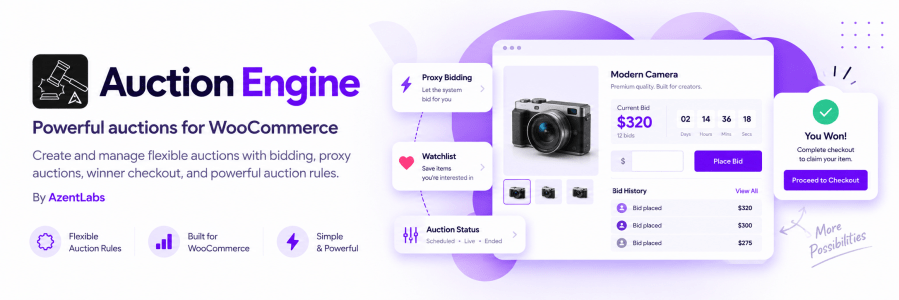
Auction Engine is a WooCommerce auction plugin for selling products through online bidding. Create auction products, choose the right bidding model, manage winners, and collect payment through the standard WooCommerce checkout.
Run normal, reverse, sealed, proxy, unique, or reverse unique auctions from the same WooCommerce store.
Auction Engine adds an `Auction` product type to WooCommerce. Configure the auction directly from the product editor, including schedule, pricing, bid increments, access requirements, fees, and payment rules.
Use one plugin for different auction workflows:
| Auction mode | Best for | Winner rule |
|---|---|---|
| Normal | Standard competitive selling | Highest valid bid wins |
| Reverse | Procurement and price competition | Lowest valid bid wins |
| Sealed | Private bidding | Highest valid bid wins after closing |
| Proxy | Automatic maximum bidding | Highest eligible maximum leads; winner pays the final public bid |
| Unique | One-of-a-kind price selection | Highest amount submitted exactly once wins |
| Reverse Unique | Lowest unique offer | Lowest amount submitted exactly once wins |
Control the details that shape every auction:
– Starting bid and optional reserve price.
– Fixed bid increments or a variable increment ladder.
– Buy Now price for immediate purchase.
– Optional estimate price and item condition.
– Late-bid extensions to reduce last-second bidding problems.
– Allowed customer roles and optional registration requirements.
– Product-level registration fees, bid-fee requirements, and buyer’s premium.
– Payment deadline and automatic relisting for failed auctions.
Customers can see the auction status, current bid, countdown, and bid history on the product page. The frontend uses AJAX polling to refresh auction information without requiring a full page reload.
Customers can also save auctions to a watchlist and review won, lost, and unpaid auctions from My Account > Auctions.
When an auction ends, Auction Engine resolves the winner and creates a WooCommerce payment flow. Winners can pay for one auction or use Pay All Won Auctions to pay for multiple unpaid auctions in one order.
Buy Now purchases also create WooCommerce orders and end further bidding for that auction. A buyer’s premium, when configured, is added as a WooCommerce fee item.
The WooCommerce > Auctions screen gives store managers a central view of auction products, statuses, current bids, leaders, reserve state, end times, and bid counts.
Administrators can filter auctions, search by product, use bulk actions, create a sample auction, export bid and fee logs, and review cron health.
Scheduled jobs can start and close auctions, resolve winners, send ending-soon and payment reminders, process payment expiry, and relist eligible failed auctions. WordPress cron or a server scheduler must be running for automatic lifecycle updates.
Auction Engine also provides WooCommerce email notifications for outbids, auction endings, winners, lost auctions, payments, registration, relisting, and cron alerts.
Auction Engine declares compatibility with High-Performance Order Storage (HPOS) and WooCommerce Cart and Checkout Blocks.
Yes. You can add an optional reserve price. For standard high-bid auctions, the winning amount must meet or exceed the reserve. For reverse auctions, the winning amount must be at or below the reserve.
Yes. Add a Buy Now price to an active auction. A logged-in customer can end further bidding and continue to WooCommerce checkout.
The customer enters a bid and a private maximum amount. Auction Engine automatically maintains the leading public bid up to that maximum. The winner pays the final public bid, not the private maximum.
Yes. Customers must be logged in to register, place bids, use the watchlist, use Buy Now, and pay for won auctions.
After the auction closes, the winner receives a payment link and can pay through a WooCommerce order. The My Account > Auctions page also provides a Pay Now link and Pay All Won Auctions option.
When payment expires, Auction Engine can promote the next eligible bidder if the second-highest fallback option is enabled. Otherwise, the auction can be marked as failed and relisted when automatic relisting is configured.
Yes, when the WordPress cron or a configured server scheduler is running. The plugin includes cron health information so administrators can check whether lifecycle jobs are completing.
Auction Engine declares compatibility with WooCommerce High-Performance Order Storage and Cart/Checkout Blocks. Test the plugin with the store's theme, payment gateways, and checkout configuration before launching production auctions.
No. The current release is designed for single-store WooCommerce auctions. It does not include vendor dashboards or multi-vendor marketplace management.
Extension information
Quality Checks
Countries







