Research indicates that offering discount-based incentives can be a powerful motivator to significantly increase the likelihood of converting potential customers into actual buyers. The Buy More Save More extension enables you to offer quantity-based discounts to customers that help you boost your average order value and increase overall store revenues.
Buy More, Save More is not an ordinary discount extension. What makes it different is its clean and minimalistic UI and multiple templates and customization options that any store owner can customize according to their store’s theme or personal preferences.
You can offer tiered pricing discounts based on products and categories. Discounts can be applied to regular, sale, and custom prices. Additionally, wholesale pricing discounts can be offered on a fixed amount or percentage. These discounts can be restricted by user roles as well.
Offer Visually Appealing Discounts This Holiday Season in 3 Simple Steps
Maximize holiday revenue and increase your average order value with the Buy More Save More extension. Easily set up eye-catching bulk and bundle discounts in just three steps to encourage larger cart sizes.

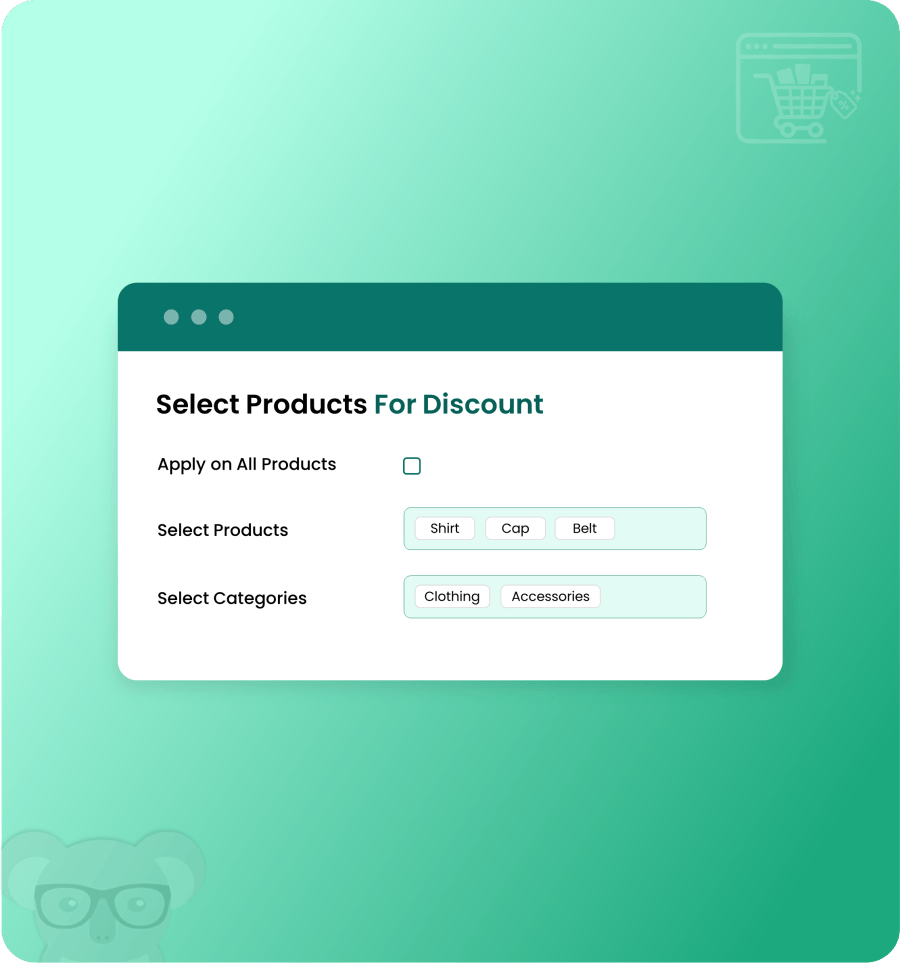
Step 1: Choose Products for Maximum Impact
Choose the specific items, entire categories, or specific products you want to include in your holiday promotion. Target the exact inventory you want to move quickly or push for higher volume.
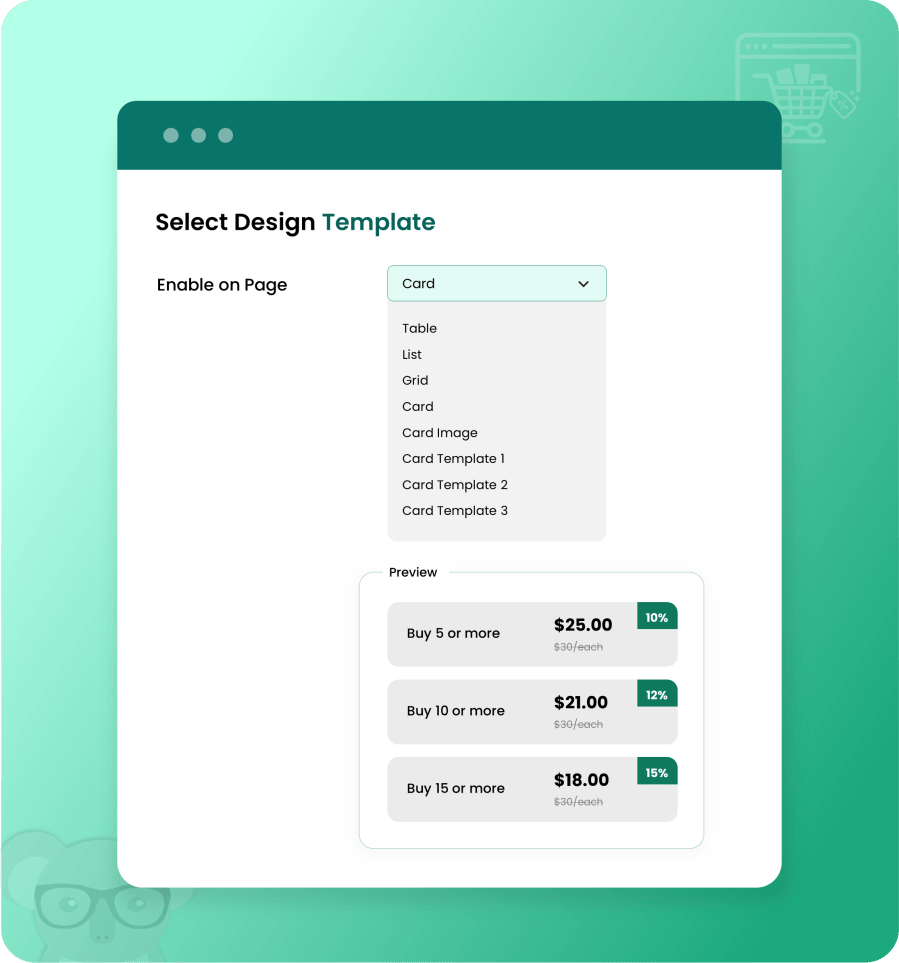
Step 2: Pick an Eye-Catching Layout
Capture your customers’ attention immediately with visually striking discount displays. Select a responsive design template that clearly highlights the potential savings, reducing hesitation and driving higher conversion rates on your product pages.
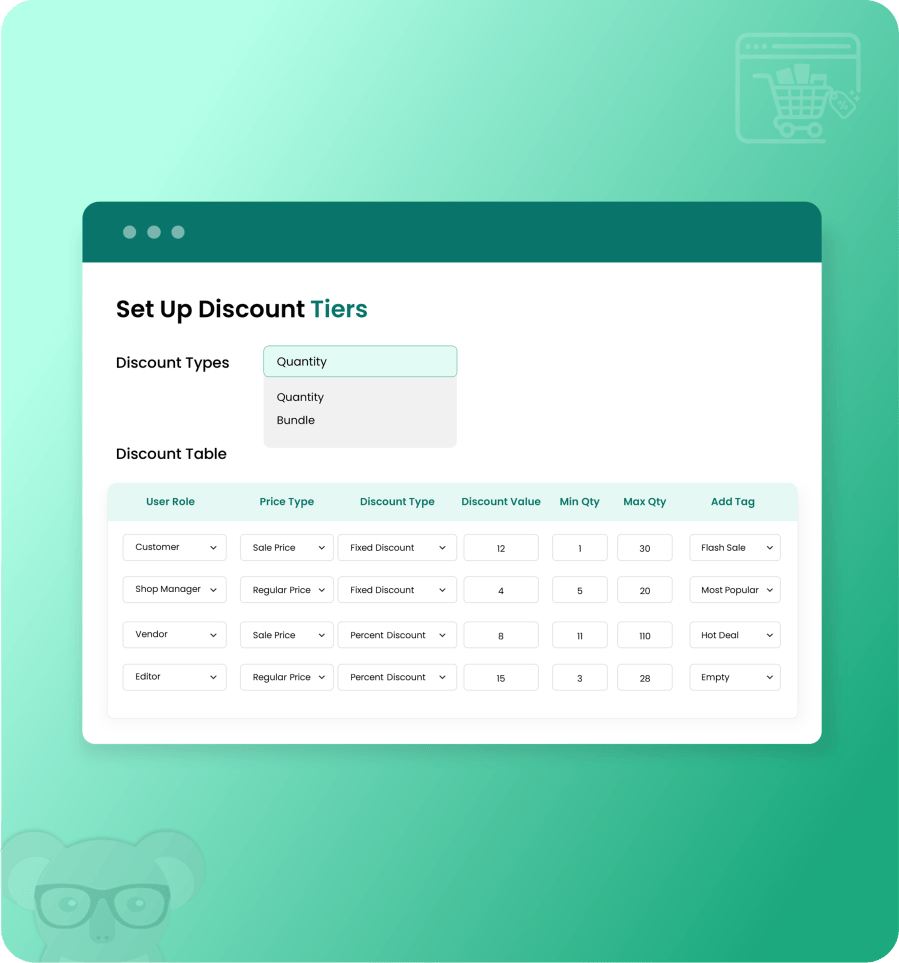
Step 3: Configure Flexible Discount Rules
Maximize your average order value by building enticing, custom discount structures. Whether you want to drive specific bundle sales using fixed quantities (Buy 3, get 10% off) or push for higher volume with tiered pricing ranges (Buy 1-10, get 10% off), you have total control over the incentives.
Features:
- Offer discounts in a visually appealing way to your customers
- Offer discounts in bundles or quantity ranges (New)
- Create global rules: bulk apply to multiple products & categories
- Create discount conditions at the product level
- Offer discounts in fixed or percentage values
- Offer tiered pricing by setting minimum and maximum quantity ranges for discount
- Offer a discount on:
- Sale prices
- Regular prices
- Custom prices
- Offer discounts on custom pricing, which operates separately from regular and sale prices.
- Apply different discounts for different user roles
- Multiple discount preview templates to choose from
- List
- Table
- Grid
- Card
- Card image
- Card template 1 (New)
- Card template 2 (New)
- Card template 3 (New)
- Automatically selects quantity upon clicking discount tile (New)
- Add progress bar to product and cart pages that show the percentage of discount availed (New)
- Add customizable discount tags, i.e., Most Popular, Hot Deal, etc. (New)
- Customize every template by:
- Changing template marketing text
- Changing template marketing label
- Changing the sale price color
- Changing background color
- Changing the active tile’s border-color
- Changing text size
- Changing text color
Most Powerful Discount Extension – Now Even Better
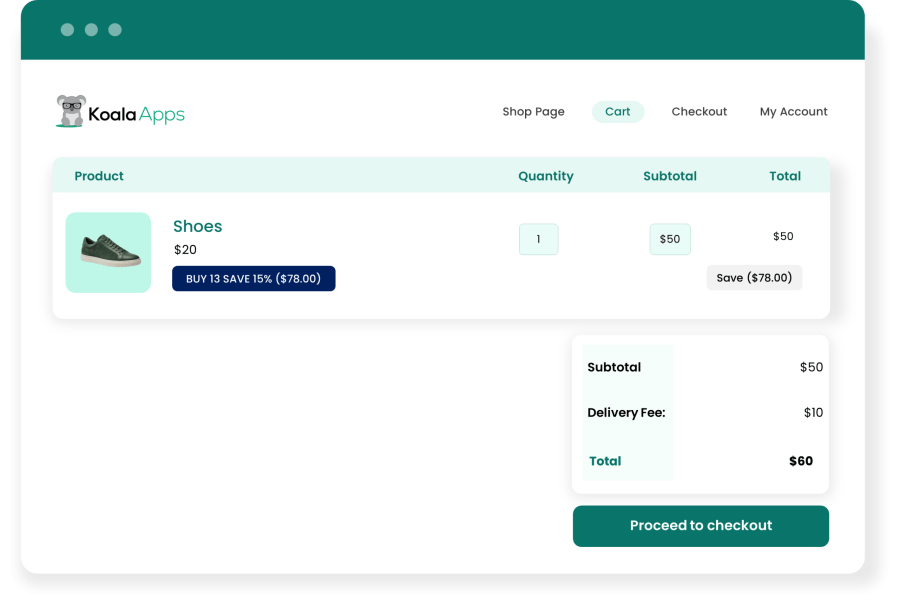
Show Discounts Directly on the Cart Page (New)
Ensure customers see their exact savings before they check out. Automatically calculate and display the applied bulk or bundle discounts right on the cart page to provide complete transparency and reduce cart abandonment.
Better User Experience = More conversions
In the e-commerce industry, promotional campaigns often fail to achieve their intended goals. While there can be many factors contributing to such failures, one of the most common reasons is failing to present your campaign in a more presentable way. The Buy More Save More extension can prevent this from happening with its clean and minimalist design, which is developed with users’ convenience and experience in mind.

Increases Your Conversion Rate Now by Offering Your Customers Bulk Purchase Discounts in Attractive Discount Designs
Create global discount rules
This extension allows you to create multiple tiered pricing rules. With these rules, you can bulk-apply discounts on multiple products and categories at once. It also enables you to restrict the discount offering by user roles, price types, and order quantity.

Add discounts on product level
While the rules can be used for applying discounts on multiple products and categories at once, the product level application allows you to apply on only the desired product. Product-level discounts can also be restricted the discount offering by user roles, price types, and order quantity. Additionally, you can offer discounts on custom(compare) prices, which operate separately from regular and sales prices.

Restrict discounts by user roles
The Buy More, Save More extension enables store owners to offer discounts to only a selected few user roles. This allows you to create a more targeted and controlled campaign, which ensures the highest margins possible. Similarly, you can also implement role-based pricing & discounts using this extension.

Apply discount on sale, regular or custom price
This extension allows you to offer discounts on regular, sale, and custom prices. You can set the custom price on the product level, which ensures that regular and sales prices are not affected when offering discounts.

Customize the look and feel of discount templates
Discount templates are what make this extension unique. We made sure that you have full control over how the templates appear on your website, you get all the customization options to ensure that the look and feel of these templates are matched to your website appropriately.