

Product comparison
Subscription includes
Support
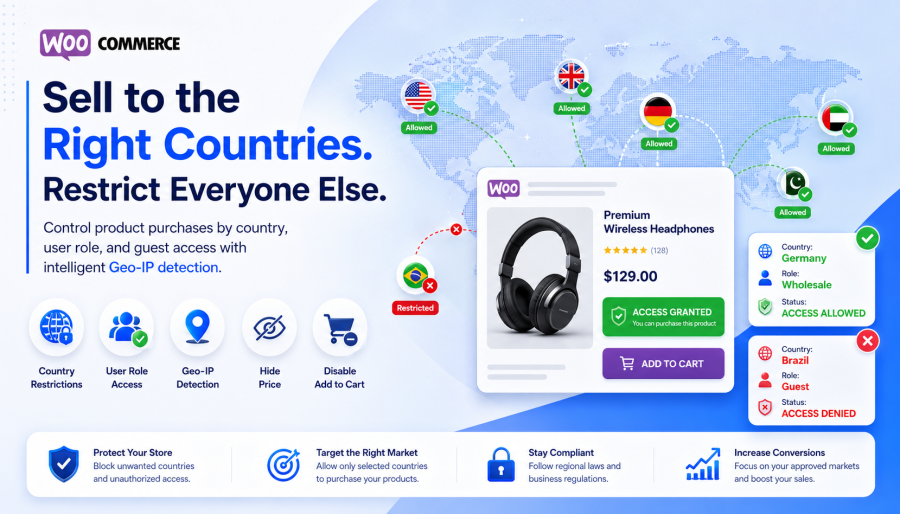
Country-Based Product Restriction for WooCommerce gives store owners full control over who can purchase a product, using a simple combination of country and user role rules. Admins choose which countries a product is available in and which user roles are allowed to buy there — so only the right customer, in the right place, with the right account type, can complete an order.
The plugin detects each visitor’s country automatically via IP and enforces your rules instantly: hiding the price and disabling Add to Cart the moment conditions aren’t met. And instead of simply turning restricted visitors away, you can choose to show them a custom message, suggest an alternative product, or let them send you a quick message — so a blocked sale becomes a follow-up opportunity instead of a dead end.
Built for B2B stores, wholesale sellers, regional distributors, and any store that needs to legally or commercially control where a product can be sold.
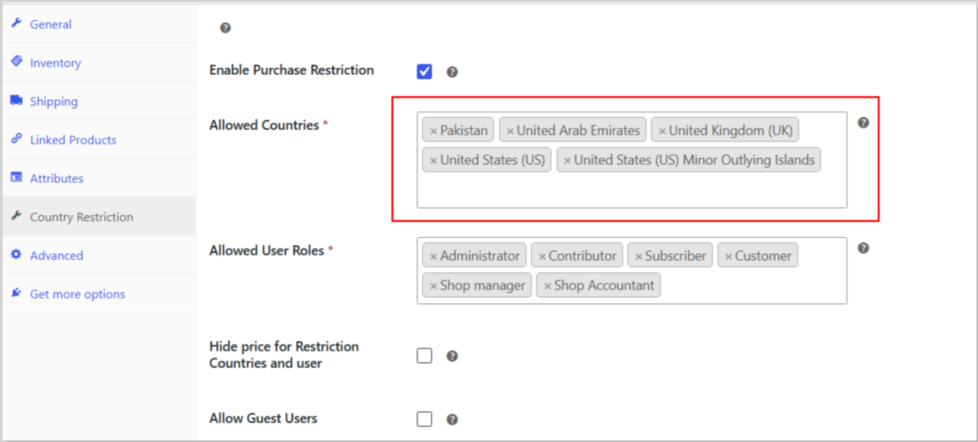
Country Selection Control
Choose one or more countries where a product is available. Visitors outside those countries can’t purchase it — blocked automatically, no manual review needed.
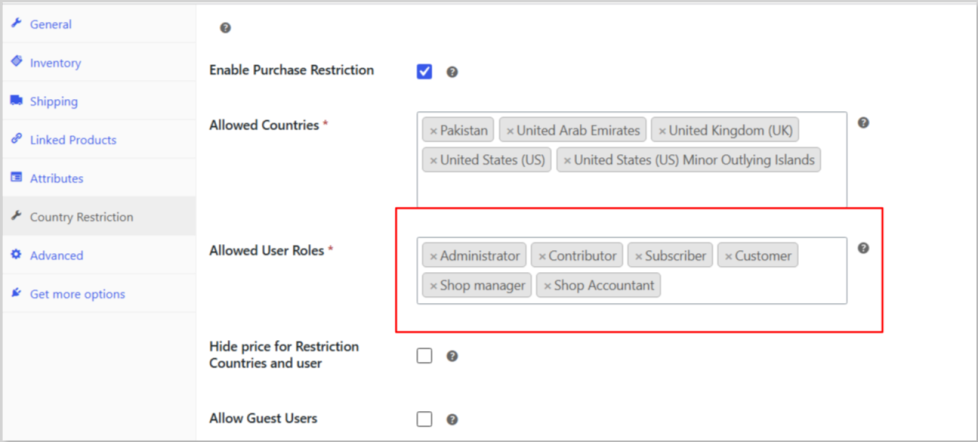
Role Assignment Per Product
Decide which user roles are allowed to buy — wholesaler, distributor, verified customer, or any custom role your store uses. This goes beyond simple geo-blocking to give you real account-level control.
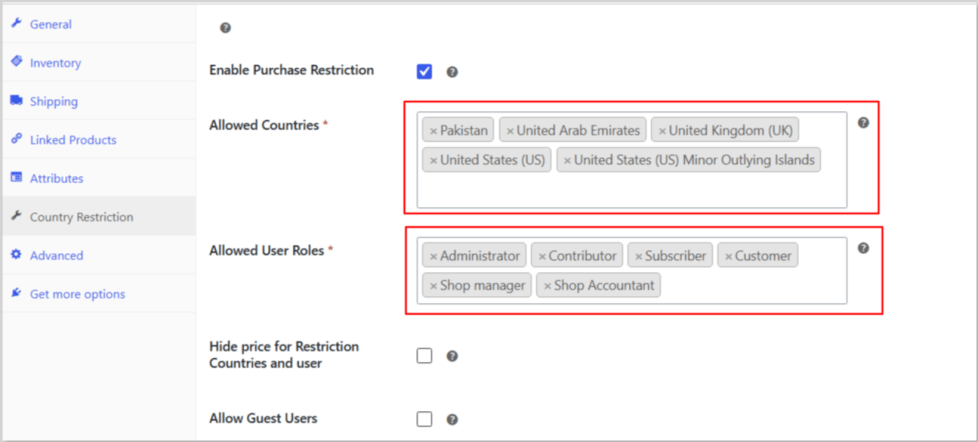
Country + Role Matching
A purchase only goes through when both conditions are met: the visitor’s country is allowed, and their role is allowed. Country matches but role doesn’t → blocked. Role matches but country doesn’t → blocked. No loopholes.
Guest User Control
Choose whether guests (not logged in) can purchase from allowed countries. Perfect for B2B stores that require account registration before anyone can buy.
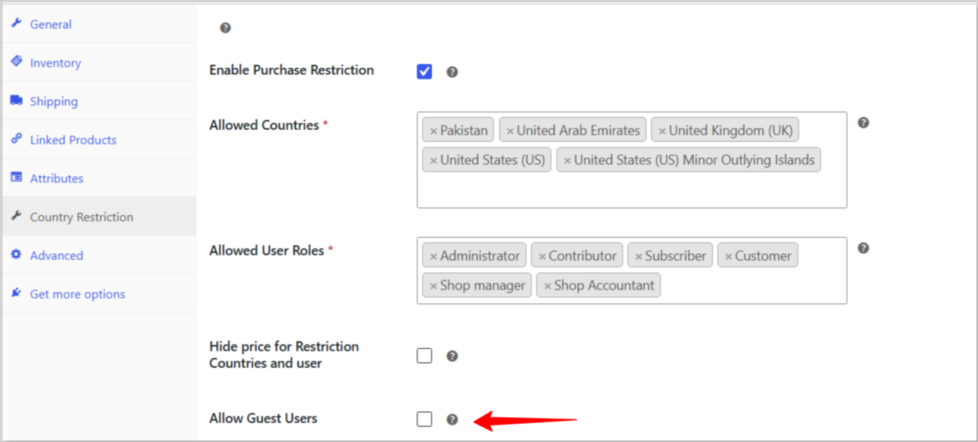
Hide Price & Disable Add to Cart
Restricted visitors won’t see the price or the Add to Cart button — a clean, professional experience with no confusing “blocked at checkout” surprises. Works reliably on both classic and block-based themes.
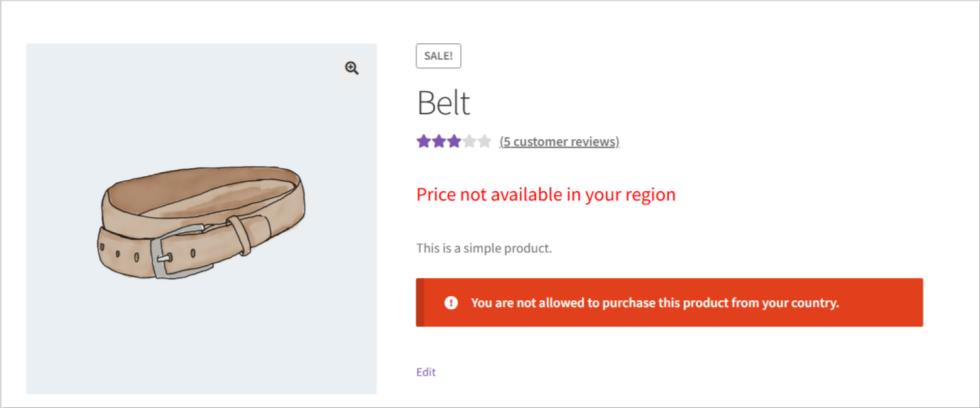
Custom Message & Alternative Product Suggestions
Instead of a dead end, tell restricted visitors why the product isn’t available to them (with your own custom wording), and point them toward a product they can buy — keeping them shopping instead of leaving.
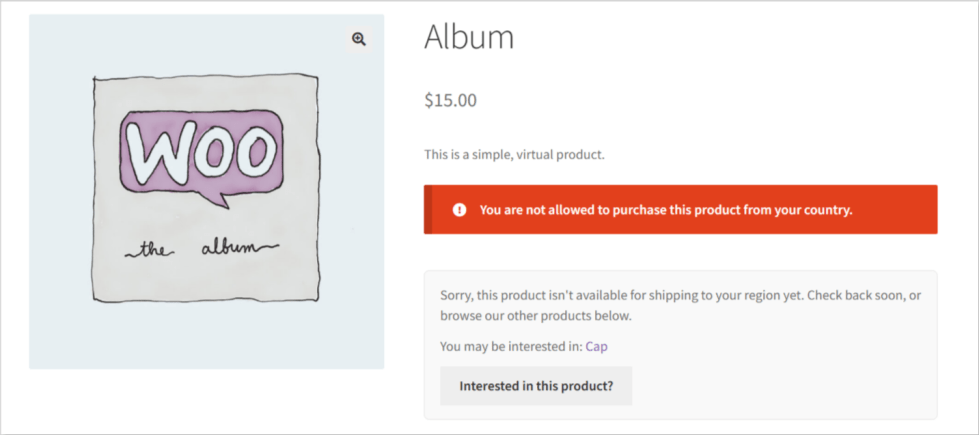
Show or Hide — Your Choice
For every restricted product, choose whether visitors see the product page with a restriction message, or the product disappears entirely — no listing on the shop page, in search results, or in related products.
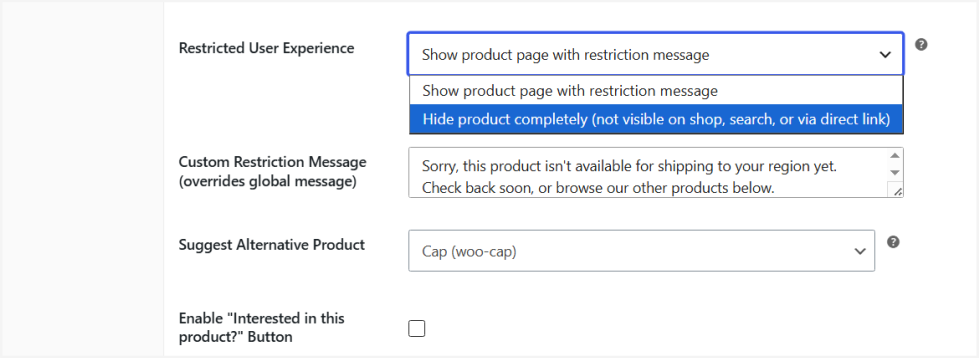
Turn Blocked Visitors Into Leads
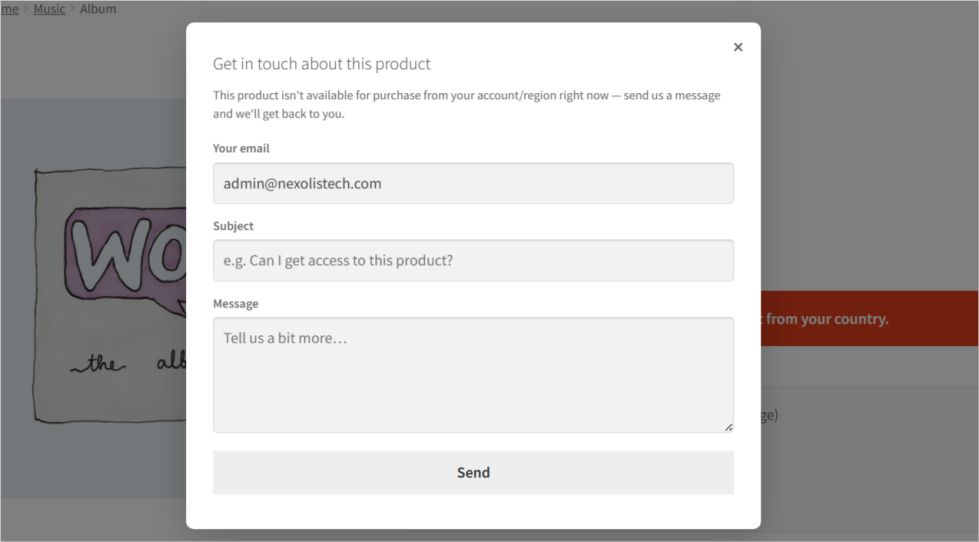
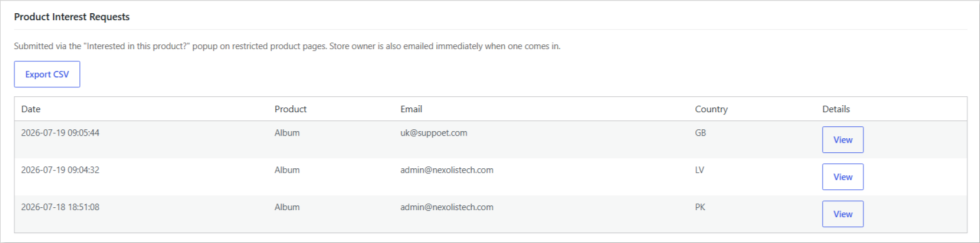
Restricted visitors can send you a quick message — you’re emailed instantly, and every request is saved to your dashboard so nothing gets missed.
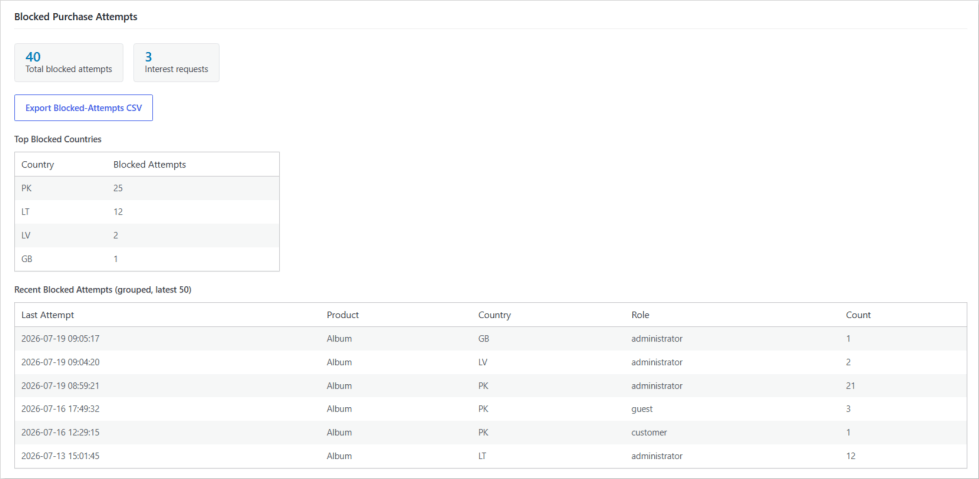
Built-In Restriction Analytics
See exactly which products, countries, and roles are triggering the most blocks, with a running count for repeat visitors — so you know where demand is coming from before you decide to expand.
Automatic Country Detection
The plugin detects each visitor’s real-time location via IP geolocation and applies your rules on every page visit — no extra setup, no third-party API keys.
Comparison Table
Strict AND logic — both country and role must match. No workarounds, no loopholes.
| Country | User Role | Result |
|---|---|---|
| Allowed | Allowed role | Can Purchase |
| Allowed | Wrong role | Blocked |
| Not allowed | Allowed role | Blocked |
| Not allowed | Wrong role | Blocked |
| Allowed | Guest (ON) | Can Purchase |
| Allowed | Guest (OFF) | Blocked |
Built for real-world selling scenarios
The plugin detects the visitor's country via IP geolocation and checks it against the countries you've allowed for that product. If their country isn't on the list, they can't purchase it.
Yes. For each product, you choose which countries and which user roles are allowed. A visitor must match both to complete a purchase.
They're blocked. Country and role both have to match — there's no partial access.
Only if you enable guest access for that product. When enabled, guests can buy from allowed countries; when disabled, they're blocked regardless of location.
Yes — you can hide the price and disable Add to Cart so restricted visitors never see pricing they're not allowed to purchase at.
Yes. Per product, choose to either show the product page with a restriction message, or hide the product entirely — it won't appear on the shop page, in search, or in related products.
Yes — you can enable a simple "Interested in this product?" popup. Visitors send you their email and a short message; you're notified by email right away, and every message is saved so you can follow up.
It's enforced server-side. Even if someone tries to bypass the button via a direct link or browser tools, the purchase itself is blocked at checkout.
Yes — the built-in analytics dashboard shows blocked-attempt counts by product, country, and role, plus a CSV export for deeper analysis.
Extension information
Quality Checks
Countries







