

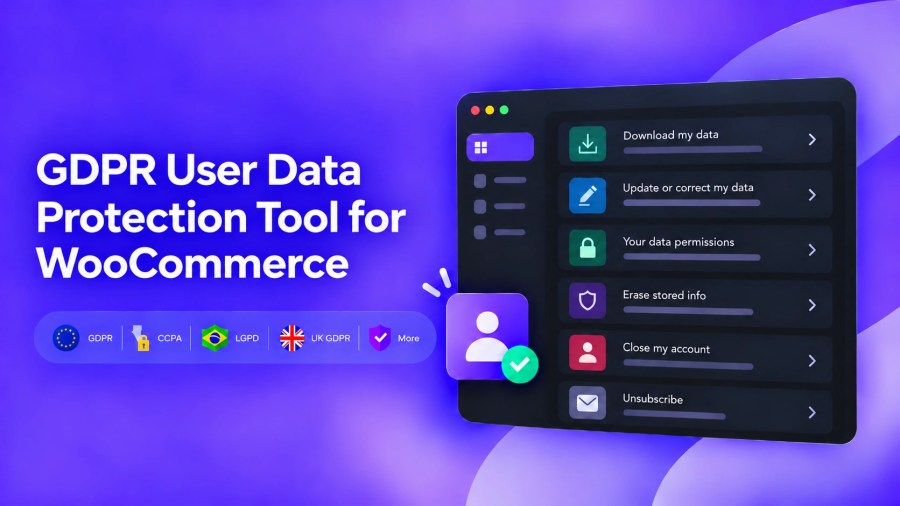
Subscription includes
Support
Give customers a clear place to manage privacy choices and submit personal data requests from WooCommerce My Account. Manage permissions, requests, and customer communication from a dedicated admin area, keeping privacy work under your control and separate from day-to-day store operations.
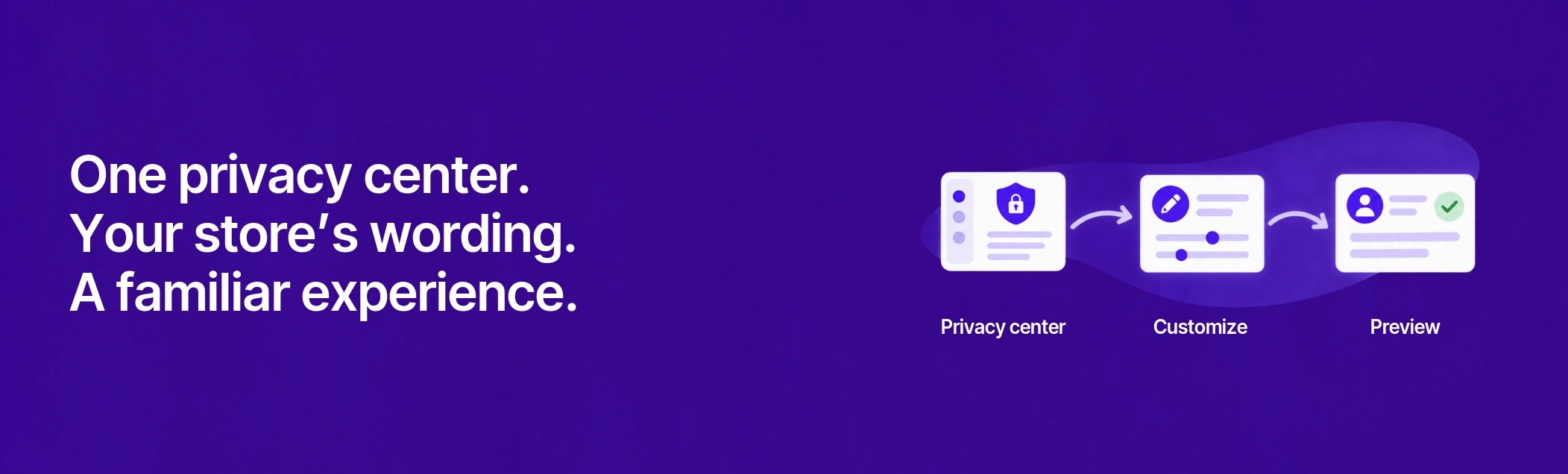
Give customers one familiar place to manage their personal information. Customize the privacy area, arrange its sections, and preview the experience before saving your changes.
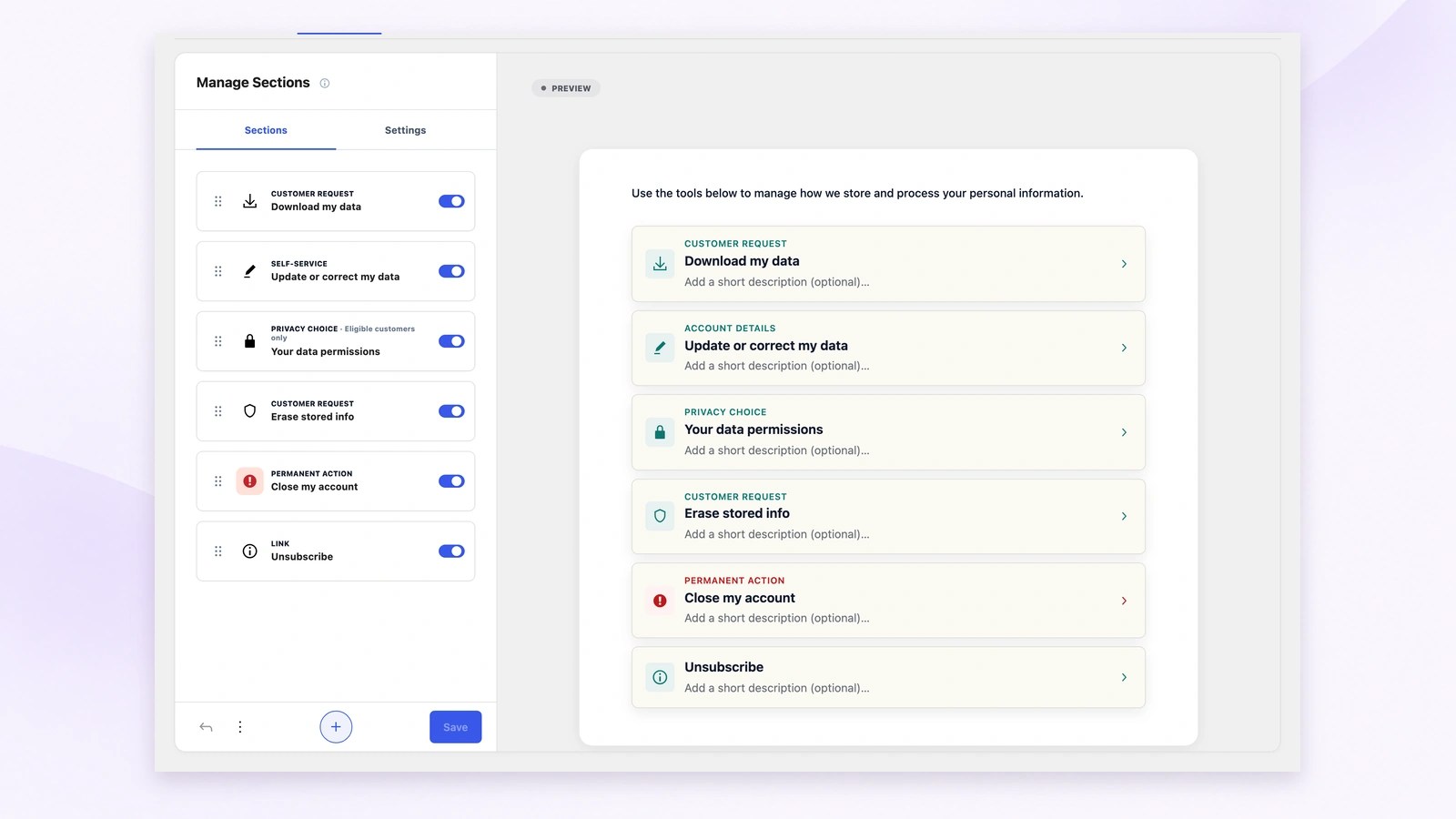
Choose which privacy sections customers can see and drag them into the order that suits your store. Manage Sections and the customer preview stay together, so you can check the whole privacy home before saving your changes.
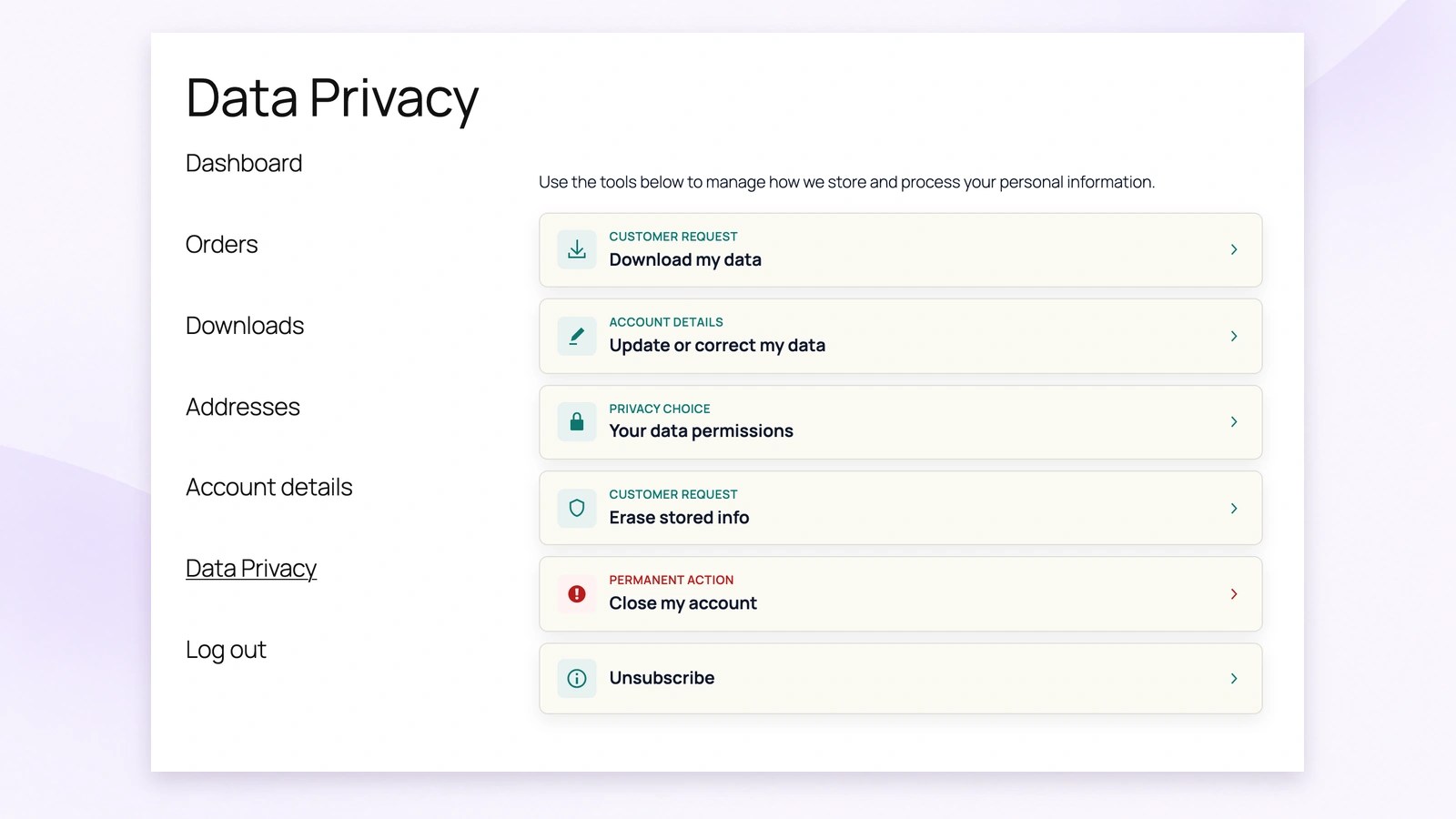
Customers can find data downloads, correction requests, privacy choices, erasure and account closure in their existing WooCommerce account. For example, a customer looking for a copy of their information can start from the same place they check orders.
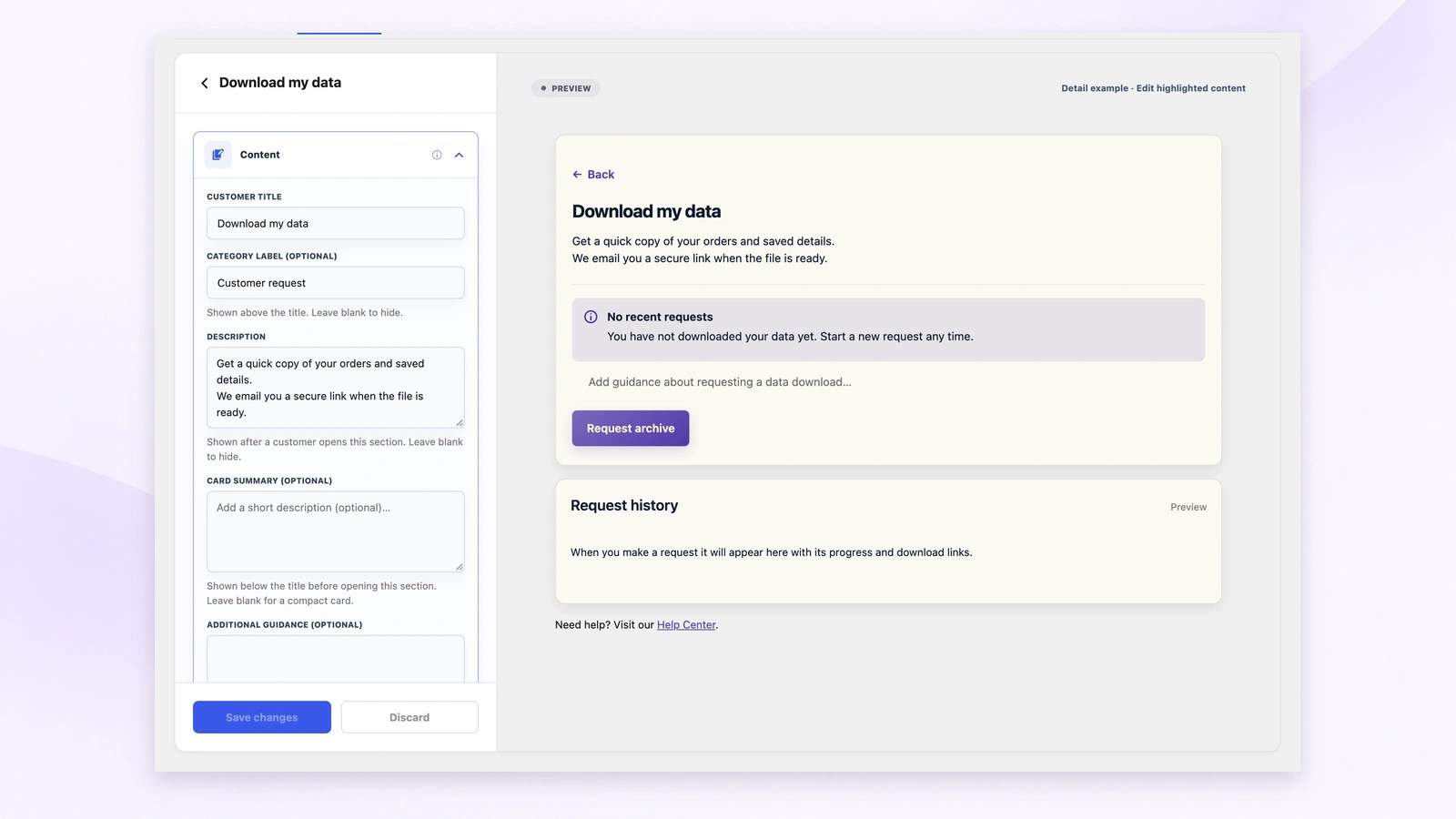
Edit section titles, descriptions and customer guidance beside the preview. You can explain what a data download contains in your own words, then check how that message and its action appear before saving the changes.
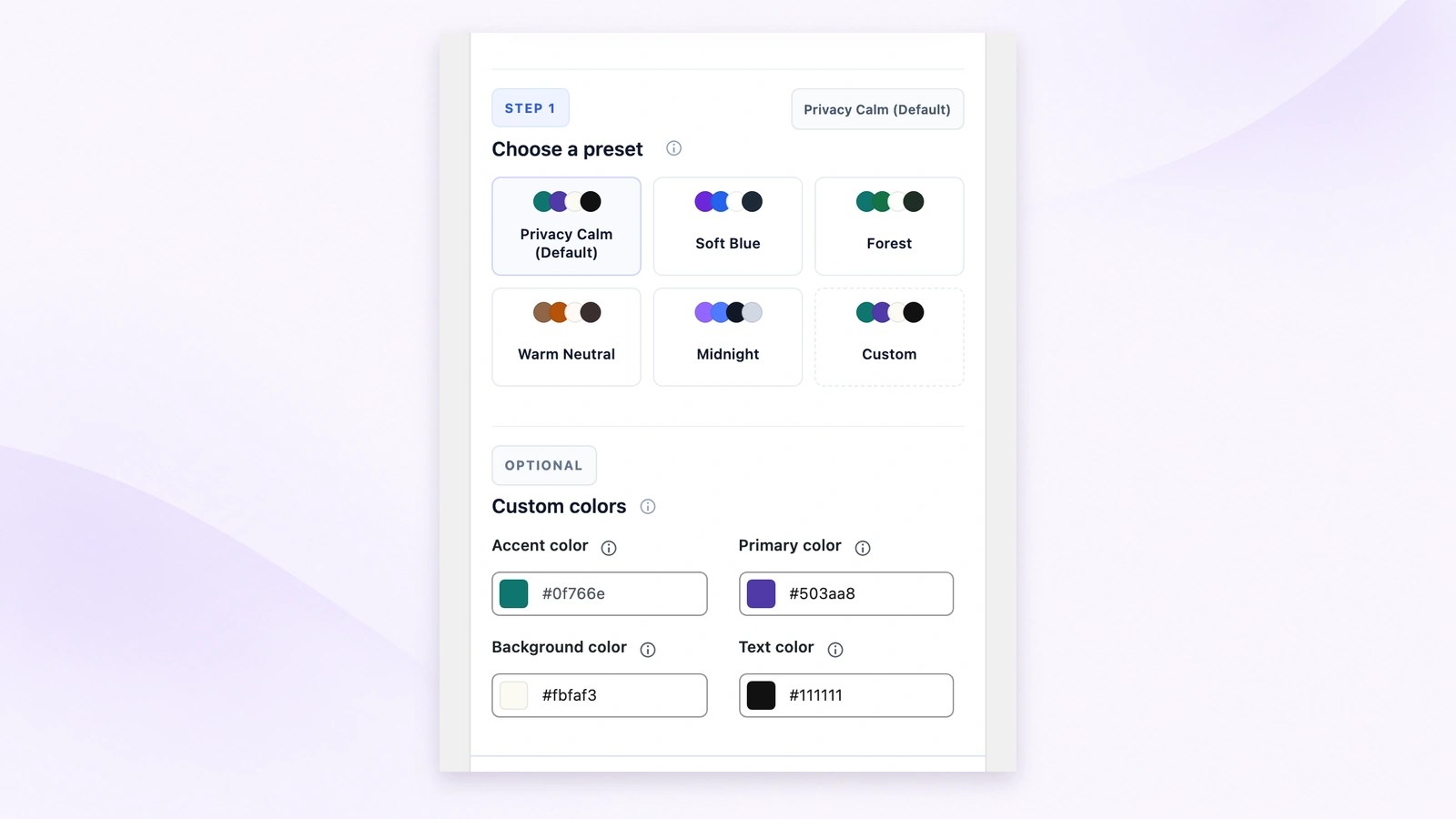
Choose an appearance preset for the customer privacy area, or set custom colors to match your storefront. A calmer palette and familiar wording can make privacy tasks easier to recognize while keeping the available workflows in the same place.
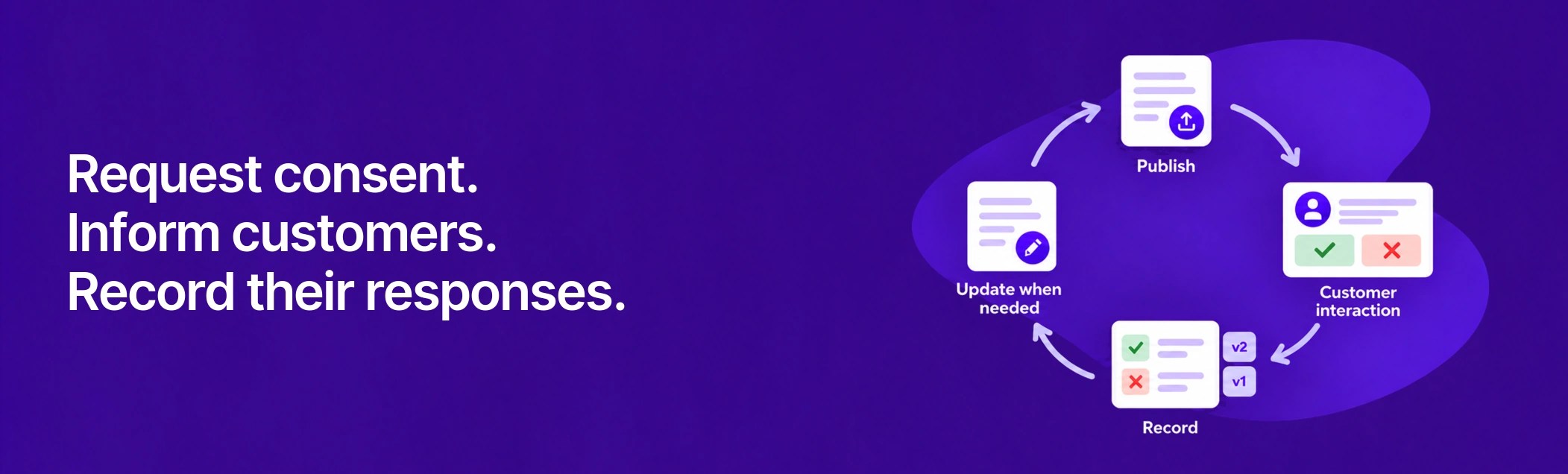
Explain how your store uses personal information, collect the appropriate customer responses, and keep a versioned history. Prepare changes privately, review their customer experience, then publish when they are ready.
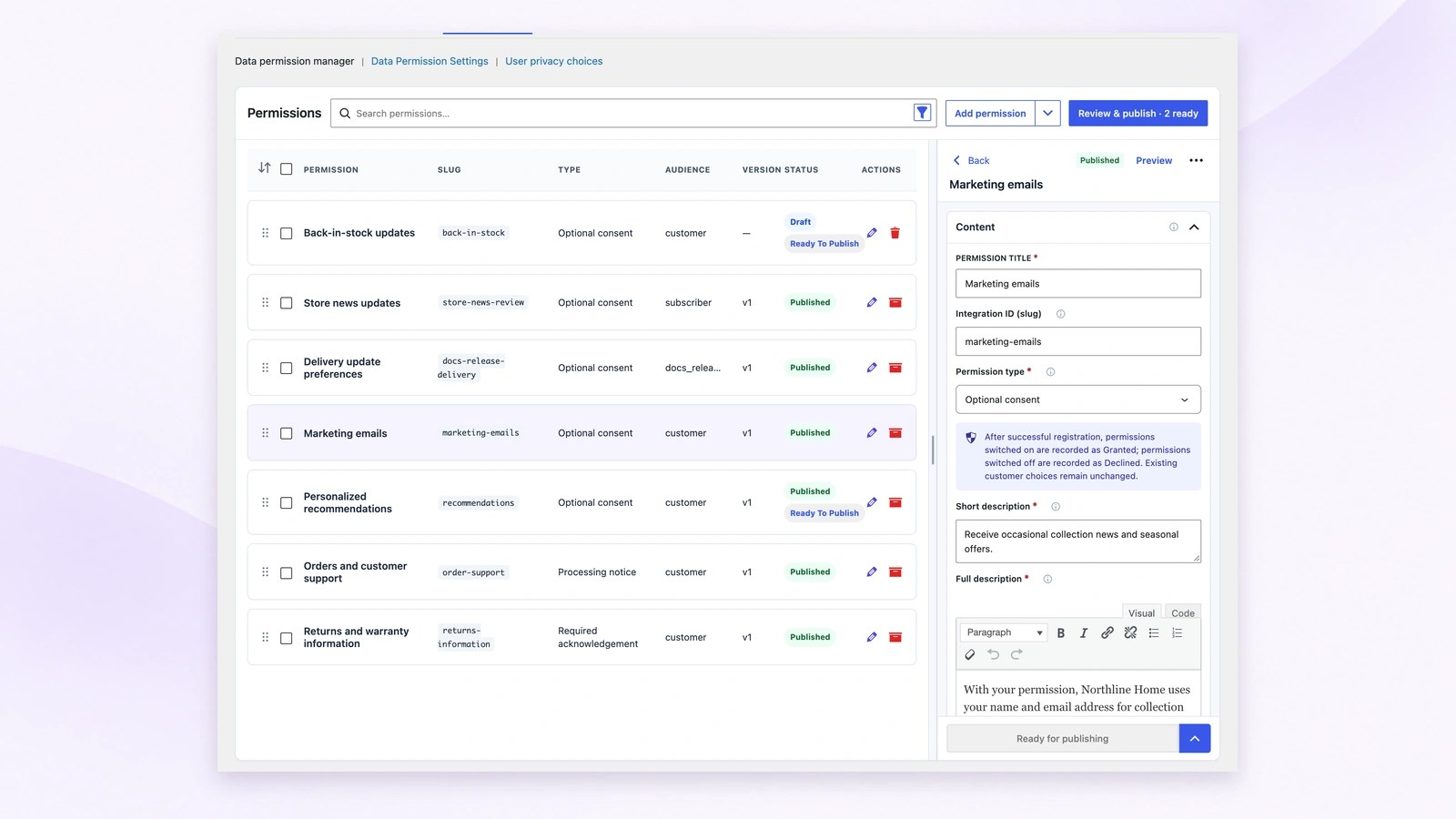
Write permissions that explain how your store uses customer information. Choose optional consent for a choice, required acknowledgement for acknowledging information, or a processing notice to inform. The manager keeps private drafts and published versions visible alongside the editor.
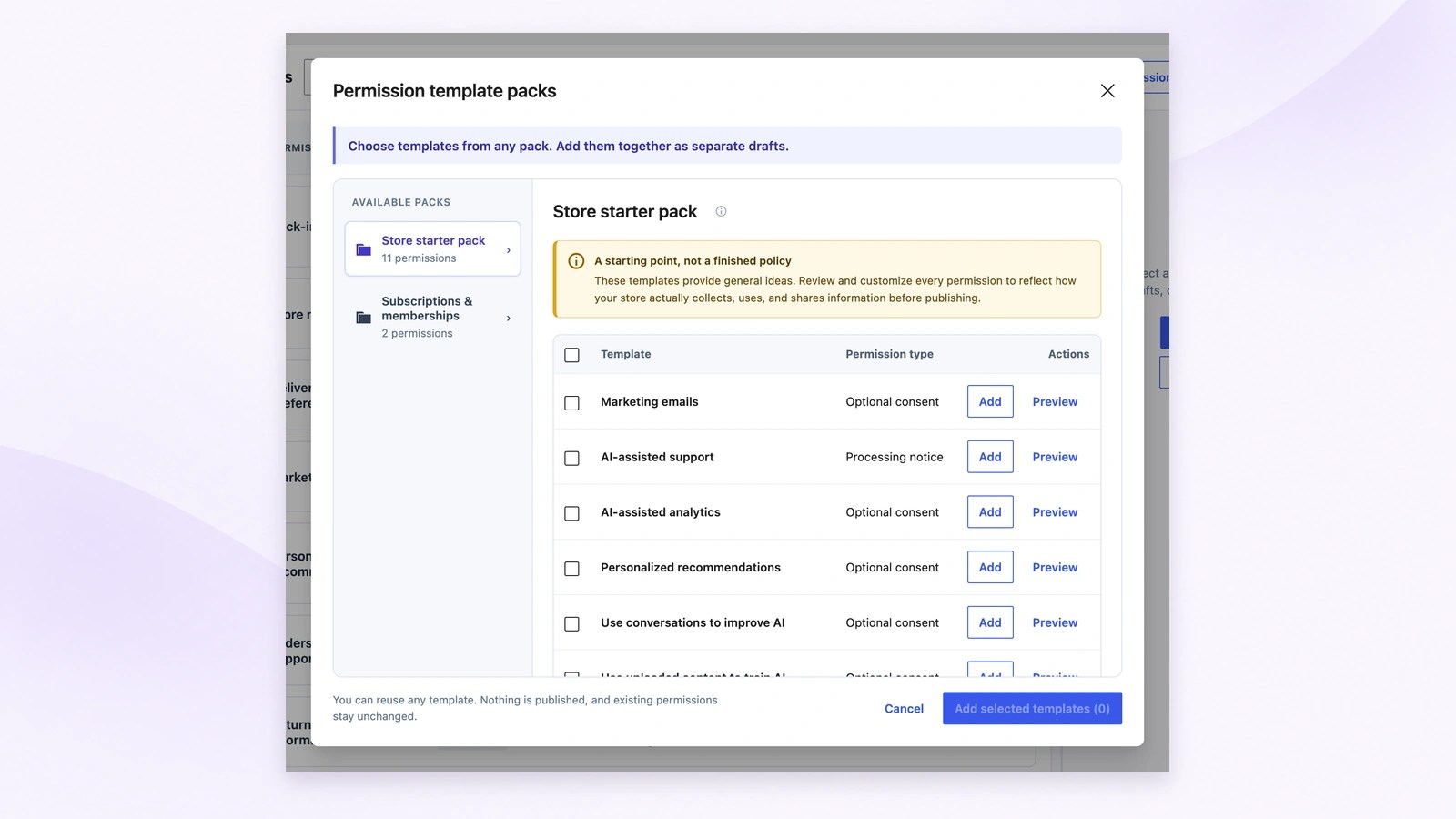
Choose useful templates from the available packs and import them as separate private drafts. Review each permission against your store’s actual practices, edit its wording and settings, then mark it ready. Importing a template does not publish it or replace existing permissions.
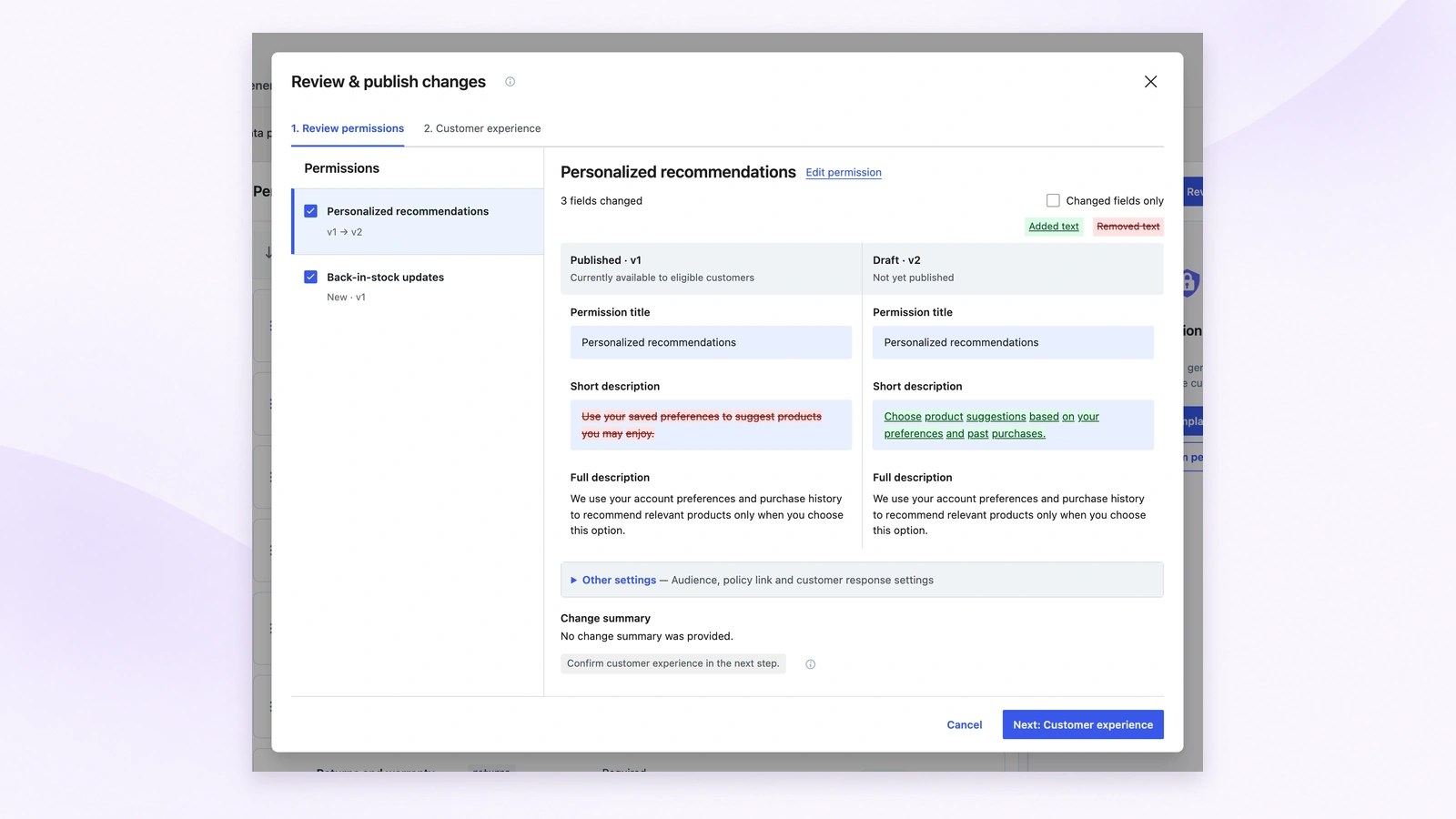
Save unfinished work privately, then mark completed changes ready for publishing. Review & publish compares the published wording with its draft revision, including added and removed text. Move to Customer experience after checking the changes; reviewing does not publish them.
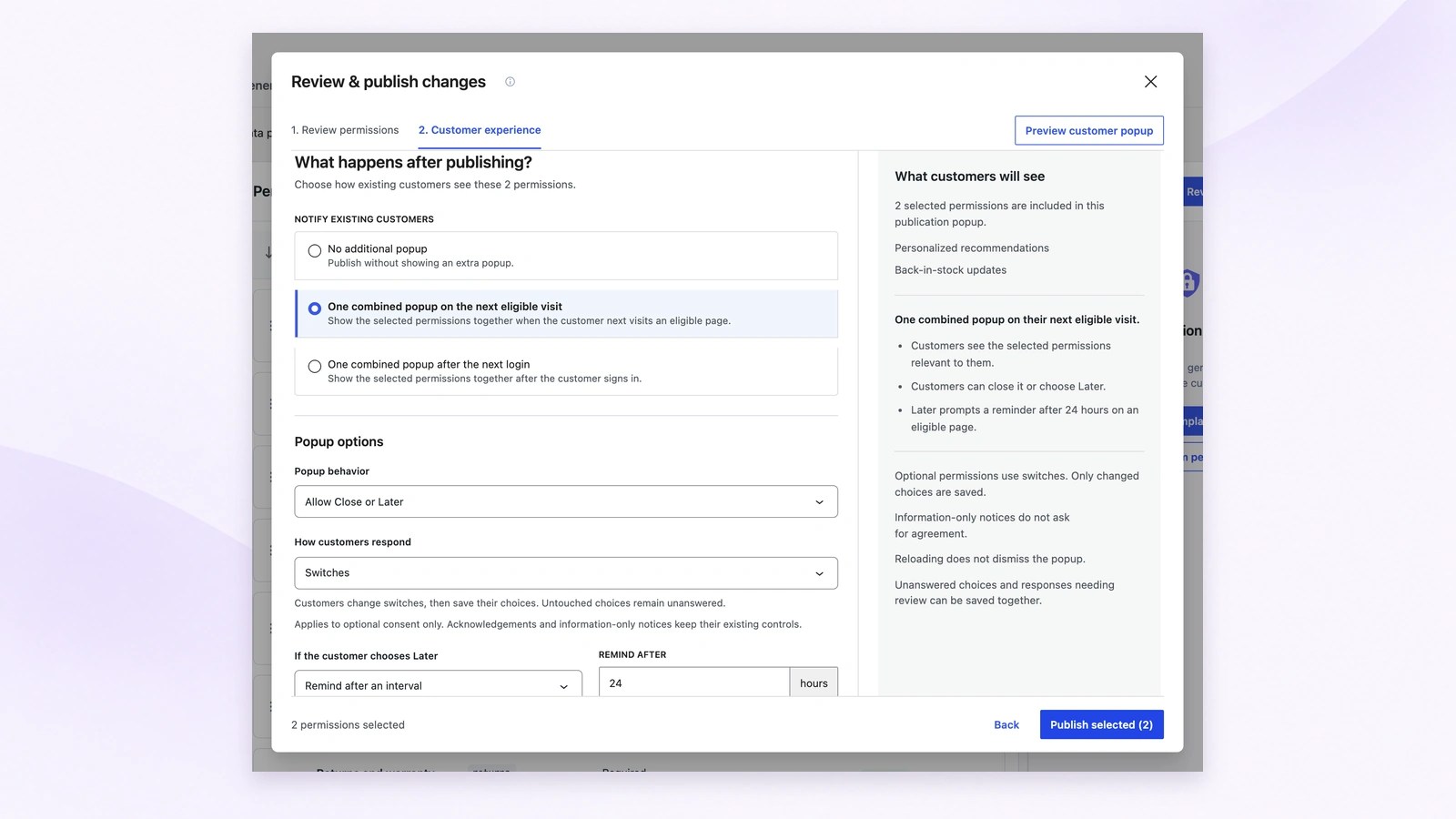
Choose how existing customers encounter selected changes, check the popup preview, then use Publish selected to make ready permissions live. This example schedules one combined popup on the next eligible visit; publication settings do not mean all visitors receive the same prompt.
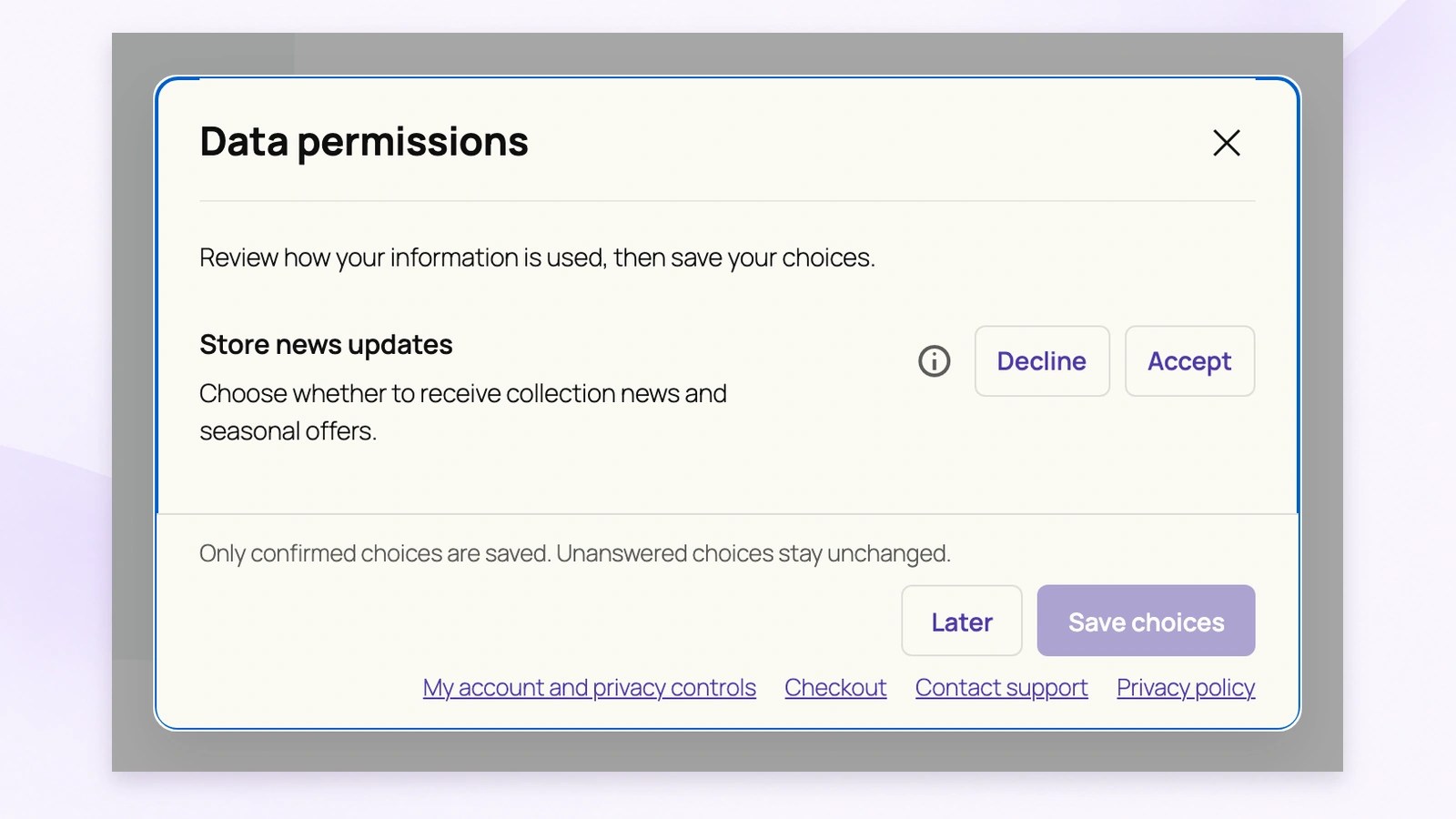
Show eligible customers a prompt for permissions that need their attention. This example asks them to accept or decline updated store news wording. Their confirmed response is saved with the permission version; unanswered choices stay unchanged.
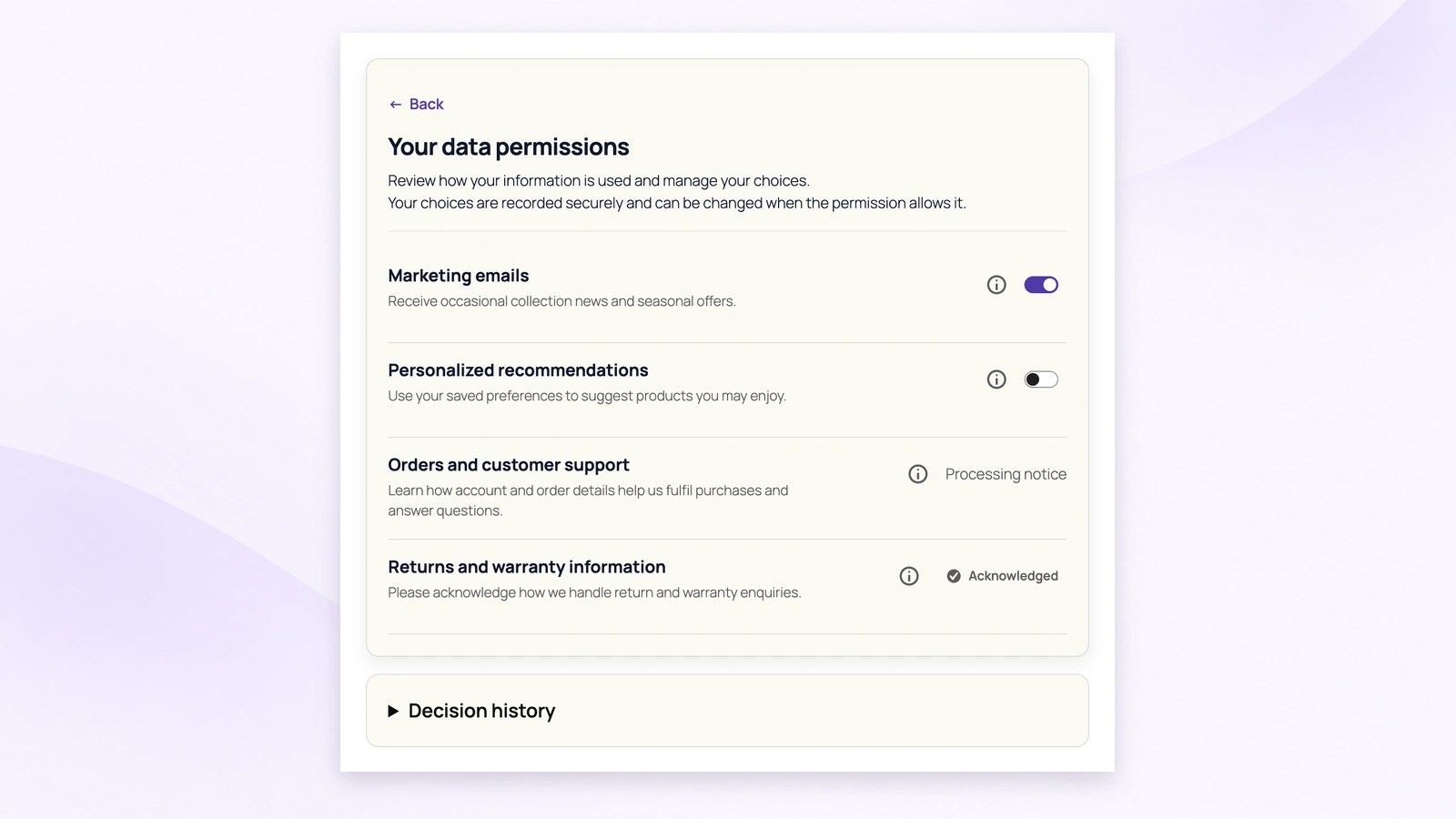
Customers can return to Your data permissions in My Account to review information and manage choices when the permission allows changes. For example, they can turn optional marketing emails off without needing to request account closure or erase their stored order information.
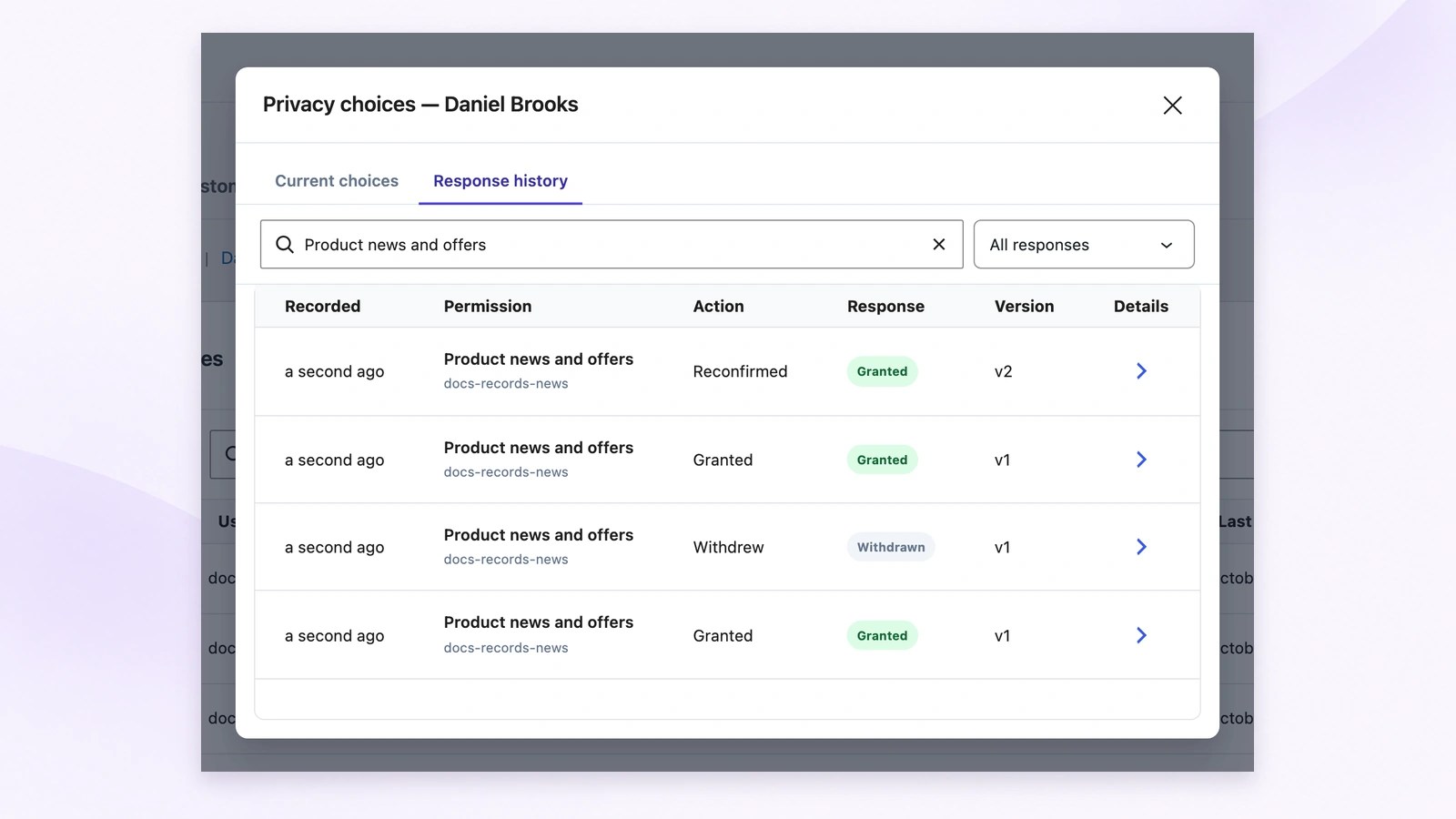
Staff can open a customer record to check current choices or inspect response history. Earlier grants, withdrawals and reconfirmations remain separate records tied to their permission versions, making it easier to understand what changed instead of relying only on today’s choice.
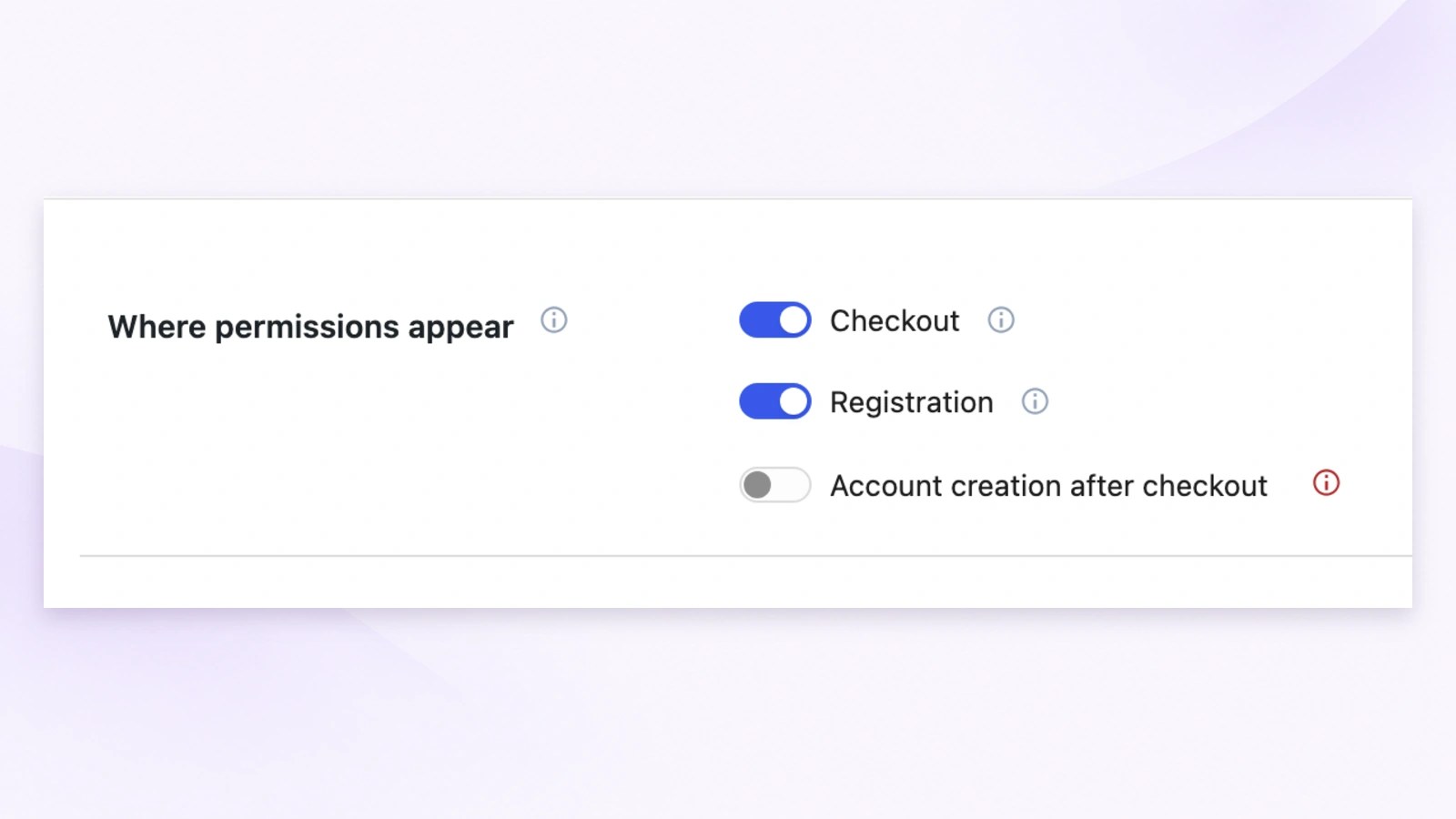
Control permission placement for checkout, registration and account creation after checkout. Use these settings to fit your customer journey, then configure automatic popup behavior and review reminders separately. The locations shown here do not mean every visitor receives the same permission prompt.
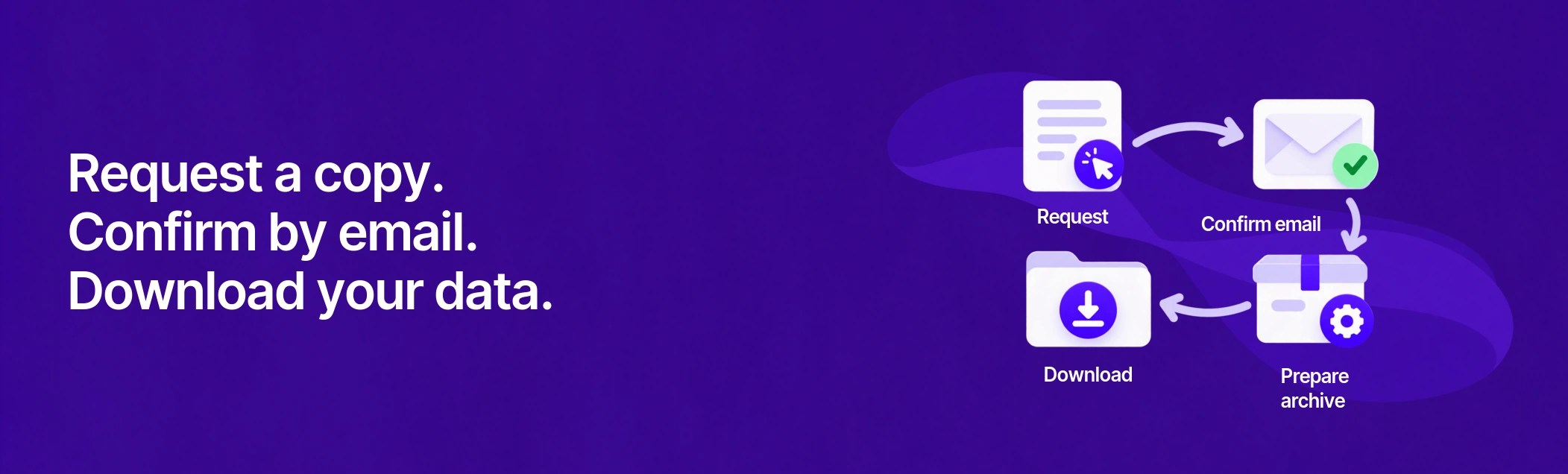
Let customers request a copy of their personal data from My Account. Email confirmation starts archive preparation, and the customer can download the completed file while its link remains available.
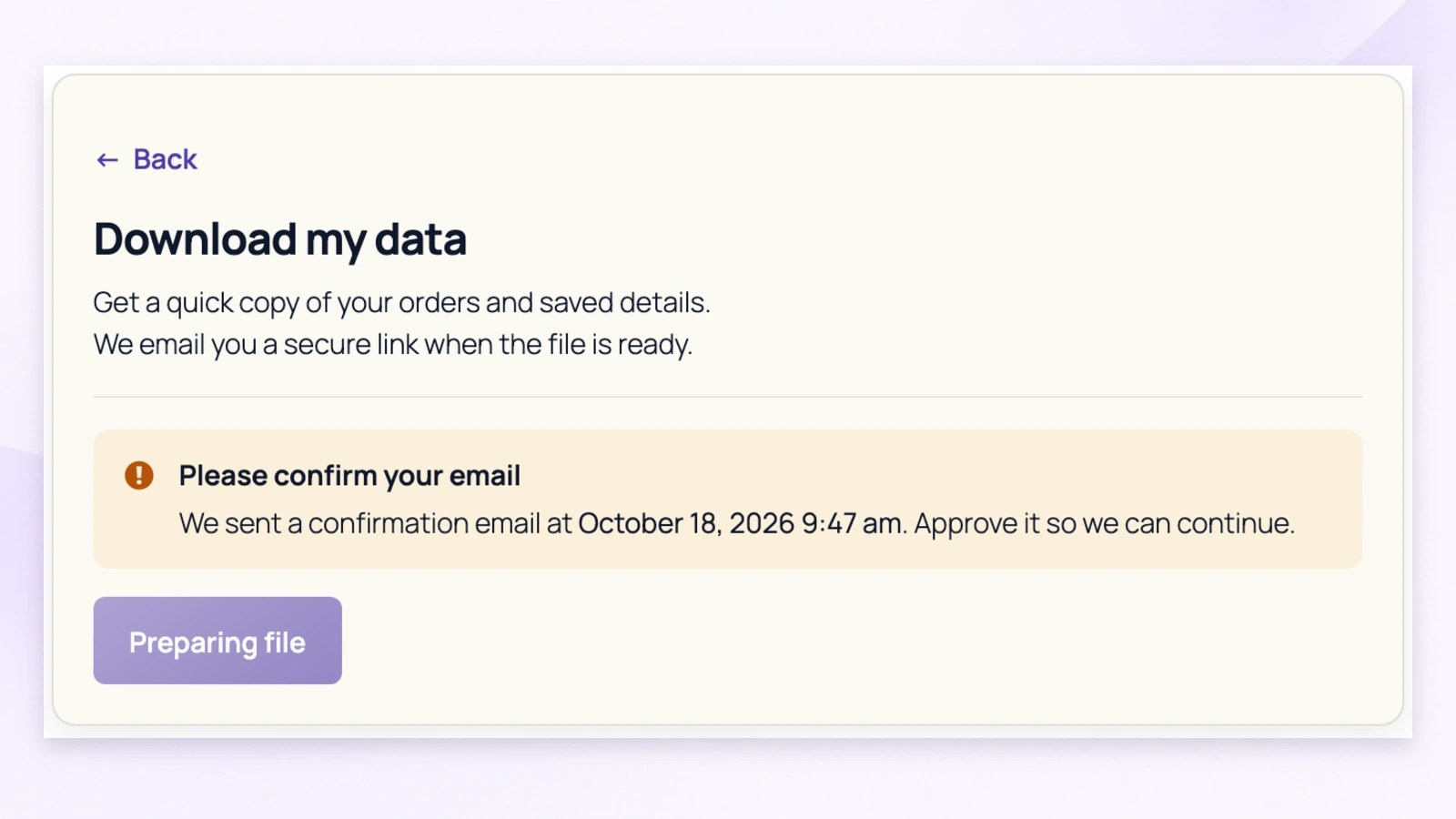
Customers request an archive from My Account, then follow the confirmation link sent to their email address. The page shows the pending request so they know what to do next; archive preparation begins after confirmation.
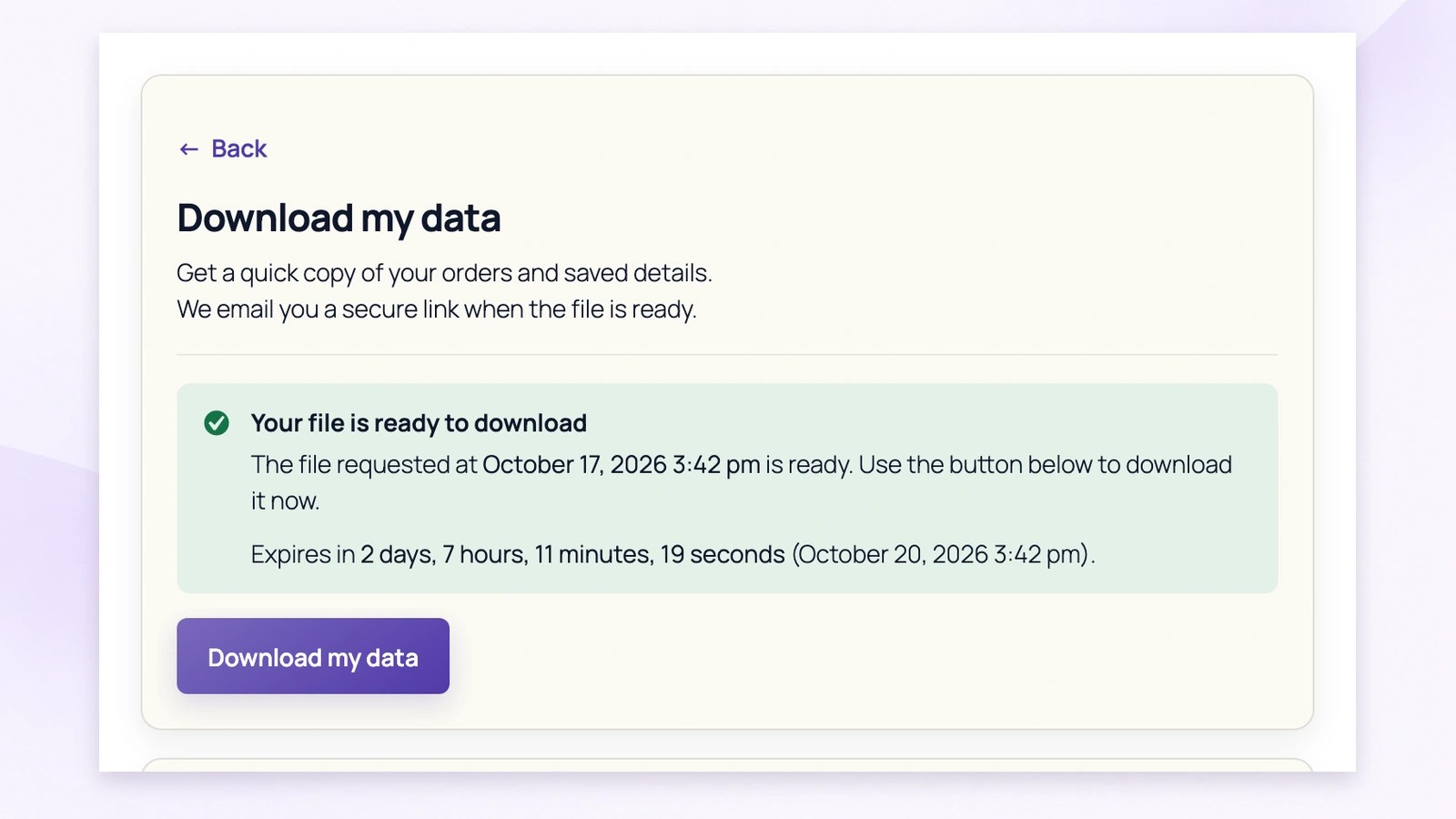
The completed archive becomes available through Download my data, with its remaining availability shown beside the request. Customers also receive a ready email. Set the download-link lifetime in General Settings to suit your store’s process.
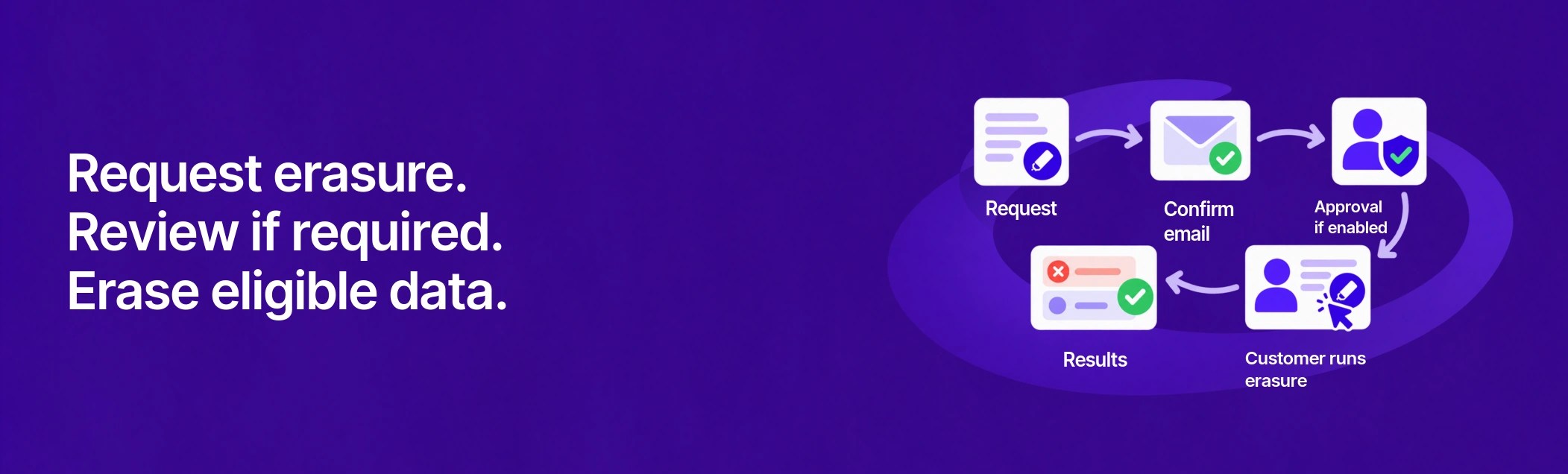
Give customers a clear way to request removal of eligible personal data. Use email confirmation, optional staff approval and visible results to guide the process from request to completion.
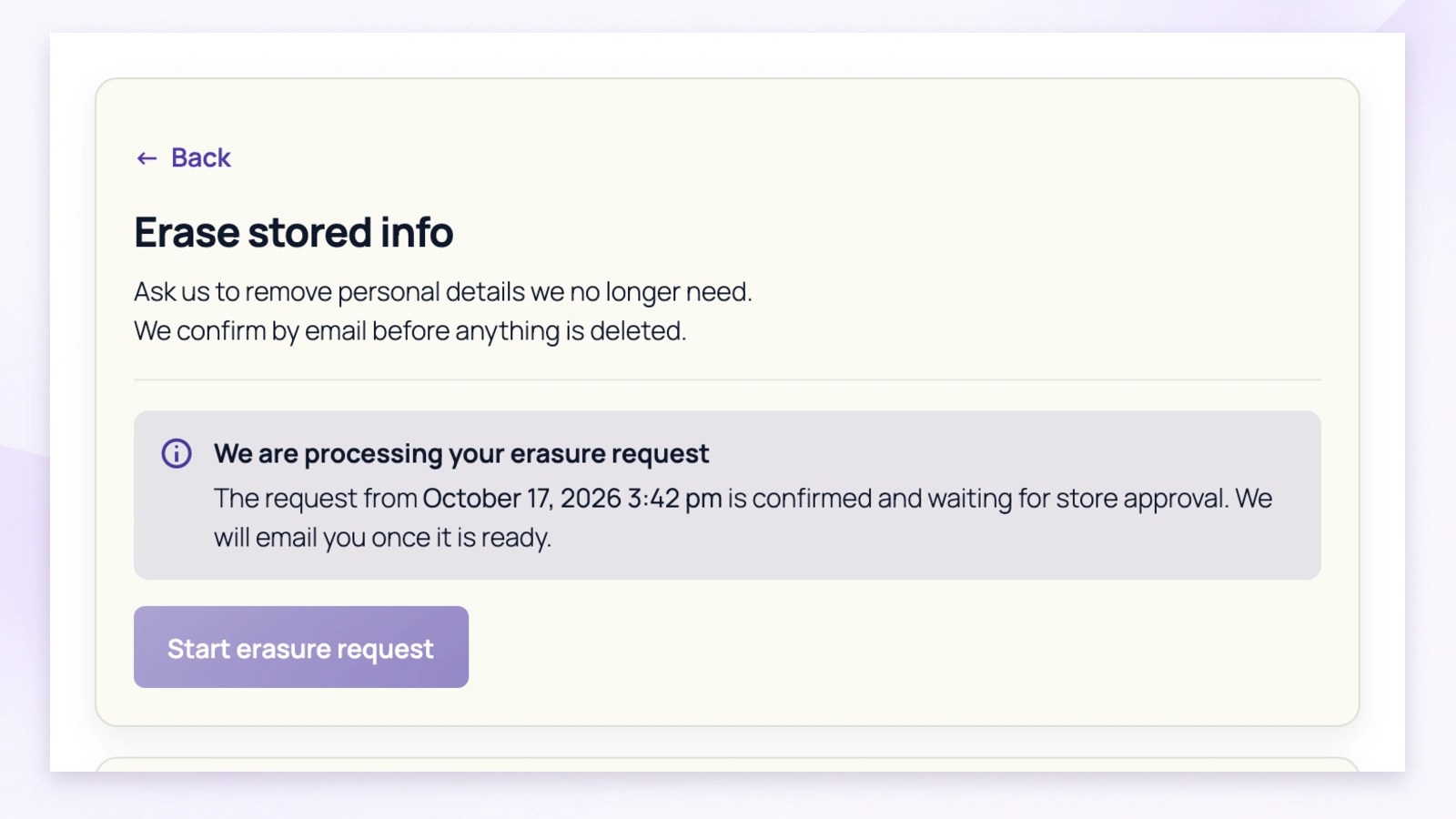
Customers confirm their erasure request through an email link. When staff approval is enabled, My Account shows that the request is waiting for review and explains what happens next. Customers can return to check their status.
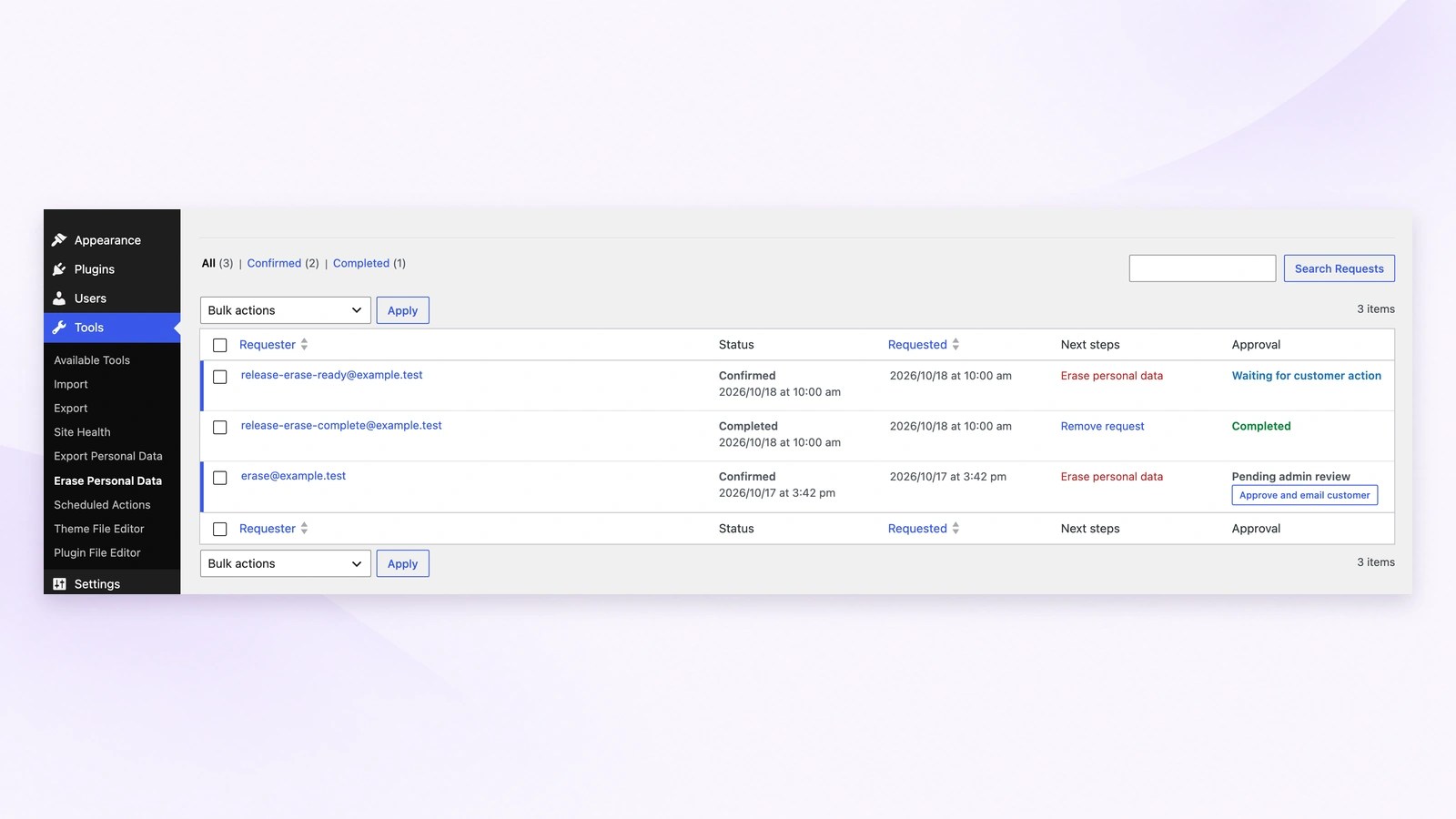
Review confirmed requests in the connected WordPress privacy tools. Select Approve and email customer to make a request ready and notify the customer. Approval gives them permission to proceed; the customer then returns to run erasure.
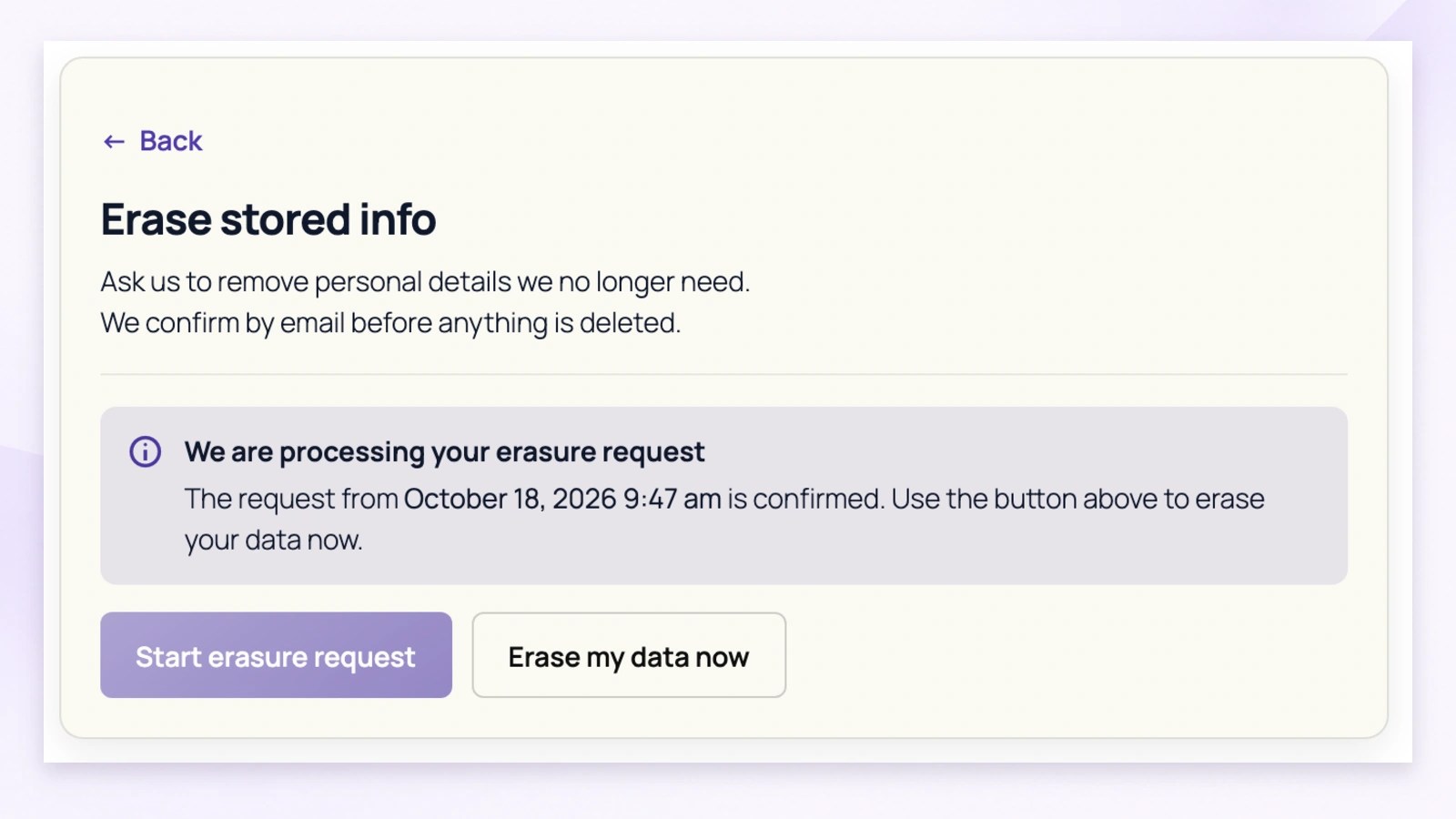
Once their request is ready, customers return to My Account and select Erase my data now. This starts the erasure process through the registered privacy tools, giving customers a clear next action after confirmation and any required staff approval.
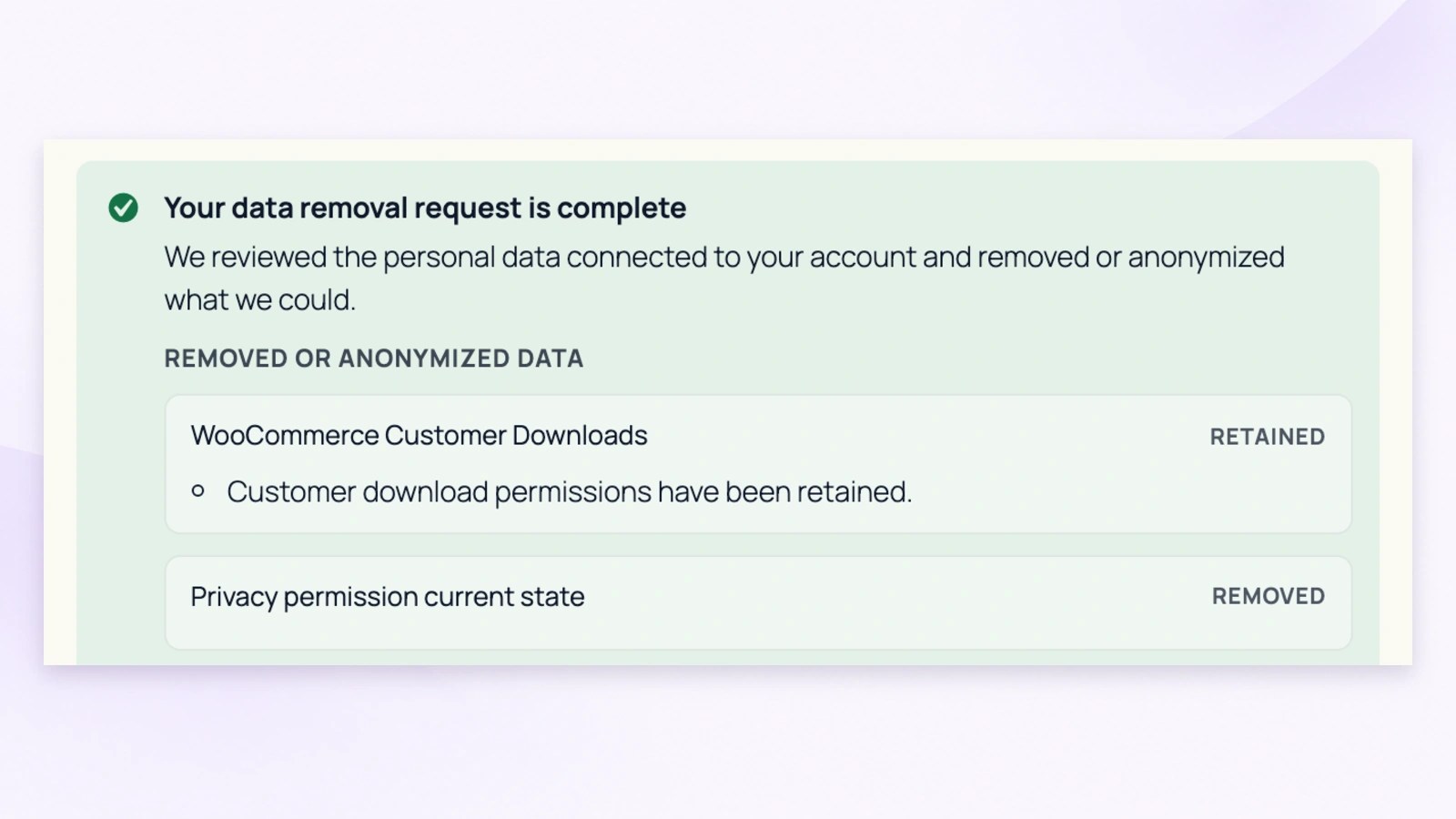
After processing, customers can see the outcome. This example shows permission records removed and download permissions retained. The information that can be erased depends on your settings, registered erasers and retention rules. Account closure remains a separate workflow.
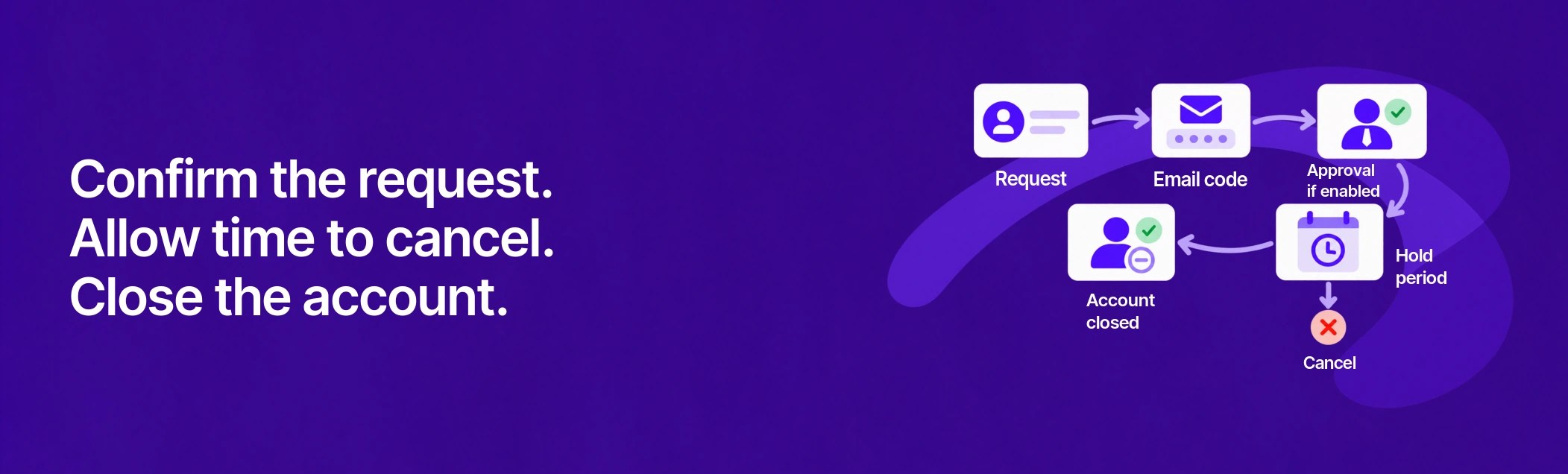
Give customers a verified account-closure process with optional staff approval and time to change their mind. Approval starts the configured hold period; account deletion is scheduled after that period, separately from personal-data erasure.
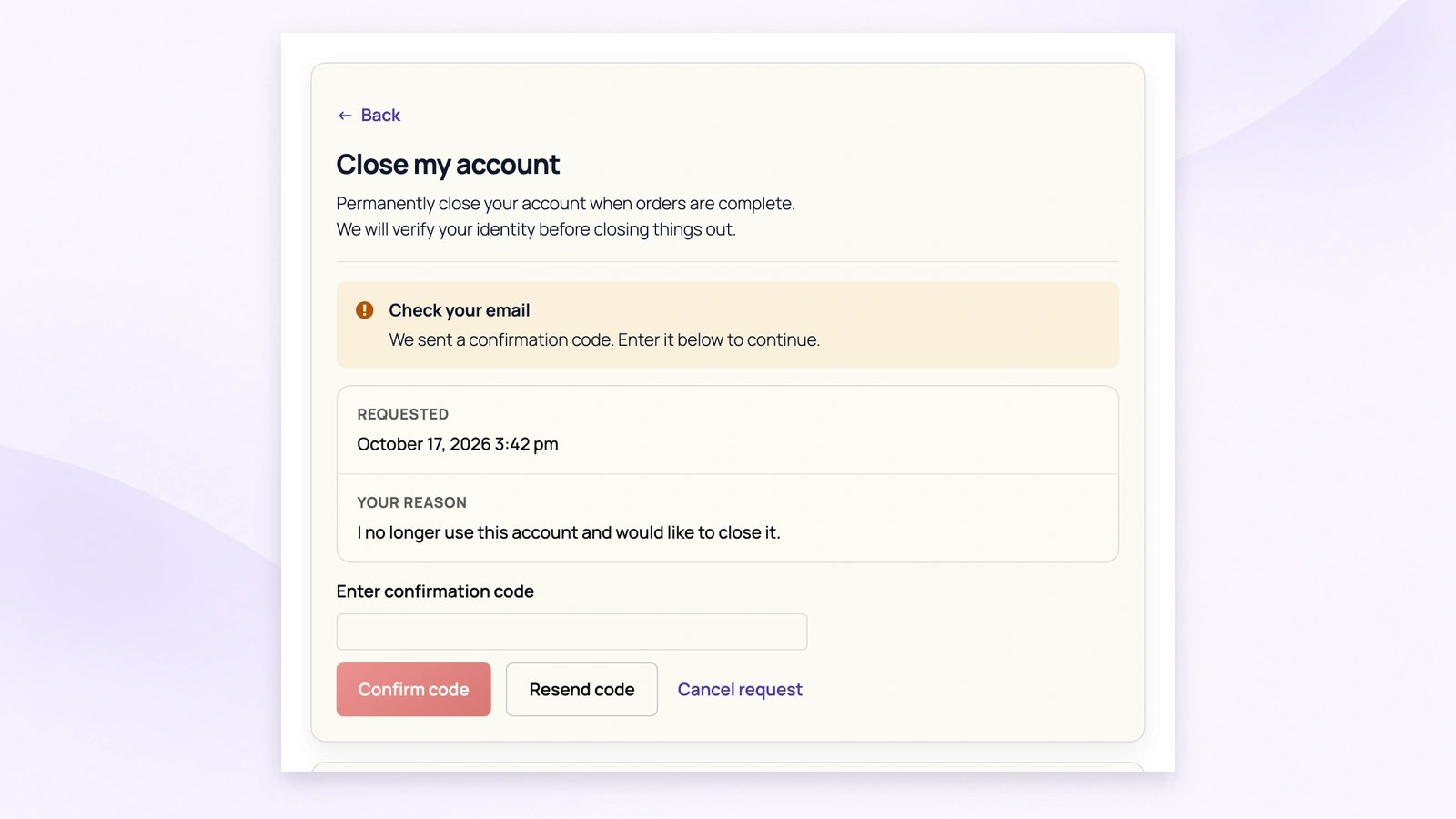
Customers request closure from My Account, then enter the confirmation code sent to their email address. When staff approval is enabled, a verified request waits for review. Confirmation does not immediately delete the account.
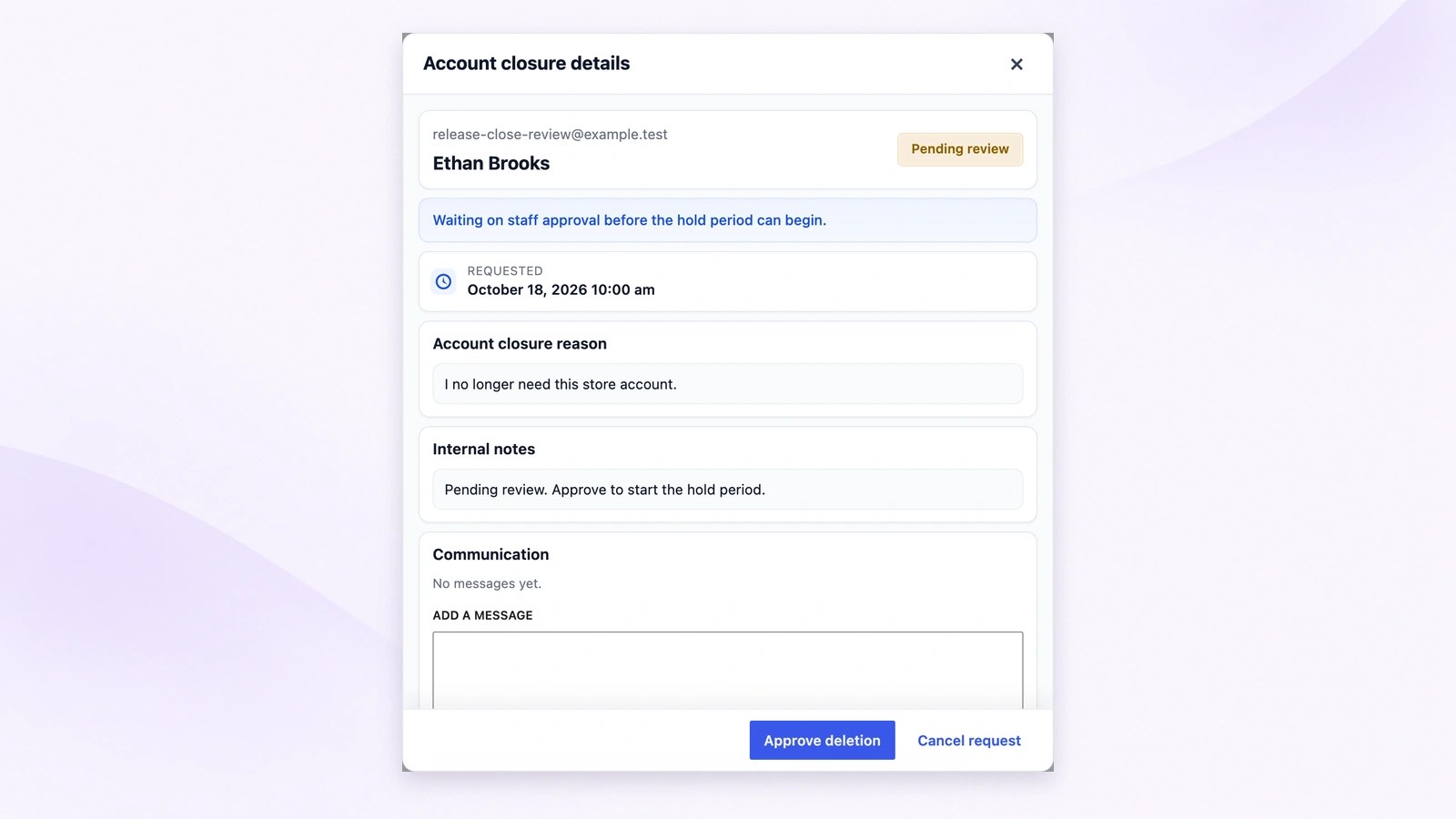
Review the customer’s reason after email-code confirmation. Choose Approve deletion to start the configured hold period, or cancel the request when it should not proceed. Approval schedules the next stage; it does not immediately delete the customer’s account.
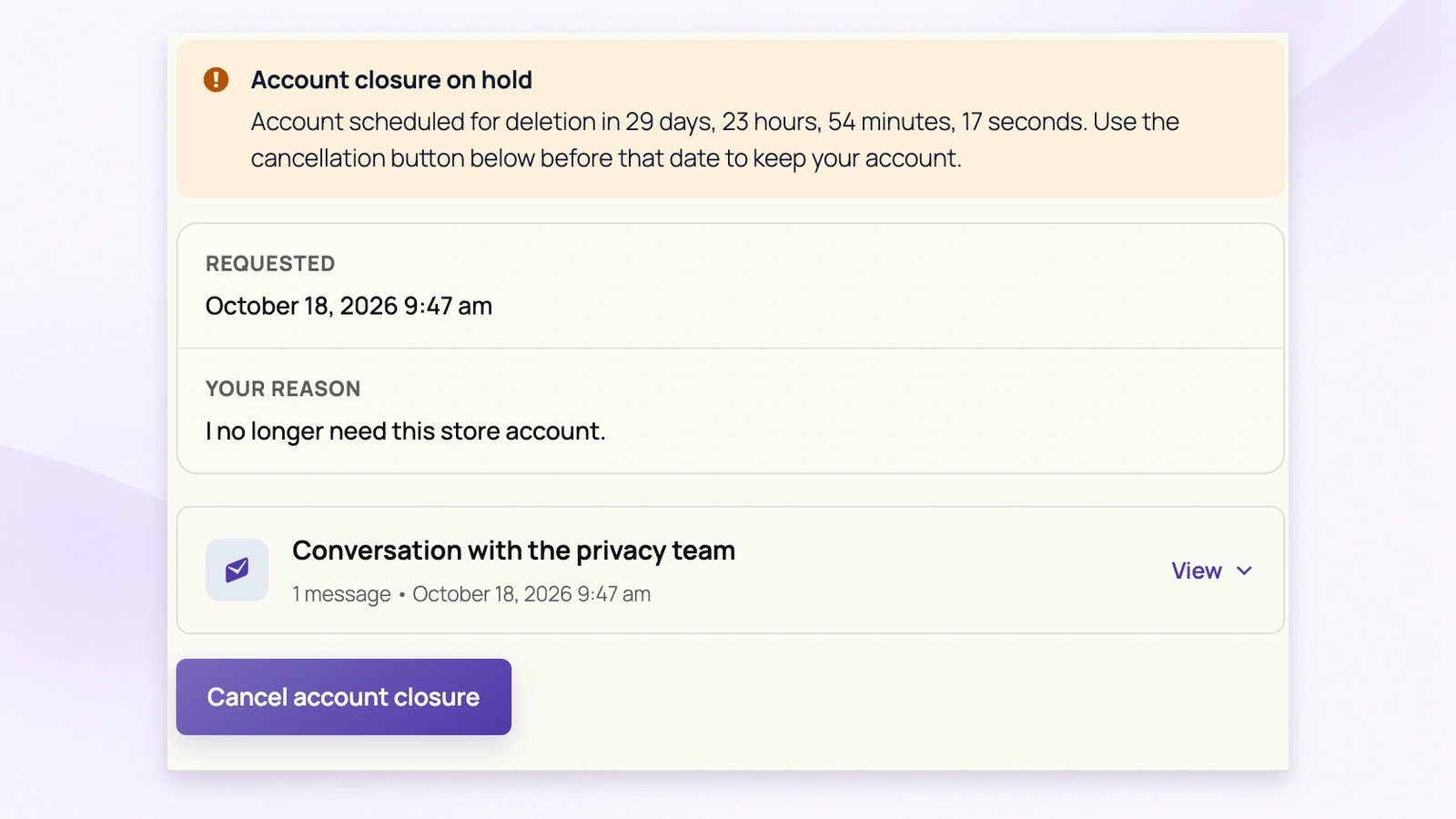
After confirmation and any required approval, customers see the configured hold period and a cancellation button in My Account. They can cancel before deletion. If the request remains active, the scheduler deletes the account after the hold expires.
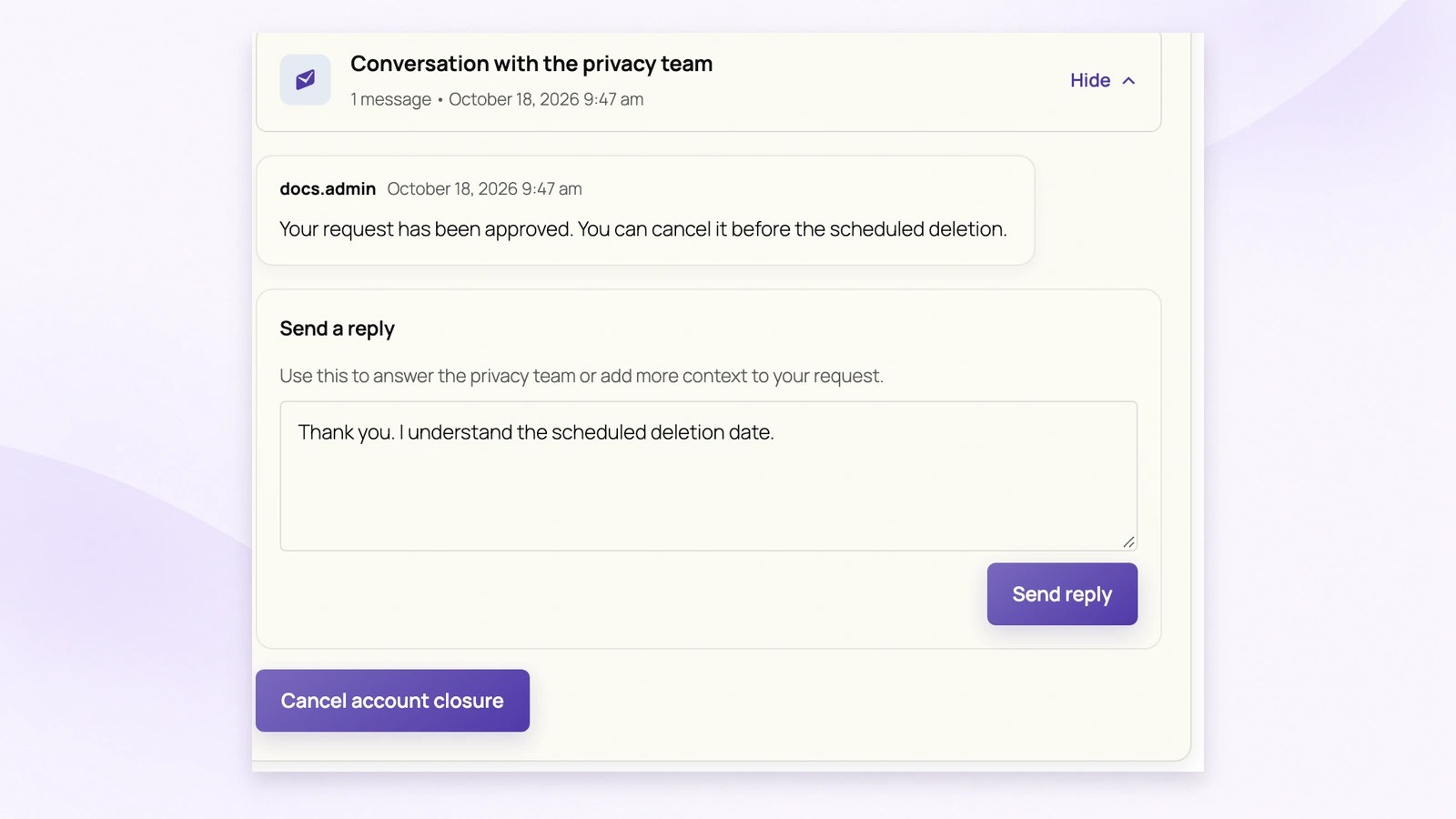
Customers can read privacy-team messages and reply from the account-closure screen. For example, staff can explain the scheduled deletion and the customer can respond. The conversation stays with the request, while cancellation remains a separate action.
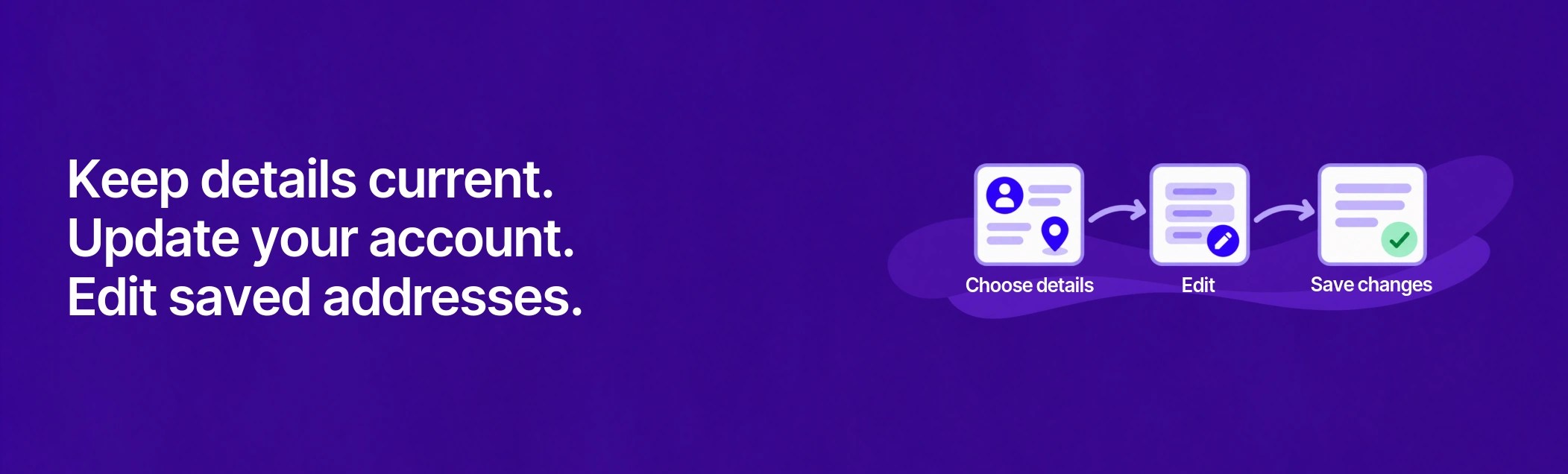
Put familiar WooCommerce account and address editing within easy reach of the privacy area. Customers follow direct links to update current details themselves, while historical-order and other correction requests remain separate.
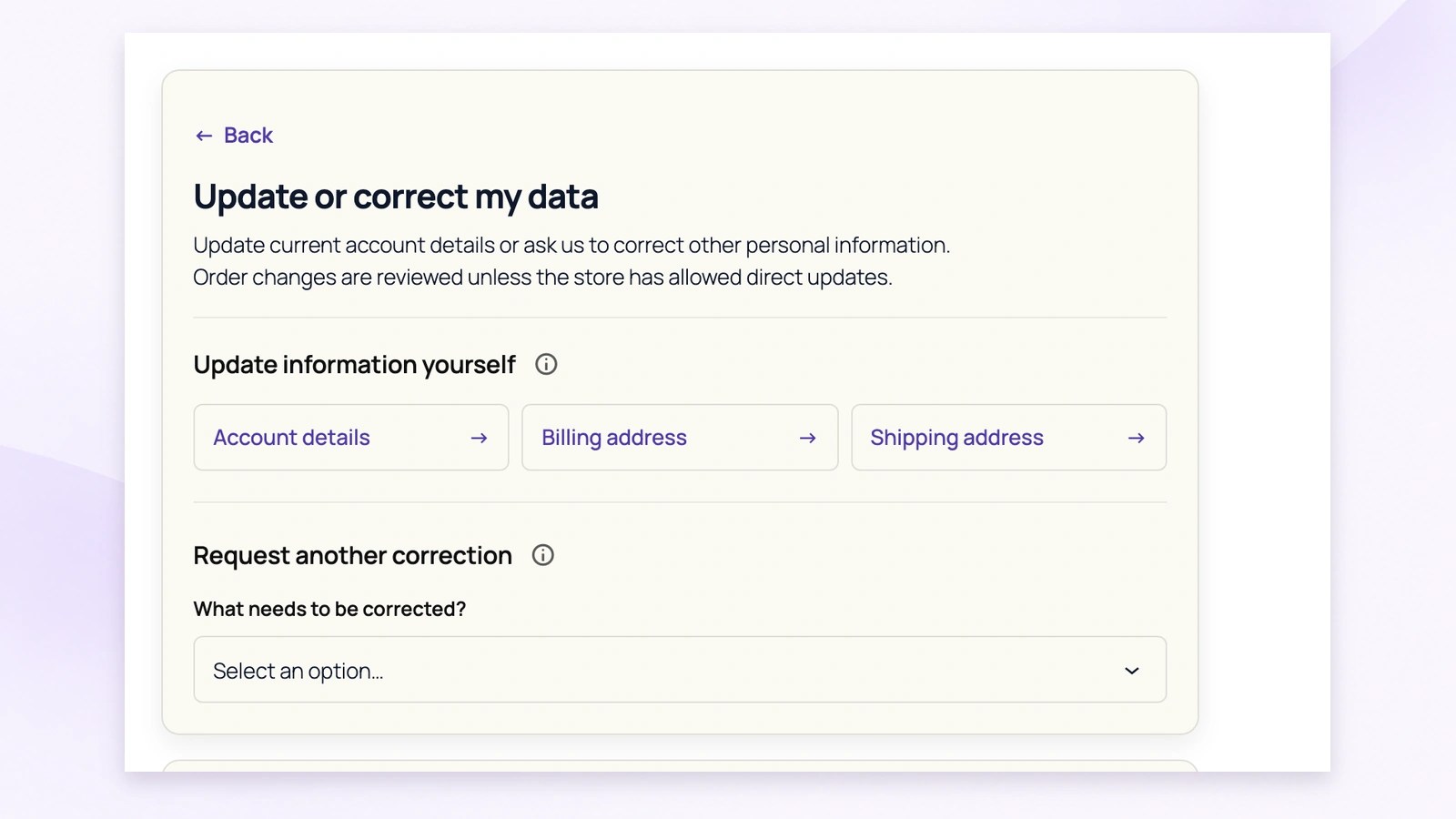
Customers can reach account details, billing address and shipping address from one privacy screen. These shortcuts open the existing WooCommerce forms, where customers edit and save their information themselves. They do not create a staff-reviewed correction request.
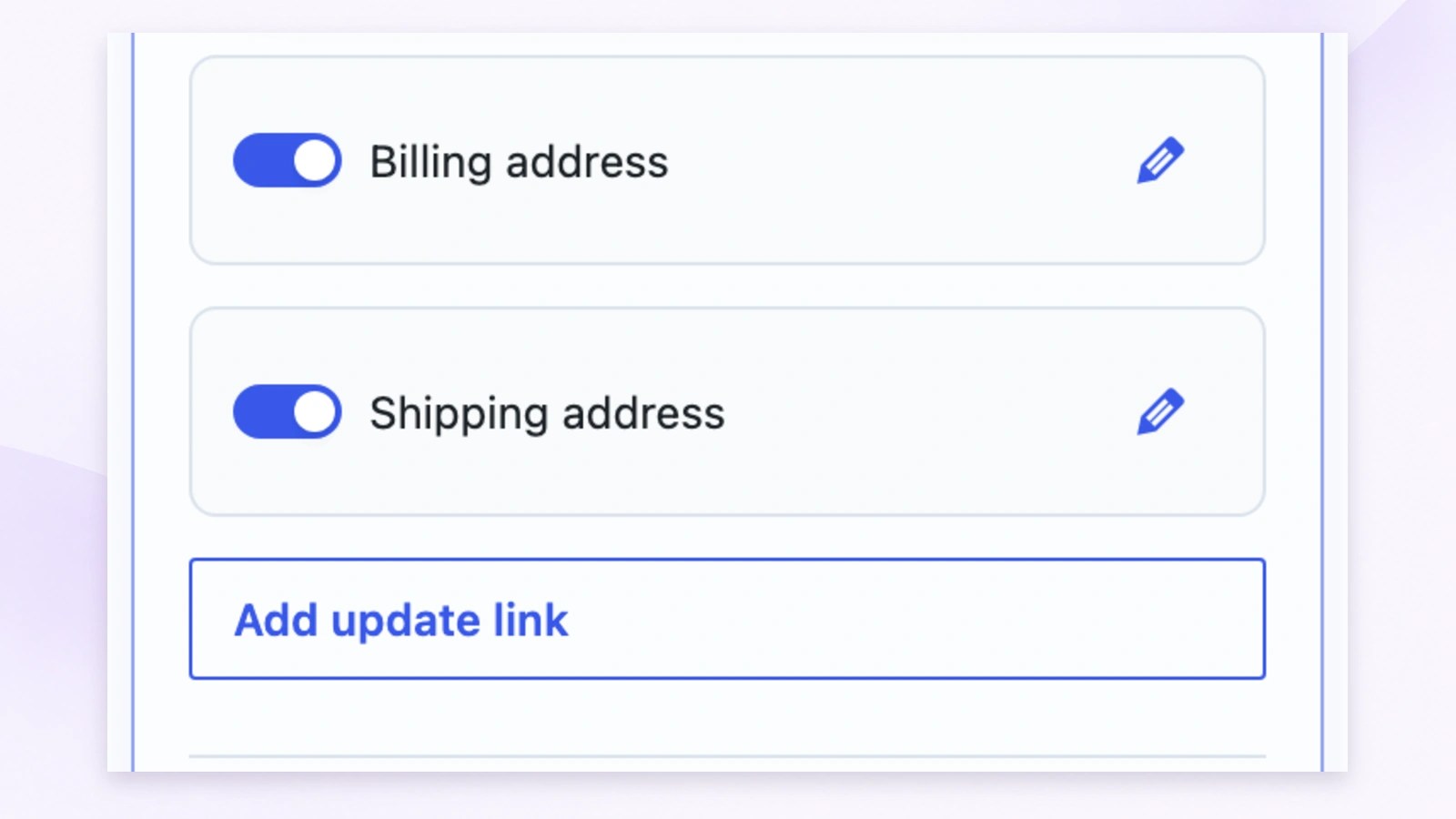
Enable the billing and shipping address shortcuts that suit your store, or add another update link. Customers follow the configured link to its destination. Saving a current address helps with future checkout details; it does not rewrite addresses on past orders.
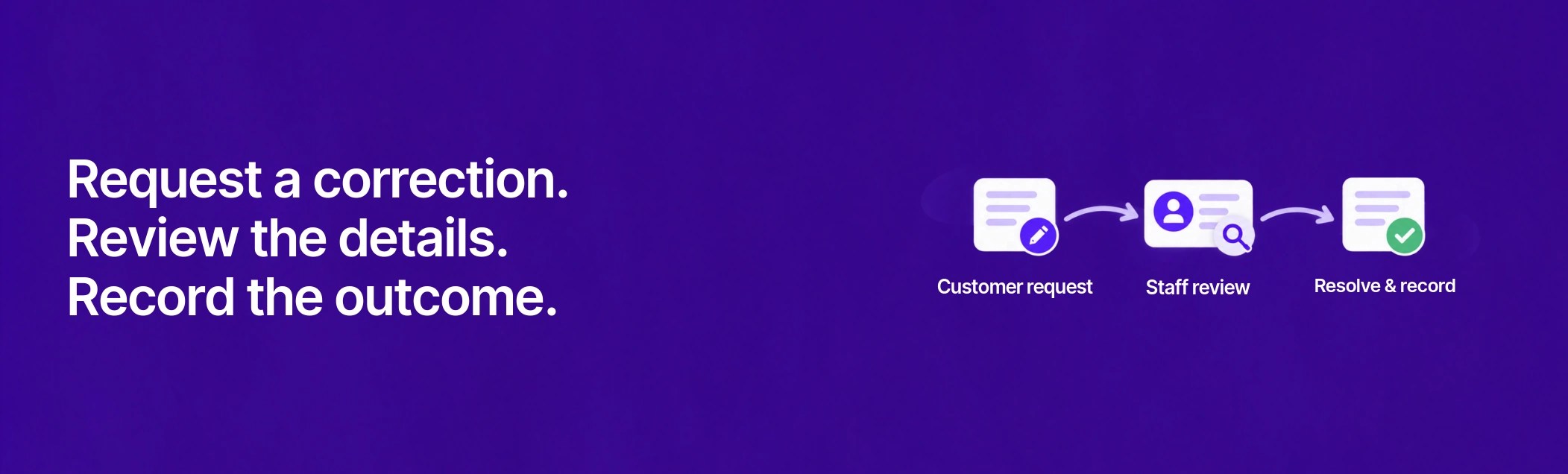
Help customers explain inaccurate information and give staff a clear way to review it. Compare proposed order changes before applying them, or handle other personal-information corrections through a recorded conversation and outcome.
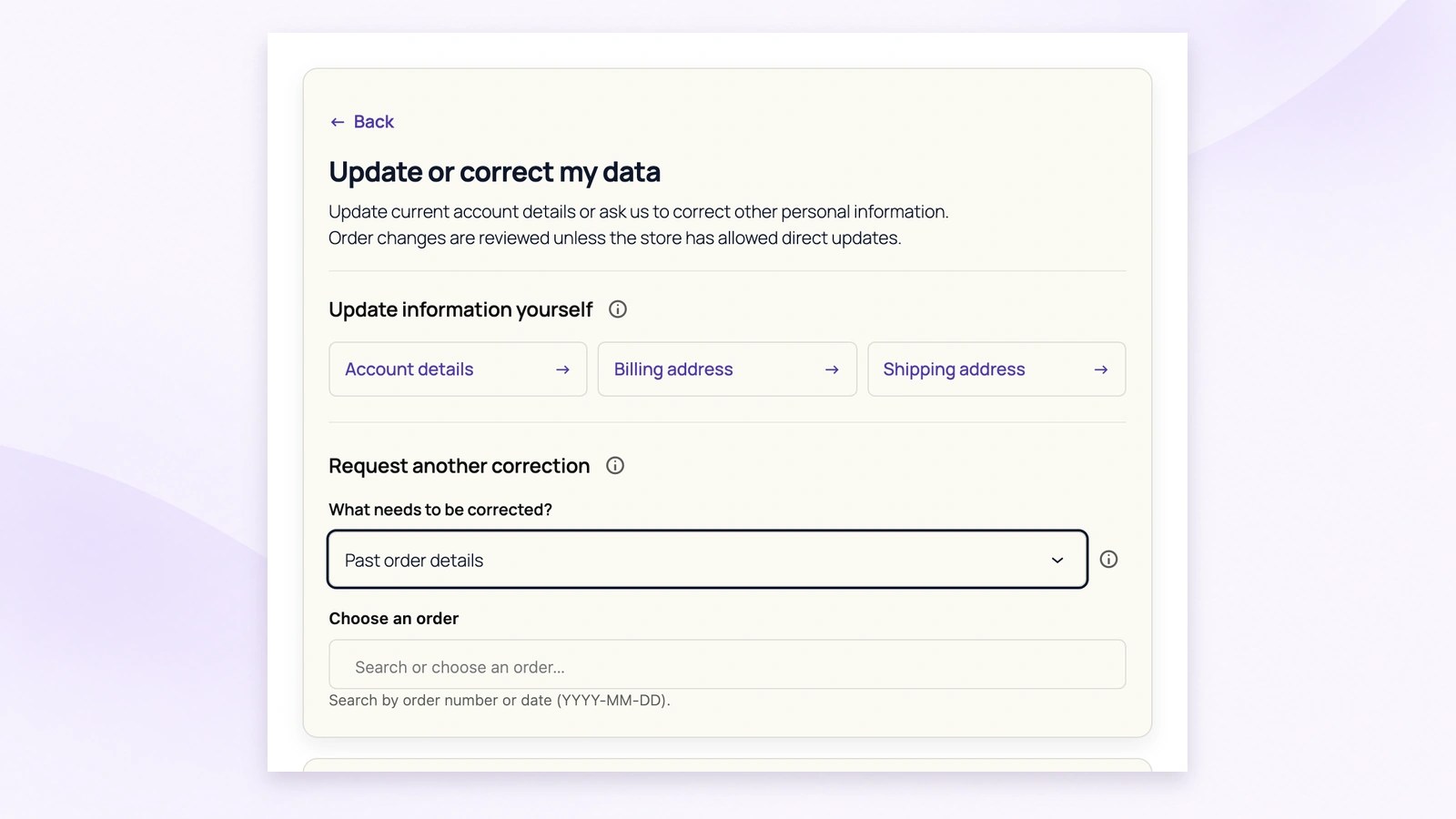
Customers choose Past order details and find an eligible order by number or date. They can then propose changes to supported billing, shipping or contact fields and explain the correction. The request goes to staff for review without changing their current account details.
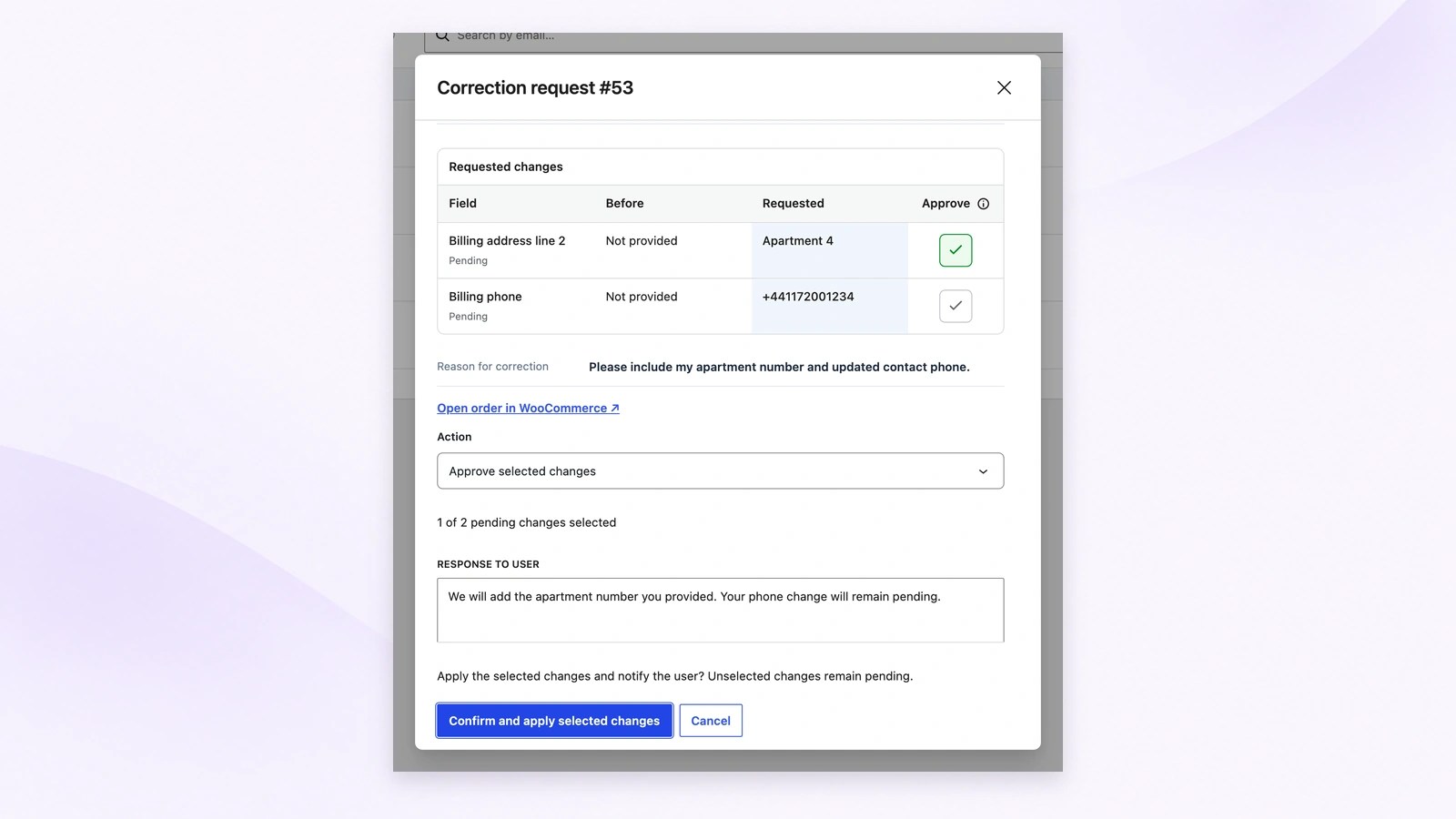
Compare the stored values with each proposed correction, then select the fields to apply. Staff can add a customer response and check the final confirmation before writing changes. This example approves the apartment number while leaving the proposed phone change pending.
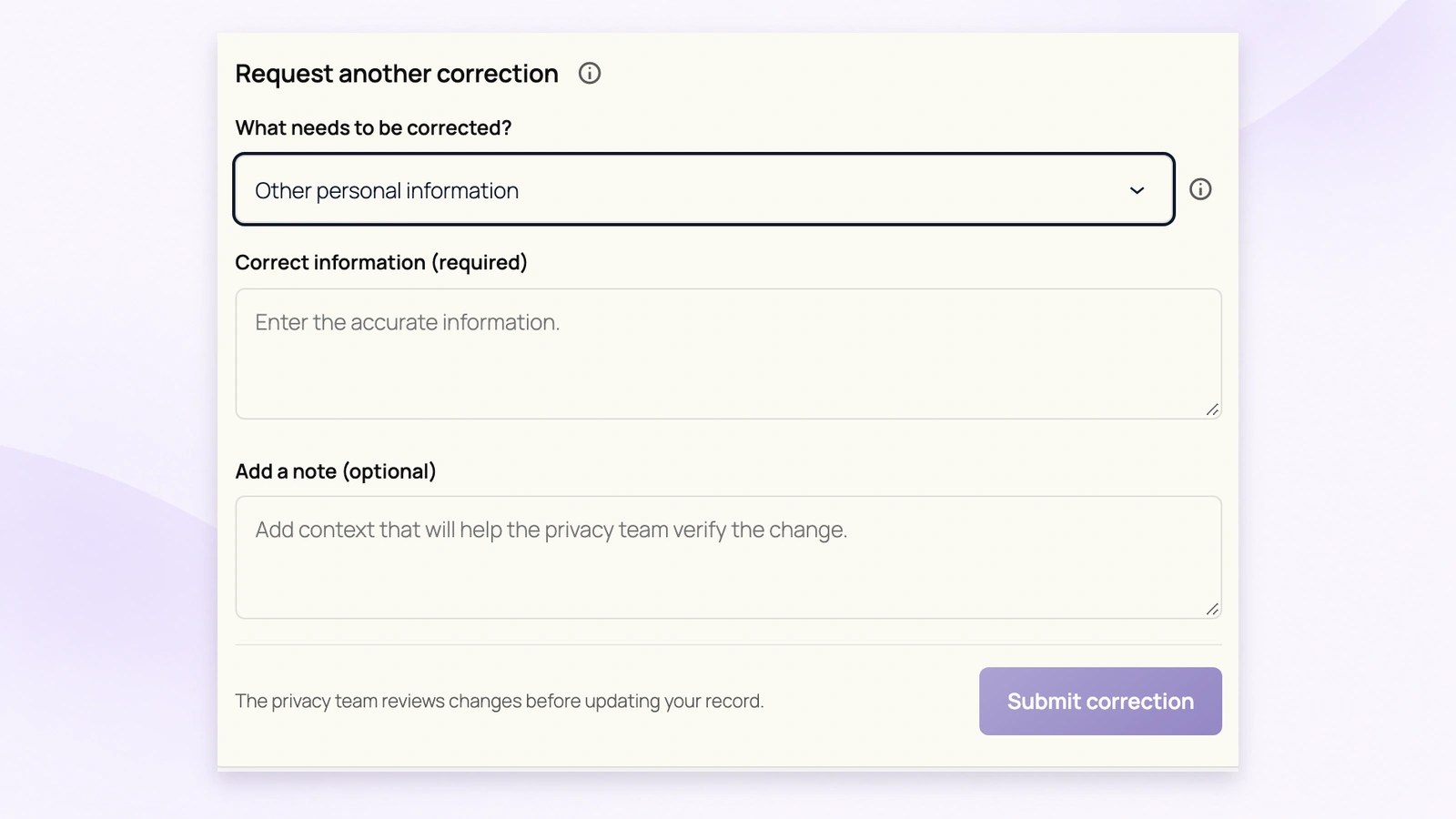
For information outside the supported order fields, customers describe what should be corrected and add useful context. This creates a request for the privacy team. It does not automatically rewrite unrelated store records or third-party information.
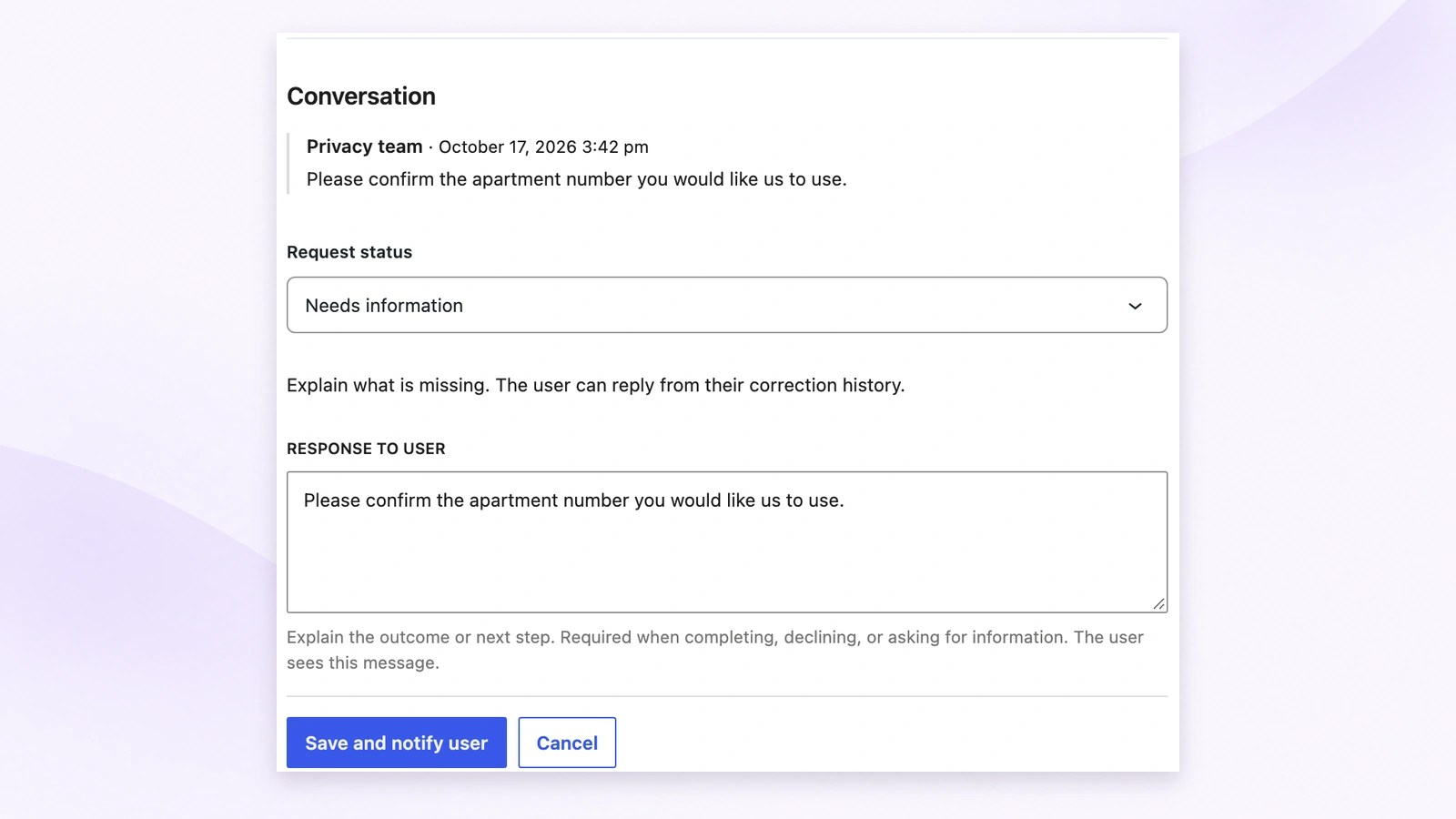
Staff can request missing information, record a response and notify the customer. The customer can reply when more information is needed. After handling the relevant records, staff explain completion or refusal so the request retains its conversation and outcome.
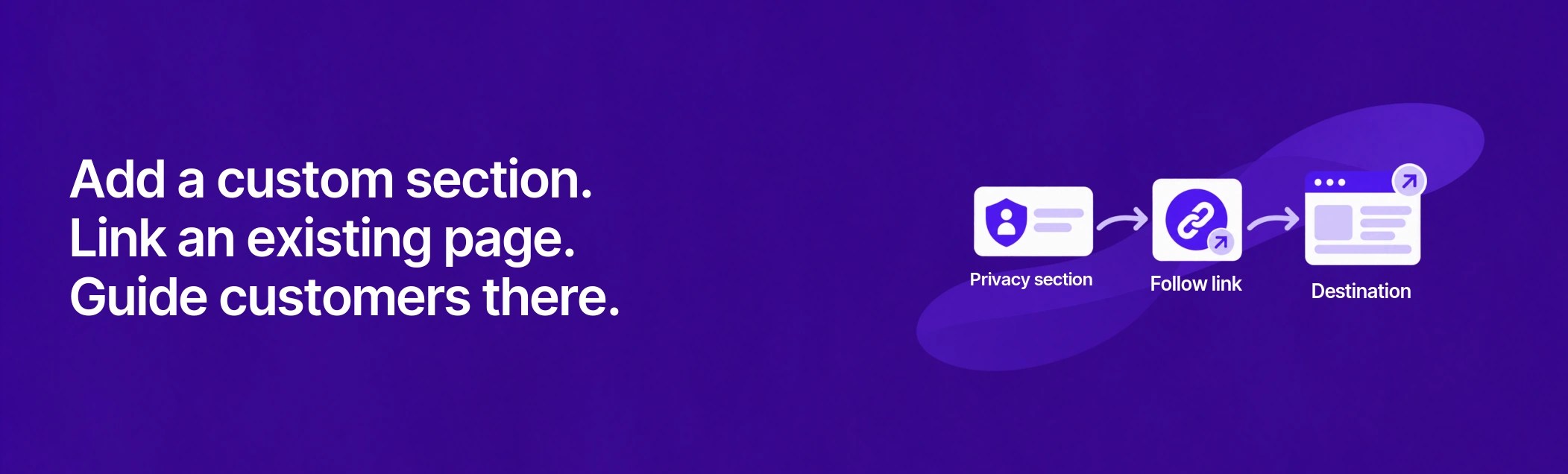
Bring your existing privacy pages and services into the customer privacy area. Add a custom section that directs customers to the right destination, with an optional explanation before they follow the link.
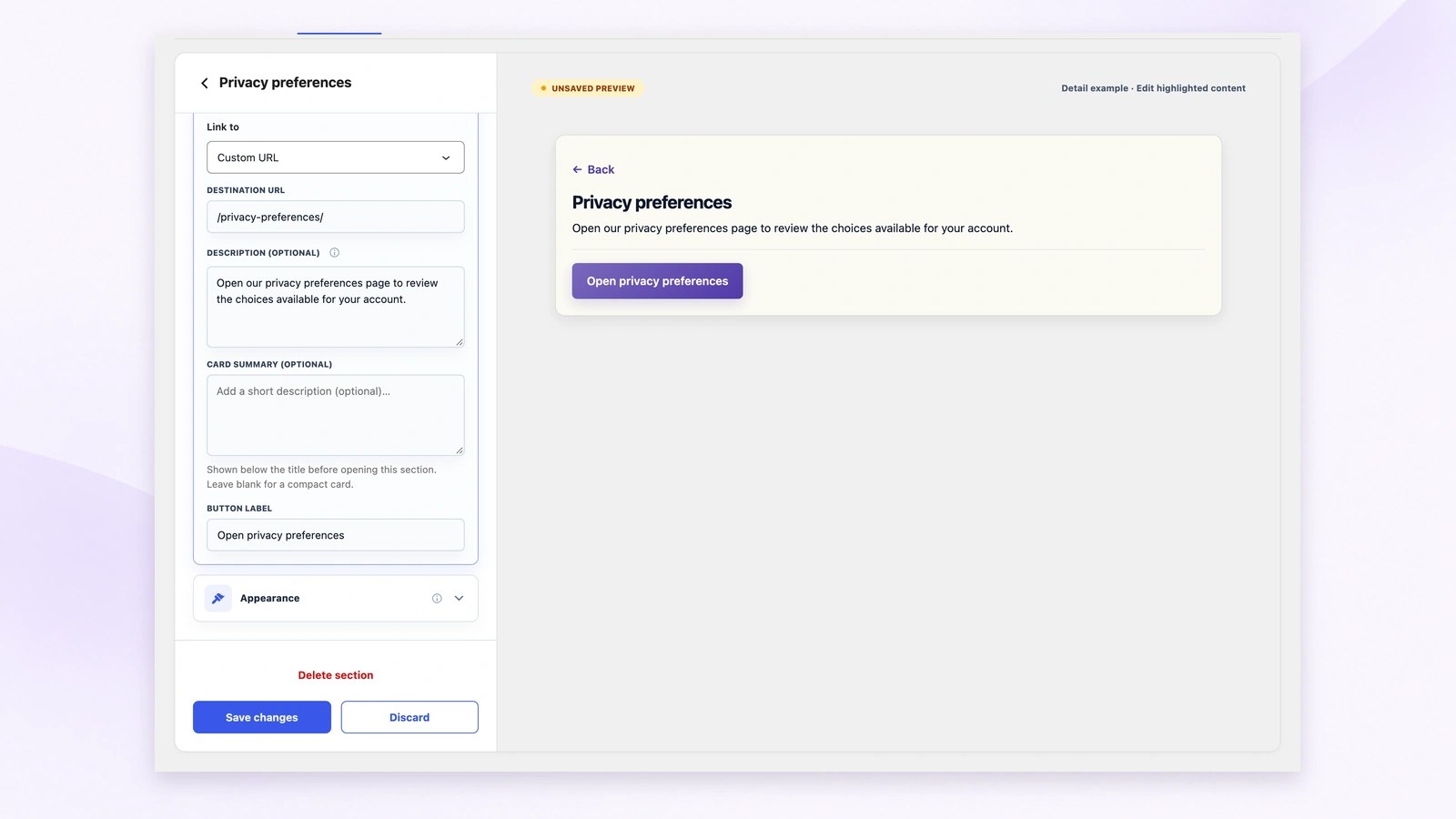
Choose an existing WordPress page or a custom URL, add explanatory text and set the button label. The full editor shows the customer preview beside these controls. Check the result, then select Save changes when you are ready.
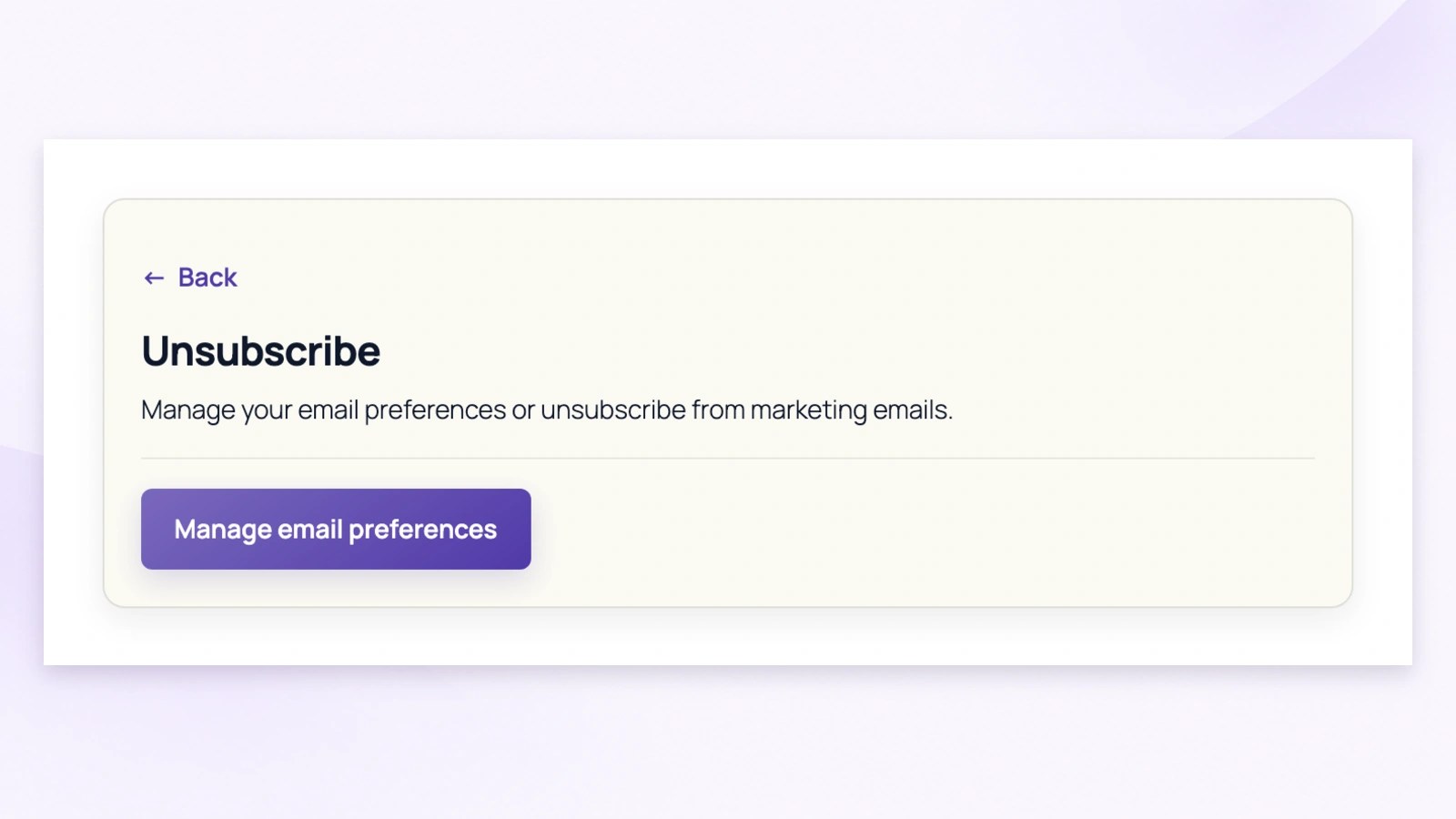
A section can introduce an existing service before opening its destination. This customer example links to email preferences. The connected page or service handles the action itself; adding the link does not create an unsubscribe workflow.
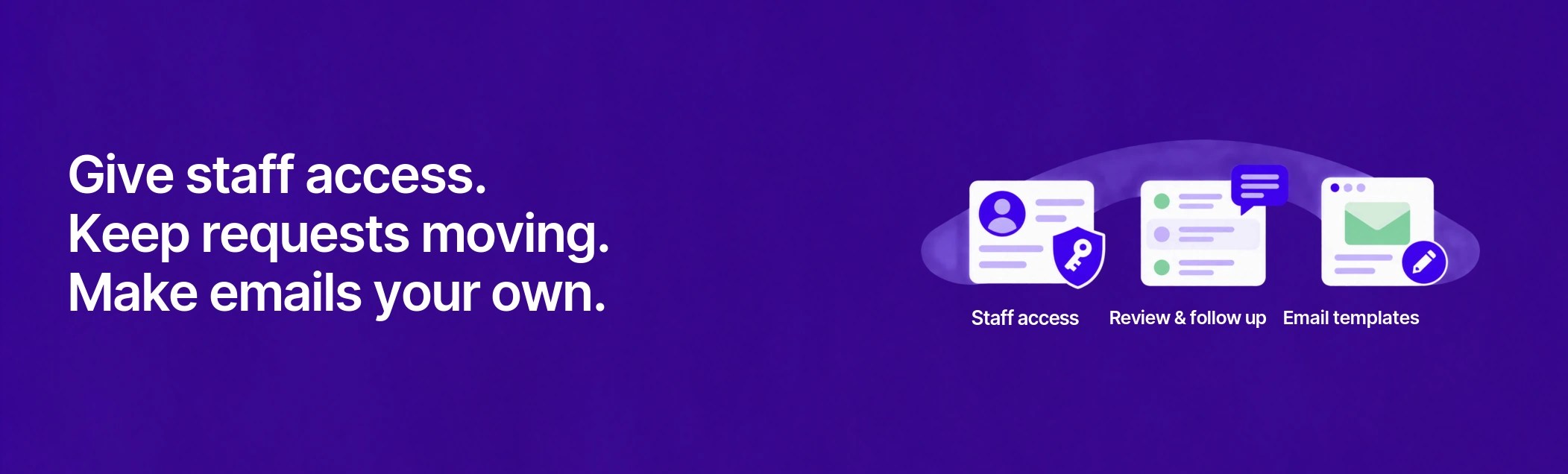
Give your team the access, context, and communication tools they need to find requests that need attention, review approvals and corrections, and track actions and outcomes—all while keeping customer messages separate from internal notes.
Admins and authorized privacy staff can manage these privacy requests and data protection workflows in one central place within WooCommerce, separate from day-to-day store operations. Keep your privacy records and processes under your control, without moving request management to a third-party platform.
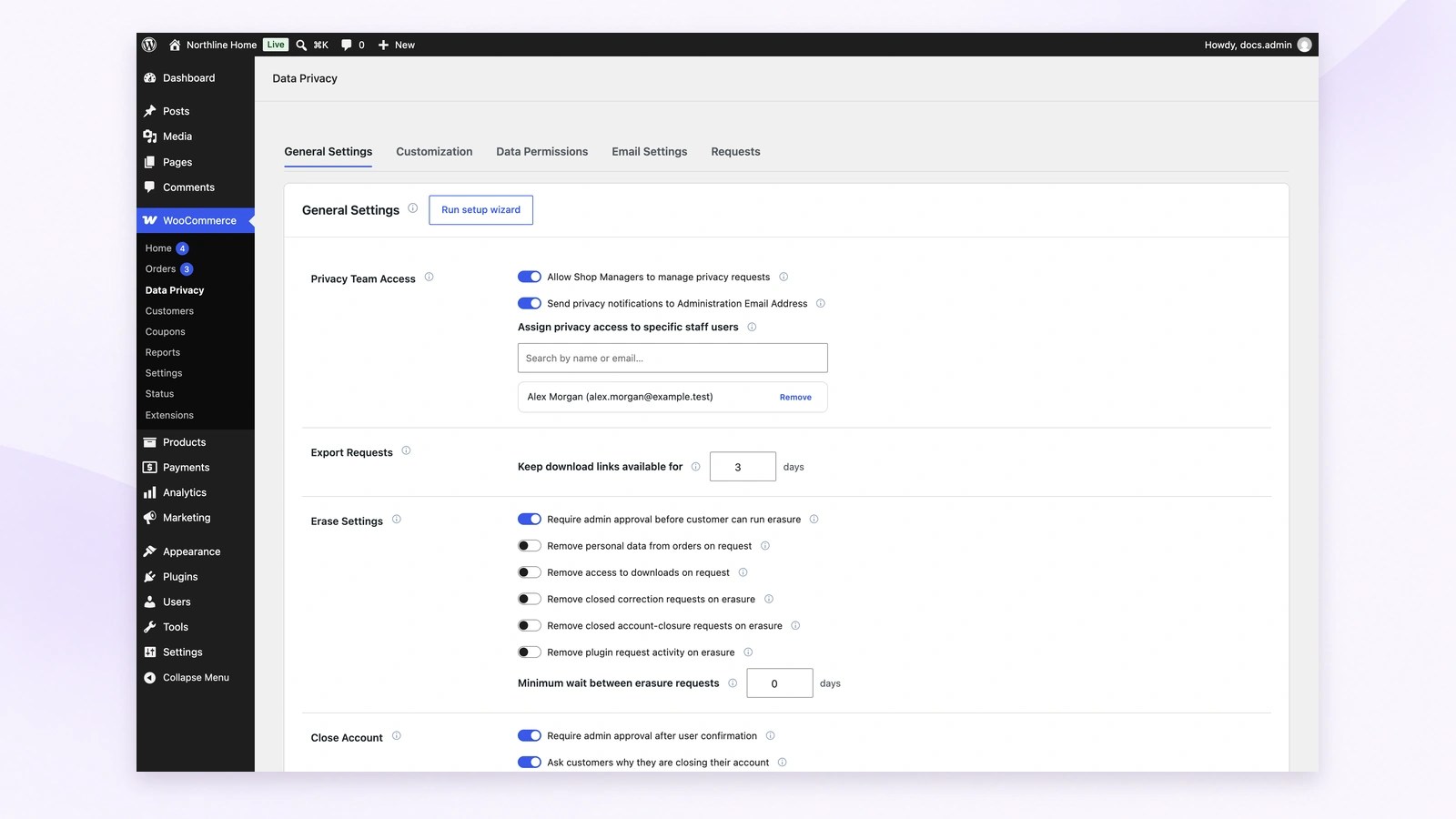
Give a support lead privacy access without changing their main role. Search by name or email to assign eligible staff. Assigned users receive internal notifications; the Administration Email Address switch adds that inbox separately. Allowing Shop Managers access does not subscribe every manager to alerts.
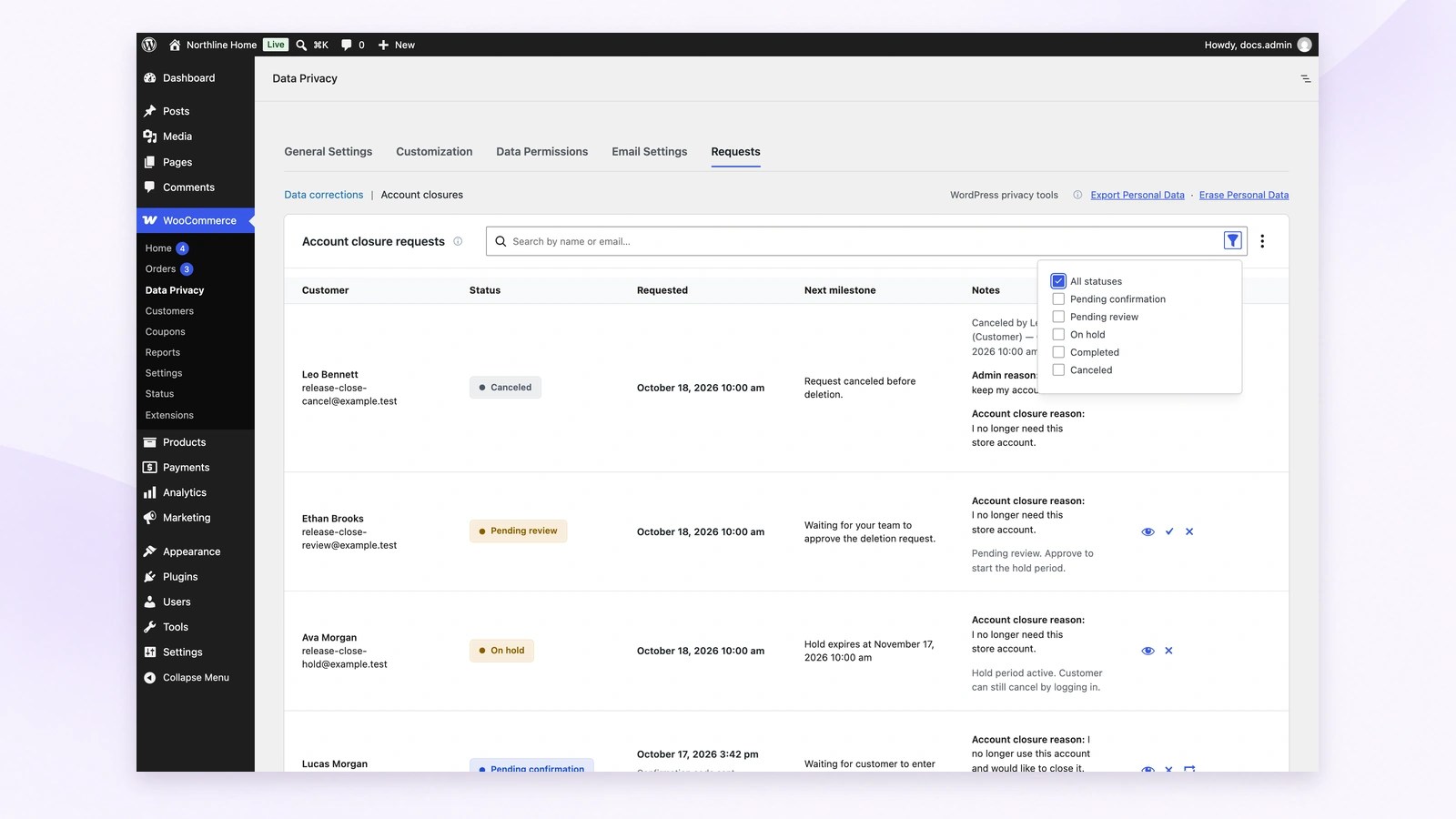
For example, find a closure waiting for staff review before checking requests already on hold. Search for a customer, open the filters, and read each status and next milestone. Use View details to review the request before taking action.
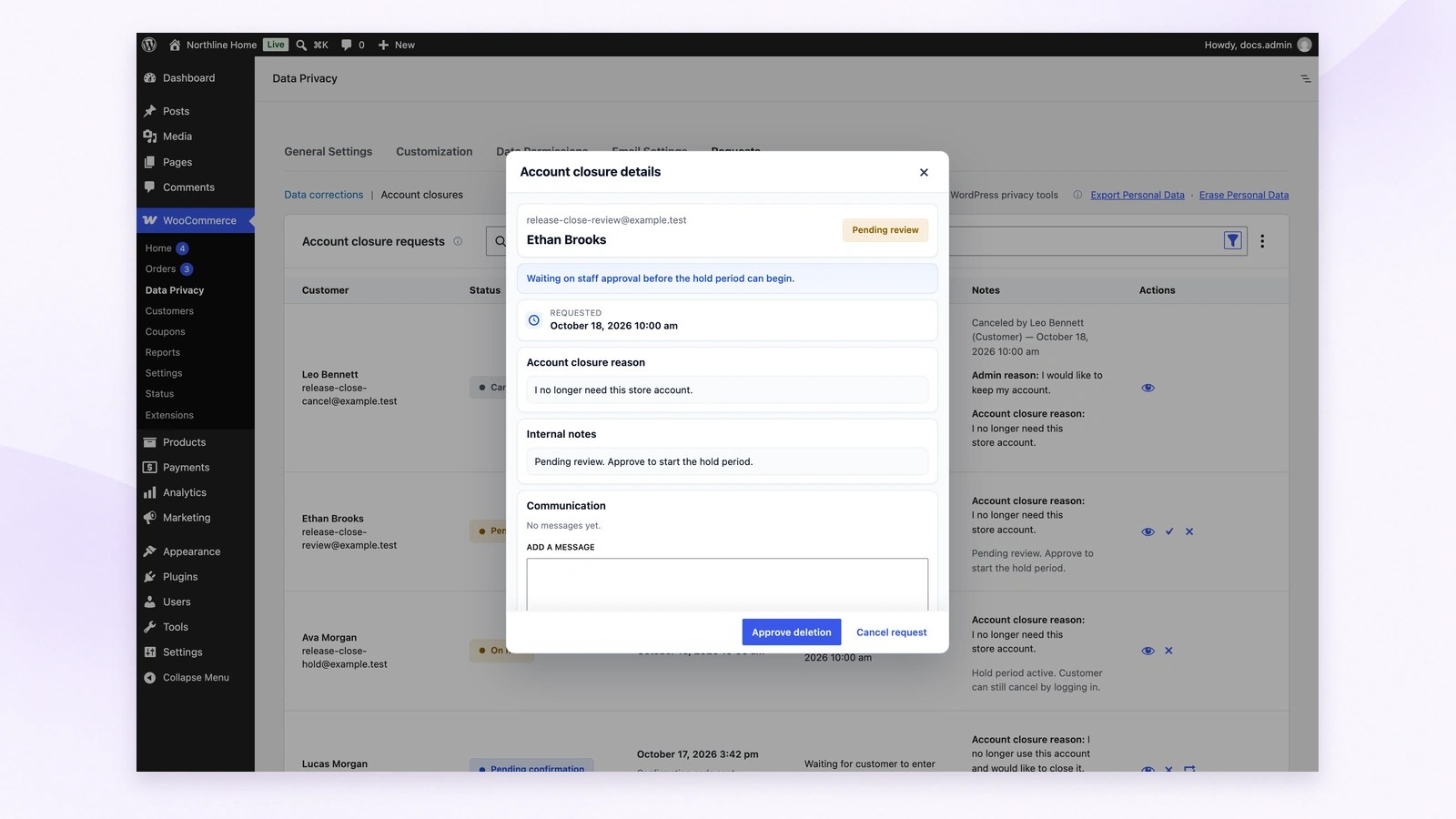
Once a customer confirms the emailed code, a closure requiring staff approval waits for review. Read their reason and choose Approve deletion to start the configured hold period, or Cancel request if it should not proceed. Account deletion follows after the hold expires.
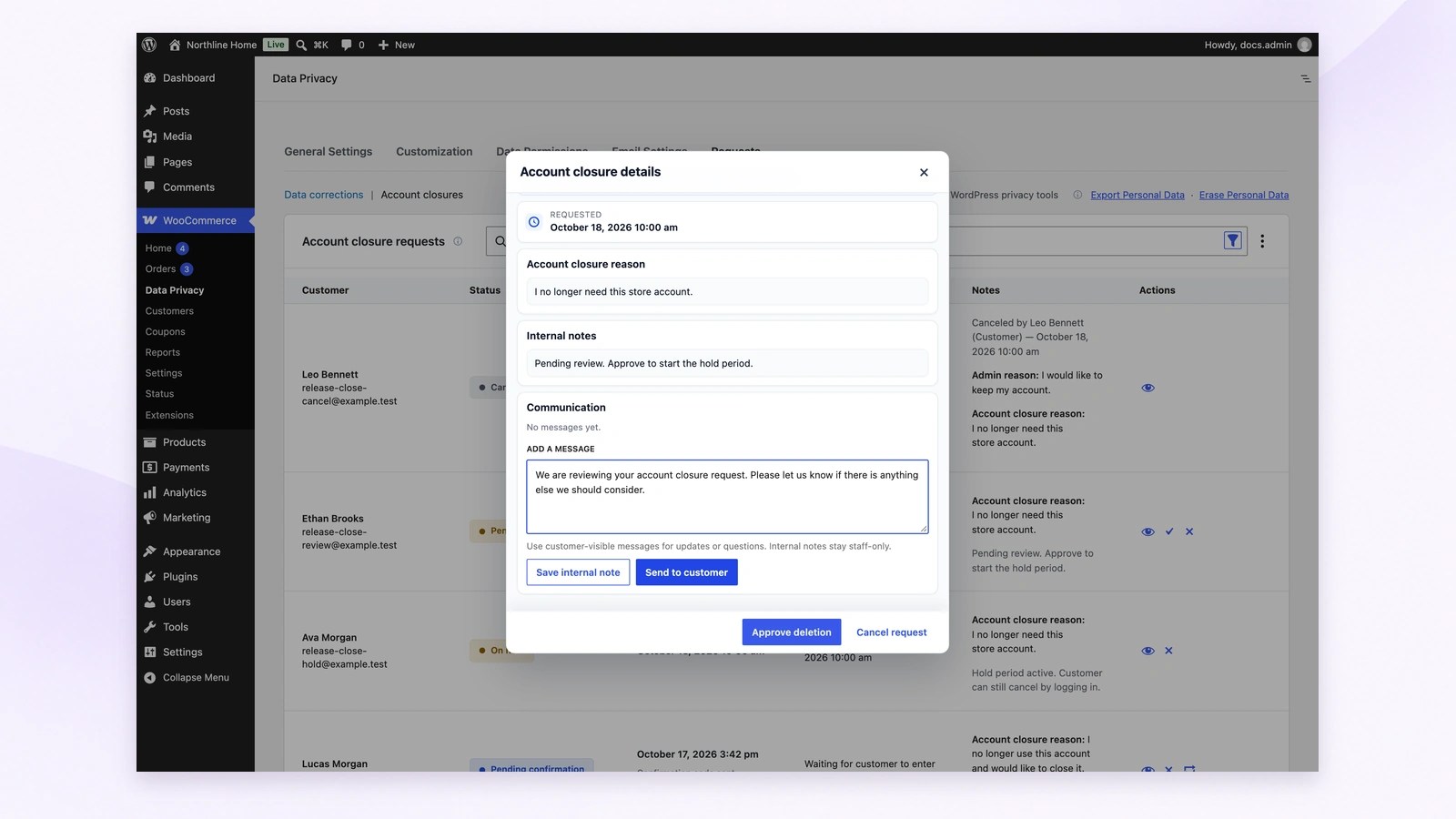
Ask a customer for clarification with Send to customer, or keep handover context private with Save internal note. Customer messages stay with the request and trigger a notification; internal notes remain staff-only. Messages and notes do not pause an active account-closure hold.
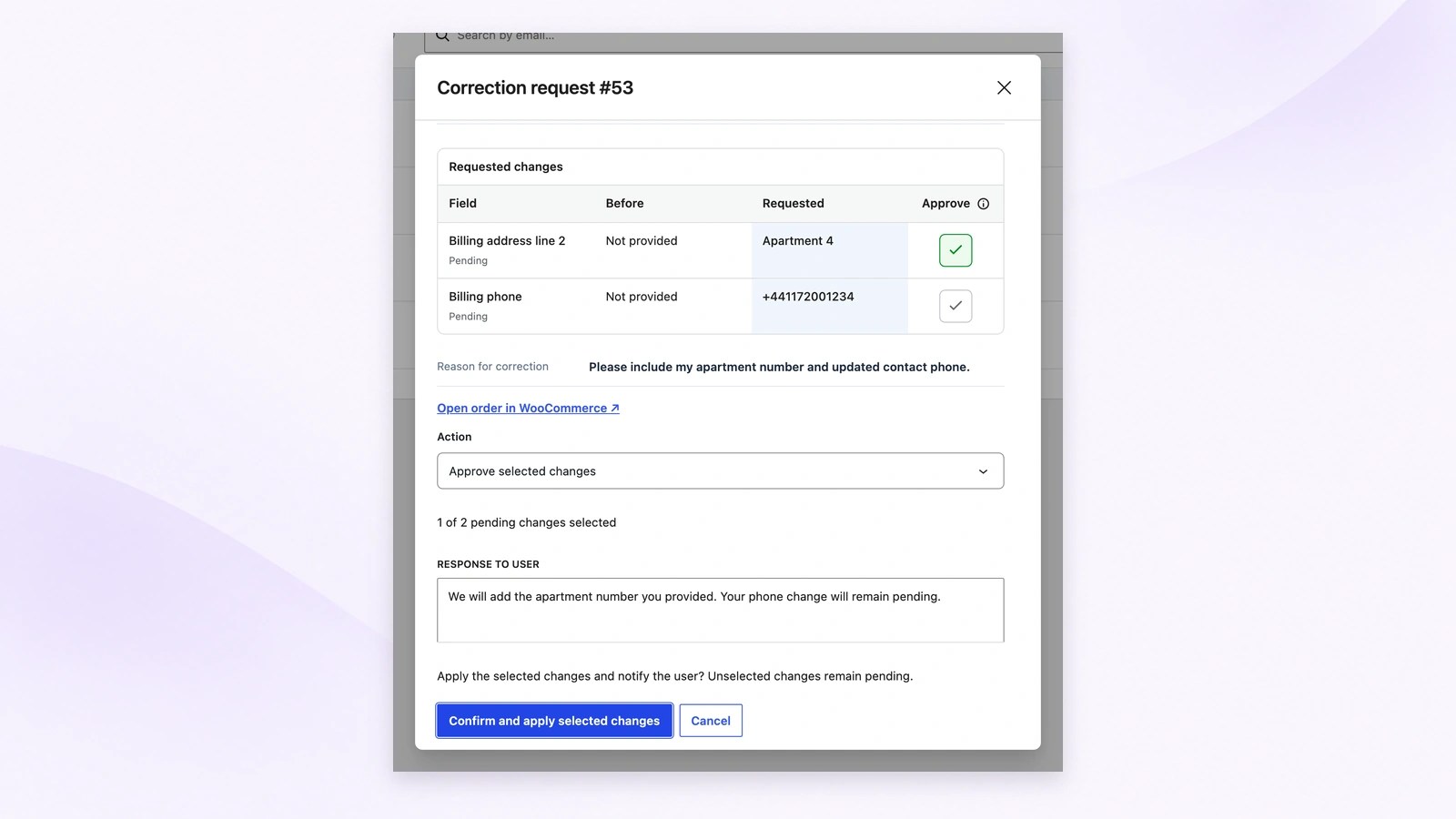
A customer may request an apartment-number correction and a new phone number together. Compare the current and requested values, then select only the changes you accept. Confirm and apply selected changes updates those fields and notifies the customer; unselected changes remain pending.
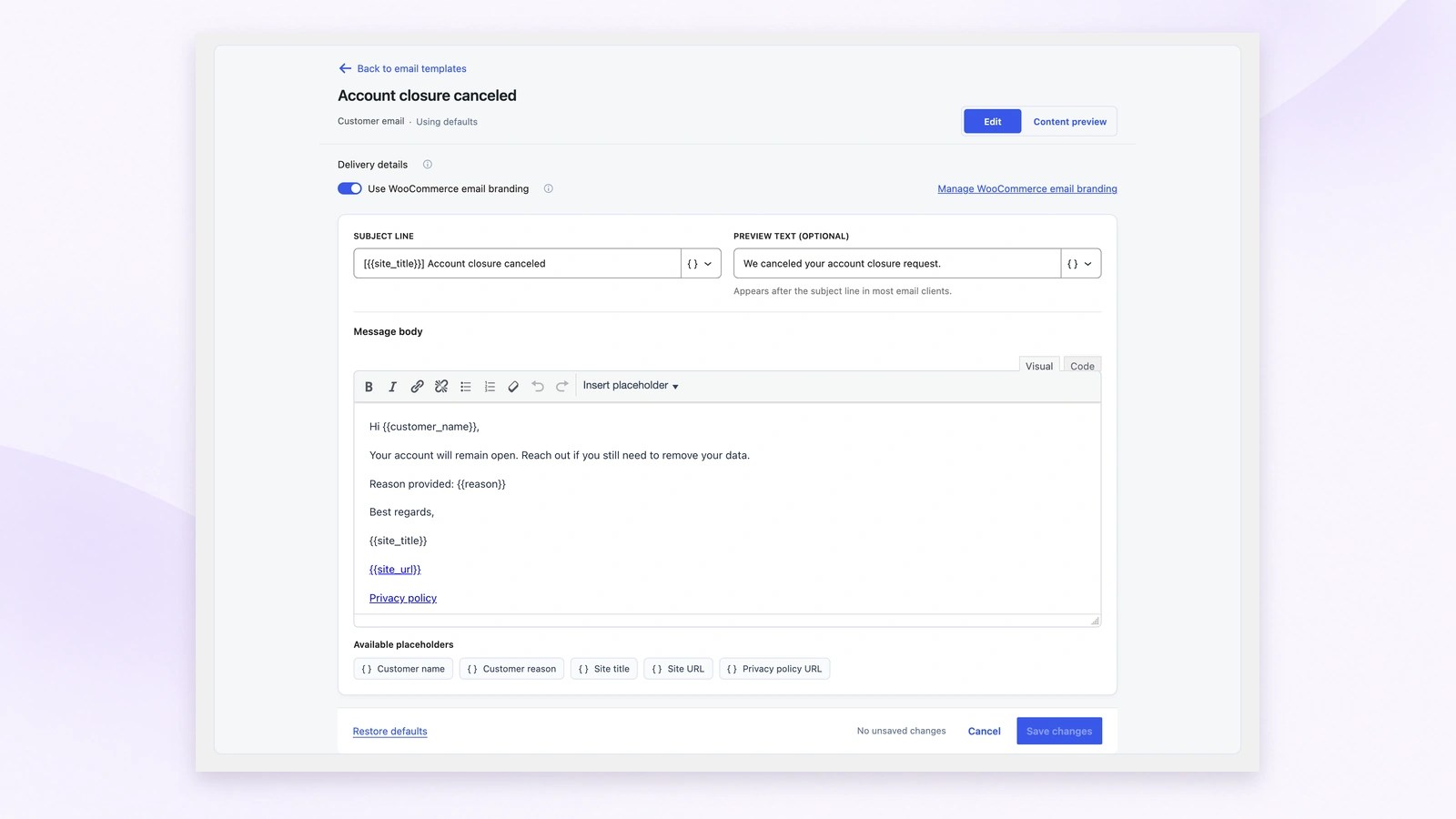
Customize the Subject line, optional Preview text and Message body, using placeholders such as Customer name and Customer reason. Keep WooCommerce email branding when appropriate, then use Content preview before Save changes. For example, explain clearly that a canceled closure leaves the customer’s account open.
That is it. Your customers can start using the Data Privacy area in My Account, and your store team can manage privacy workflows from WooCommerce Admin.
 |
DocumentationNeed guidance? Check out the comprehensive documentation to learn everything you need to know about the Data Privacy Manager for WooCommerce extension. View documentation |
 |
SupportIf you have pre-sale questions or need help, get in touch with our friendly Support Engineers. Get support
|
The plugin supports selected customer privacy workflows relevant to GDPR, CCPA/CPRA, UK GDPR, and Brazil’s LGPD. Overall compliance also depends on your store’s policies, lawful basis, data handling, request response process, retention rules, and integrations. It does not implement every right or obligation under these laws.
Categories
Extension information
Quality Checks
Countries








