
Product comparison
Subscription includes
Support
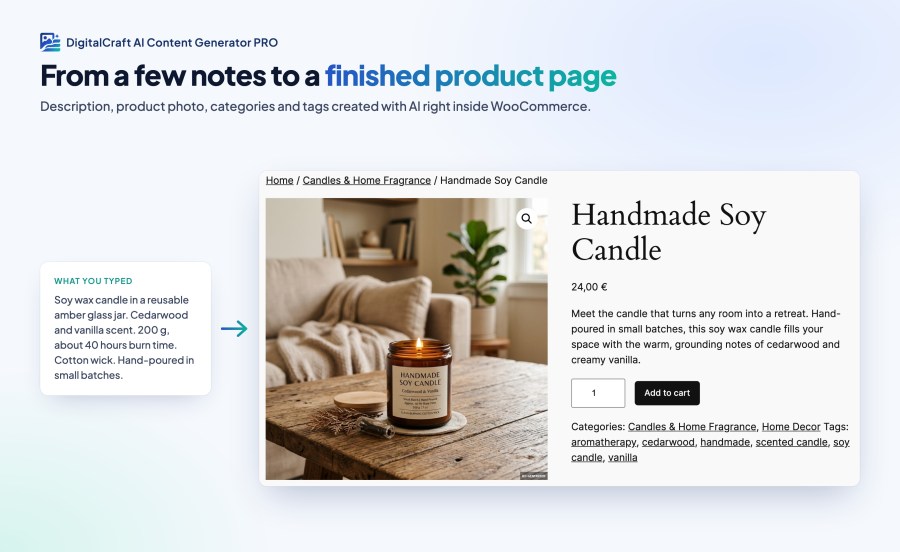
Writing a good description and finding a decent photo for every product takes hours, and new products often go live with a single line of text. DigitalCraft AI Content Generator PRO does the first draft for you, right inside the WooCommerce product editor, so you can fill a page in minutes and spend your time on the products themselves.
It adds an AI Content Generator box to the product edit screen. It reads what you have already written about a product and uses it to write a full description, with an optional short list of key selling points. It can also create a product photo in the style you describe, such as “white background, natural light”. If your existing description includes technical details like ingredients, compliance information or storage instructions, it keeps them word for word instead of rewriting them.
Select products in your Products list and choose Fill missing AI content. Before anything starts, you see how many products need a description, how many need a photo, and roughly how many AI requests that adds up to. The work runs in the background, so you can close the tab. A progress panel shows what was added to each product, lets you cancel at any time, and lets you retry any failures with one click. Only missing content is filled in. Descriptions and photos you have already written are never replaced.
The plugin uses the AI features built into WordPress, so it works with any provider you connect under Settings > Connectors, such as OpenAI, Google Gemini or Anthropic Claude. Your API key stays with WordPress, not with this plugin. You are billed directly by your provider, and a built-in statistics page shows how many requests, tokens and images each provider has used.
If you want, the plugin can add a short note to product pages saying the content was created with AI, and label generated images as AI-generated.
The admin screens are translated into Arabic, Chinese, French, German, Italian, Lithuanian, Polish, Portuguese (Brazil), Russian and Spanish.
WordPress 7.0 or newer, WooCommerce 8.0 or newer, and an account with an AI provider connected under Settings > Connectors. Image generation needs a provider that supports images, such as OpenAI or Google Gemini.
Yes. You connect your own AI provider account, and that provider bills you directly at its own prices. The plugin adds no extra charges.
No. On a single product, nothing is saved until you choose what to apply. Bulk fill only adds content that is missing and leaves everything you have already written as it is.
Yes. Bulk fill saves content to each product as soon as it is ready, so on published products it goes live straight away. We recommend trying a few products first and checking the results.
Yes. Pick any image from your media library as a reference, and the generated photo will be based on it.
No. All generation happens in the admin area when you ask for it, and bulk jobs run in the background. The only change on your storefront is the optional AI disclosure note.
By default, it writes in the same language as your product's existing description, or as the product name if there is no description yet. To always get one specific language, enter it in the Content language setting. It can write in any language your AI provider supports.