


Subscription includes
Support
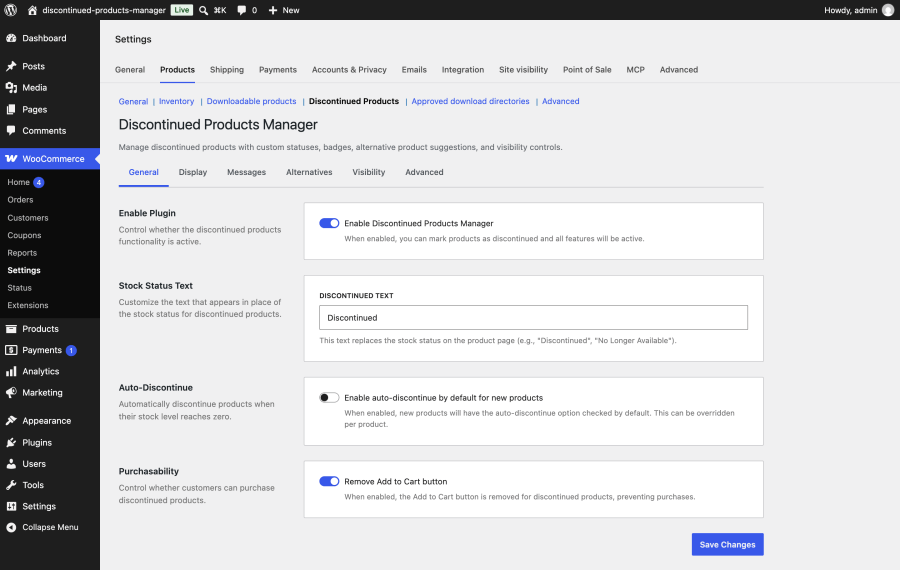
Discontinued Products Manager for WooCommerce is an extension for products you’ve stopped selling for good. It adds a Discontinued stock status next to In stock, Out of stock, and On backorder. A discontinued product can’t be bought, but its page stays online at the same address. Visitors who arrive from a search result, an old email, or a bookmark see why the product is gone and a grid of products they can buy instead. Meanwhile, your shop and site search show only what’s for sale. 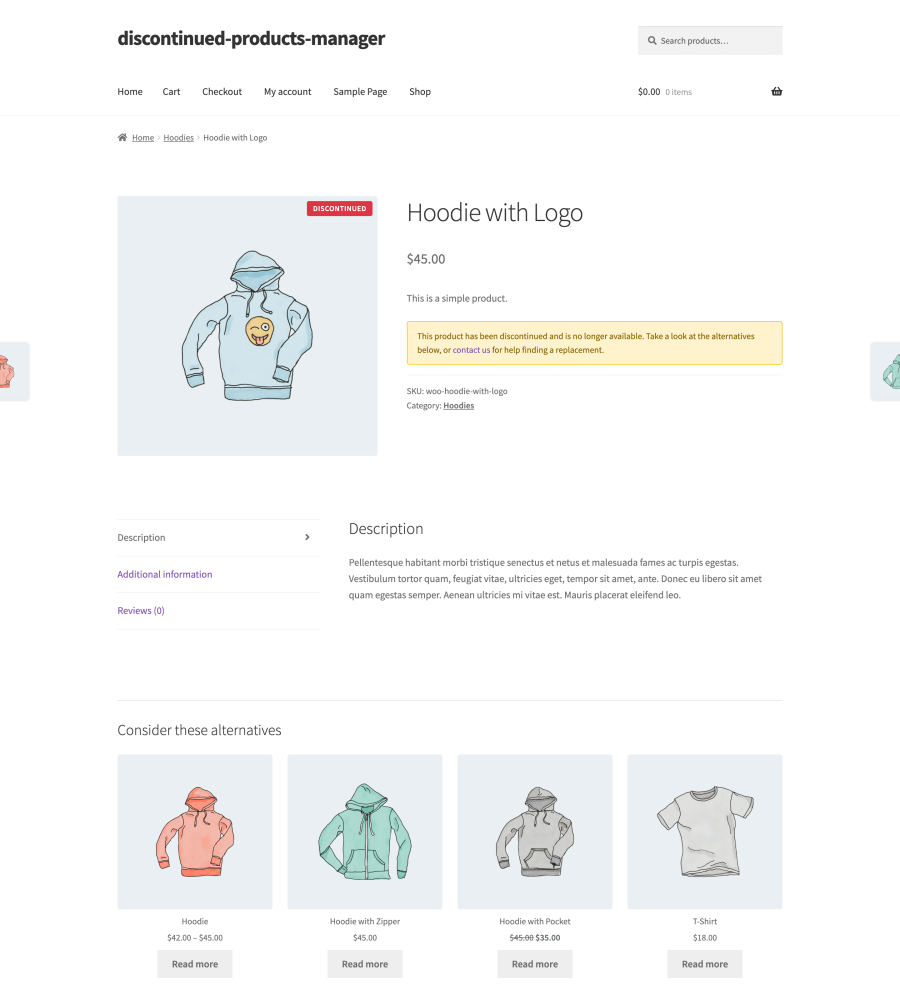
Deleting a retired product turns its page into a 404 error. Every link pointing at it breaks, and the search ranking the page built up is lost. Marking it Out of stock keeps the page, but tells customers the product might come back. Discontinued Products Manager gives you a third option, made for products that are gone for good.
Discontinued is registered as a WooCommerce stock status, so it sits alongside the statuses you already use rather than in a separate checkbox. You can set it in the product editor, on individual variations, with a bulk action on the products list, automatically when stock runs out, through the REST API, or by asking an AI assistant. The products list shows Discontinued in the Stock column and lets you filter by it. The extension also remembers each product’s previous stock status, so restoring a product puts it back where it was. 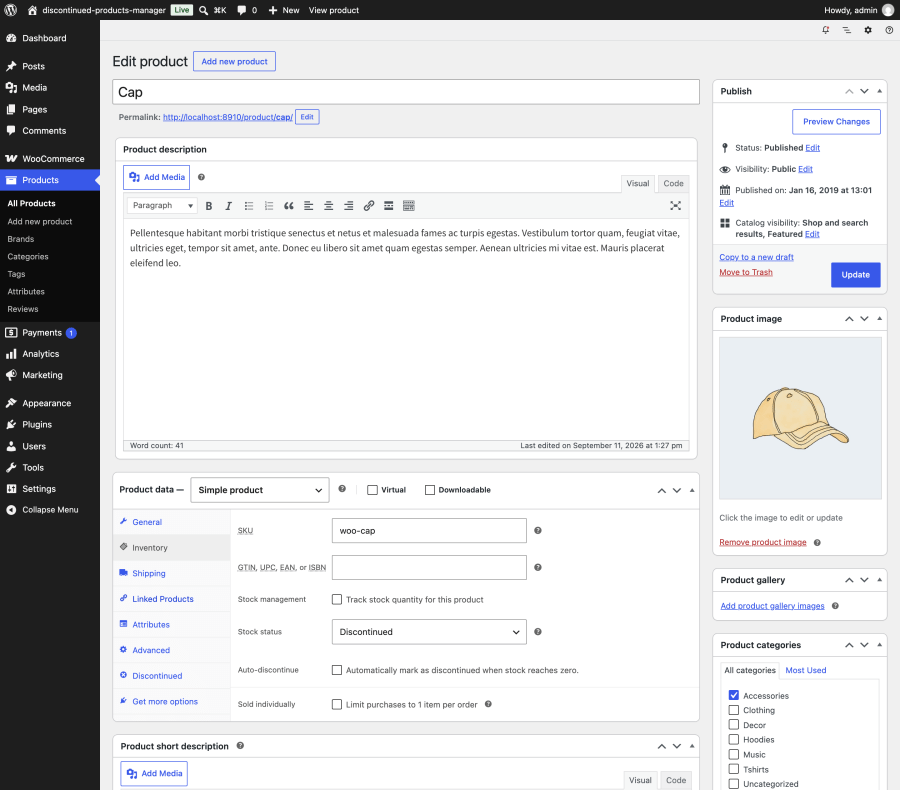
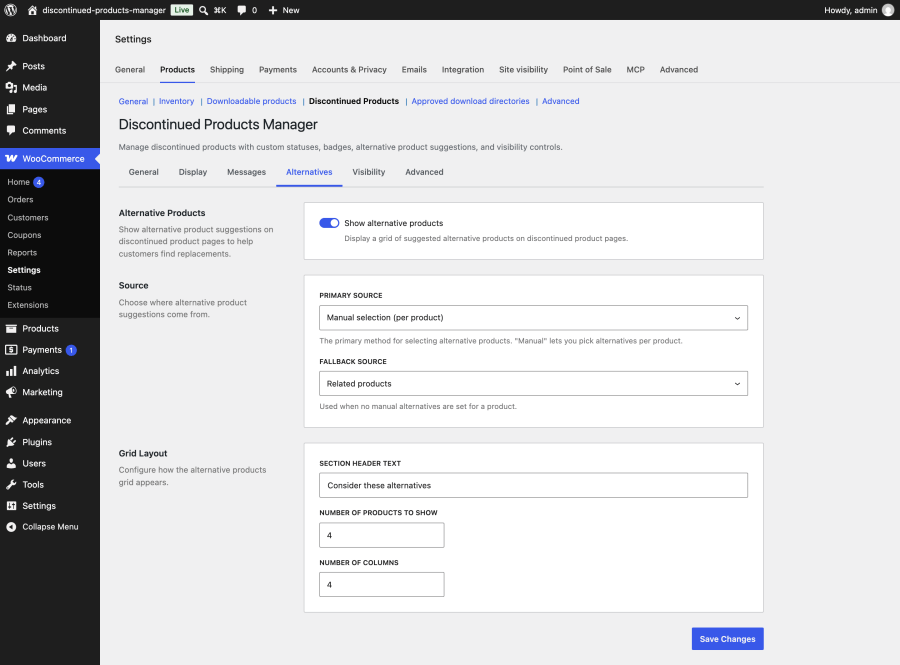
A shopper who lands on a retired product came looking for something. The alternatives grid gives them somewhere to go next.
Each control is independent, so you can keep a product out of your shop while its page keeps ranking, or keep it listed as part of a back catalog. 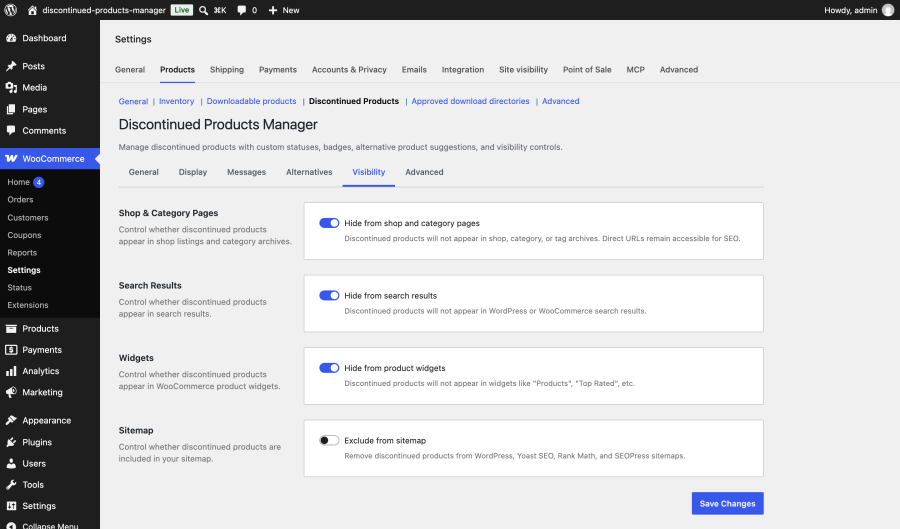
From version 1.1.0, the extension registers six tools through the WordPress Abilities API. Connect an AI assistant such as Claude or ChatGPT with a connector like [MCP (Model Context Protocol)](https://woocommerce.com/products/w7s-mcp/), and you can manage retirements in plain language.
If you sell electronics, appliances, tools, or anything with model years, old product pages keep getting visits after the model is gone. Point those visitors to the new model with a hand-picked alternative, a custom message, or a 301 redirect.
Clothing boutiques, gift shops, and brands with seasonal lines can tick Auto-discontinue and keep selling until the last unit goes. The product then retires on its own and shows similar items from the same category.
If organic search drives your sales, deleting products throws away rankings you worked for. Keep retired pages live, hide them from your shop and search, and decide per product whether to redirect or exclude them from sitemaps.
Bulk actions, CSV export, an activity log, a REST API, and AI assistant tools make it practical to retire hundreds of products and keep a record of every change.
Several plugins add discontinued product handling to WooCommerce. The table compares Discontinued Products Manager with three others using the features and details each vendor lists on its own product page. “Not listed” means the vendor’s product page doesn’t mention the feature.
| Discontinued Products Manager for WooCommerce | Discontinued Products for WooCommerce (Kestrel) | Discontinued Products for WooCommerce (Orca WP) | WC Discontinued Products (PluginEver) | |
|---|---|---|---|---|
| How products are marked | Discontinued stock status | Discontinued stock status | Discontinued stock status | Checkbox on the product edit screen |
| Discontinue individual variations | Yes | Yes | Yes | No |
| Auto-discontinue at zero stock | Yes, per product or variation | Yes | Yes | No |
| Custom message | Global or per product, with HTML | Yes | Yes, with a choice of display hook | Global or per product, with HTML |
| Image badge | Shop and product pages, custom text, colors, and position | Optional label on shop and product pages | Archive badge with color settings | No |
| Alternative products | Hand-picked, or from related products, upsells, cross-sells, or same category, with a fallback | No | Yes, with an option to remove default related products | Hand-picked only |
| Hide from shop | Yes | Yes | Not listed | Yes, combined with search |
| Hide from site search | Yes | No | Yes | Yes, combined with shop |
| Sitemap exclusion | WordPress, Yoast SEO, Rank Math, and SEOPress | No | No | No |
| 301 redirects | Yes | No | No | No |
| Bulk actions | Mark and restore | Yes | Yes | Not listed |
| Reporting | Activity log, dashboard widget, CSV export | Separate stock reports and admin filter | Admin page with logs, filters, and export | No |
| AI assistant tools | Six tools via the WordPress Abilities API | No | No | No |
| Compatibility declared | High-Performance Order Storage (HPOS), Cart and Checkout blocks | HPOS | HPOS, Checkout blocks | No |
Discontinued Products Manager is the only one of the four whose product page lists sitemap exclusion, 301 redirects, automatic alternatives with a fallback source, and AI assistant tools. It’s also sold and supported through WooCommerce.com.
"Out of Stock" tells customers a product is temporarily unavailable and may return, and it can still be backordered or restocked. "Discontinued" is a dedicated stock status for products you no longer sell at all: the item is made non-purchasable, displays a badge and an optional message, and shows alternative products, while its page stays online to preserve SEO value instead of being deleted.
Yes. By default, discontinued product URLs stay live and return an HTTP 200 status, so backlinks and search rankings are preserved and visitors never hit a 404. You can optionally hide discontinued products from shop listings, search results, widgets, and XML sitemaps while keeping the direct URL accessible, or enable a 301 redirect to a replacement product when you prefer to consolidate SEO authority.
Categories
Extension information
Quality Checks
Countries







