
Active installs
10K+
Product comparison
Subscription includes
Support
Dynamic Pricing applies pricing adjustments to WooCommerce products and carts: quantity discounts and bulk discounts in tiers, buy X get Y (BOGO) offers, wholesale and role-based pricing, category and cart-total discounts, and scheduled pricing adjustments that start and end on dates you set.
One licence covers every rule type, in one engine with a fixed order: product and category quantity rules first, then category, brand and role pricing, then cart-total pricing. Developers control stacking with the woocommerce_dynamic_pricing_is_cumulative filter.
Each common setup below has a step-by-step recipe in the documentation, with the exact fields to fill and the totals measured from a real cart.
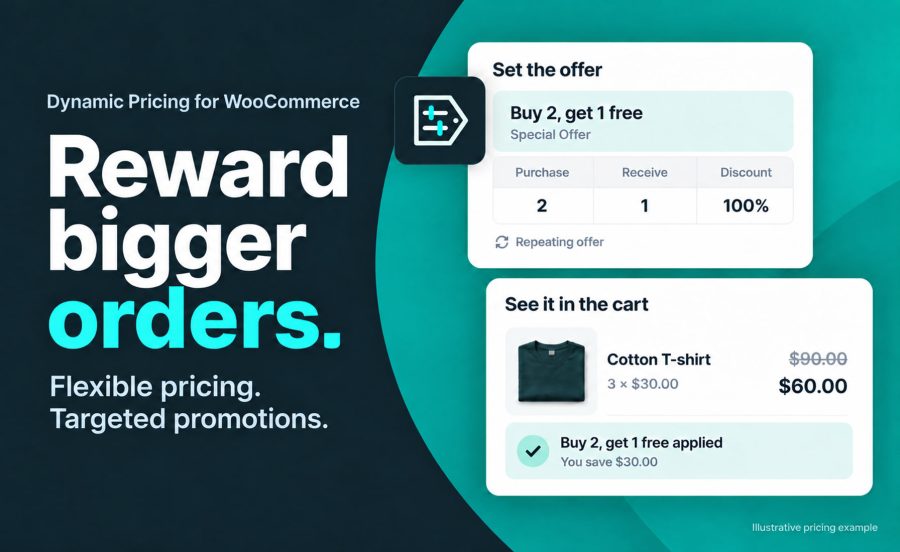
One rule on the product: purchase 2, receive 1 at 100% off, repeating. Three of a $30 product cost $60; six cost $120. Change the amount to 50 for half price, or count across a category so any three qualify. The cheapest qualifying item is the one discounted.
Recipe: Buy 2, get 1 free
A table of tiers on the product: 10% off from 5 units, 20% from 10, 30% from 25. Ten of a $100 product cost $800. Tiers can be a percentage, a flat amount off each unit, or a fixed unit price.
On a variable product you choose how units are counted. With tiers at 5 and 10 units on a $100 hoodie, 3 small and 2 large reach the 5-unit tier together and cost $450 when counted across the product; counted per variation, each size counts on its own and the cart costs $500. Tiers can also be limited to specific variations, counted per cart line, or counted across a whole category.
Recipe: Tiered quantity discounts
Give a user role 25% off everything in one row: a logged-in trade customer sees a $100 product at $75 in the shop, on the product page and in the cart, while everyone else sees $100. Or attach the role to a single product’s rule when the wholesale price varies by product. Any role works, including ones a membership plugin creates.
Recipe: Wholesale pricing by role
Start with the recipe that matches your scenario; each takes a few minutes. The documentation covers every field and how rules combine.
Yes. The shop and product page show the adjusted price next to the struck-through regular price for role, category and brand pricing, and for product tiers that start at a quantity of 1. Quantity tiers and buy X get Y offers update the cart price as the customer adds items.
Yes. Add one Special Offer rule to the product: purchase 2, receive 1, Percentage Discount 100. Three $30 items cost $60. The Buy 2, get 1 free recipe has every step.
Yes. A rule counts units across all variations or per variation. A rule can also cover selected variations. The Tiered quantity discounts recipe includes a worked variable-product example.
Yes. Role Pricing gives any user role a discount on every product. Logged-in customers in that role see the trade price in the shop, on the product page and in the cart. The Wholesale pricing by role recipe covers store-wide and per-product setups.
Yes. Order Totals Pricing takes a percentage off carts above an amount you set. It applies to everyone, guests or specific roles.
Yes. Coupons apply on top of pricing adjustments. The wc_dynamic_pricing_check_coupons filter makes coupons set to "Exclude sale items" skip adjusted cart lines.
Dynamic Pricing includes specific code for WooCommerce Memberships, Product Bundles, Product Add-ons, Gravity Forms Product Add-ons, Groups and WooCommerce Brands. It supports the Cart and Checkout blocks and High-Performance Order Storage. The compatibility page describes each one.
Questions before you buy go through the pre-sales form. After purchase, open a ticket from your WooCommerce.com account. Support tickets are answered by the Dynamic Pricing developer.
Categories
Extension information
Quality Checks
Countries