

Subscription includes
Support
Email List Cleaner runs batch verification through Kickbox against your lists. You choose which action to take for undeliverable, risky, or unknown results (for example, unsubscribe from MailPoet or delete WooCommerce Customers). After verification, a preview shows every email and its planned action. No changes are applied until you click Approve and Apply Actions.
Configure actions in WooCommerce > Settings > Email List Cleaner > List Cleaning Configuration.
Run jobs from Tools > Email List Cleaner.
Kickbox is an email verification service. Email List Cleaner uses it to check whether addresses are deliverable, risky, or invalid. You need a Kickbox account and API key.
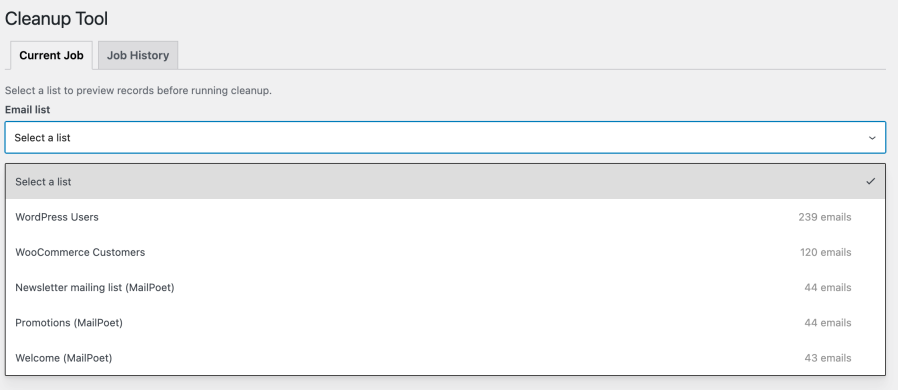
Yes. When MailPoet is installed, its lists appear in the Cleanup Tool. You can also use the "Clean lists" button on MailPoet > Lists for a quick full cleanup.
Yes. The Cleanup Tool runs verification first, then shows a preview of each email and its planned action. You approve or cancel - nothing changes until you approve.
You configure this per list in WooCommerce > Settings > Email List Cleaner. Options include no action, unsubscribe (MailPoet), or delete (WooCommerce/WordPress users).
Yes. Each verified email uses Kickbox credits. Preview and job history do not use extra credits beyond the verification step.
Go to Tools > Email List Cleaner. Use the Current Job tab to run and approve jobs, and the Job History tab to view past jobs and downloads.
Categories
Extension information
Quality Checks
Countries






