

Subscription includes
Support
Customers often abandon carts or raise support tickets because they don’t know when their order will arrive. Missing delivery information is one of the top reasons for lost sales and post-purchase complaints.
This plugin solves that by automatically calculating and displaying estimated delivery dates based on your store’s actual shipping rules, accounting for minimum and maximum processing days, cutoff times, and excluded dates, so buyers always see a realistic delivery window before and after purchase.
The Estimated Order Delivery and Pickup Date plugin automatically calculates and displays delivery date messages in real time. The delivery window calculation accounts for:
• Minimum and maximum processing days you define per rule
• A daily cutoff time after which next-day processing begins
• Specific weekdays or custom dates excluded from delivery calculations
• The customer’s shipping method, zone, or country
• The product’s current stock status (in stock, out of stock, or on backorder).
Show estimated delivery messages on five separate pages of your WooCommerce store. Each location can be independently enabled or disabled:
• Single Product Page — primary delivery message display
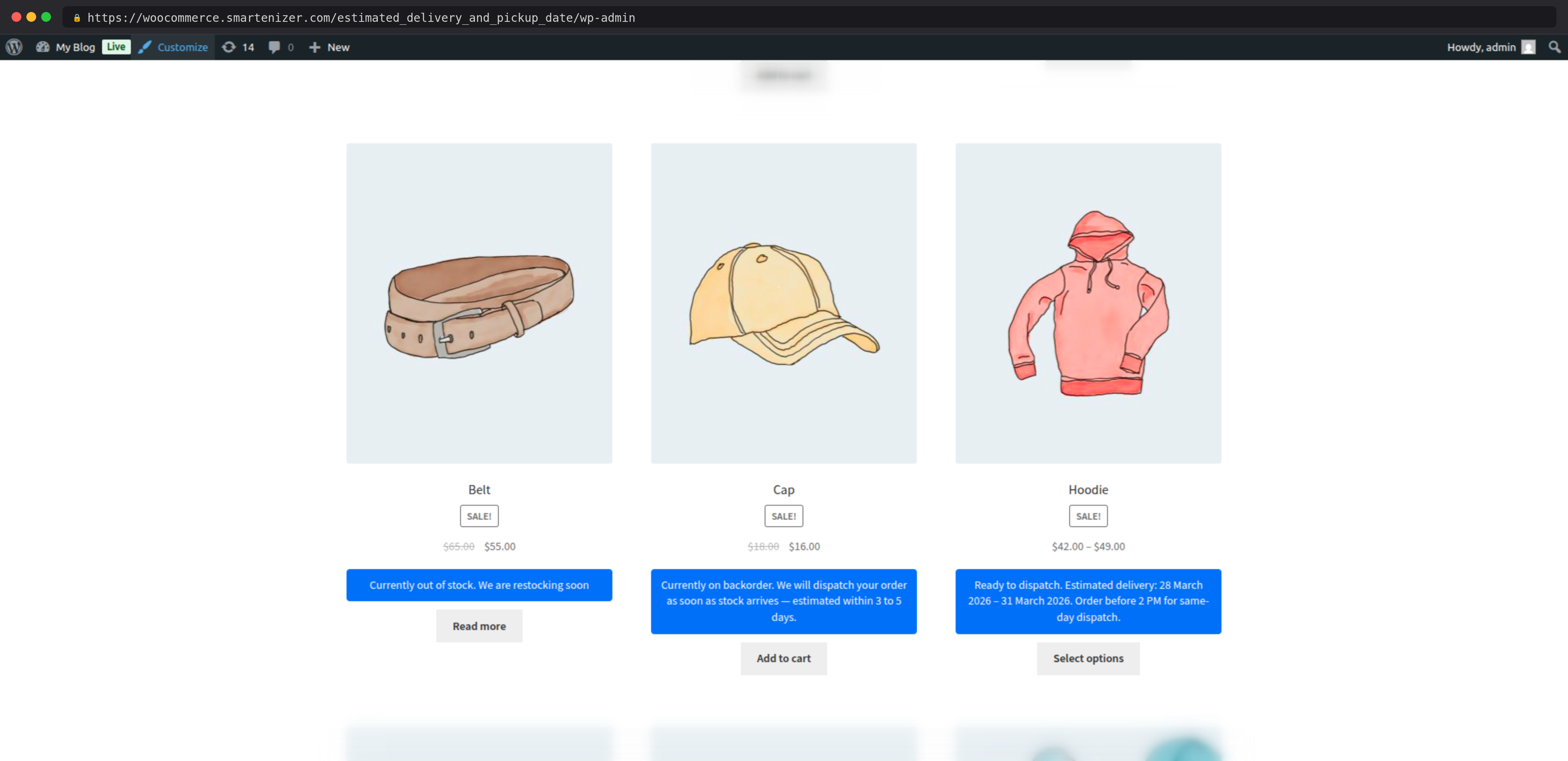
• Shop / Archive Page — show estimates below product cards
• Cart Page — reinforce delivery expectations before checkout
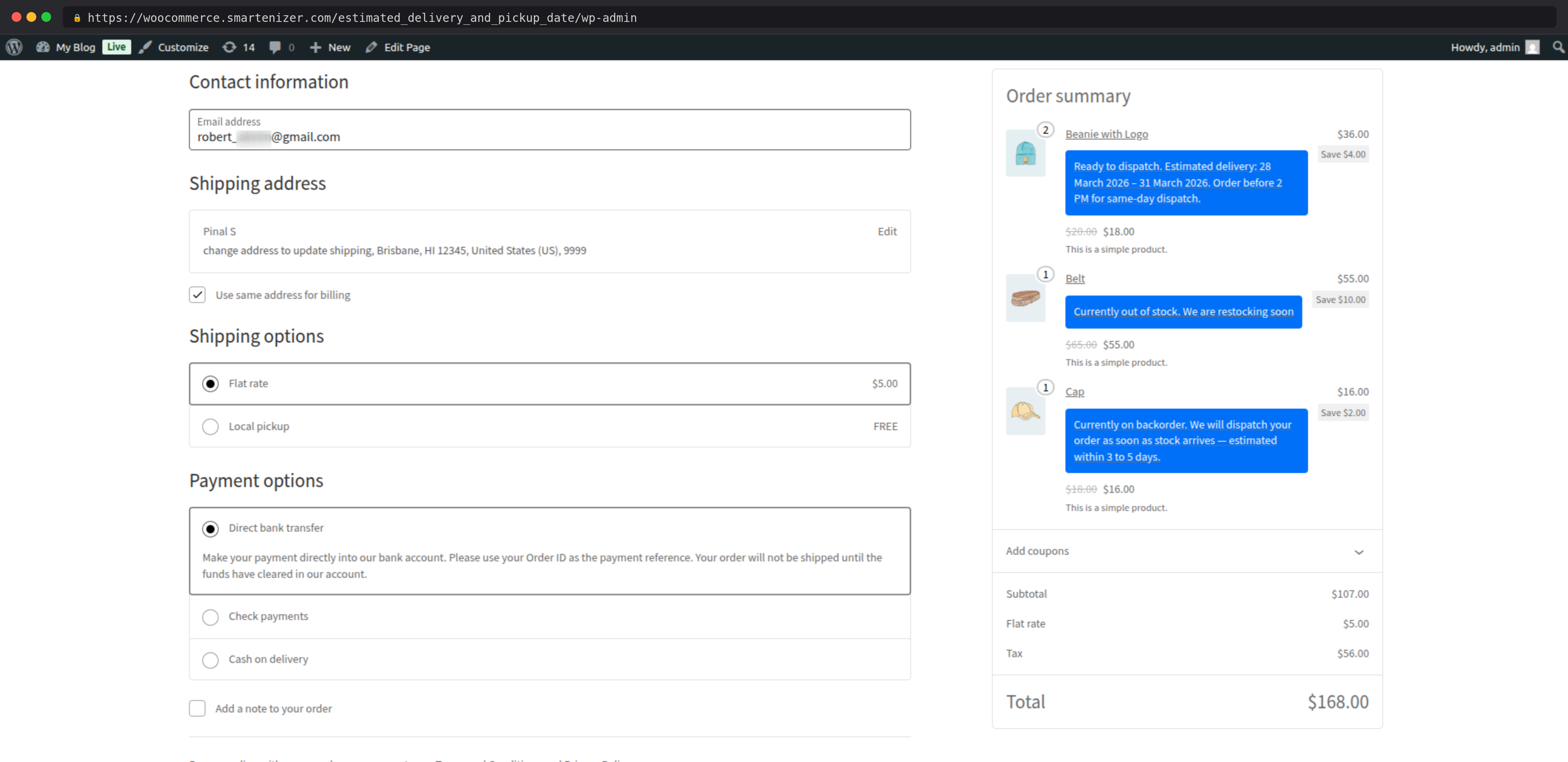
• Checkout Page — display estimates while the customer selects shipping
• Thank You / Edit Order Page — final confirmation of delivery window
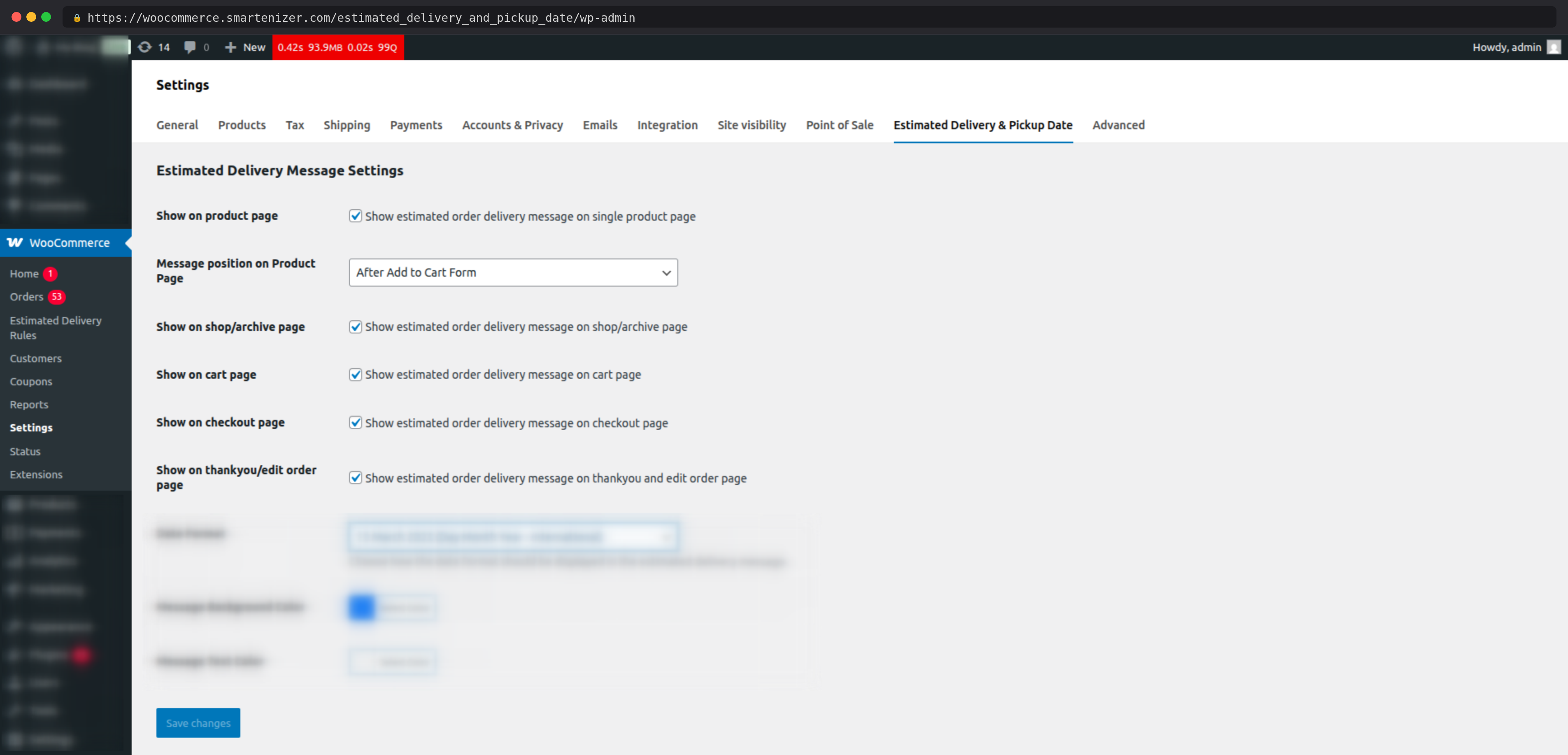
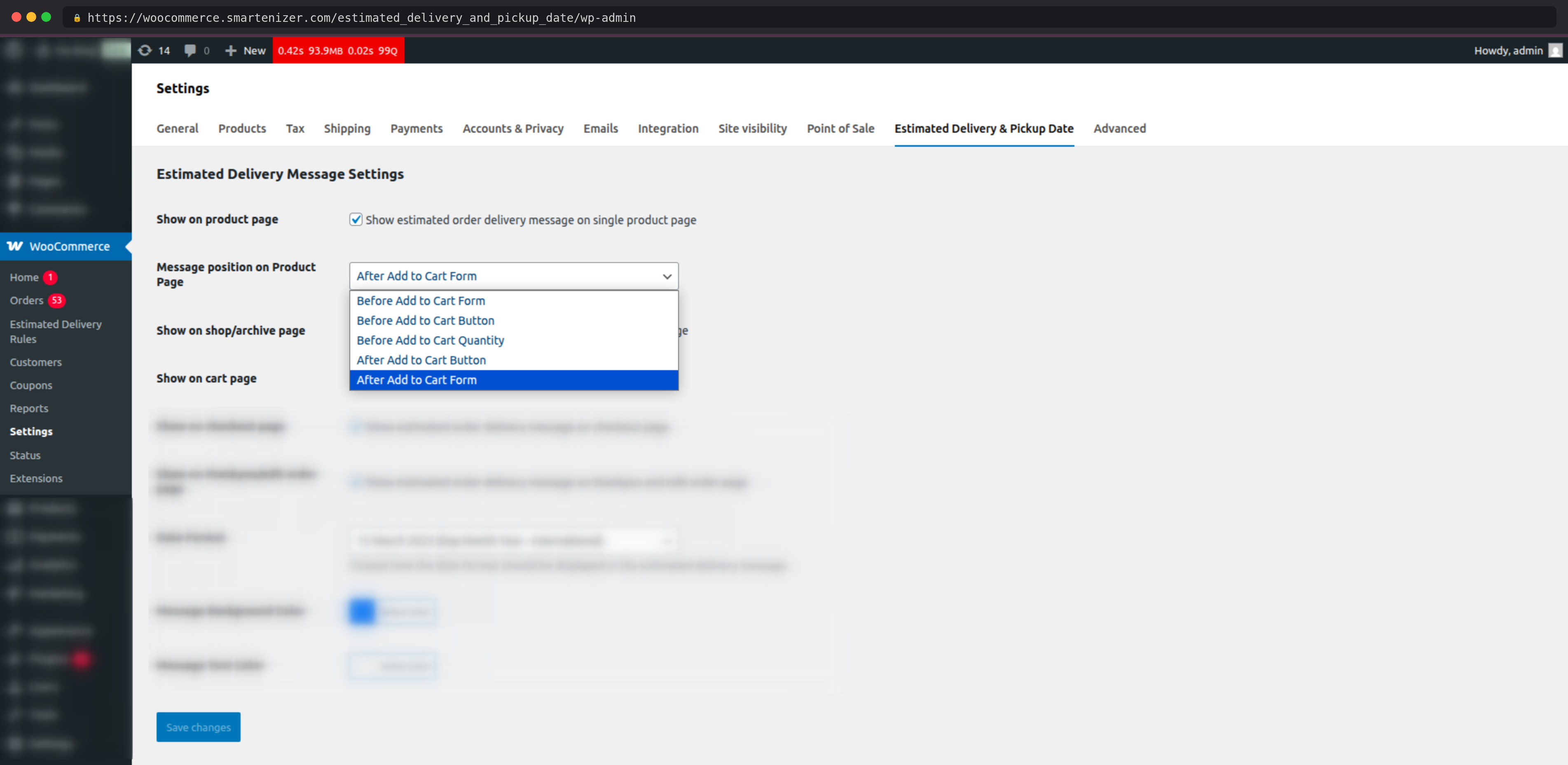
On the single product page, choose where the delivery message appears relative to the product add-to-cart form — for example, immediately after the Add to Cart button.
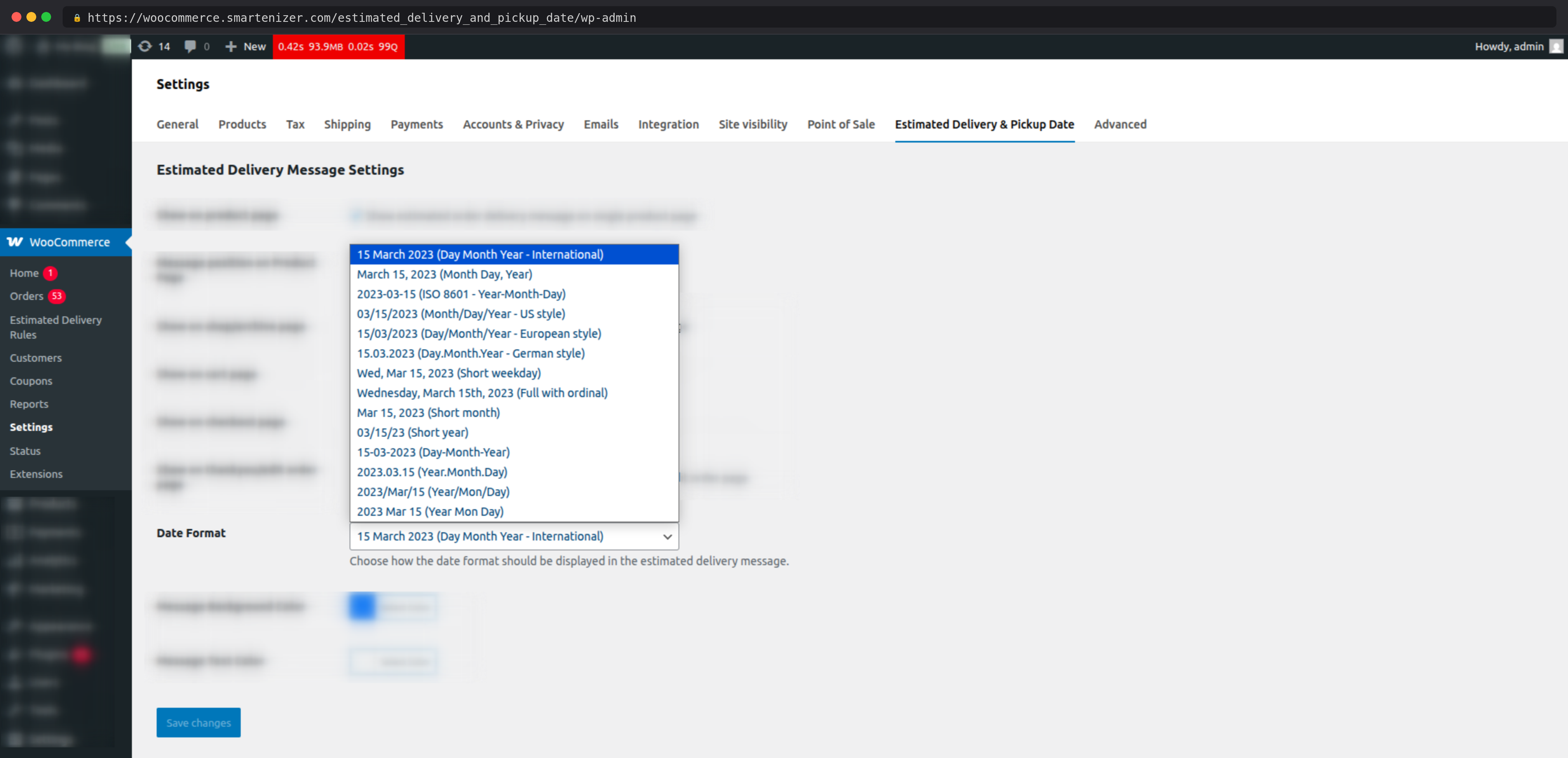
Select from multiple date display formats, including international format (e.g., 15 March 2025), numeric formats (e.g., 15/03/2025), and formats that include the day name.
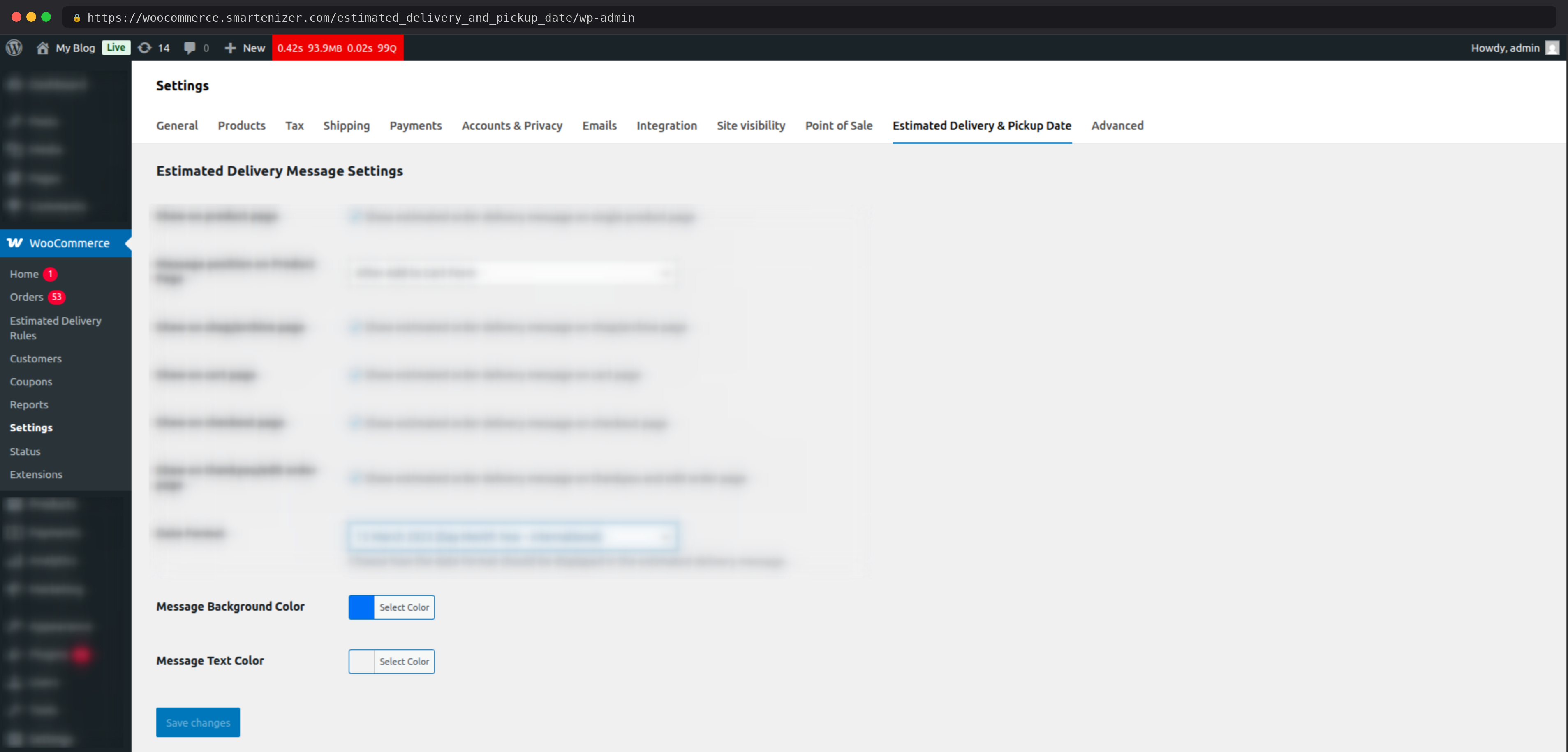
Set a background color and text color for the delivery message box to match your store’s branding. No custom CSS or developer involvement required.
Create multiple delivery rules, each with its own independent configuration. Rules can be enabled or disabled individually without deleting them. Only rules whose conditions are met will display.
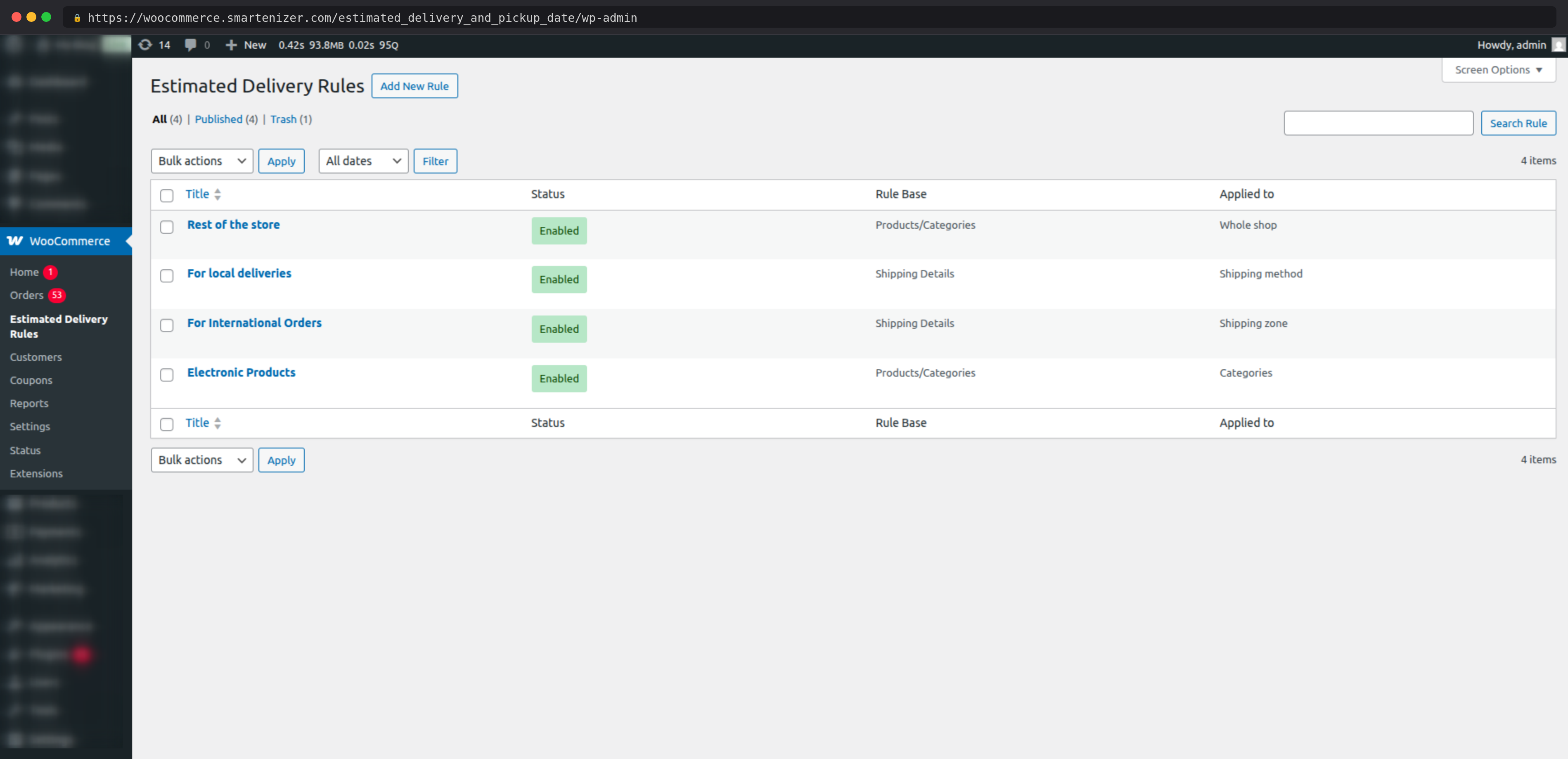
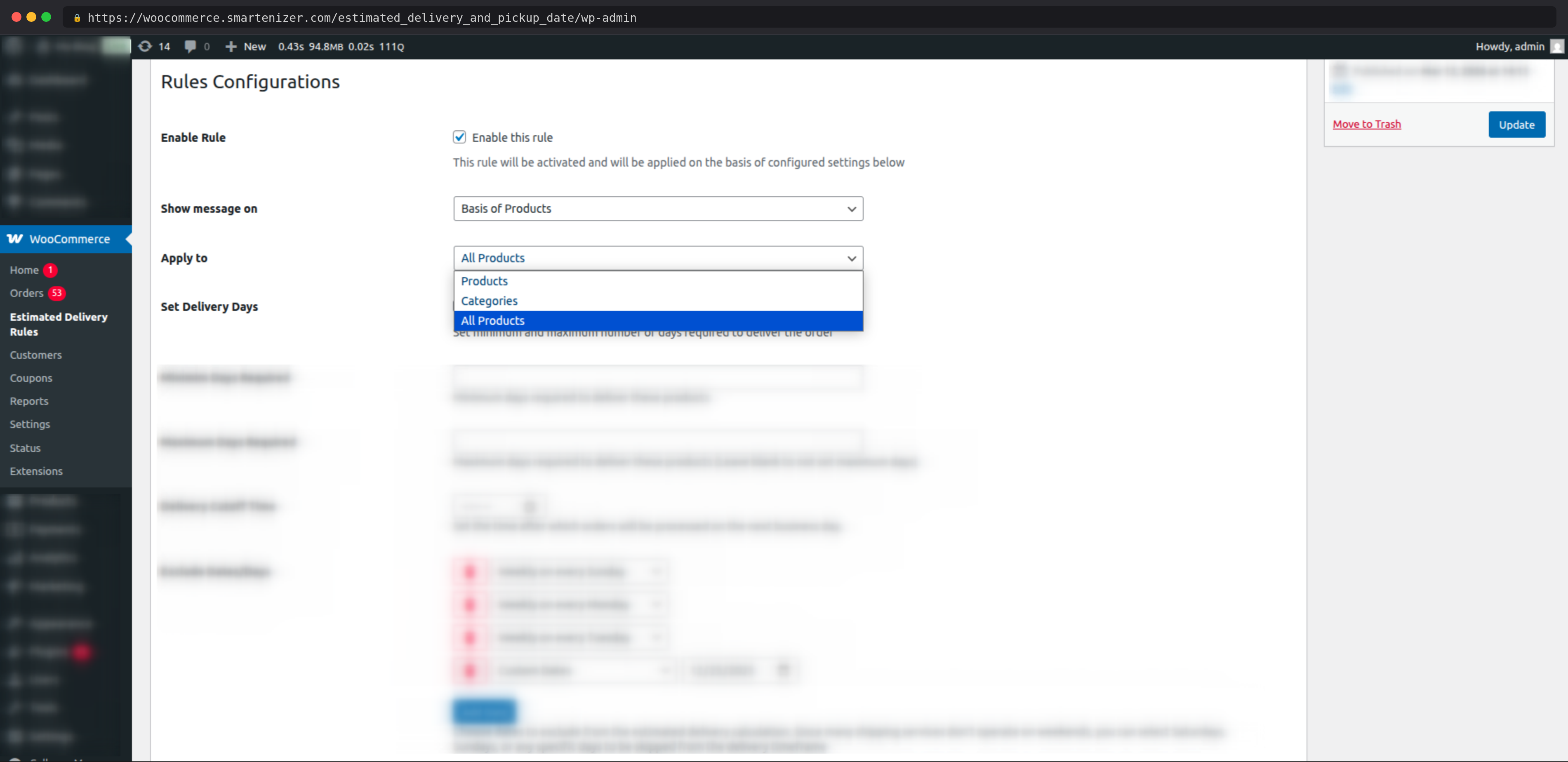
Show delivery messages based on product conditions. Choose one of three scopes:
• Specific Products — target one or more individual products
• Specific Categories — target all products in selected categories
• All Products — apply a sitewide fallback rule
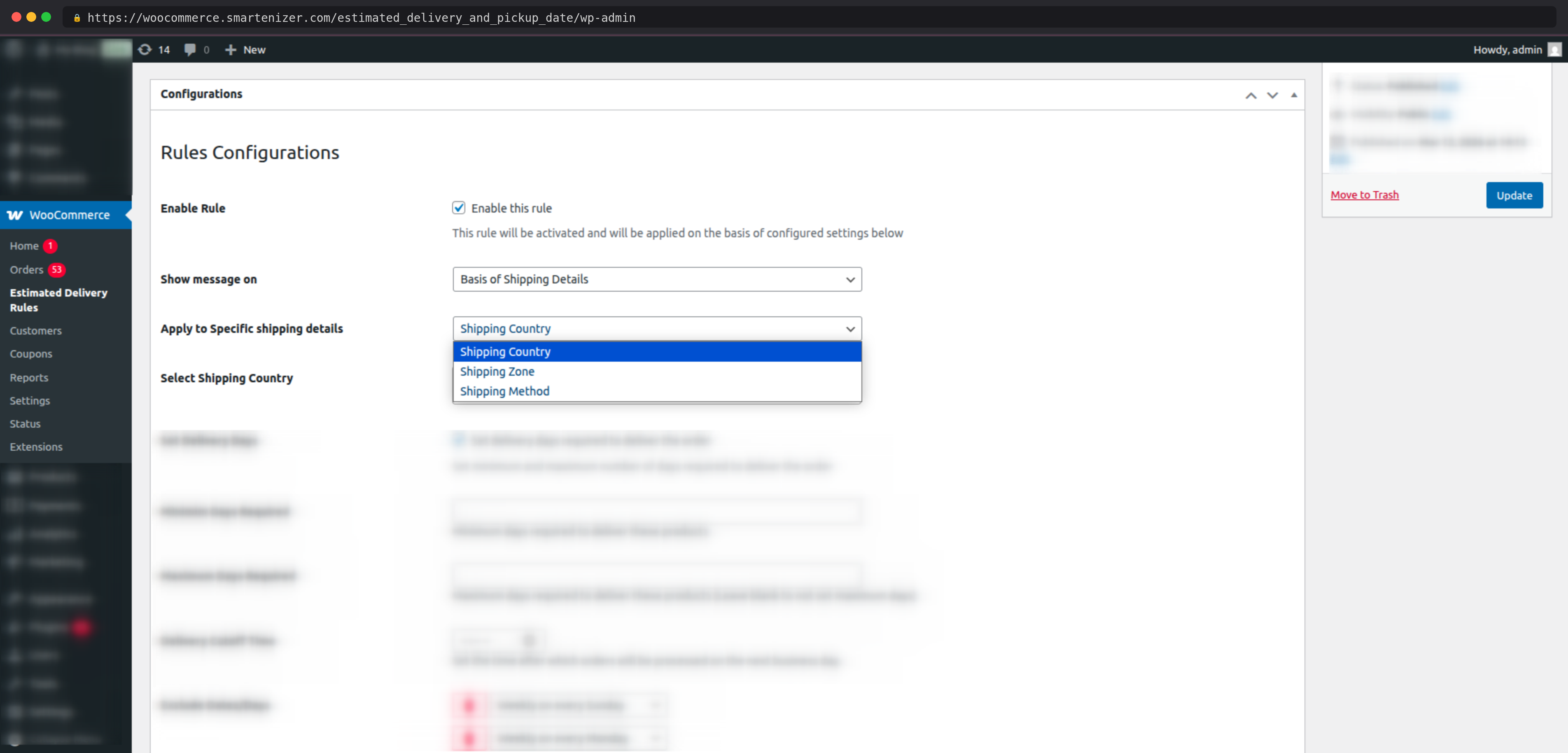
Show delivery messages based on the customer’s shipping selection. Choose from three targeting options:
• Shipping Method — triggered by the selected delivery method at checkout
• Shipping Zone — triggered by the customer’s WooCommerce shipping zone
• Shipping Country — the most granular option for international stores
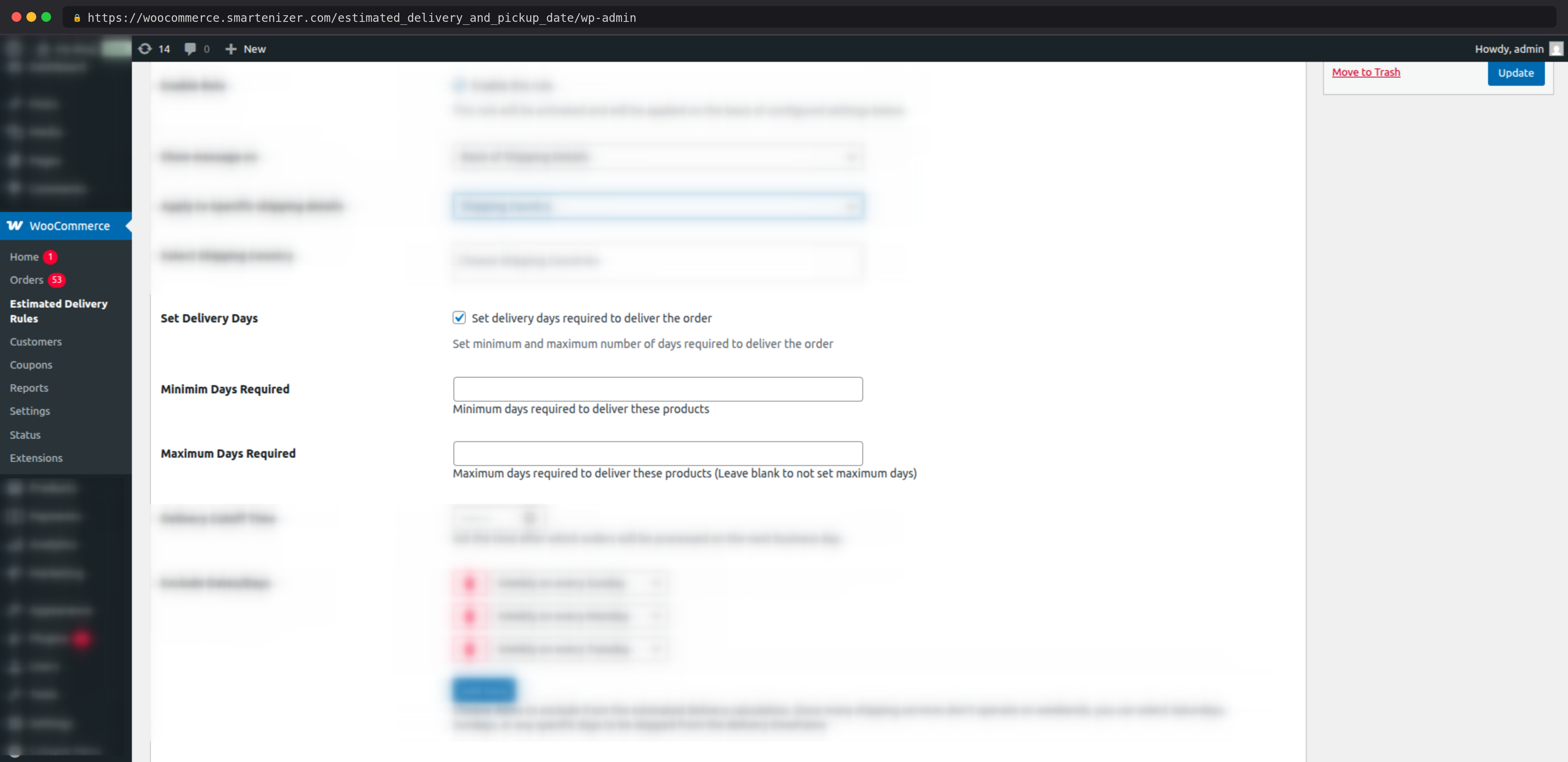
Set the minimum number of days required for delivery, and optionally set a maximum cap to display a date range (e.g., “Estimated delivery: 24 March – 27 March”). Minimum days populate [delivery_minimum_date] and maximum days populate [delivery_maximum_date].
Define a daily order cutoff time (for example, 2:00 PM). Orders placed before the cutoff are calculated from today. Orders placed after the cutoff are calculated from the next business day — automatically, without any manual adjustment.
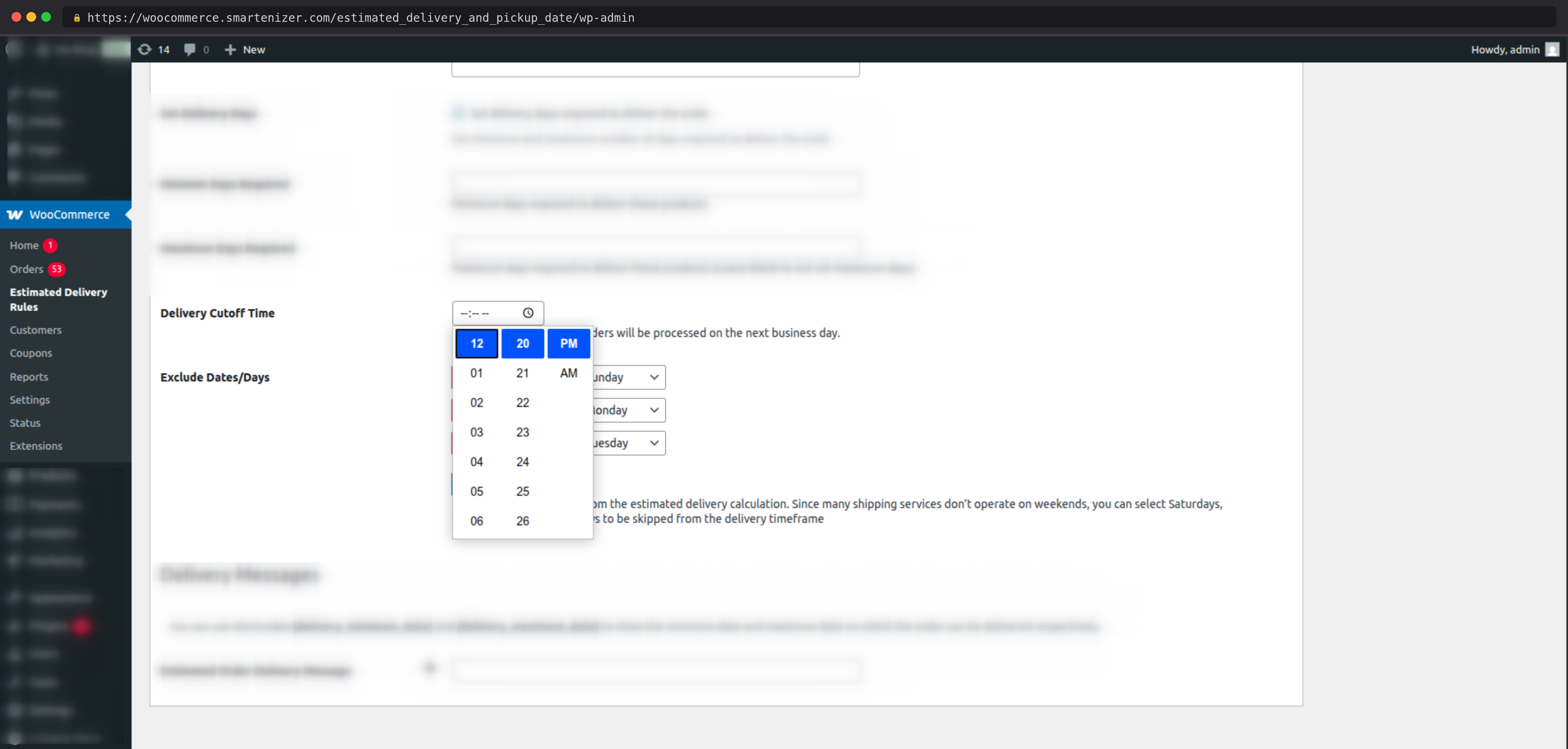
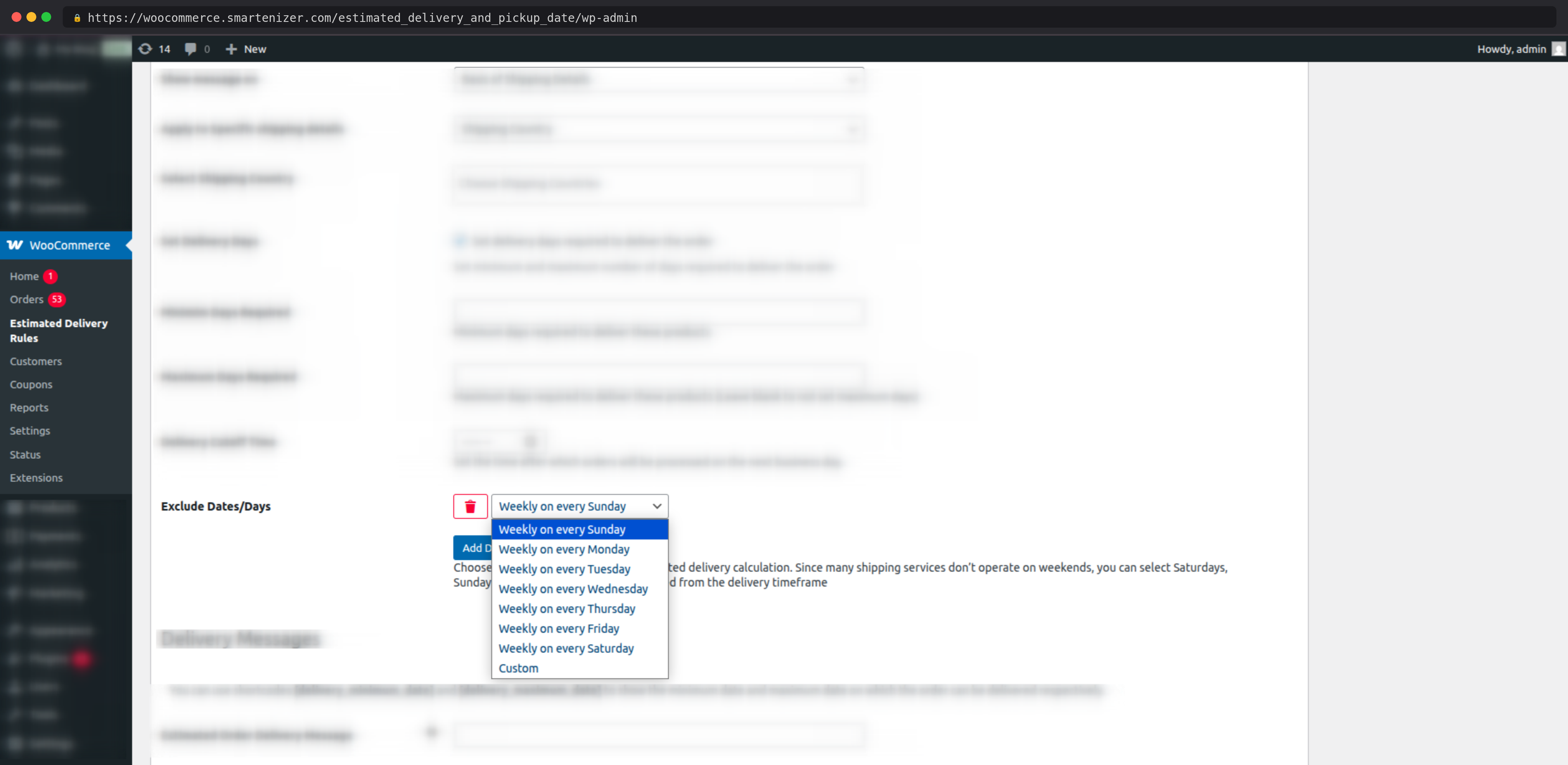
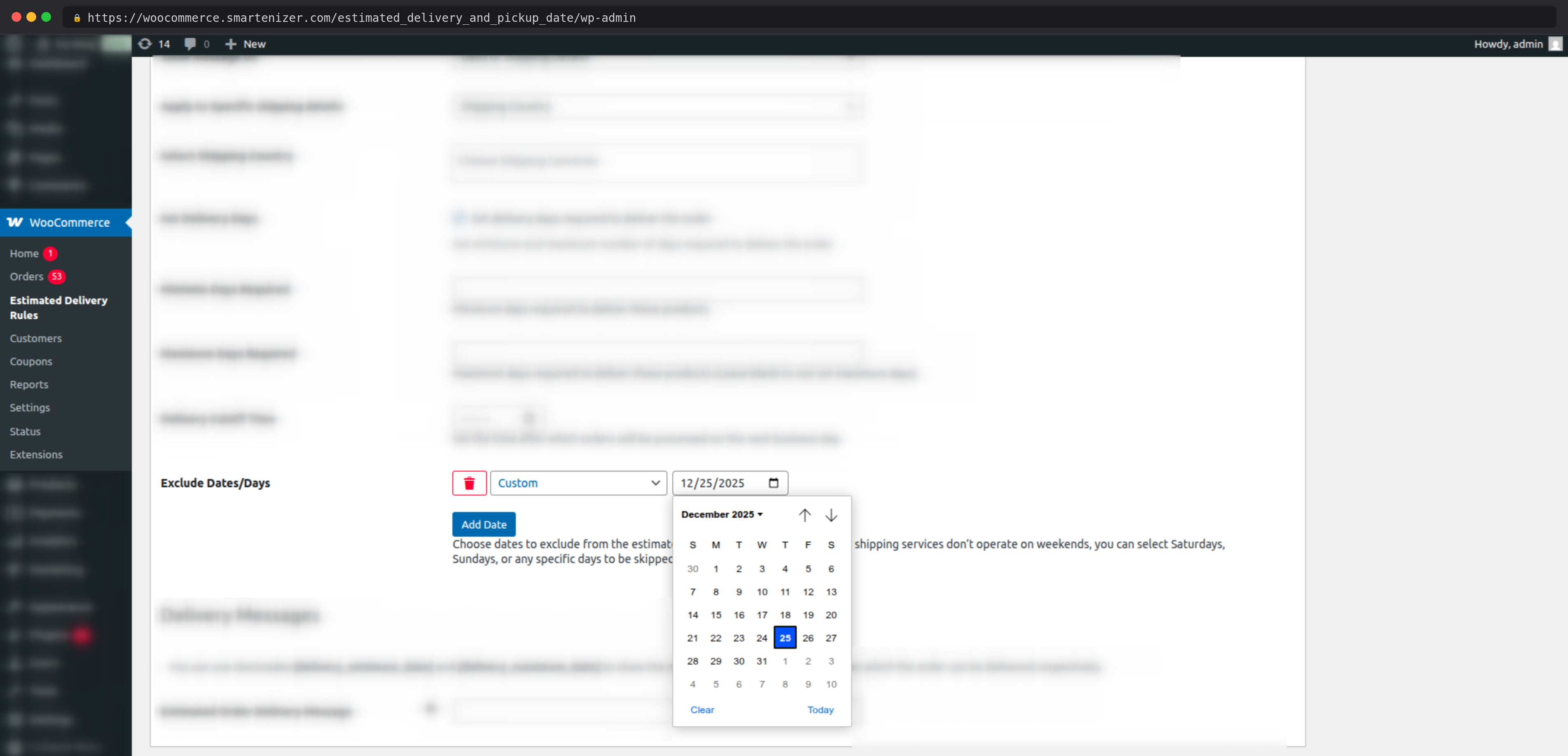
Exclude specific weekdays (for example, every Saturday and Sunday) or individual calendar dates (for example, public holidays or company closures) from the delivery calculation. Multiple exclusions can be added per rule.
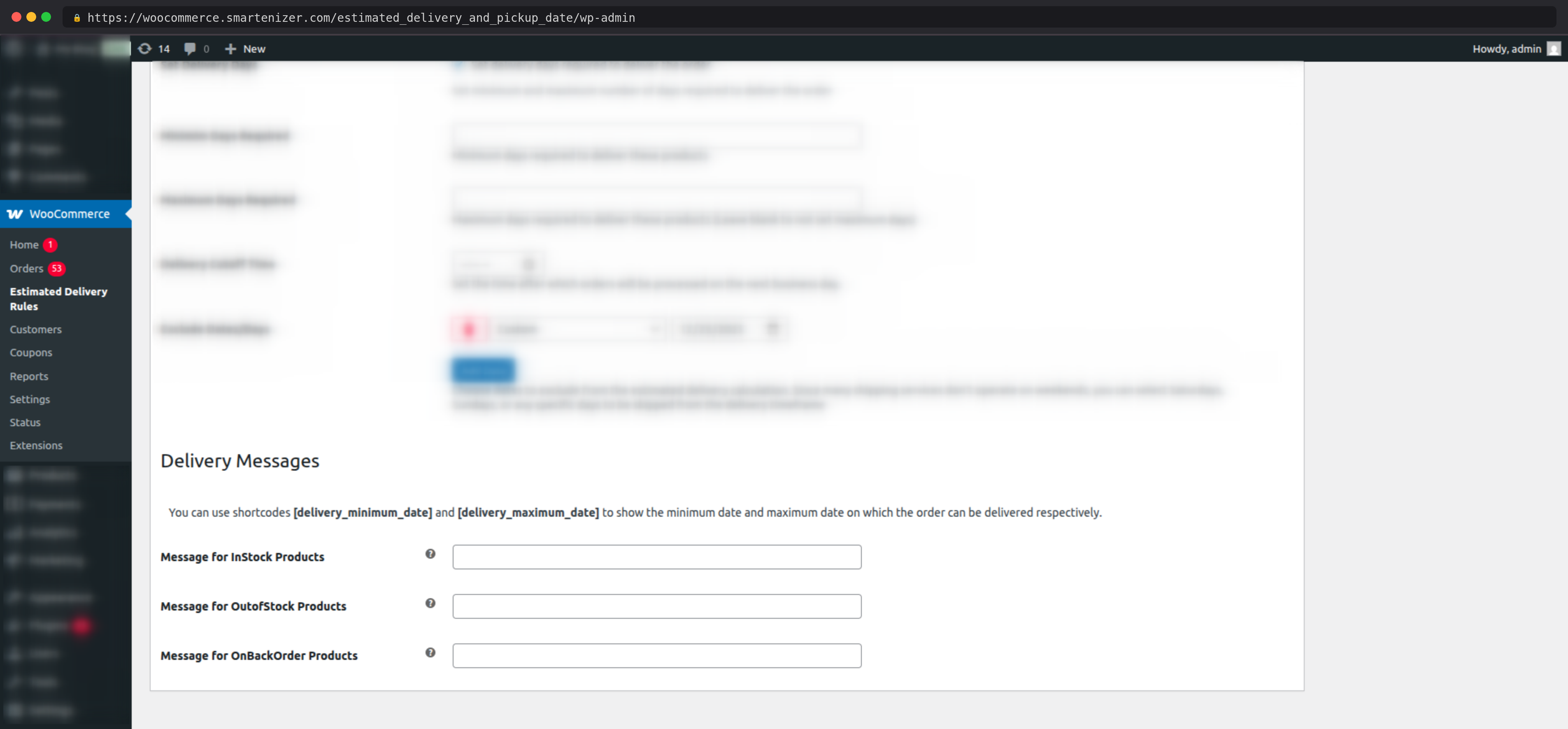
When using product-based rules, configure three separate messages — one for each stock status:
• In Stock Message — shown when the product is in stock
• Out of Stock Message — shown when the product is out of stock
• Backorder Message — shown when the product allows backorders
When using shipping-based rules, a single message applies to all products matched by the rule. This message displays on the cart and checkout pages when the customer’s shipping details match the rule conditions.
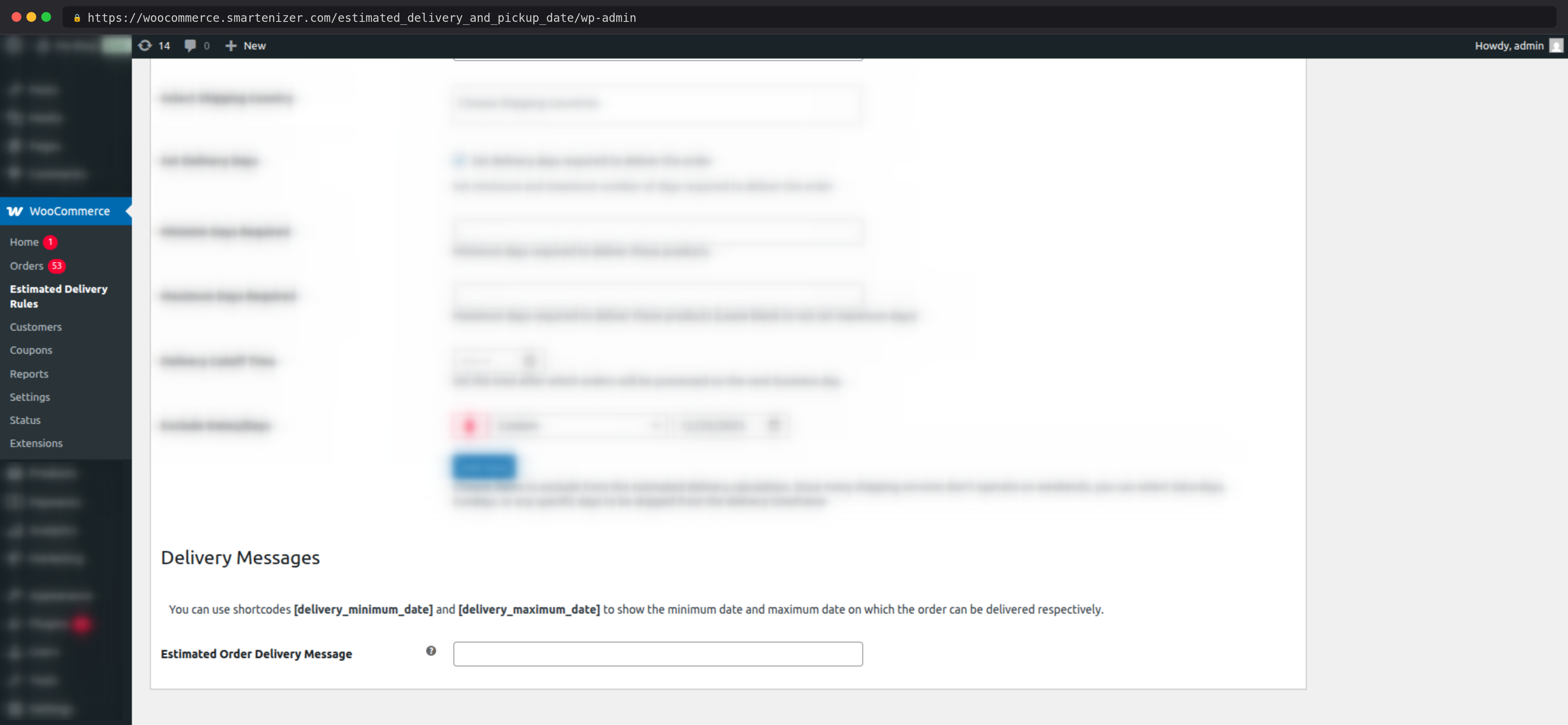
Use two built-in shortcodes inside your message text to automatically insert calculated delivery dates:
• [delivery_minimum_date] — inserts the earliest estimated delivery date
• [delivery_maximum_date] — inserts the latest estimated delivery date
Dates are calculated and displayed in real time using the rule’s day settings, cutoff time, and excluded dates. No hardcoded dates — the message always shows the correct window.
Multiple rules can coexist. The plugin evaluates all enabled rules and applies the one whose conditions are currently met. Use enable/disable toggles to control which rules are active at any time.
The cutoff time setting ensures delivery estimates account for real-world order processing windows. There is no need for manual intervention — the plugin determines day 1 of processing automatically based on the time of day.
For international stores, rules can be scoped down to specific shipping countries, giving you precise control over per-destination delivery windows.
Configure separate messaging for backordered products to communicate extended timelines clearly and honestly — reducing post-purchase disappointment and support queries.
Unlike simple date-adder plugins that add a fixed number of days to today’s date, this plugin calculates delivery windows dynamically based on layered conditions — product type, stock status, shipping destination, cutoff time, and excluded days — giving store owners precise, real-world accuracy.
Separate messages for in-stock, out-of-stock, and backorder products mean customers always see contextually accurate delivery communication — not a generic estimate that applies regardless of availability.
No hardcoded date text. Estimated delivery dates are calculated automatically and displayed in real time. When your processing time or excluded dates change, the message updates automatically — no manual edits required.
From the shop page to the thank you page, the delivery message follows the customer through every step of the purchase process, building trust and confidence at every touchpoint.
Every setting is managed through a visual rule builder with dropdowns, checkboxes, and color pickers. No PHP, no template editing, no custom CSS required. If you can manage products in WooCommerce, you can configure this plugin.
This WooCommerce estimated delivery date plugin automatically calculates and displays a delivery date message on your product pages, shop page, cart, checkout, and thank you page. Based on rules you configure in the admin panel, it shows customers a realistic delivery window, accounting for your processing days, cutoff times, and excluded holidays so they always know when to expect their order.
The delivery message can be displayed on five pages: the single product page, the shop/archive page, the cart page, the checkout page, and the order thank you page. Each page can be independently enabled or disabled from the plugin's General Settings.
Yes. You can create separate delivery rules for specific products, specific product categories, or all products sitewide. Each rule has its own delivery day range, cutoff time, and excluded dates, so different products can show completely different estimated delivery windows.
Yes. In addition to product-based rules, you can create rules that trigger based on the customer's selected shipping method, their WooCommerce shipping zone, or their shipping country. This makes the plugin ideal for stores with different delivery windows for local, national, and international shipping.
You can set a daily order cutoff time, for example, 2:00 PM. If a customer places an order before the cutoff, today counts as day one of the delivery calculation. If they order after the cutoff, the next business day is used as day one. This ensures the estimated delivery date shown is always accurate and reflects your real-world order processing schedule.
Yes. Each delivery rule lets you exclude specific days of the week, for example, every Saturday and Sunday, as well as individual calendar dates such as public holidays or seasonal closures. Excluded days are automatically skipped when calculating the estimated delivery date, so customers always see a realistic, business-day-accurate delivery window.
These are dynamic shortcodes you place inside your delivery message text. [delivery_minimum_date] is automatically replaced with the earliest estimated delivery date, and [delivery_maximum_date] is replaced with the latest estimated delivery date, both calculated in real time based on the rule's day settings, cutoff time, and excluded dates. No manual date updates are ever needed.
Yes. Product-based delivery rules support three separate message fields, one for in-stock products, one for out-of-stock products, and one for products on backorder. This means customers always see a contextually accurate delivery message rather than a generic estimate, which is especially valuable for pre-order and backorder products.
No coding is required. Every setting is managed through a visual rule builder in the WordPress admin panel using dropdowns, checkboxes, and color pickers. You can set up complex delivery rules with cutoff times, excluded holidays, and shipping zone targeting without writing a single line of code.
Yes. The plugin supports shipping country targeting, which lets you create rules scoped to specific countries. For example, you can show a 3–5 day delivery window for domestic orders and a 7–14 day window for international orders, each with their own excluded dates and cutoff time settings.
There is no limit on the number of delivery rules you can create. Each rule is fully independent with its own conditions, delivery days, cutoff time, excluded dates, and message content. Rules can be individually enabled or disabled at any time without deleting them.
Categories
Extension information
Quality Checks
Countries







