

Subscription includes
Support
Control who sees your products and how they can buy, based on where they’re shopping from. This plugin lets you restrict product visibility, hide prices, disable the “Add to Cart” button, and manage payment and shipping methods by country.
Using automatic IP-based geolocation, the plugin detects each customer’s location and applies your rules instantly, no manual input needed. You can set restrictions globally across your store or configure them product by product, giving you full control over what shoppers see in every region.
Set up rule-based controls to manage product visibility across your catalog. Define multiple rules based on products, categories, or customer locations. Each rule lets you choose whether to fully hide a product or just restrict the price and “Add to Cart” button.
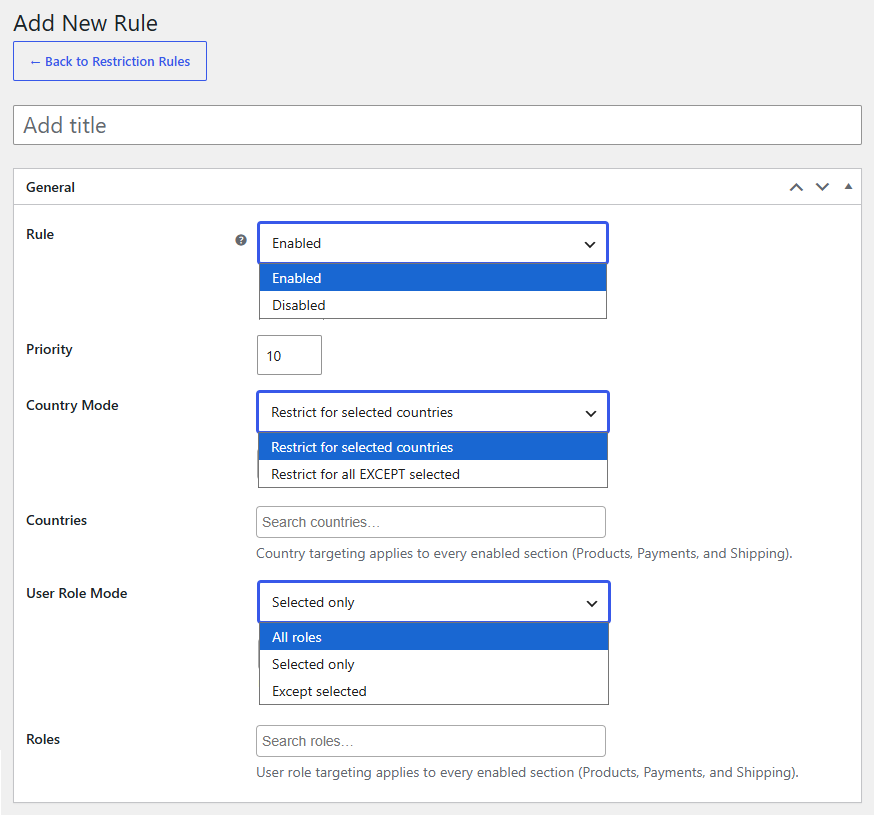
The plugin identifies a customer’s location using IP-based geolocation. This lets you apply country-specific restrictions automatically, without any manual input from the shopper.
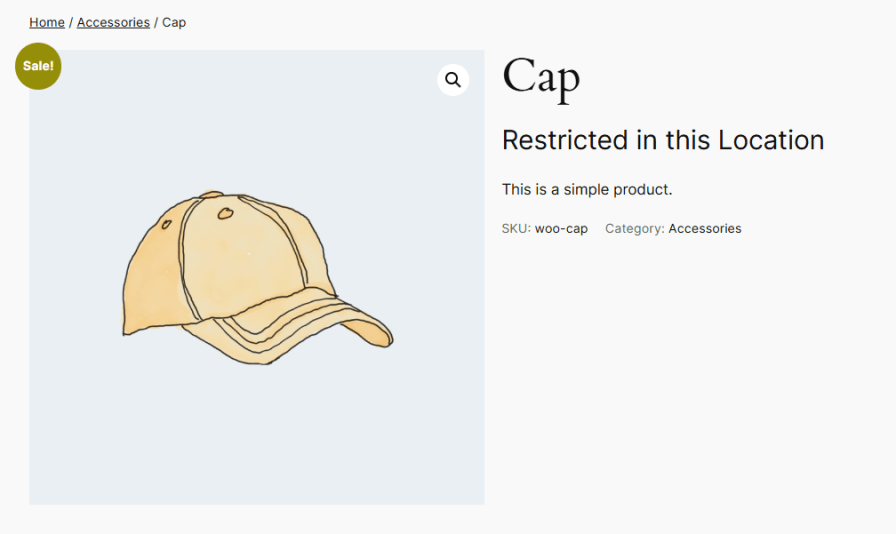
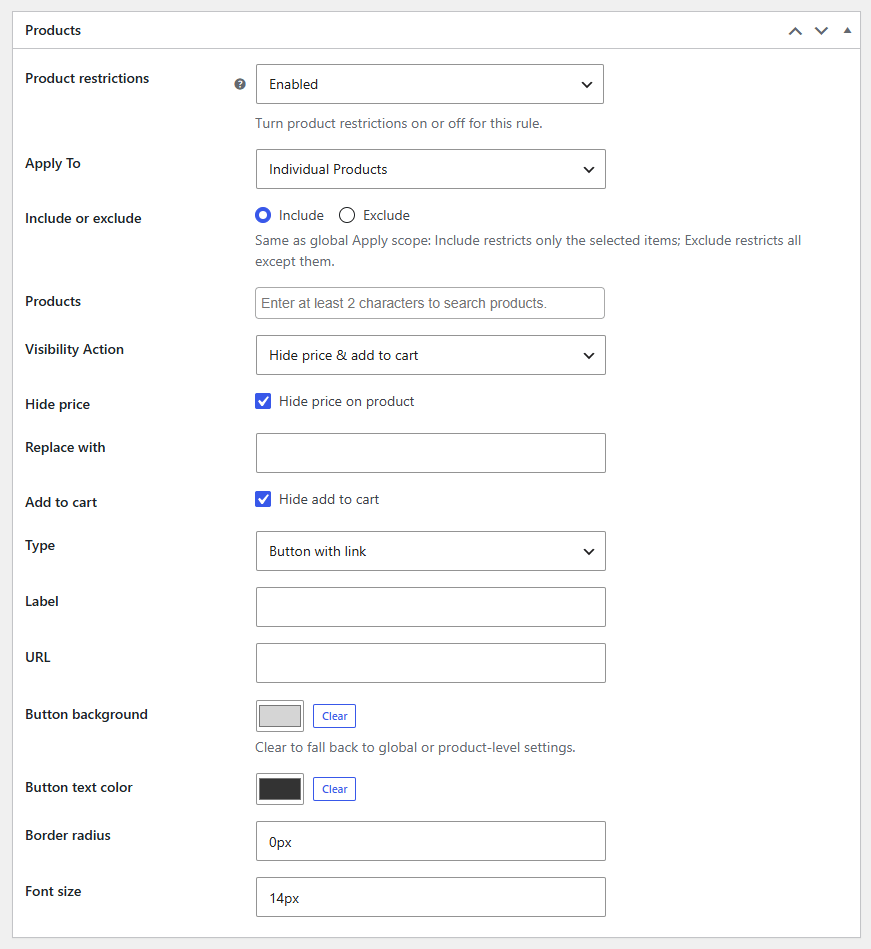
Limit access to specific products, categories, or tags based on a customer’s location. This keeps your catalog relevant to each region and ensures shoppers only see items available to them. Apply restrictions at the product level or through global settings.
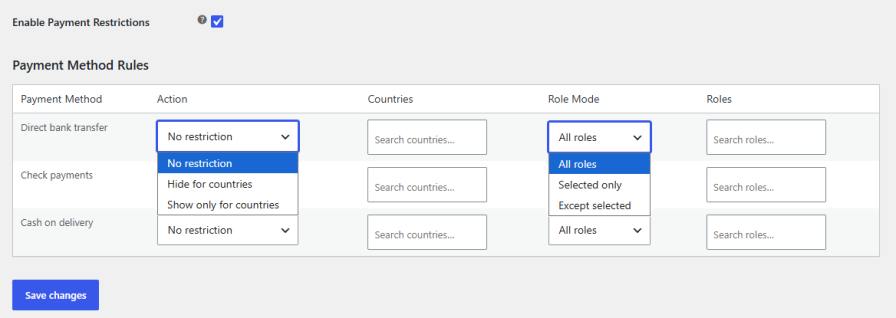
Enable or disable payment methods for each region. Since payment preferences differ by country, you can show only the options that make sense for each customer, creating a smoother checkout experience.
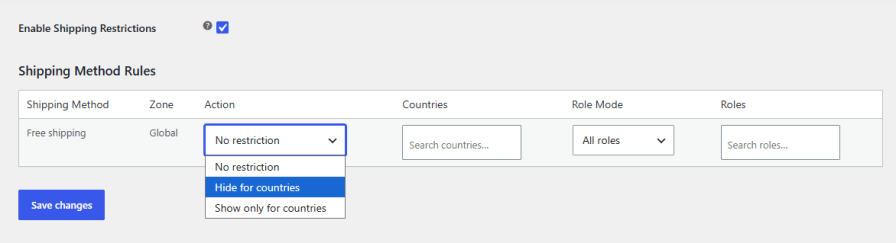
Enable or disable shipping methods depending on the customer’s location. This keeps shipping options relevant and avoids confusion at checkout, since availability and carriers vary by country.
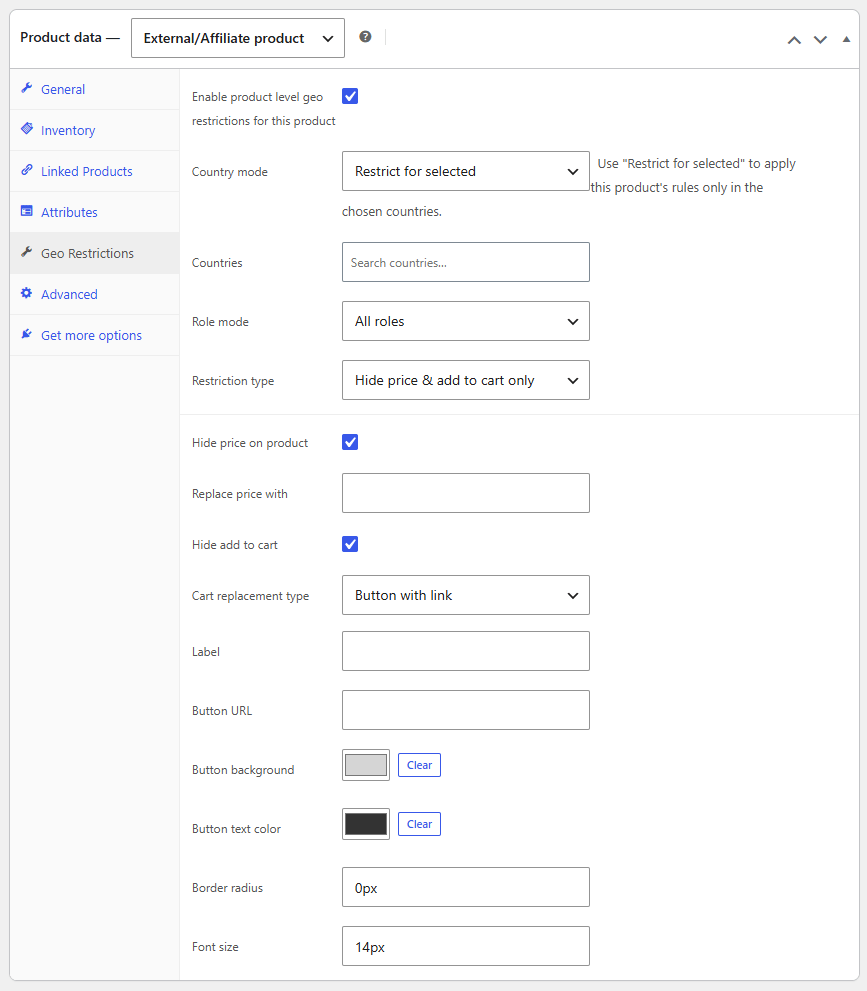
Manage visibility directly from the product edit screen instead of relying only on global rules. Choose to hide or show the entire product, or control just the price and “Add to Cart” button, all from one place.
Geo Restriction lets you control product visibility based on a customer's country. You can hide entire products or just restrict the price and "Add to Cart" button for shoppers in specific regions.
It uses IP-based geolocation to automatically identify each customer's country. No manual input is needed from the shopper.
Yes, you can create rules based on products, categories, or tags. This lets you apply restrictions across your catalog without setting them up one by one.
Yes, you can enable or disable specific payment methods for each country, so customers only see options relevant to their region.
Yes, shipping methods can be enabled or disabled by country, keeping checkout options relevant and avoiding confusion for customers in unsupported regions.
Yes, visibility settings can be managed directly from the product edit screen, giving you control over each product separately.
You can display a custom message or redirect the customer to a specific URL, depending on how you want to handle restricted access.
Categories
Quality Checks
Countries







