

Active installs
700+
Subscription includes
Support
With Gift Wrapper for WooCommerce, shoppers can add gift wrap to individual products right from the product page, or gift wrap their entire order from the cart or checkout page. They can also enter a personalized message, and store owners can choose whether to charge a fee for gift wrapping.
Shoppers can also choose items in the cart and wrap them together in one or more gift groups, each with its own design and message — perfect for orders going to different recipients.
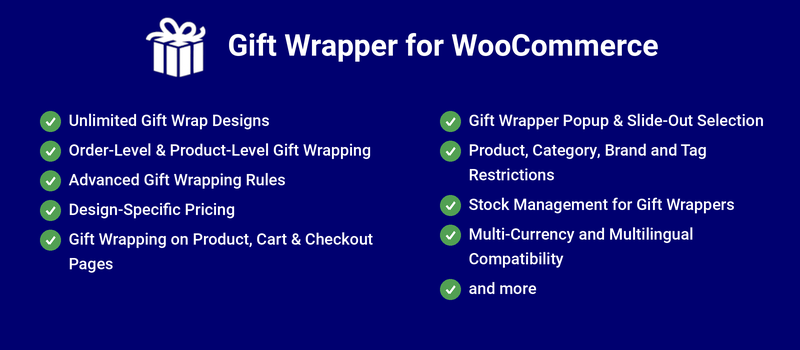
Create unlimited gift wrapper designs with custom names, images, pricing, and configuration settings. Organize designs into Design Groups to keep large design libraries categorized and easy to manage. Offer different wrapping styles for occasions such as birthdays, weddings, anniversaries, holidays, and seasonal promotions. This gives store owners complete flexibility to match their branding and customer preferences.
Allow customers to add gift wrapping to an entire order or select gift wrapping for individual products. This is especially useful when customers purchase multiple items intended for different recipients. The flexibility improves the overall gifting experience and increases customer satisfaction.
Customers can also wrap selected items together in separate gift groups, each with its own design and message.
Create powerful gift wrapping rules to control when and where gift wrapping options are displayed. Configure eligibility based on products, categories, brands, tags, customers, user roles, and other criteria. This helps store owners offer gift wrapping only where it makes business sense.
Assign individual prices to different gift wrapper designs to support standard and premium wrapping options. Customers can choose from multiple gift wrapping styles based on their preferences and budget. This creates additional revenue opportunities while offering more choices.
Set a Maximum Product Quantity Per Wrapper for a design to charge for each wrapper needed, instead of one fee for any quantity.
Display gift wrapping options at multiple stages of the shopping journey, including the product page, cart page, and checkout page. Customers can select or modify their gift wrapping preferences wherever it is most convenient. This improves visibility and increases gift wrapping adoption rates.
Let customers choose which cart items go together and wrap them in one or more gift groups — for example, two items wrapped together for one recipient and a third item wrapped alone for another. Each gift group has its own design, message and custom fields, and is charged as its own line in the cart and checkout totals. Set the Order Gift Wrapper Grouping Mode to Multiple Groups to show the “Wrap Items Together” option on the cart and checkout pages, including the WooCommerce Cart and Checkout blocks. Customers can edit or remove their gift groups at any time, and you can set the minimum and maximum items per gift group. Each group’s design, message and items are saved in the order and can be added to the order notes.
Set how many units of a product fit in one wrapper for each gift wrapper design. When the quantity is higher, additional wrappers are added automatically, each charged in full — for example, with a maximum of 2, a quantity of 5 is charged for 3 wrappers. Works with product-level, entire-order and gift group wrapping, and customers see a notice showing how many wrappers are charged. Leave it blank for no limit.
Present gift wrapping options using modern popup windows or slide-out panels. Customers can view available gift wrapper designs without leaving the current page. The enhanced user experience makes gift wrapper selection faster and more engaging.
Control gift wrapping availability using WooCommerce products, categories, brands, and tags. Different gift wrapping options can be displayed for different product groups. This allows highly targeted gift wrapping campaigns and product-specific wrapping experiences.
Manage gift wrapper inventory by enabling stock control for individual gift wrapping designs. Prevent customers from selecting wrapping options that are no longer available. This helps maintain accurate inventory levels and avoids fulfillment issues.
Stock is reduced for each wrapper used, including every gift group and every extra wrapper needed when a design’s maximum quantity per wrapper is exceeded.
Integrate seamlessly with popular multi-currency and multilingual solutions. Gift wrapping charges, labels, and descriptions can be presented appropriately for different regions and languages. This ensures a consistent shopping experience for global customers.
Gift wrappers can be created at the product level. Go to the edit product page and you can see the “Gift Wrapper” section where you can create gift wrapper designs for the specific product.
In addition to displaying gift wrapper details in the “Item” section in orders, it will be displayed also in the “Order notes” section. You can use this to flag the gift wrapper information in shipstation.
The labels/messages displayed in the frontend are customizable.
Go to “WooCommerce > Gift Wrapper > Localization” to customize the labels.
Go to “WooCommerce > Gift Wrapper > Messages” to customize the messages.
Yes. Set Order Gift Wrapper Grouping Mode to Multiple Groups. Customers can then click “Wrap Items Together” on the cart or checkout page, choose the items and quantities for each gift group, and pick a design and message for each group.
Set the Maximum Product Quantity Per Wrapper in the gift wrapper design. If the quantity exceeds it, additional wrappers are added automatically and each one is charged.
Extension information
Quality Checks
Compatibility
Countries







