

Subscription includes
Support
Bots create fake accounts, try stolen passwords on your login page, test stolen cards at checkout, and flood your reviews and comments with spam. Google reCAPTCHA Integration stops them before they reach your store by adding a CAPTCHA to the forms bots target most.
Protect your WooCommerce login, registration, lost password, checkout, pay for order, and product review forms, along with the default WordPress login, registration, and comment forms. Use the shortcode to add the same protection to any custom form.
Choose Google reCAPTCHA v2 (checkbox) or v3 (invisible), or switch to Cloudflare Turnstile or hCaptcha from the same settings page. Set it up separately for each form, and let trusted users, countries, or IP addresses skip the check so real customers are never slowed down.
Pick the CAPTCHA service that suits your store. Select Google reCAPTCHA, Cloudflare Turnstile, or hCaptcha from one dropdown, and only the provider you choose is loaded on your storefront.
Keys are saved separately for each provider, so you can switch between them at any time without entering your keys again.
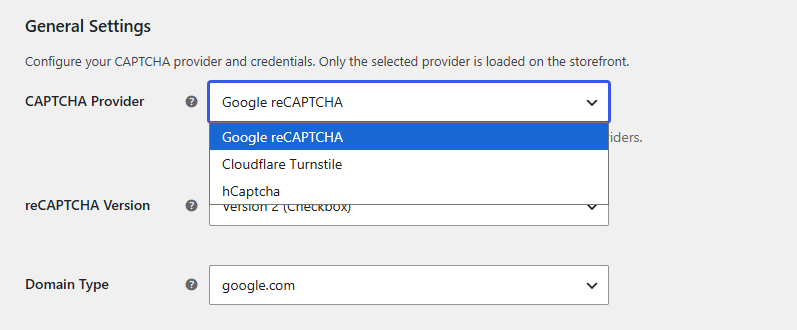
Google reCAPTCHA v2 shows the familiar “I’m not a robot” checkbox. reCAPTCHA v3 for WooCommerce works invisibly in the background, scoring each visitor without asking them to click anything.
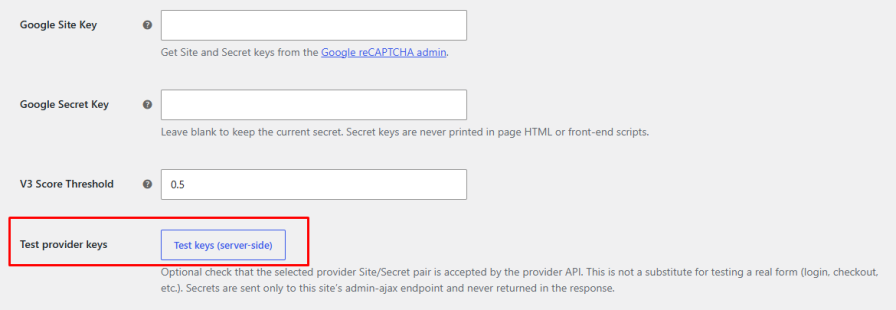
With v3, set a score threshold to decide how strict the check should be. Raise it to block more suspicious traffic, or lower it if real customers are being stopped. If google.com is blocked for some of your customers, load reCAPTCHA from recaptcha.net instead.
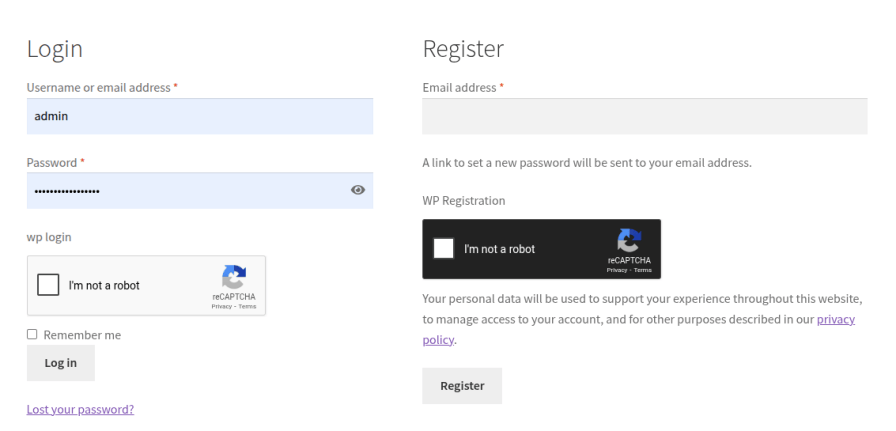
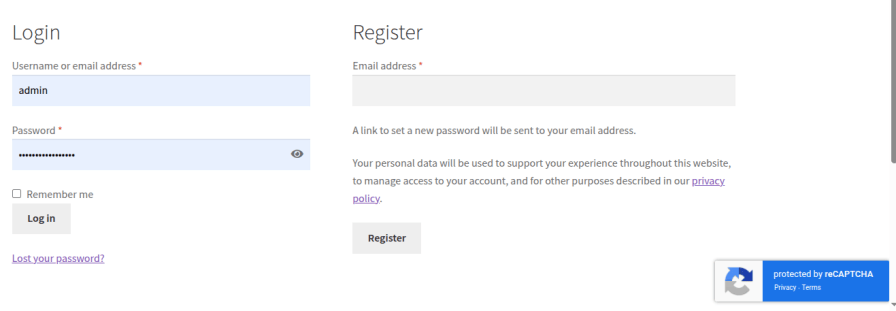
Fake signups fill your customer list with junk accounts, and bots try stolen passwords on your login page. Add reCAPTCHA to WooCommerce registration, login, and lost password forms on the My Account page to block these attacks while customers sign in as usual.
Bots use checkout pages to test stolen credit cards, which leads to failed payments, chargebacks, and payment gateway penalties. Turn on reCAPTCHA for guest checkout, logged-in user checkout, and the pay for order page to stop automated orders.
Choose whether the CAPTCHA appears after the payment method or after the additional information section, so it fits naturally into your checkout.
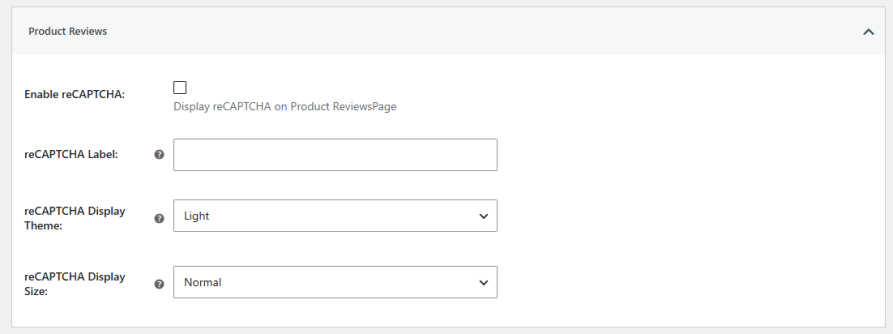
Keep your product reviews and blog comments clean. Add a CAPTCHA to the WooCommerce product review form and the WordPress comment form so bots cannot post spam links or fake reviews.
Secure the default WordPress login, registration, and lost password pages, including wp-login.php. This protects your admin area from brute force login attempts and stops fake accounts created outside of WooCommerce.
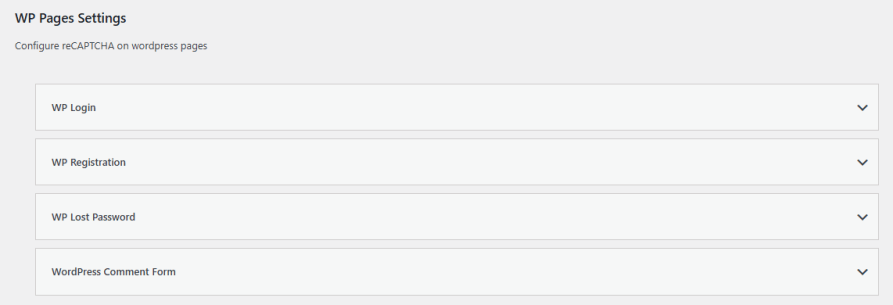
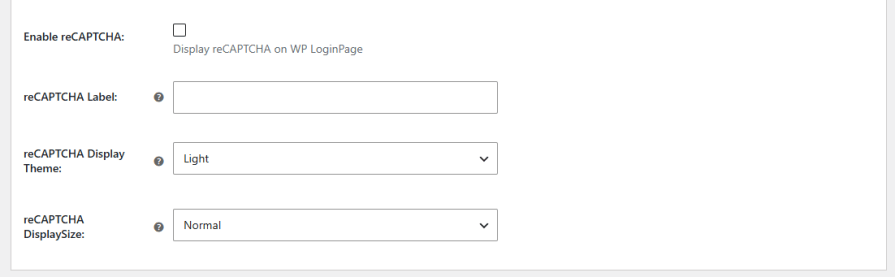
Every form has its own settings, so your Google reCAPTCHA WooCommerce setup only runs where you need it. For each form, you can:
Not every visitor needs to be checked. Exclude specific countries, IP addresses or IP ranges, or user roles such as administrators and shop managers. Your team can work without interruptions, while everyone else is still checked.

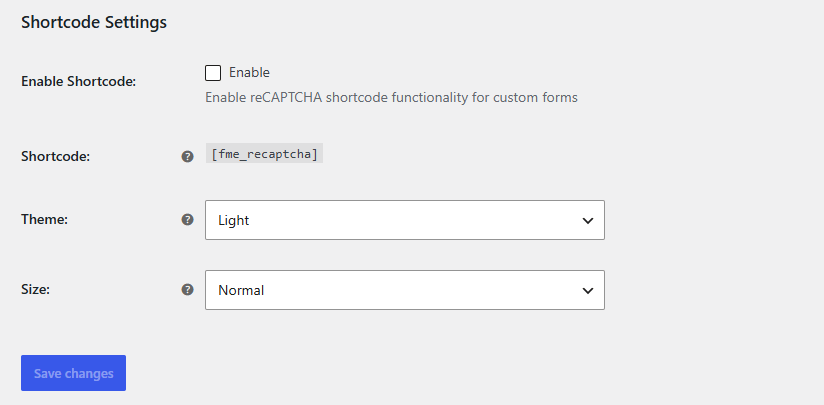
Protect forms beyond the default WordPress and WooCommerce pages. Place the [fme_recaptcha] shortcode inside a custom form, and choose its theme and size from the settings.
Check that your site key and secret key are accepted by the provider with one click, before customers ever see the CAPTCHA. If a key is missing, a clear warning appears in the settings so nothing goes live half-configured. Secret keys are never shown in your page HTML or front-end scripts.
Yes. You can choose Google reCAPTCHA v2 (Checkbox) or v3 (Invisible). With v3, you can set a score threshold to control how strict the check is.
Yes. You can enable it separately for guest checkout, logged-in user checkout, and the pay for order page, and choose where it appears on the checkout page.
Go to the plugin settings, open the WC Pages tab, expand the Registration section, and check Enable reCAPTCHA. You can also set a label, theme, and size for the form.
Yes. Along with Google reCAPTCHA, the plugin supports Cloudflare Turnstile and hCaptcha. You can switch providers at any time.
Yes. You can exclude specific countries, IP addresses or IP ranges, and user roles from the CAPTCHA.
Yes. Enable the shortcode in the settings and place [fme_recaptcha] inside your form.
Get them from the dashboard of the provider you choose: the Google reCAPTCHA admin console, the Cloudflare Turnstile dashboard, or the hCaptcha dashboard.
Extension information
Quality Checks
Countries






